Webinar Marketing Plan: How to Maximize Impact in 2026
A complete webinar marketing plan with timelines, channels, and content ideas. See how to attract more attendees and keep generating leads long after.
You need to market a webinar at two times:
- Before the webinar: To attract more attendees
- After the webinar: To get more on-demand views
Both instances of webinar marketing are essential to maximize the return on investment (ROI) of your production effort, which is substantially higher compared to other content pieces like videos and whitepapers.
This article will help you build a comprehensive webinar marketing plan based on eight content strategies you can use today.
Key Takeaways
- Webinar marketing happens in two phases: before the event to drive live attendance and after the event to keep generating on-demand views and leads.
- Before the webinar, every promotional asset (LinkedIn posts, X threads, emails, Shorts, and ads) should point to a single, well-structured registration landing page.
- Pick 3–4 channels where your audience actually spends time (usually LinkedIn, X, Instagram, YouTube, and email) instead of spreading thin across every platform, and tailor content natively to each.
- Start about 4 weeks out with announcements, build up through carousels, speaker spotlights, and reminder emails, and increase volume in the final 3 days with countdowns and “last chance” nudges.
- After the webinar, repurpose the recording into short clips, recap blogs, email nurtures, and social posts.
- Track landing page traffic, registrations, impressions, and click-through rates per channel so you know what’s working.
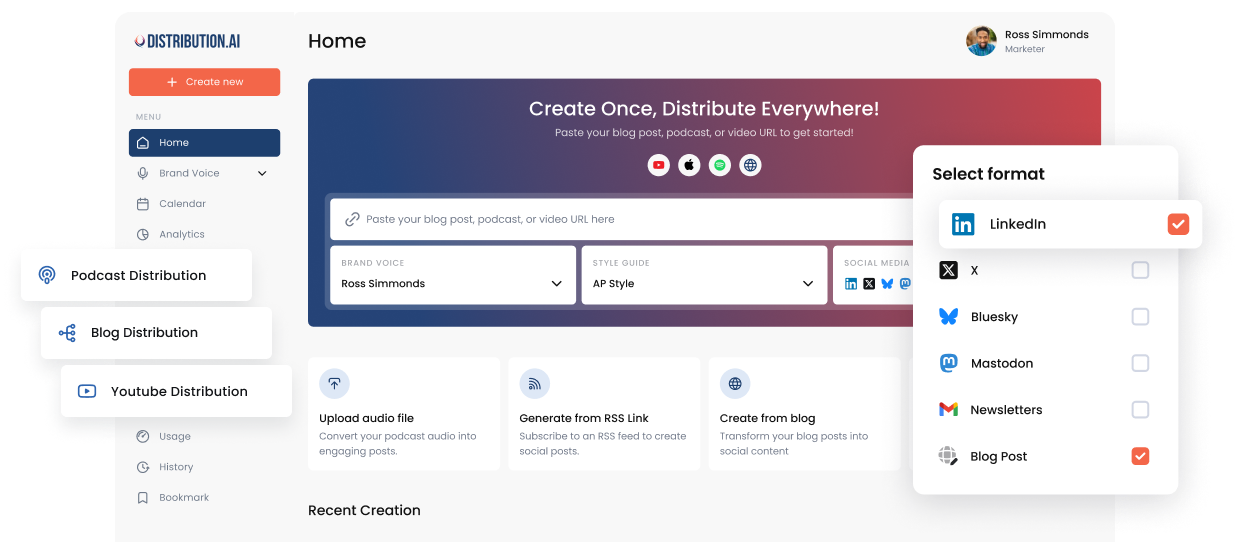
- Distribution.ai can be really helpful for busy marketers to speed up content creation, scheduling, and performance tracking.
What is a Webinar Marketing Plan
A webinar marketing plan tells you what you need to post and where before and after a webinar to get the maximum number of attendees and on-demand views.
It lists the marketing channels you will use (LinkedIn, newsletters, etc.), the content types you will publish (carousels, threads, videos, etc.) and the date and time you will post them.
A complete webinar marketing plan helps you produce and publish the promotional content at the right time.
Once a webinar’s date is set, you have to produce enough content during it to attract viewers and generate leads. And after the event is complete, you have to get as many viewers as you can before the content becomes outdated (unless you are covering evergreen topics).
A Webinar Marketing Plan Example
For instance, the particulars of a typical marketing plan to attract more webinar attendees may look like:
- Four weeks before
- LinkedIn: Announcement post introducing the topic and speaker(s)
- Email newsletter: “Save the date” blurb with registration link
- Website: Landing page live with registration form
- YouTube Short: Quick announcement video
- Two weeks before
- LinkedIn: Carousel breaking down 3–4 key takeaways attendees will learn
- Twitter/X: Thread previewing the webinar’s core argument or framework
- Email: Dedicated invite email to your list, segmented by relevant persona
- Partner/co-host channels: Long-form YouTube video with the guest (can be repurposed)
- One week before
- LinkedIn: Speaker spotlight post (short video or quote card) to build credibility (repurposed from the video above)
- Email: Reminder email with agenda and “what you’ll walk away with”
- Blog: Supporting blog post on the webinar topic, with a CTA to register
- Retargeting ads: Launch a small paid push to site visitors who haven’t registered
- Three days before
- Email: “3 days left” reminder with a specific reason to attend live (e.g., live Q&A)
- LinkedIn: Short video teaser from the speaker
- Slack/community channels: Post in relevant communities you’re part of (if appropriate)
- One day before
- Email: Final reminder with calendar invite/join link and timezone details
- LinkedIn/Twitter: “Tomorrow!” post with countdown graphic
- SMS or push notification (if available): Quick nudge for registrants
Similarly, for after the webinar, you can follow this approach:
- Same day
- Email: Thank-you email to attendees with the recording link and slides
- Email: “Sorry we missed you” email to no-shows with the on-demand recording
- Three days after
- LinkedIn: Post key stats, quotes or a highlight reel clip from the session
- X: Threads with visuals, takeaways and highlight reels
- Blog: Recap post summarizing key insights, embedding the recording
- One week after
- Reels/Shorts/TikTok: Break the recording into short clips for social networks (post them gradually)
- LinkedIn and X posts: Each covering one insight from the session
- Email: Nurture email to attendees with related content or next-step offer
- Three weeks after
- Gate the recording: Add it to your resource library as an on-demand asset for ongoing lead gen
- SEO: Optimize the recap blog post/landing page for search to keep driving on-demand views long-term
Note that you can always scale up/down your efforts in the before/after stage based on available resources. Moreover, if your webinar’s topic is relevant, you can continue to promote it long after 3–4 weeks after the event.
How to Create a Webinar Marketing Plan
You can craft an effective webinar marketing strategy for your brand in seven steps based on the resources available and where your audience exists.
1. Start With a Webinar Registration Landing Page
A webinar registration landing page helps interested attendees book a spot in the event by providing them with key details like learning points, speaker details and date & time.
Typically, you should include these sections in the registration page:
- Benefit-driven headline for the hero section (you can add a countdown timer next to it if appropriate)
- A subheadline of 1–2 sentences expanding on the headline with extra context
- Venue (mention the webinar platform’s name like Zoom, Google Meet, etc.), date, time & timezone details
- Target audience clarification in “who is this webinar for” section
- The topics or themes to be covered in “what will the webinar cover” section
- Embedded registration form to collect attendee contact information (keep 3–4 fields at most, including name, title & company, email address and how you heard about the event)
- Speaker and host bio section with headshots and credentials
- Additional credibility signals like social proof of past webinar success and how your brand is a thought leader in your niche
The objective of the landing page is to quickly provide enough details to the visitor that they will know if the webinar event is for them and can immediately register themselves.
The remainder of your webinar promotion efforts, such as posting on social media and communities, should direct traffic to this page to get as many attendees as possible.
2. Identify the Platforms or Channels
The first step toward building a successful webinar marketing strategy is to pick 3–4 platforms or channels where the majority of your audience spends most of their time. Usually, the list includes LinkedIn, X, Instagram and YouTube due to their large user bases.
If you are active on other platforms like Mastodon, Bluesky, Threads and industry forums, feel free to add them here.
However, it can be advantageous to limit your focus to a few channels rather than spreading your resources thin across many. Fewer channels will allow you to create more targeted content for your killer webinar marketing strategy.
Other than that, use your existing email list, which includes your marketing newsletter subscribers, leads and existing customers.
An effective way to identify the medium for your webinar marketing plan is to look at historical data. Look at where the bulk of your previous webinars’ registrations came from, and go from there.
3. Create Content for Each Marketing Medium
Here, you need to do things: decide how many content pieces you want to create and create them. It is important to collaborate with your team and make this decision based on the resources available.
Keep in mind that each of your preferred webinar marketing media responds well to a particular format and length.
LinkedIn’s algorithm, for instance, values long-form informative posts and carousels. Similarly, X rewards threads and posts with multimedia content.
You need to create new content in each of the formats for all of the webinar marketing channels or platforms. Copying and pasting the same asset across networks may fall flat and overlapping audiences will find it repetitive and boring.
These content pieces should link to the webinar registration landing page only. Avoid putting any other link or CTA in these posts/videos/captions to direct your audience toward one action.
It can be difficult for busy marketers and small teams to produce several platform-native assets from scratch. A better approach here is to convert one content piece (or the core talking points) into social media content with AI.
Distribution.ai writes engaging LinkedIn posts, X threads, newsletters and Instagram captions from your ideas or an existing content piece. It produces the first drafts in your brand’s tone and style, so you can quickly polish and schedule them to attract more attendees for your upcoming webinar.
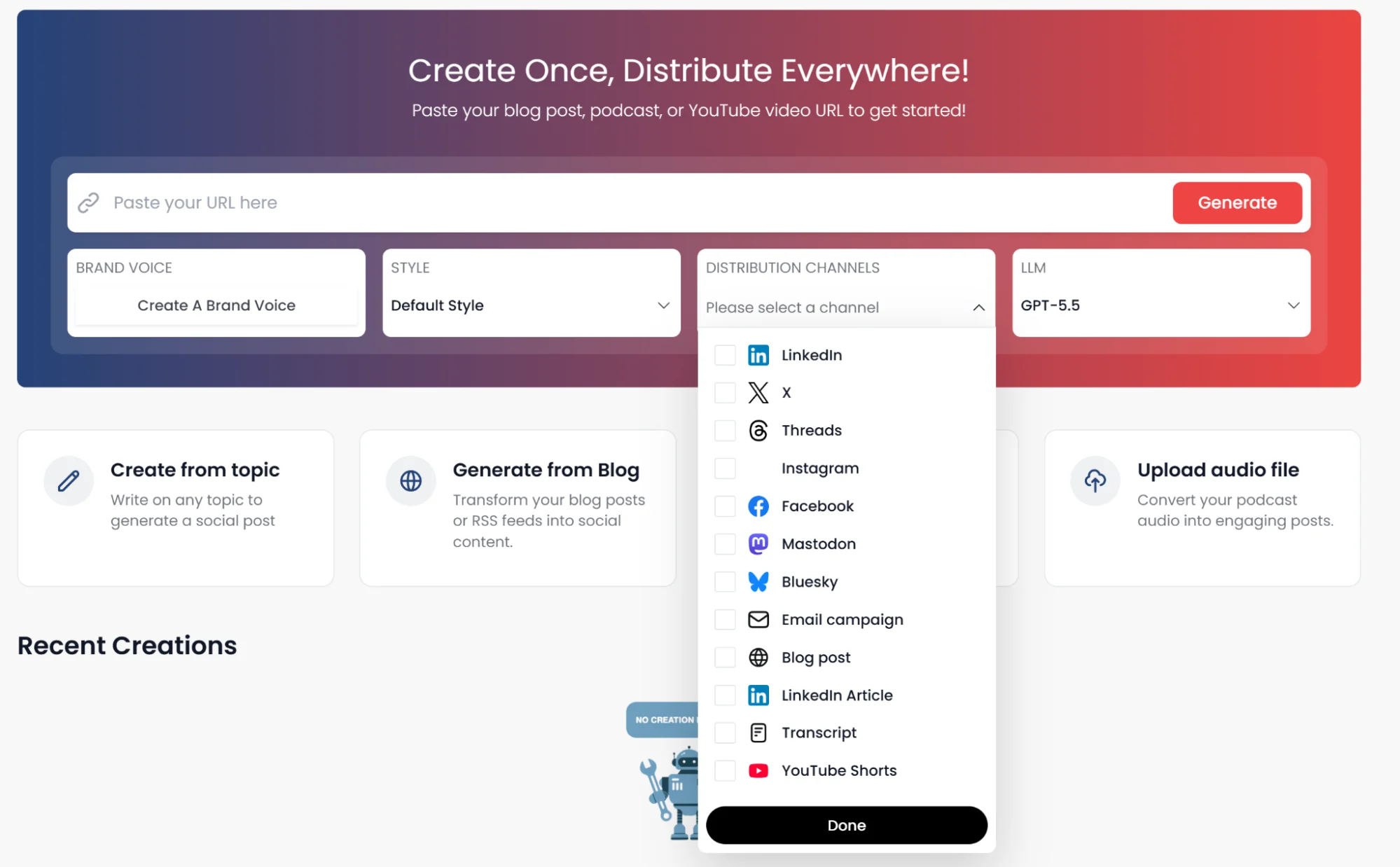
It saves multiple hours to a couple of days that you’d have spent creating each content piece from scratch. You simply need to double-check the facts and ensure that the link to the webinar landing page is correct.
And you can publish your first post in 10 minutes after signing up for your 15-day free trial.
4. Schedule the Posts and Videos Ahead of Time
Every post or video to attract attendees should be published at a specific time slot leading up to the webinar. In the webinar marketing plan example above, you can see that the content pieces have to be lined up at certain intervals to maximize registrations without fatiguing your audience.
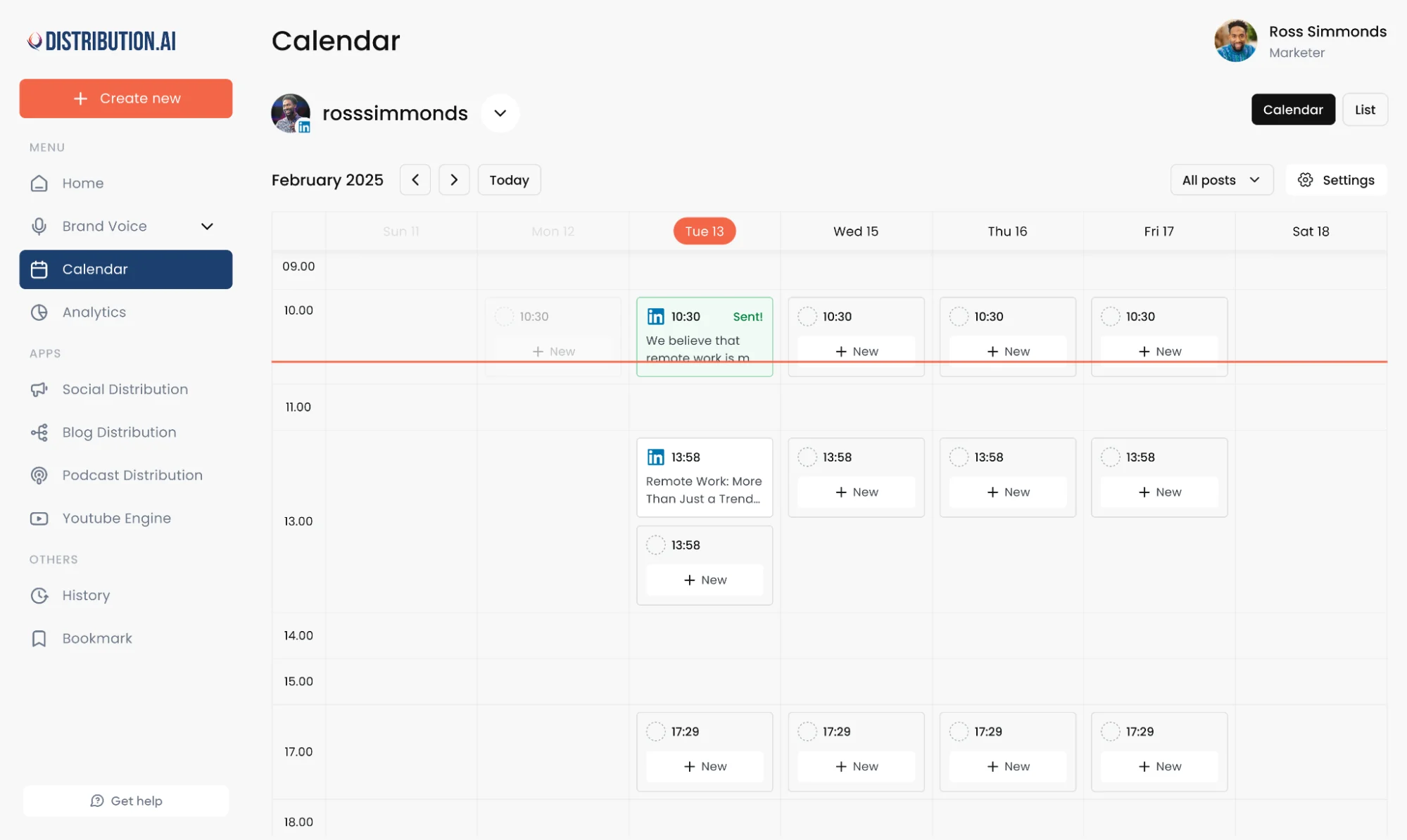
Publishing each asset manually can be tedious and error-prone. It is possible that you miss a time slot or a deadline. A better alternative here is to schedule all of them for publication at once.
Distribution.ai’s built-in scheduling calendar can help you do it. You can set the content pieces for publication right after you have refined and approved them.
5. Engage With the Comments and DMs
After the promotional content is created and scheduled, you can spend your time responding to potential attendees in the comments and DMs. They may reach out with questions and doubts regarding the event, which need to be addressed personally to increase the chances of getting them to sign up.
Save the responses for repeated questions to reply faster. You can convert them into a standalone post or add a short FAQ section in the webinar landing page.
6. Repurpose The Webinar After the Event
Repurposing the webinar involves converting the event recording into text-based content (social media posts, newsletters, community threads and website articles) and short-form clips with captions to maximize the impact.
These content pieces extend the shelf-life of your webinar further by engaging attendees, non-attendees and relevant audiences long after the event. Post-webinar follow-up makes the attendees feel special, which increases the success rate of future webinar programs.
They also increase on-demand views of the recording of the webinar, capturing more leads along the way.
You can do it in minutes with Distribution.ai by either uploading the full recording or pasting the non-gated link to the published webinar content.
The dedicated video content repurposing solution will instantly produce everything from YouTube Shorts to X threads and LinkedIn posts that you can refine and schedule.
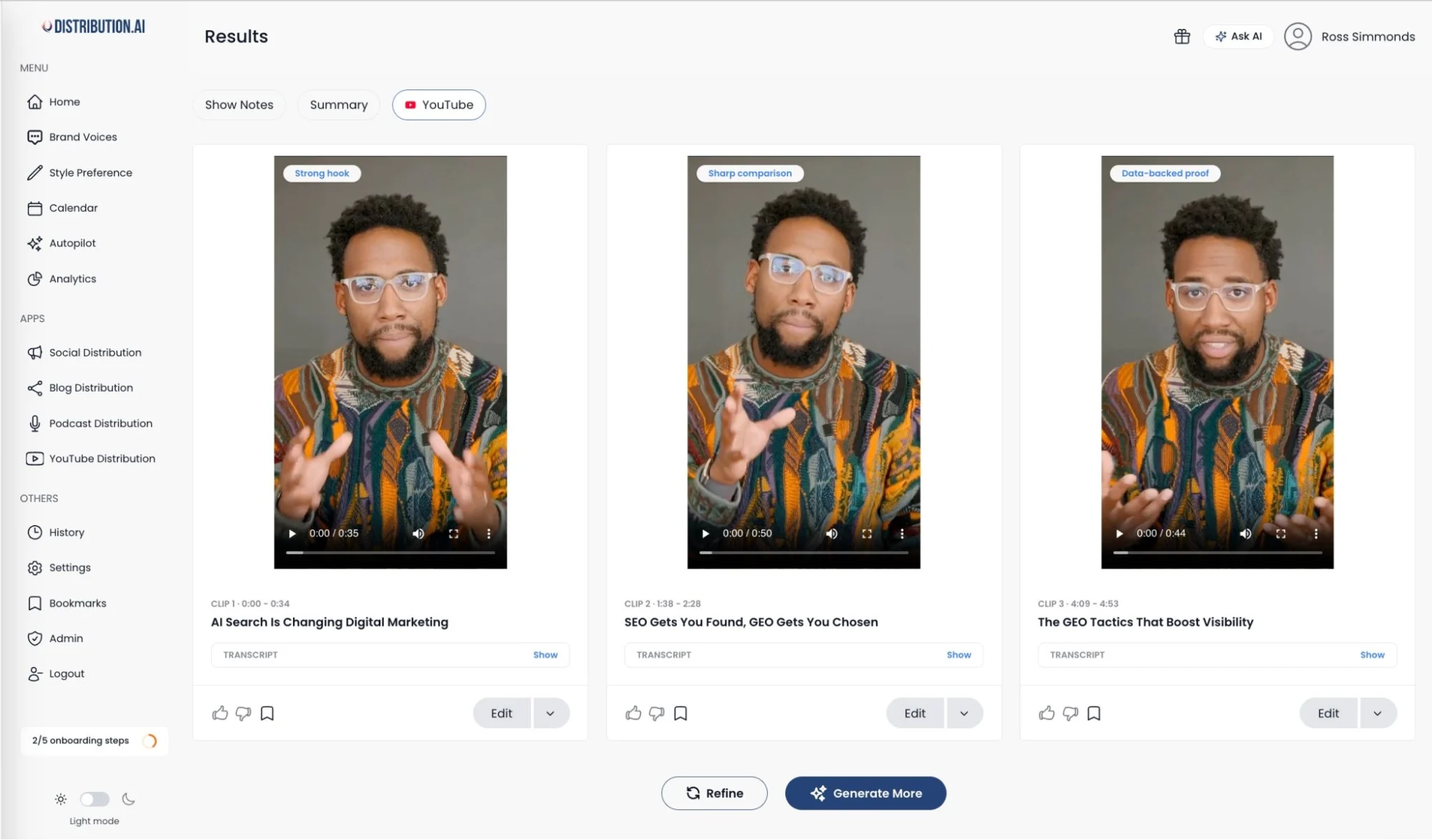
Don’t forget to attach the link to the full webinar recording in each of these posts and videos to generate more leads.
7. Track Impressions and Signups
The final component of your webinar marketing strategy is to monitor how each asset is performing in terms of reach and conversion.
For the landing page, you need to track traffic and registrations to learn whether you are targeting the right audience and offering them value through the webinar.
For the pre-event and post-event posts, check the impressions and click-through rates.
Distribution.ai’s unified performance tracking dashboard makes it easy by showing reach and engagement metrics for multiple platforms in one place. It also shows which exact posts have stood out, allowing you to refine your webinar marketing plan down the line.
8 Content Strategies For Your Webinar Marketing Plan
Let’s understand how different content types can be used in your overall webinar marketing strategy.
Depending on the purpose (attracting attendees before the webinar or repurposing the webinar after the event), each of them should either include a link to the registration landing page or the full recording of the live webinar.
1. LinkedIn Posts and Carousels
You are most likely to get the highest number of B2B registrations from LinkedIn. If that’s your audience, make this your primary channel.
Before the webinar, you can create text-based announcement posts, carousels with key takeaways that attendees will learn, a speaker spotlight post and a long-form post with all the details of the event.
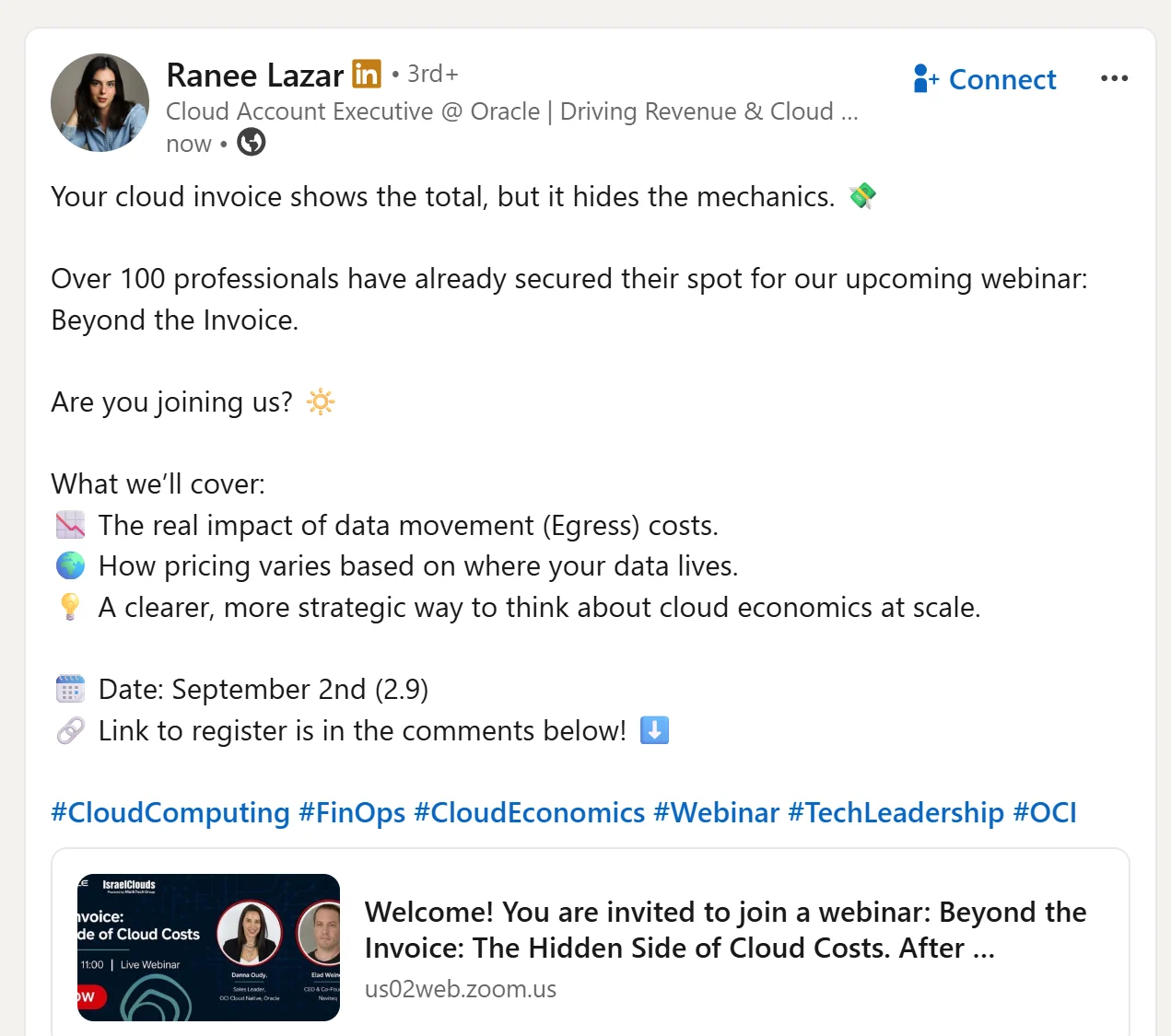
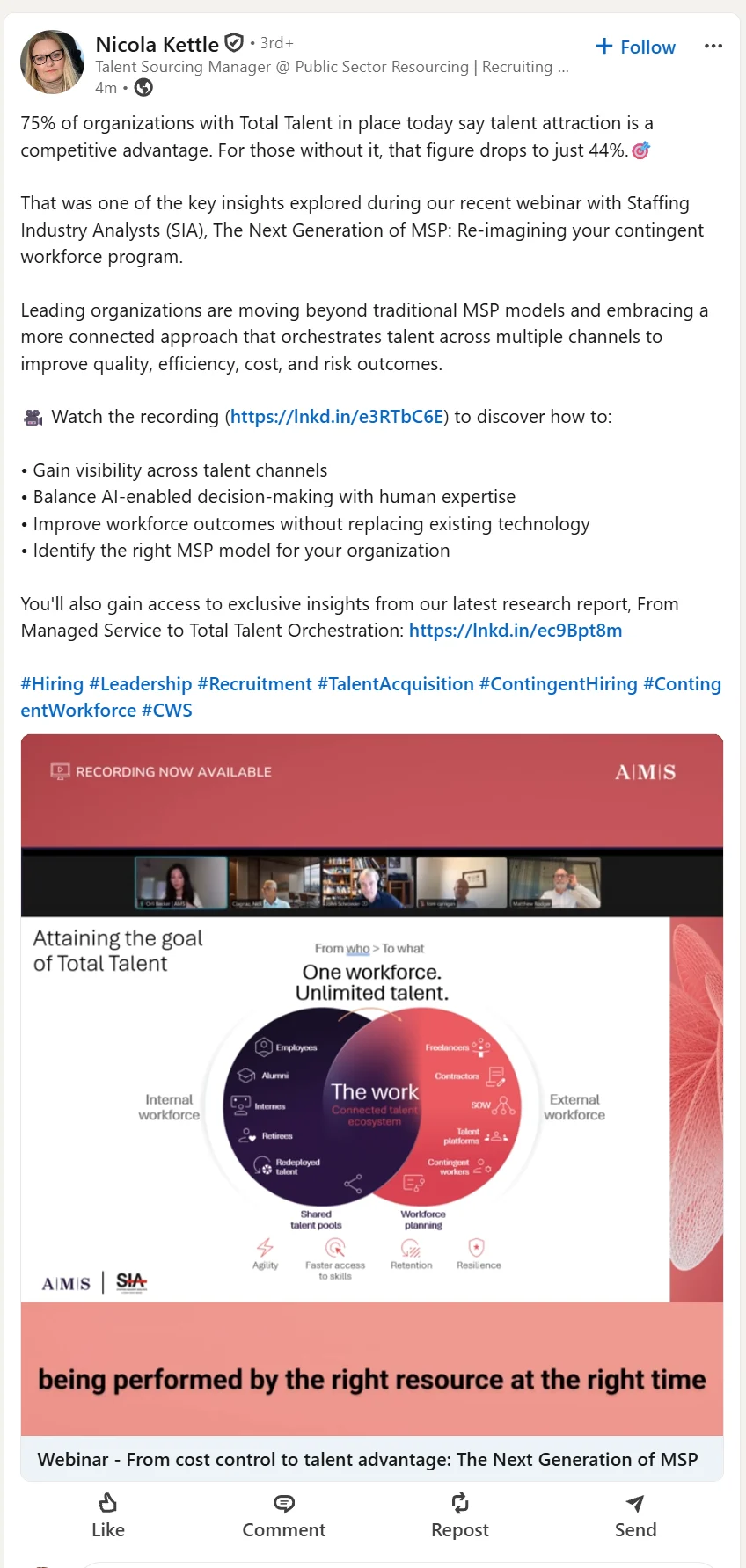
After the webinar, you can create posts and carousels sharing some of the many insights discussed. It is key to show enough to generate interest so that the audience will watch it on demand.
You can also share short clips from the webinar itself, particularly from the Q&A section.
2. X Threads and Long-Form Posts
X also has a large B2B audience, especially from the tech and IT industry.
It is an effective platform to tease the intellectual talking points of the webinar. You can post a thread every week for four weeks until the event, breaking down each topic that will be discussed.
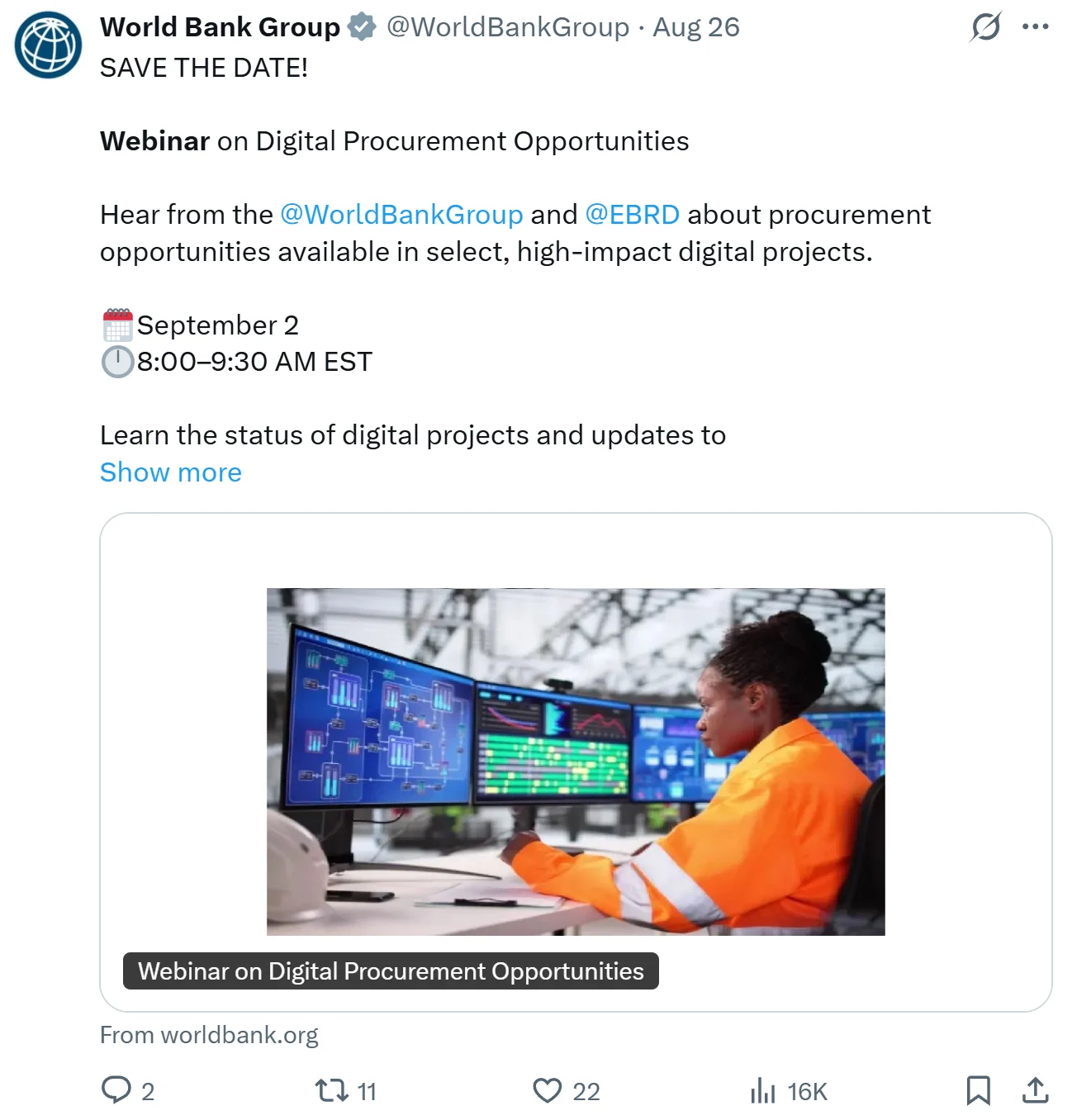
Here, you can also repurpose the LinkedIn carousels and speaker spotlight post. Consider pinning a post about the webinar with all the details, so anyone landing on your profile during this period will see it.
After the webinar, you can mirror the same strategy. This time, the pinned post on your profile can contain the link to the recording that your audience can unlock with their details.
3. Instagram Reels, Stories and Posts
Instagram puts a face to your online event through visually aesthetic content.
Before the event, publish Stories with countdown stickers, behind-the-scenes images, Reels (“here’s what you’ll learn” or “why you should join”) and standalone posts (speaker bios, event details, etc.). Each of these content pieces should be accompanied by the registration link in a prominent manner.
As a webinar is video-based content, you are better off clipping viral-worthy moments and sharing them on Instagram after the event. Each of the Reels should show an on-screen graphic after a few seconds with a caption like “link to the full webinar in the caption” to get more views.
You can repost these Reels at regular intervals so they continue to drive traffic and generate leads.
4. YouTube Shorts
YouTube has a large user base, making it an effective channel for webinar discovery.
You can repurpose most of the video content you created for LinkedIn, X and Instagram for before/after webinar marketing. This includes teaser (what you’ll learn), key takeaways breakdown, speaker’s details, snippets from the event, panel discussion and webinar summary.
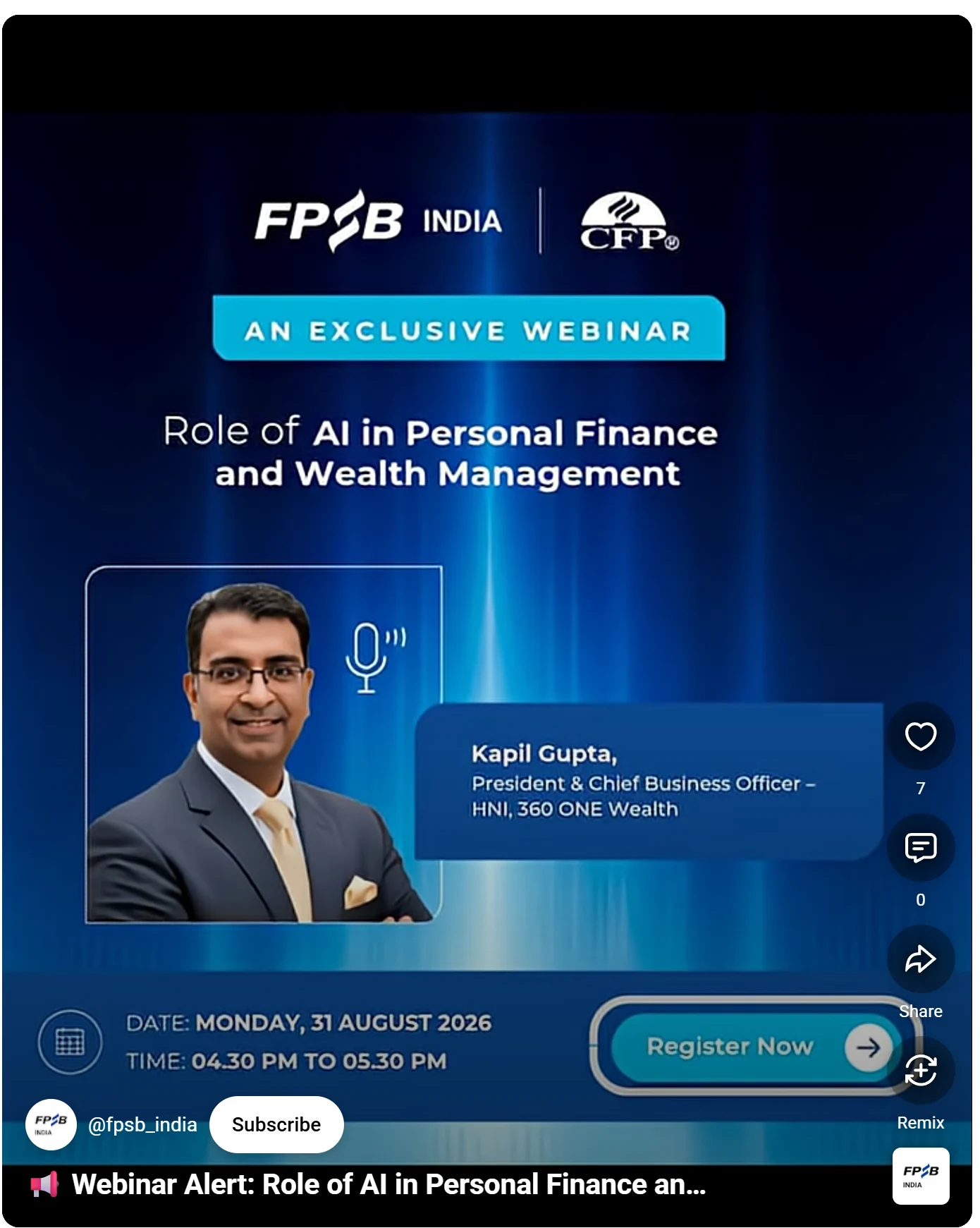
Other than that, you can create community posts with posters and banners to attract attendees and generate interest for your lead generation webinar.
5. Email Newsletters
Email marketing can be your highest-converting strategy because it directly reaches the inbox of an owned audience.
Before the webinar, send one reminder per week and two reminders in the week of the webinar (one of them should be on the day before the webinar) to boost attendance.
After the webinar, you can share the key takeaways and the full link to the webinar with the non-attendees and the rest of your audience.
For the attendees, it is key to create a dedicated drip campaign that engages them further with polls and Q&A while nudging them towards conversion.
6. Articles and Thought Leadership Content
For your webinar, you will definitely create a landing page for registrations that will collect attendees’ details.
Supporting it with blog posts, articles and thought leadership content will increase its organic visibility and can attract a new audience through SEO, especially if your webinar’s topic contains valuable keywords.
After the event, the webinar can be repurposed into long-form articles covering the entire discussion with the speakers and attendees. You can also consider adding downloadable slides with a link to the full recording.
If there is enough content, you can produce 2–3 short-form blog posts focusing on a particular insight covered in the webinar.
7. Paid Ads and Promoted Posts
You can use paid ads and premium boosts to amplify the posts and videos that are already performing well for maximum impact.
These targeted marketing campaigns can be run on all platforms where you are promoting your webinar, such as LinkedIn, X, Instagram and YouTube.
After the webinar, it is key to retarget your audience carefully to support your webinar marketing goals.
If they are attendees, the message should encourage them to sign up or take the next step in your sales funnel. If they missed it, point them towards the full recording or provide them with the key takeaways.
8. Any Other Social Media or Niche Group Content
Apart from the above channels and networks, you can market your webinar on Reddit communities, Slack channels, Discord servers, Facebook groups and industry forums.
The content formats can be simple text-based posts, short-form videos, slide decks or speaker highlights.
These places are highly relevant and can bring you a targeted audience.
At the same time, it is essential to establish some credibility first in these places. Simply sharing an “attend my webinar” message can be interpreted as spammy and may get you blocked.
Similarly, after your webinar, you can post the key insights and talking points discussed throughout, with a link to the full recording.
Create Webinar Marketing Content in Minutes with Distribution.ai
The biggest bottleneck in executing a proven strategy for webinar marketing is producing content on time for each platform or channel.
It is time-consuming to create, review, approve and schedule LinkedIn carousels, X threads, Instagram posts and YouTube Shorts. And that’s only half of the promotional efforts.
The entire content workflow can easily take a couple of days, if not more. Usually, B2B marketing teams are stretched thin, so only a few pieces of content get published, decreasing the overall ROI of your webinar.
Distribution.ai solves that problem with its AI-powered content repurposing workflow.
Drop in a few pointers you want to cover, the full webinar landing page copy, the title or the topics covered or the event’s complete video recording.
In minutes, the tool will produce channel-native content, such as YouTube Shorts, LinkedIn posts, X threads and email newsletters. You can customize the brand voice and style to ensure that the first draft is closer to what you’d say.
Then, you can refine the content in Distribution.ai’s built-in editor and schedule it for publication on the respective channel.
It will not only accelerate the content creation process but also streamline the reviewing and scheduling workflows that follow. Finally, its unified dashboard helps track how each content piece performs.
Promote, repurpose & distribute your content with AI
Write 10x faster, engage your audience, & never struggle with the blank page again.
Start 15-Day Free Trial
Frequently Asked Questions
Author

Promote, repurpose & distribute your content with AI
Start 15-Day Free Trial