Best Time to Post on YouTube in 2026: Data-Backed Windows for Shorts and Long-Form Videos
Find the best time to post on YouTube in 2026 with day-by-day Shorts windows, niche-specific schedules, and the pre-peak timing rule backed by data.

With over 2.7 billion people logging in every month, YouTube isn’t just another channel on your content calendar.
It’s often the backbone of a full content distribution strategy, feeding clips, posts, and blog content across every other platform you run.
But none of that works if the original video launches into a dead window. Long-form videos and YouTube Shorts don’t even follow the same clock anymore, and the gap between them has only grown. So where do you actually start, and when should you hit publish?
We’ve got the current data. Let’s get into it.
What Is the Best Time to Post on YouTube in 2026?
The short answer, based on synthesized data across recent public studies covering 2025 and 2026: Weekday afternoons, 12 PM to 4 PM in your audience’s local time zone.
Wednesday delivers the highest median engagement across most niches. Weekend mornings between 9 AM and 11 AM work as a secondary window, especially for lifestyle, entertainment, and family content.
Shorts run on a different clock. Midday scroll windows (12 PM to 3 PM) and a second evening window (7 PM to 9 PM) consistently outperform other slots.
That’s the aggregate picture. It’s a starting point, not a schedule.
Three things change the answer for your channel specifically. What format you’re posting. Where your audience actually sits geographically. And the runway your video needs before your audience’s peak viewing window, because YouTube’s algorithm makes a distribution decision within the first few hours of upload, not the first few days.
Why Timing is Important for YouTube’s Initial Distribution
YouTube rarely sends a new upload to its full potential audience at once. The platform first gathers performance signals from a smaller group of viewers, then adjusts distribution as fresh data comes in.
YouTube has never published a fixed “test pool” formula, so avoid treating this process like a guaranteed sequence. Its recommendation system weighs signals such as clicks, watch behavior, satisfaction, and viewer history when deciding which videos to surface.
Posting time influences how quickly YouTube can collect those early signals from people likely to watch.
A video released during a quiet period may take longer to build useful momentum. A well-timed release reaches YouTube shortly before viewer activity climbs, giving the platform room to process the upload and begin matching it with relevant audiences.
The short answer, based on synthesized data across recent public studies covering 2025 and 2026: Weekday afternoons, 12 PM to 4 PM in your audience’s local time zone.
Wednesday delivers the highest median engagement across most niches. Weekend mornings between 9 AM and 11 AM work as a secondary window, especially for lifestyle, entertainment, and family content.
Shorts run on a different clock. Midday scroll windows (12 PM to 3 PM) and a second evening window (7 PM to 9 PM) consistently outperform other slots.
That’s the aggregate picture. It’s a starting point, not a schedule.
Three things change the answer for your channel specifically. What format you’re posting. Where your audience actually sits geographically. And the runway your video needs before your audience’s peak viewing window, because YouTube’s algorithm makes a distribution decision within the first few hours of upload, not the first few days.
Why Timing is Important for YouTube’s Initial Distribution
YouTube rarely sends a new upload to its full potential audience at once. The platform first gathers performance signals from a smaller group of viewers, then adjusts distribution as fresh data comes in.
YouTube has never published a fixed “test pool” formula, so avoid treating this process like a guaranteed sequence. Its recommendation system weighs signals such as clicks, watch behavior, satisfaction, and viewer history when deciding which videos to surface.
Posting time influences how quickly YouTube can collect those early signals from people likely to watch.
A video released during a quiet period may take longer to build useful momentum. A well-timed release reaches YouTube shortly before viewer activity climbs, giving the platform room to process the upload and begin matching it with relevant audiences.
Publish Before the Peak Viewing Window
The safest rule is to publish before your audience reaches peak activity.
For long-form videos, aim for a two-hour lead before the strongest viewing block. Larger uploads may benefit from extra time for processing, indexing, thumbnail testing, and early subscriber traffic.
Shorts need a shorter runway. Publishing one hour before the peak window usually gives the Short enough time to enter active recommendation cycles while keeping it close to the main scrolling period.
Use these windows as starting points:
| Format | Recommended Runway | Why It Helps |
|---|---|---|
| Long-form video | 2 to 4 hours | Gives the upload time to process and collect early viewing signals |
| YouTube Short | 1 to 2 hours | Keeps the post close to the active scrolling window |
| Premiere | 24 to 48 hours for promotion | Creates a shareable watch page before the scheduled release |
| Live stream | Several days of promotion | Gives viewers time to plan for a fixed event |
YouTube officially supports scheduled publishing and Premieres, so creators can prepare uploads in advance without waiting beside the publish button. YouTube also recommends using its scheduling tools to maintain a consistent upload cadence.
What Is the Best Time to Post Long-Form Videos on YouTube?
The best time to post long-form videos on YouTube is Sunday at 10 AM in your audience’s local time zone. Friday around noon also performs strongly, while weekday uploads tend to gain traction from early afternoon through late afternoon.
These windows give longer videos time to collect impressions before viewers settle into their main watching period. A video released at 2 PM can begin appearing in browse and suggested feeds before evening activity climbs.
Recent large-scale analyses point to two useful starting patterns. Morning uploads perform well on weekends, while weekday releases tend to work from 12 PM to 4 PM.
Best Times to Post Long-Form YouTube Videos by Day
| Monday | 12 PM to 4 PM | 2 PM |
| Tuesday | 12 PM to 4 PM | 2 PM |
| Wednesday | 1 PM to 5 PM | 3 PM |
| Thursday | 3 PM to 5 PM | 4 PM |
| Friday | 11 AM to 3 PM | 12 PM |
| Saturday | 8 AM to 12 PM | 10 AM |
| Sunday | 8 AM to 12 PM | 10 AM |
Treat these times as cold-start benchmarks. Your channel’s audience data should take over once YouTube Studio has gathered enough viewing history.
Publish Before Viewership Reaches Its Peak
Schedule long-form videos two to four hours before your audience’s busiest period. This runway gives YouTube time to process the upload and begin gathering early performance signals.
A 7 PM audience peak, for example, points to a release between 3 PM and 5 PM. Publishing directly at 7 PM leaves less room for the video to build momentum before viewers begin choosing what to watch.
YouTube lets you select a publication date, time, and time zone through its native scheduling controls. Preparing the upload early also gives you time to check processing quality and confirm every video detail before release.
Use Your Audience’s Local Time Zone
Base each recommendation on the local time of the largest share of your viewers. A channel serving a mainly US audience should avoid scheduling around the creator’s location when the two time zones differ.
YouTube Studio’s Audience tab shows viewer geography alongside the When your viewers are on YouTube report. The monthly audience data uses a rolling 28-day period, so revisit your schedule as your audience grows or shifts into new regions.
For channels with a widely distributed audience, choose the time zone covering the largest viewer group. Supporting uploads can serve a second major region later in the week without forcing one release to cover everyone.
What Is the Best Time to Post YouTube Shorts?
The best time to post on YouTube Shorts is usually between 4 PM and 9 PM in your audience’s local time zone. Friday performs especially well, with 4 PM to 7 PM standing out as the strongest general window.
Shorts depend more heavily on immediate discovery than long-form videos. A Short can gain traction within hours, so the first wave of viewer activity carries more weight. Evening slots work well since people tend to scroll in shorter bursts after work, school, or dinner.
Midday can also perform well, especially between 12 PM and 3 PM. This window catches lunch-break viewing and gives the Short time to collect early signals before evening activity rises.
Use the schedule below as a cold-start benchmark.
| Day of the Week | Best Time to Post YouTube Shorts |
|---|---|
| Monday | 12 PM to 2 PM or 7 PM to 9 PM |
| Tuesday | 11 AM to 1 PM or 6 PM to 9 PM |
| Wednesday | 12 PM to 3 PM or 7 PM to 9 PM |
| Thursday | 7 PM to 10 PM |
| Friday | 4 PM to 7 PM |
| Saturday | 10 AM to 12 PM or 6 PM to 9 PM |
| Sunday | 10 AM to 12 PM or 5 PM to 8 PM |
These windows reflect how viewers use Shorts across the week. Weekday attention tends to rise during lunch and again in the evening. Weekend viewing starts earlier and spreads across a wider part of the day.
Give Shorts a Shorter Runway
Publish Shorts one to two hours before your audience’s busiest scrolling period.
A channel with an 8 PM audience peak should test uploads between 6 PM and 7 PM. This gives YouTube time to place the Short in front of an initial group before activity reaches its highest point.
Shorts need less runway than long-form videos. Their faster feedback cycle means early views, retention, and swipe behavior can influence distribution quickly.
Match the Time to the Type of Short
Entertainment, commentary, and trend-led Shorts tend to perform well in evening windows. Educational clips and quick tips can work earlier in the day, especially around lunch.
Speed still carries weight for timely topics. A fast Short tied to a news event, product launch, or cultural moment can outperform a perfectly scheduled post published several hours later.
For evergreen Shorts, consistency gives you a cleaner testing baseline. Keep the same slot for two to four weeks, then compare views, retention, and engagement before changing the schedule.
How to Find Your Best Time to Post Using YouTube Studio
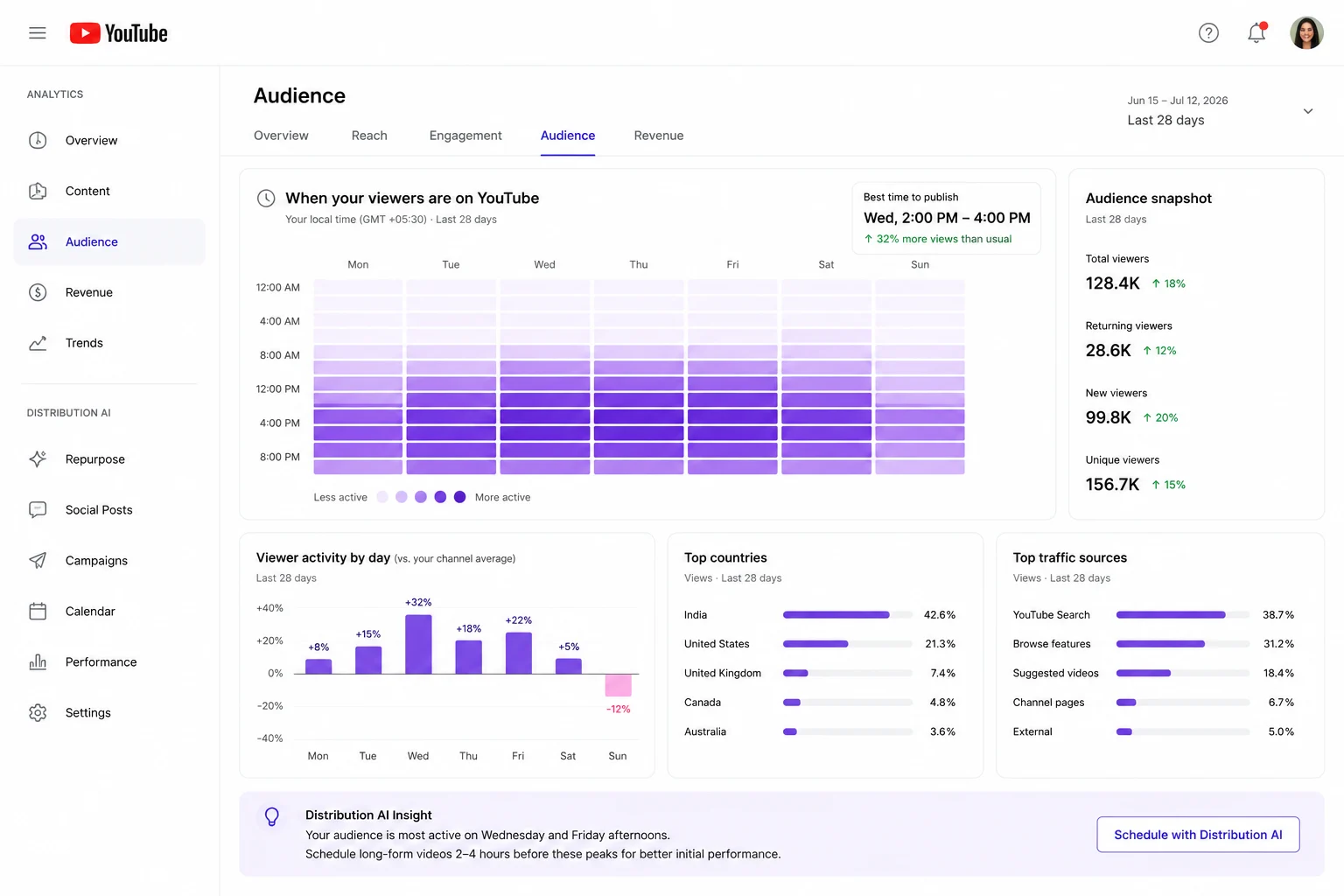
General posting windows are useful when you are starting out. Once your channel has enough viewer data, YouTube Studio gives you a much clearer answer.
The When your viewers are on YouTube report shows the days and hours when people who watch your channel are active across YouTube. Use the busiest blocks to build your schedule around real audience behavior.
1. Open Your Audience Analytics
Go to YouTube Studio, select Analytics, and open the Audience tab.
Scroll down to When your viewers are on YouTube. You will see a weekly heatmap with activity broken down by day and hour.
2. Look for Consistent Activity Patterns
The darker blocks represent periods with higher viewer activity.
Focus on patterns appearing across several days instead of chasing one unusually busy hour. A steady evening block across the week gives you a stronger starting point than a single spike on one afternoon.
3. Schedule Before the Peak
Choose the busiest period, then work backward.
For long-form videos, publish two to four hours earlier. If viewer activity rises around 7 PM, test a release between 3 PM and 5 PM.
For Shorts, publish one to two hours earlier. If the strongest activity starts at 8 PM, test a slot between 6 PM and 7 PM.
This gives each upload time to enter circulation before more viewers come online.
4. Keep the Same Slot Long Enough to Learn From It
Stick with one posting window for several weeks before making changes.
Compare videos with a similar format and topic wherever possible. Large differences between uploads can make the timing results harder to read.
For long-form videos, watch impressions, click-through rate, and early retention. For Shorts, focus on views, average percentage viewed, and viewed-versus-swiped-away performance.
Move the schedule in small increments once a pattern begins to emerge. A 30-minute shift gives you cleaner feedback than jumping from one part of the day to another.
Channels with limited audience history may see little or no heatmap data. Use the day-by-day windows in this guide as your starting schedule, then refine it once YouTube Studio begins showing a reliable pattern.
Best Time to Post on YouTube Based on Your Niche
Here’s how to align your YouTube upload time with your specific niche.
| Niche | Audience Mindset | Best Times | Key Tactic |
|---|---|---|---|
| Educational & Informative | Actively seeking solutions or knowledge during downtime. | Lunch: 12 PM - 2 PM Evenings: 6 PM - 8 PM Students: Sunday Evenings | Focus on SEO, but use consistent timing (e.g., every Wednesday at 1 PM) to train your audience. |
| Thought Leadership & Commentary | Looking for immediate, relevant takes on breaking news or cultural conversations. | Breaking: ASAP General: Mid-week Afternoons (2 PM - 5 PM EST) | Speed is your greatest asset. Publish within hours of an event. Use Shorts to tease a longer analysis. |
| Product & Brand-Focused | B2B: Professional problem-solving. B2C: Relaxed, shopping mindset. | B2B: Weekdays (10 AM-12 PM & 2 PM-4 PM) B2C: Evenings (5 PM-8 PM) & Weekends (1 PM-4 PM) | Align your video schedule with promotional campaigns to build anticipation and drive conversions. |
| Personality-Driven / Vlog | Loyal community ready to watch during their leisure time. | Weekdays: Evenings (6 PM - 9 PM) Weekends: Mid-Mornings (10 AM - 1 PM) | Consistency is more important than the exact hour. A predictable schedule trains subscribers to look for your content. |
| Entertainment & Pop Culture | Actively seeking entertainment, especially during prime-time hours. | Breaking: Immediately General: Evenings (7 PM - 11 PM) & Weekends | Be one of the first high-quality videos to surface for a new trend to capture massive initial search volume. |
| Engagement Formats (Live) | Ready to participate and interact with a community in real-time. | Weekdays: Evenings (7 PM - 9 PM) Weekends: Afternoons (2 PM - 5 PM) | Promote your live event several days in advance. Use YouTube's "Premiere" feature to build anticipation. |
| Gaming & Simulation | Concentrated outside of school/work hours, ready for extended gameplay. | Daily Clips: 3 PM - 7 PM Live Streams: 7 PM - 11 PM & Weekends | Use shorter daily clips to build anticipation for longer, consistently scheduled evening or weekend streams. |
| Lifestyle & Wellness | Aligns with daily routines: motivation in the AM, relaxation in the PM. | Fitness: 6 AM - 8 AM Wellness: 7 PM - 9 PM Vlogs: Weekend Mornings | Sunday is a great day to post, as users are in a mindset of planning and self-improvement for the week ahead. |
| Data-Driven / Analysis | Curious and ready for a deep dive; requires focused leisure time. | Evenings: 7 PM - 10 PM Weekends: Afternoons (1 PM - 5 PM) | A Friday evening release is powerful, giving the video the entire weekend to gain traction with a focused audience. |
| Narrative & Fictional | Consumed like traditional entertainment, looking for an immersive experience. | Episodic: Weekday Evenings (7 PM - 9 PM) Long-form: Weekend Evenings (8 PM - 10 PM) | Mimic a TV release schedule. Use trailers and teasers earlier in the week to build anticipation for a "prime-time" premiere. |
1. Educational and Informative Videos
Educational videos often perform well around lunch or in the early evening, when viewers have time to focus.
Sunday evenings can also work well for student audiences preparing for the week ahead. Keep the release schedule steady so viewers begin to associate a specific day with new content.
2. Thought Leadership and Commentary
Speed carries more weight here than a perfect publishing slot.
Publish close to the event or conversation while interest is still climbing. Midweek afternoons work well for broader commentary since the video has time to gain traction before evening viewing picks up.
3. Product and Brand Videos
B2B tutorials, demos, and explainers tend to perform better during the workday. Mid-morning and post-lunch windows give professional viewers space to watch during active business hours.
B2C product videos fit better in the evening or on weekend afternoons, when people have more time to browse and compare.
4. Personality-Led and Vlog Content
Vlog audiences often follow the creator as much as the topic, so consistency has a strong influence on early viewership.
Weekday evenings and weekend mornings tend to suit this format. Pick a reliable slot and keep it long enough for the audience to form a viewing habit.
5. Entertainment and Pop Culture
Trend-led content needs a fast response.
For evergreen entertainment, publish before prime-time viewing begins. Late afternoon gives the video room to start circulating before the evening audience comes online.
6. Live Streams and Audience Events
Live formats depend on audience overlap.
Weekday evenings and weekend afternoons usually give more viewers enough time to join. Promote the event several days ahead so viewers can plan around it.
7. Gaming and Simulation
Gaming audiences tend to concentrate after school or work.
Use afternoon slots for shorter clips or updates, then save longer streams for evening hours. Weekend sessions can begin earlier since viewers have more time available.
8. Lifestyle and Wellness
Lifestyle timing should follow the routine featured in the content.
Morning workouts fit early releases, while meditation or relaxation videos suit the evening. Weekend mornings work well for longer vlogs, reset videos, or weekly planning content.
9. Data-Driven and Analysis Videos
Deep-dive content needs a more focused viewer.
Evenings and weekend afternoons give people more room to watch without rushing. Friday evening can also work well since the video has the rest of the weekend to build momentum.
10. Narrative and Fictional Videos
Narrative content performs well when it feels like scheduled entertainment.
Weekday evenings suit episodic releases, while longer fictional videos often fit Friday or Saturday night. A consistent release pattern helps build anticipation from one episode to the next.
What’s the Worst Time to Post on YouTube
The weakest posting window is usually between 1 AM and 6 AM in your audience’s local time zone. Viewer activity is lower, which gives new uploads fewer early clicks and watch signals.
Some weak periods also depend on the type of content. Entertainment videos may struggle on early weekday mornings, while B2B content can still perform during work hours. Thursday afternoon is another weaker window for long-form videos across recent public datasets.
| Weak Posting Window | Why It Can Underperform |
|---|---|
| 1 AM to 6 AM | Low viewer activity |
| Early Monday and Tuesday mornings | People are focused on work or school |
| Thursday around 2 PM | Falls between daytime and evening viewing |
| Weekends for B2B channels | Professional audiences are less active |
Use these as general guardrails. Your YouTube Studio heatmap should decide which hours to avoid for your channel.
How to Build a YouTube Posting Strategy Across Formats
A strong YouTube schedule goes beyond picking one upload time. Long-form videos, Shorts, live streams, and Community posts each serve a different role, so they need to work together rather than compete for attention.
The clearest way to plan this is to group content by how viewers consume it.
1. Real-Time Content Needs a Fixed Appointment
Live streams, gaming sessions, Q&As, and personality-led videos rely on people showing up at the same time.
Schedule these formats around your largest audience overlap, usually weekday evenings or weekend afternoons. Promote the event early through Community posts, Shorts, email, and your other social channels.
YouTube Premieres can help build anticipation before a long-form release. The scheduled watch page gives viewers somewhere to gather, set reminders, and join the live chat once the video starts.
For live content, timing affects the experience itself. A strong replay can keep earning views later, but the first goal is getting enough people into the room at once.
2. Evergreen Content Needs Consistency and Search Visibility
Tutorials, explainers, educational videos, and detailed analysis can keep gaining views long after publication.
The exact hour has less influence here than search intent, packaging, and consistency. Titles should match the language viewers use, while thumbnails need to make the value clear before anyone clicks.
Chapters and timestamps also help viewers move through longer videos. They make the content easier to scan and give YouTube more context around each section.
Choose a regular release day, then keep it steady. A dependable schedule gives viewers a reason to return while giving YouTube a consistent stream of content to index.
3. Topical Content Needs Speed
News commentary, cultural reactions, trend analysis, and product announcements lose value quickly.
Publish while interest is still rising. Waiting for the perfect time can cost more reach than releasing during a weaker window.
Shorts work well as the first response. A quick clip can capture early attention while the longer video is still being produced. Once the full version goes live, use the Short to point viewers toward the deeper take.
This format works best when production moves quickly without lowering the quality bar. Speed gets the video into the conversation. Clear analysis gives people a reason to keep watching.
4. Transactional Content Should Follow the Buying Cycle
Product demos, reviews, tutorials, and campaign videos perform best when they line up with a real decision point.
Publish ahead of launches, seasonal demand, or promotional periods so the video has time to gain traction before interest peaks. A product walkthrough released after the campaign starts has less runway to influence the buyer.
Use cards, end screens, pinned comments, and description links to guide viewers toward the next step. The path should feel direct and useful rather than forced.
Transactional videos also work better when the channel already offers educational or entertaining content. Viewers are more receptive to a recommendation after the channel has earned attention over time.
5. Use Each Format to Support the Next
A single YouTube video can feed several release moments across the week.
The long-form upload can anchor the topic. Shorts can pull out the strongest takeaway or reaction. Community posts can keep the conversation active, while a live session can add depth once the audience shows interest.
This gives each piece a clear job and keeps the channel active without requiring a new core idea for every post.
How to Turn One YouTube Video Into Content for Every Channel
Your audience doesn’t live in a vacuum. They watch a long-form YouTube video in the evening, scroll TikTok during their lunch break, and check LinkedIn for industry news in the morning.
If your marketing plan only focuses on YouTube, you’re missing countless opportunities to engage your audience and drive them back to your core content.
The problem is that creating high-quality, native content for every platform is an operational nightmare.
The conventional approach of having one team create a long-form YouTube video and another team try to promote it is broken. It leads to generic, ineffective social posts and a fractured brand message.
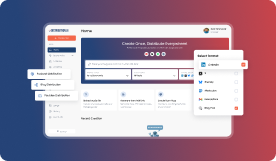
This is where a unified content distribution model becomes essential. Instead of merely promoting your YouTube videos, you need a system that can deconstruct your core long-form content and rebuild it as dozens of native posts for other platforms.
This is what we built Distribution AI to do.
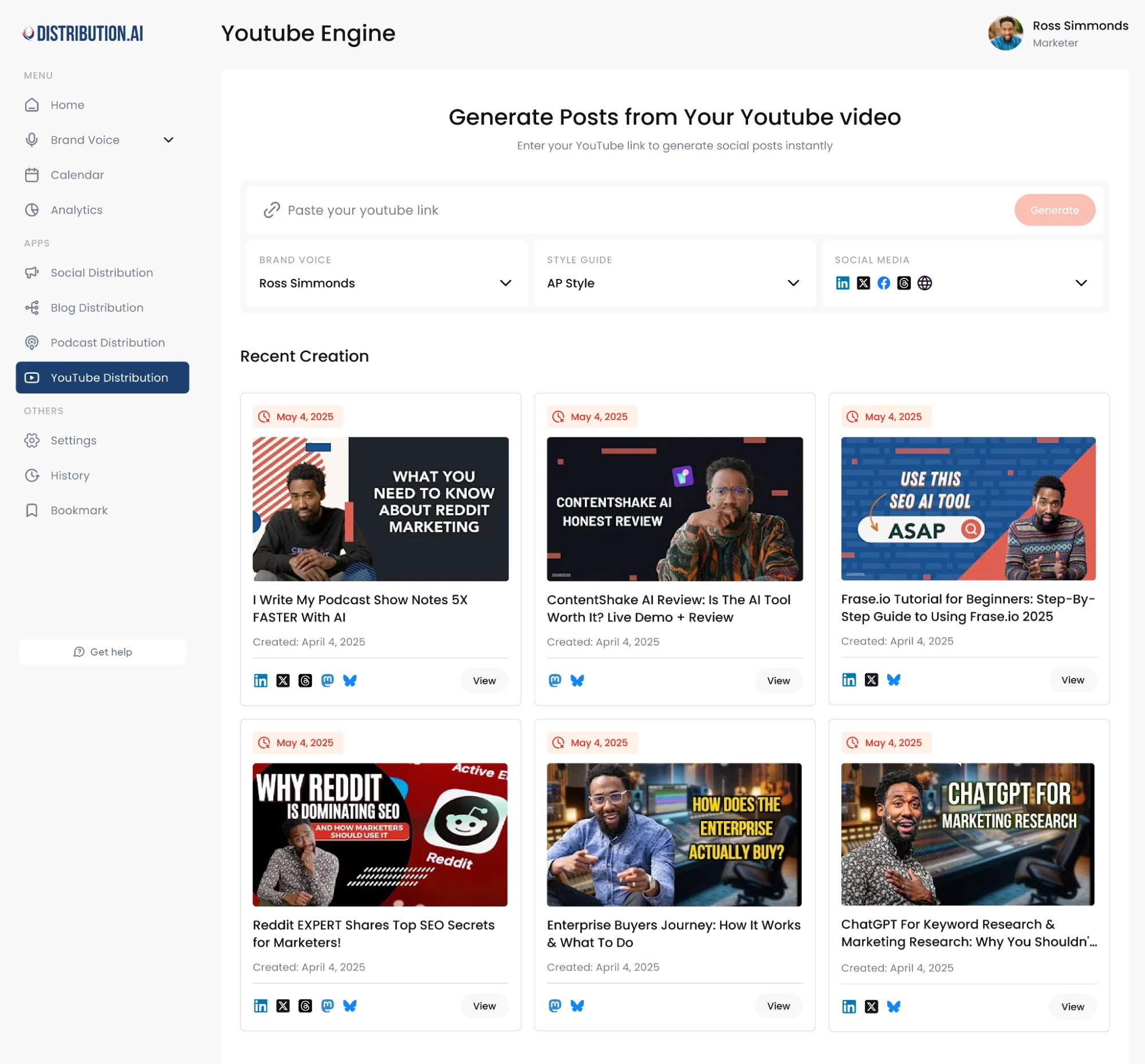
The video can become a LinkedIn post, a blog article, a thread, an email, and a set of short social posts built from the same core idea. This gives the original asset a longer lifespan and keeps your message moving across the channels your audience already uses.
The hard part is execution. Someone still has to find the strongest moments, rewrite them for each platform, and schedule the finished pieces. One video can quickly create several more hours of manual work.
Distribution.ai is built for this workflow.
Upload a YouTube video or connect your channel, and the platform turns the source content into channel-ready posts for the platforms you use. Each version is adapted for the format instead of copied word for word.
One long-form video can become:
- A LinkedIn post built around a key insight
- A blog post expanding the main argument
- A thread designed to carry the idea further
- Short social posts for later distribution
- Supporting content scheduled across the week
This turns YouTube into the source of a wider distribution system. The video drives the original idea, while the surrounding content keeps bringing it back into circulation.
You also avoid splitting the workflow across separate writing, scheduling, and tracking tools. Distribution.ai keeps repurposing, publishing, and performance visibility connected in one place, so your team can see how far each video travels after it goes live.
Find Your Best Posting Window, Then Build Around It
The best time to post on YouTube gives you a useful starting point, but your own audience data should shape the final schedule.
Use weekday afternoons for long-form videos, evening windows for Shorts, and publish before viewer activity reaches its peak. Then test the same slot long enough to see a real pattern inside YouTube Studio.
Once the timing is working, the next step is getting more value from each upload. Distribution.ai can turn one YouTube video into channel-ready posts for LinkedIn, X, blogs, email, and other platforms, then help you schedule and track the full distribution workflow.
Frequently Asked Questions
1. Should You Upload and Publish a YouTube Video at the Same Time?
Upload the video several hours before its scheduled release. This gives YouTube enough time to process higher resolutions, complete checks, and prepare the final playback quality before viewers arrive. Once processing is complete, use YouTube’s scheduler to publish at your chosen time.
2. How Far in Advance Should You Schedule a YouTube Video?
Schedule long-form videos at least several hours ahead. Larger 4K uploads may need more processing time, so preparing them the day before is safer. Premieres and live streams benefit from earlier scheduling since viewers can see the watch page and set reminders.
3. Does Video Processing Time Affect When You Should Publish?
Yes. Higher-resolution videos can take longer to process, especially 4K uploads or longer recordings. Publishing while processing is still underway may leave early viewers with lower playback quality. Upload early, confirm HD processing has finished, then release the video at the planned time.
4. Should Premieres Follow the Same Schedule as Regular Uploads?
The viewing time can follow the same audience peak, but the setup should happen earlier. Schedule the Premiere at least a day ahead so viewers can visit the watch page, set reminders, and share it. The extra lead time helps turn the release into a planned event.
5. How Can a New Channel Choose a Posting Time Without Audience Data?
Start with the general windows in this guide and keep one slot steady for several uploads. New channels need a clean baseline before timing patterns become useful. Once YouTube Studio begins showing enough audience activity, replace the generic schedule with the strongest blocks from your own heatmap.
6. Should You Change Your Posting Time for Breaking News or Trends?
Publish as soon as the video is ready while interest is still rising. Timely videos depend heavily on relevance, so waiting for a preferred slot can cost attention. Speed should still leave enough room for processing, thumbnail checks, and a quick review before release.
7. Do Holidays and Seasonal Changes Affect YouTube Posting Times?
Yes. School breaks, holidays, major events, and seasonal routines can shift viewer activity. A schedule working in March may perform differently during summer or December. Review your Audience report regularly and adjust when the weekly activity pattern changes.
tive brand that captures attention at every touchpoint.
Promote, repurpose & distribute your content with AI
Write 10x faster, engage your audience, & never struggle with the blank page again.
Start 15-Day Free Trial
Frequently Asked Questions
Author

Promote, repurpose & distribute your content with AI
Start 15-Day Free Trial