


16 Twitter Thread Ideas [With Real-Life Examples]
Discover proven Twitter thread ideas, real examples, and best practices to write threads that get read, saved, and spark engagement on X.

Long before expanded character limits existed, creators used threads to explain ideas, share lessons, and tell stories that didn’t fit into a single tweet. Over time, Twitter (now X) threads have become one of the most reliable ways to stand out on the platform.
Threads give you space to explain, reflect, and teach in an easy-to-read format. But writing threads that people actually read, save, and respond to takes more than posting consistently.
To make things easier for you to get started with threads, we’ve compiled a list of unique Twitter thread ideas with real examples and best practices you can implement right away.
16 Twitter Thread Ideas to Try
Category 1: Teach something useful
1. Explain a complicated topic in simple language
Take a topic your target audience struggles with and turn it into a short, engaging Twitter thread. Use a clear opening tweet, a strong, compelling hook, and line breaks so Twitter users can stop scrolling and follow the logical flow. This works well when you want to share genuine insights without overwhelming people with jargon.
Here’s an example:
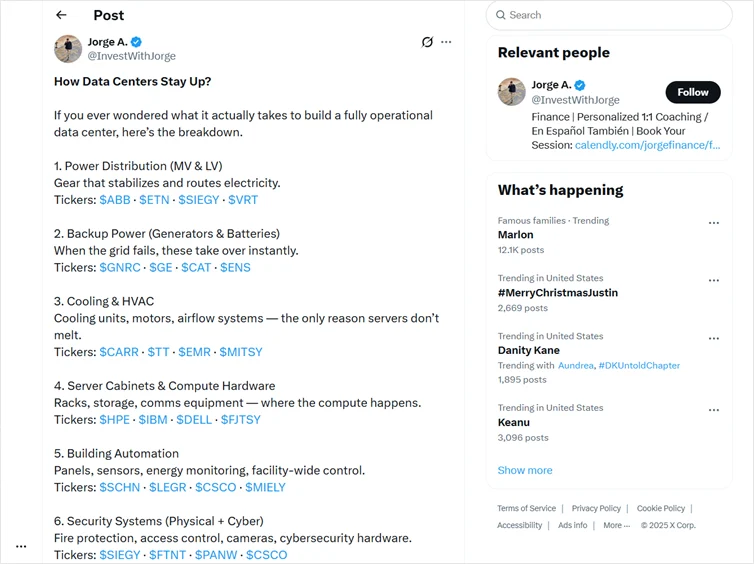
2. Create a listicle of tips, mistakes, or easy wins
Using listicles is one of the best Twitter thread ideas because they help readers save time. Use bullet points, add a relevant emoji or two to improve visual hierarchy, and keep each idea to one tweet so character limits don’t compromise clarity. Most threads in this style get shared widely because the main idea is communicated instantly.
Here’s an example:
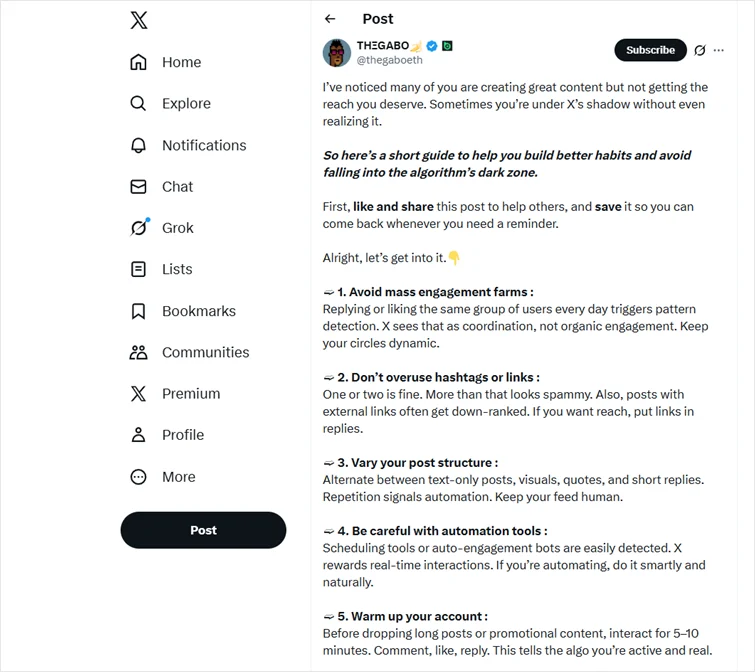
3. Break down a framework or model you actually use
If you have a process for content creation, editing, or distribution, write threads that reveal your exact format. Add suggested media (like a diagram or visual placeholder) to improve visual appeal. Plus, you can recommend specific social media management tools used in your content process and how they help. This shows deep understanding and positions you as an expert Twitter content strategist in your niche.
Example:
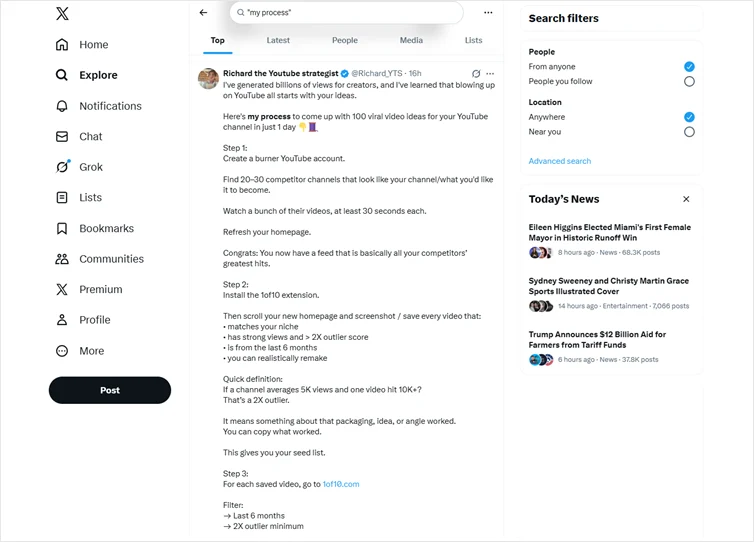
4. Turn a long-form blog into a short, structured thread
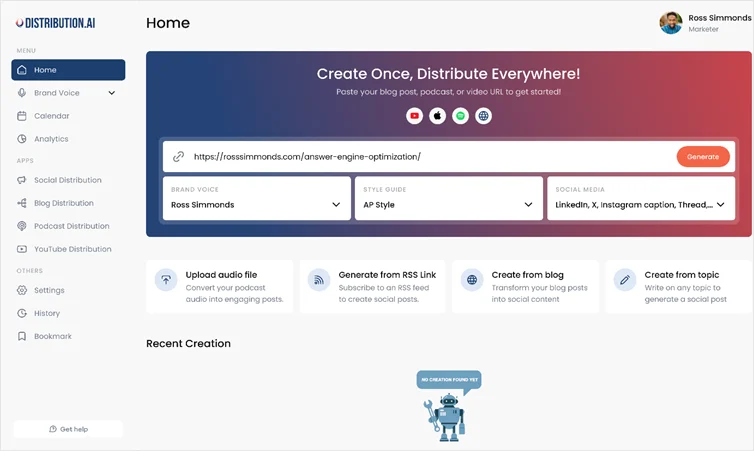
Snackable content works best on Twitter. Pull the core ideas from blogs, videos, or podcasts, add a strong first tweet with a curiosity gap, and then include an external link in the final tweet. Make sure you place external links only at the end, so they don’t affect your reach.

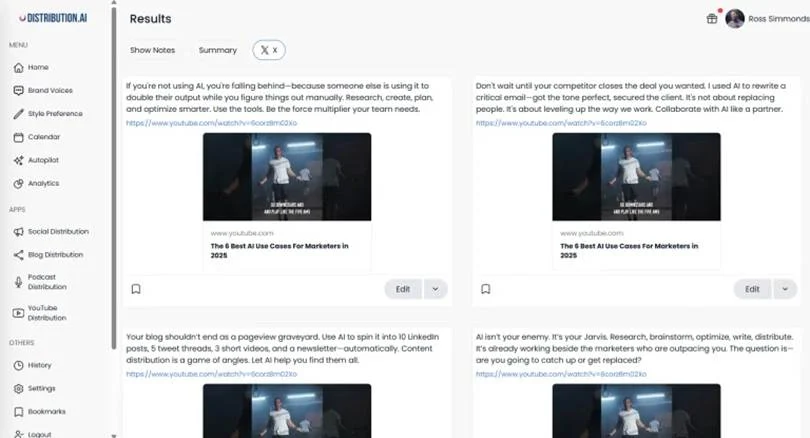
Pro Tip: Use tools like Distribution AI to repurpose long-form content. With Distribution AI, you can turn a blog or video into a structured thread draft, complete with a clear first tweet, hook, and CTA. It generates posts aligned with your brand voice and auto-publishes them, saving hours spent on creating and editing content.
5. Share a small case study with real numbers
Case studies make a compelling Twitter thread because they offer measurable, actionable insights. Stick to the standard thread length of 8–12 tweets. In the closing tweet, add a simple call to action that encourages readers to respond or try your approach.
Here’s an example where the X user shares a short case study on how they helped a brand increase its AOV.

Category 2: Share personal experience
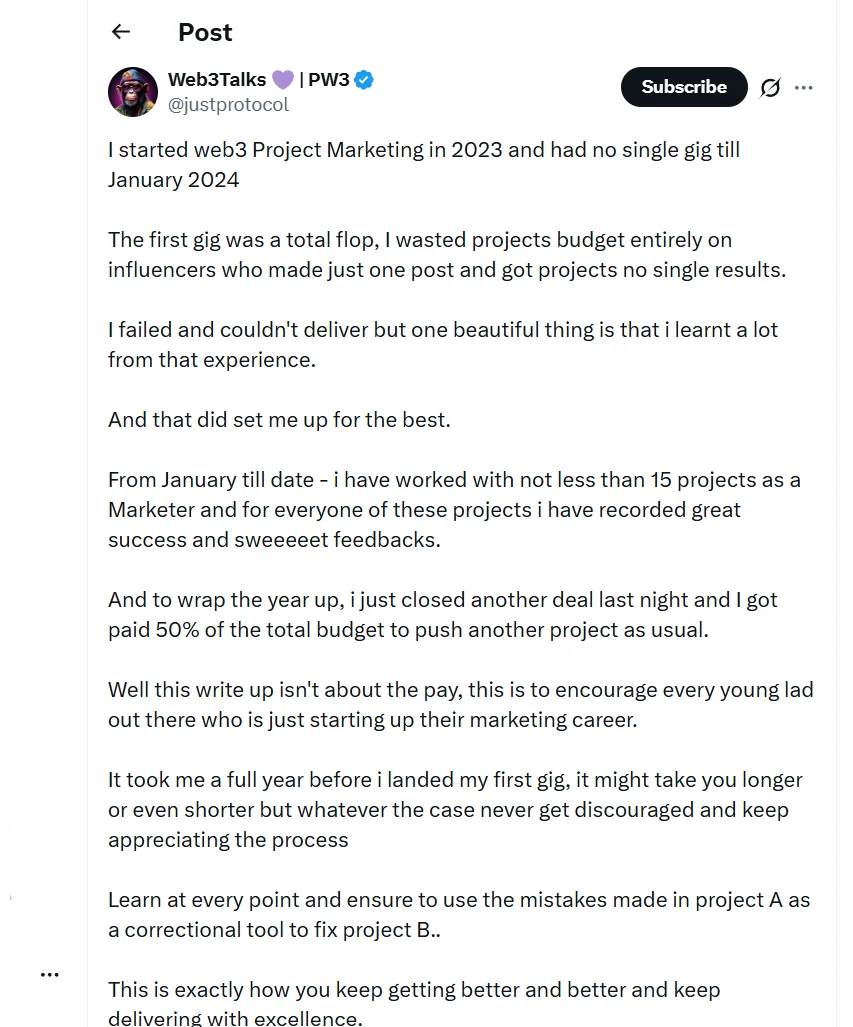
6. Tell a personal story with a clear lesson
A well-told personal story helps you hook readers quickly. The thread doesn’t need flair — just honesty, clarity, and a relatable example from your journey. Use simple language and vary sentence length to make the tweet’s content flow naturally.
Here’s an example of a personal story on Twitter. You can write a similar story and break it into threads that include your struggles, how you overcame them, lessons you learned, and how you improved.
7. Talk about a mistake you made and how it shaped your work
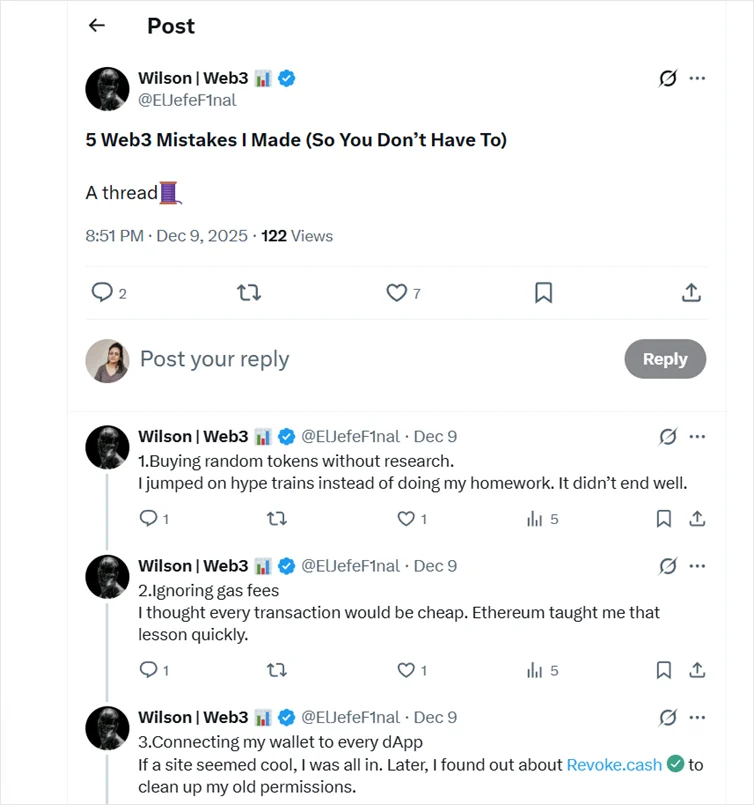
Mistake threads work because of user psychology. Research says that personal struggles and emotional content boost engagement more than purely educational content. When you explain what went wrong, why it mattered, and how you improved, people connect with vulnerability. You can also add a meme or reaction GIF to the personal story post if it suits your brand voice and tone preference.
Here’s an example of a “Mistakes I made” thread:
8. Show a before-and-after transformation
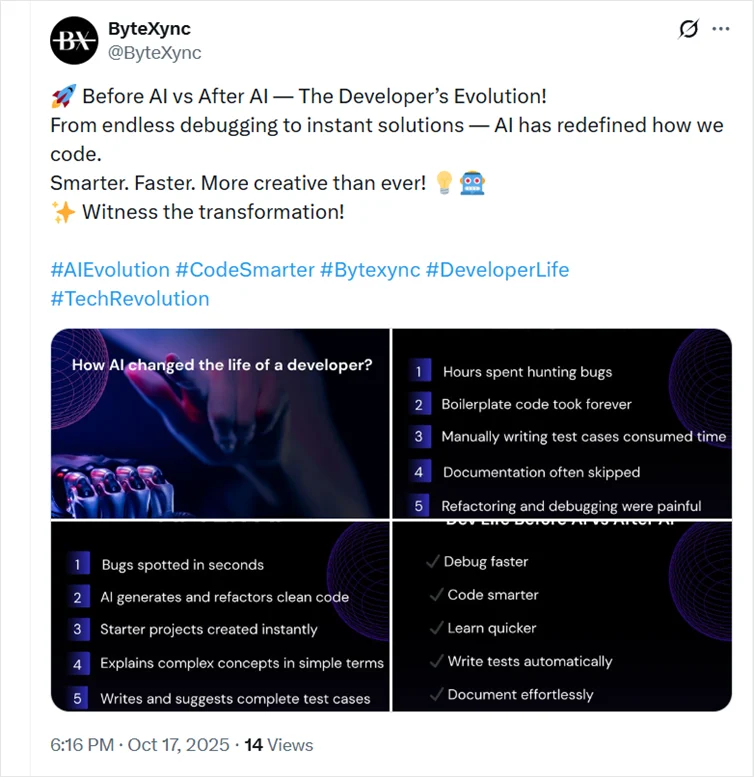
Share how your writing, content systems, or Twitter account improved over time. Add AI-generated content screenshots if relevant and end with tips readers can apply. You can also use engagement techniques like asking a mid-thread question to encourage readers to comment.
Here’s an example tweet that includes a before AI vs. after AI concept that includes images that explain how AI changed developers’ lives including through innovations like codeless automation testing tools that simplify development workflows. You can use a similar idea to create a thread.
9. Share a behind-the-scenes look at how you work
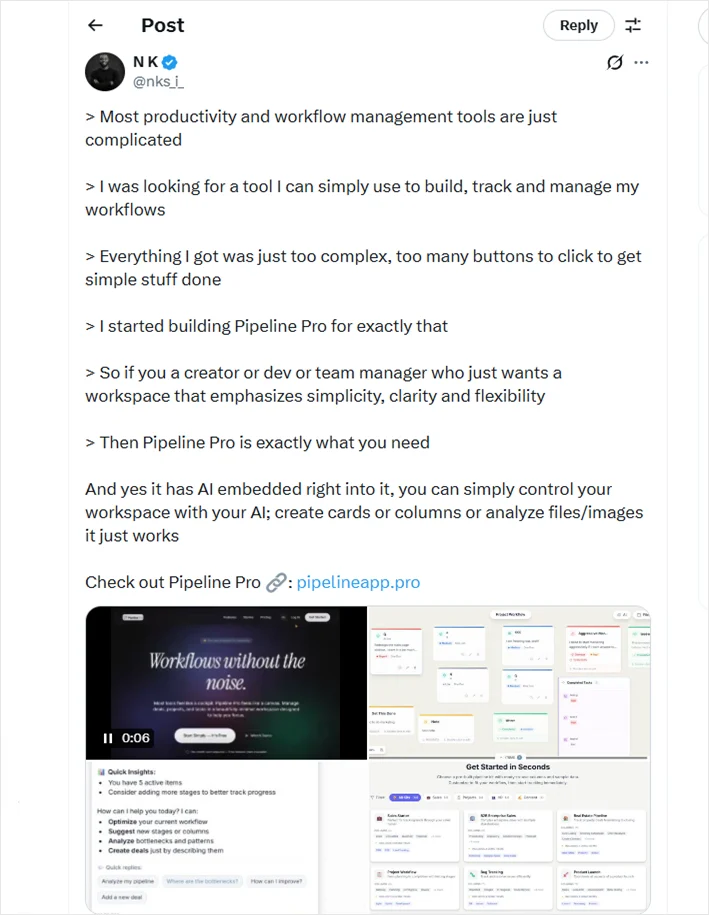
Walk people through your workflow or tools. This thread format offers transparency and helps drive meaningful interactions because most readers never see the actual process behind polished content.
Here’s an example where a founder shared a behind-the-scenes post explaining why existing tools felt too complex and how that frustration led them to build a simpler workspace. You can create a series of connected tweets in a similar way. Use screenshots, screen recordings, and recommend tools you use to make the thread value-packed.
Category 3: Get your audience involved
10. Ask a simple, thought-provoking question
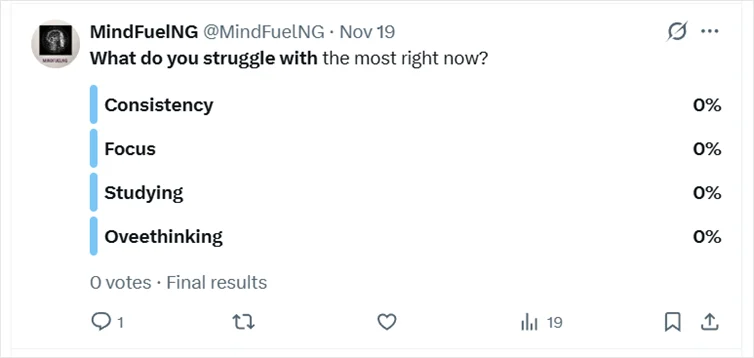
Start your thread with a short (optimized character count) and clear question in the hook tweet content, or create a poll. Consider the comments people add or the poll responses to create your next tweets. This approach reveals engagement patterns and sparks meaningful interactions.
Here’s an example poll from Twitter. You can use similar ideas to start the thread and use the responses to create the following tweets. For example, talk about why one option stands out, ask readers to expand on their opinions, etc.
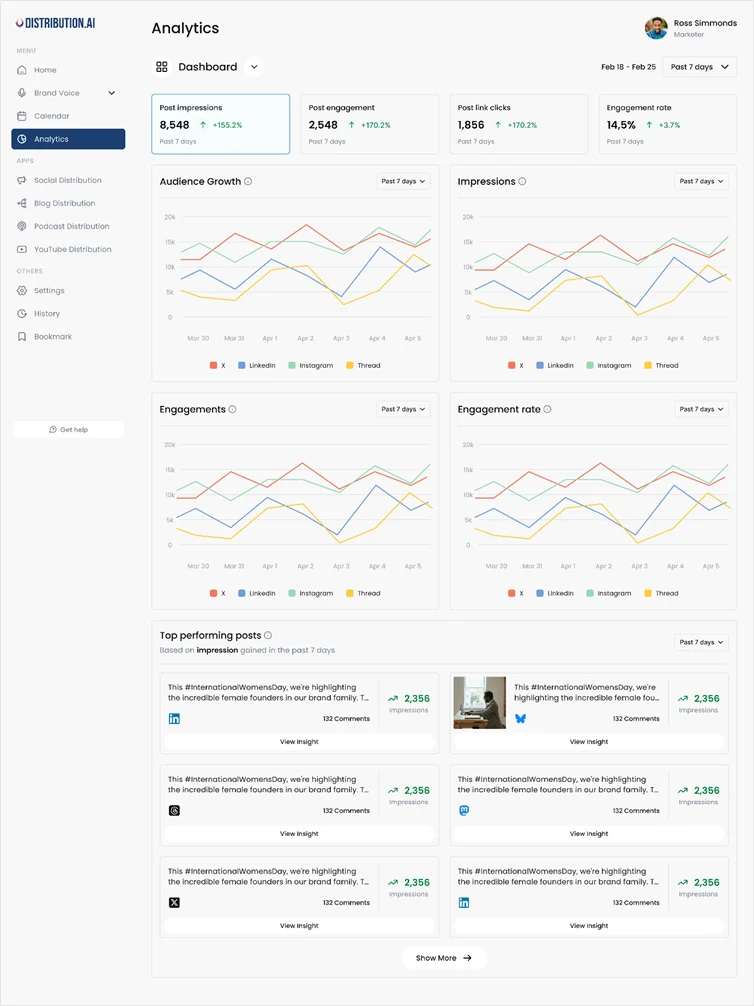
💡Pro tip: You can use tools like Distribution AI to track engagement patterns, number of responses, likes, impressions, and top-performing content to refine your Twitter strategy.
11. Share a curated list of tools or resources
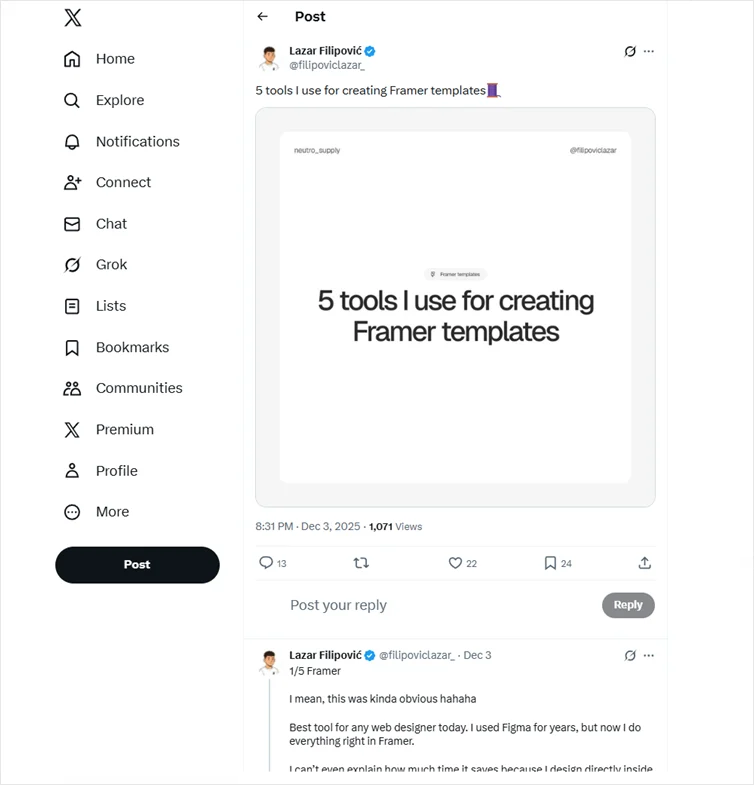
Tool threads perform consistently well. For example, you can create a list of social listening tools and provide target-audience specifics, such as those for writers, marketers, or SaaS founders. Keep each tool explanation as a single tweet and avoid jargon so readers don’t bounce mid-scroll.
Here’s an example thread where the user shared the tool explanations in a series of tweets.
12. Live-tweet your takeaways from an event or webinar
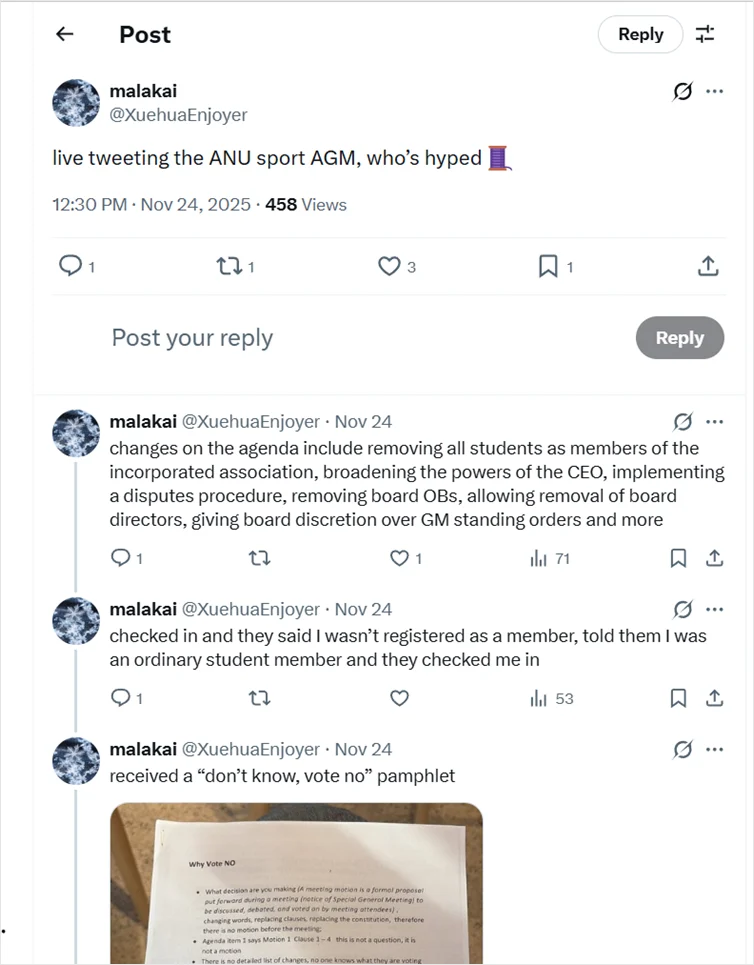
Start with a short opening tweet that explains what you’re attending and why it’s relevant to your target audience. As the event unfolds, share key insights, standout quotes, or surprising moments in real time, keeping each update to one tweet so readers can follow along easily.
Add photos, screenshots, quotes, or simple graphics as suggested media to improve visual appeal. End with a closing tweet that summarizes the biggest takeaways and invites replies or questions to maintain engagement.
Here’s an example of a live-tweeted annual general meeting, starting with a short context-setting tweet and following up with real-time notes, documents, and observations that you can take inspiration from to create your live-tweeted event thread.
Category 4: Share strategy and thought leadership
13. Analyze what made someone else’s thread perform well
Pick a viral thread creator and study their structure. Point out the pattern interrupts, the compelling hook, or how they used relevant accounts effectively. This helps your audience learn how to craft better threads without guesswork.
For example, you can break down a thread like the one below and explain why it performed well, the elements that work, and what could be improved.

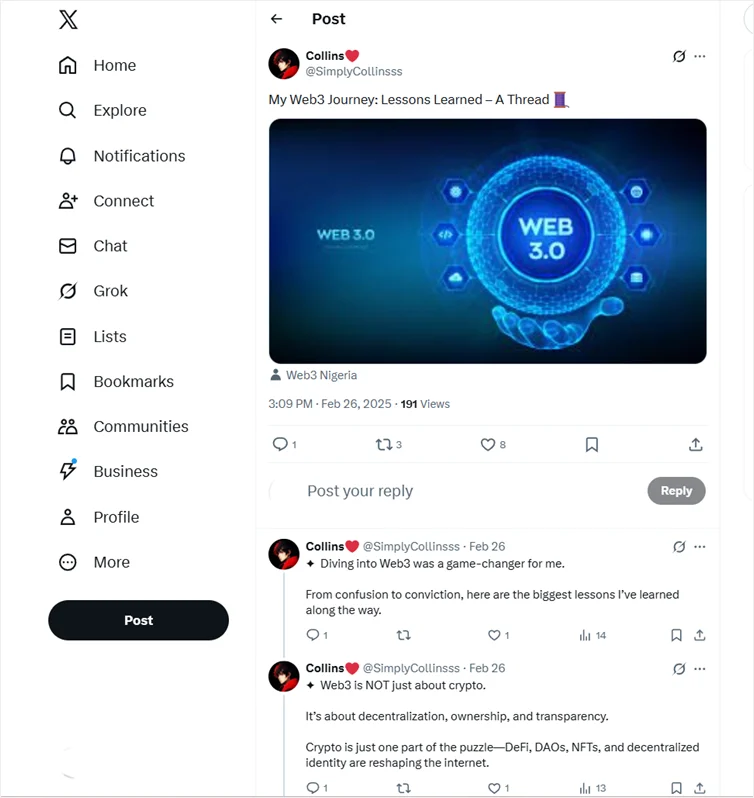
14. Share your monthly learnings or wins in a recap thread
Threads highlighting your wins, lessons, and learnings work because they feel like a personal check-in as they highlight the progress of your own journey. Focus on what you tested, what didn’t work, and how you’ll adjust next month, keeping the thread concise and honest. Use a few bold statements and showcase results wherever relevant. Also, include simple metrics, screenshots, or notes from your workflow to add credibility.
Here’s an example where a user reflects on the learnings of their Web3 journey:
15. Outline your content-repurposing workflow step by step
Explain how one idea turns into multiple assets, such as a Twitter thread, LinkedIn post, or short video. Walk through the steps in order so readers can see how structure makes content creation easier and repeatable.
Keep the tweet’s content focused on what happens at each stage. Screenshots, simple diagrams, or drafts help clarify the flow and make the process easier to copy.
💡 Pro tip: Consider adding suggestions for content repurposing tools, such as Distribution AI. This AI-powered tool helps you turn one content asset into multiple social media posts, formatted for specific platforms and aligned to your brand’s voice and tone. All you need to do is copy-paste blogs, videos, or podcast links, select your preset brand voice, and generate social media post copies, summaries, show notes, transcripts, and more.
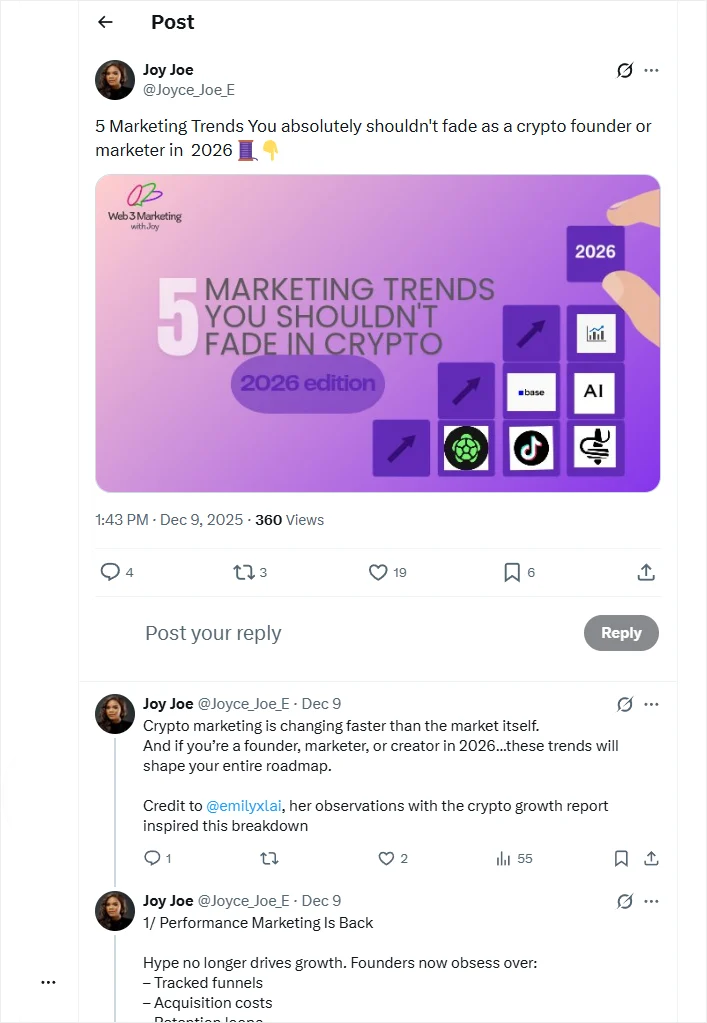
16. Break down trends or predictions for your niche
Share what you think is coming next in your industry—marketing, SaaS, real estate, social media or AI. Use screenshots, or charts as visual placeholder images. Mention how Twitter’s algorithm or new formats may shift content behavior.
Here’s an example Twitter thread where the user discusses marketing trends for a specific target audience—crypto founders and marketers:
Best Practices that Make Twitter Threads Work
Here are some of the best practices that can make your Twitter threads perform well:
- Spend more time on the first tweet than the rest of the thread: Clarify who the thread is for and why it’s worth reading in the hook tweet. If the opening grabs attention, readers are more likely to stay through the rest.
- Keep each tweet focused on one idea only: Threads perform better when every tweet is easy to understand on its own. So, draft threads that are short thoughts, with clear spacing and one idea per tweet, to ensure higher engagement.
- Prioritize clarity over length: Shorter threads (around 8–12 tweets) often outperform longer ones unless you’re breaking down something complex. What matters more is that you convey the value clearly rather than adding tweets to extend the thread.
- Use visuals only when they add context, not decoration: Screenshots, charts, or simple visuals work best when they explain something faster than text. Random images or overused memes can negatively affect credibility.
- End with a simple call to action that invites replies: Instead of asking for retweets or follows, end the thread with a question or reflection. Threads that invite people to share their own experience are more likely to get better long-term engagement.
- Place relevant hashtags at the end of the thread: Instead of adding hashtags to every tweet, include them in the closing tweet or the first tweet only. Stick to 2-3 broad plus niche hashtags and avoid generic tags.
- Post when your audience is most active: Experiment with posting times to find out when they are most active. Then schedule your threads for the best times to post on X to maximize engagement.
Wrapping Up
The best Twitter threads don’t rely on trends. They work because they provide immediate value, focus on clarity, and share something genuinely useful.
Whether you’re explaining a concept, reflecting on a lesson, or sharing behind-the-scenes insights, consistency and structure matter more than perfection. Start with one or two formats and refine them over time.
And if you already have existing content, repurpose it to make the most out of it, saving the time spent on creating fresh content from scratch. Use content tools like Distribution AI that can help turn existing ideas into structured thread drafts. You can auto-generate threads in your brand voice, schedule posts for publishing, and analyze their performance to finetune your social media marketing strategy.
Frequently Asked Questions
How to write good Twitter threads?
Good Twitter threads start with a clear opening tweet that tells readers what they’ll gain. Each tweet should focus on one idea, flow naturally, and be easy to understand on its own. Use line breaks generously, avoid jargon, and end with a closing tweet that includes a simple call to action to encourage replies or reflection.
What is the 4-1-1 rule on Twitter?
The 4-1-1 rule suggests sharing four value-driven or educational posts, one curated or community post, and one promotional post. Applied to threads, this means most threads should offer genuine insights or actionable takeaways, not sales messages, to build trust with Twitter users over time.
What is a Twitter thread example?
A Twitter thread example could be a step-by-step breakdown, a personal story, a case study with numbers, or a list of tools. Most threads follow an exact format: a compelling hook, supporting tweets that expand the main idea, and a final tweet that wraps things up clearly.
What are Twitter threads good for?
Twitter threads are great for explaining complex topics, sharing personal experiences, analyzing trends, and driving meaningful interactions. They allow deeper content delivery than a single tweet while still fitting the platform’s character limits and engagement patterns.
How to repurpose content into Twitter threads?
To repurpose content for crafting threads, extract the main idea from a blog, video, or podcast, then split it into short, self-contained tweets. Keep the desired thread length in mind and place any external link in the final tweet. Tools like Distribution AI can help automate this process while keeping your brand voice consistent.
How do you start a Twitter thread to hook readers?
Start with an opening tweet that clearly signals relevance. Use a bold statement, a curiosity gap, or a thought-provoking question to hook readers. The goal is to stop scrolling and make it obvious why the thread is worth their time.

Promote, repurpose & distribute your content with AI
Write 10x faster, engage your audience, & never struggle with the blank page again.
Start 15-Day Free Trial
Frequently Asked Questions
Author

Promote, repurpose & distribute your content with AI
Start 15-Day Free Trial