9 Best Social Media Management Tools for Nonprofits in 2026 [Reviewed]
Compare the best social media management tools for nonprofits in 2026, with verified nonprofit discounts, pricing, pros, cons, and key features.
Most nonprofits produce more content than they can distribute. They have annual reports, event recaps, donor newsletters, campaign updates, and program stories. But they’re short on time, budget, and headcount to turn that content into a consistent social media presence across multiple platforms.
A social media management tool solves that. Getting the right tool can help you post consistently, keep supporters engaged, stay on-brand, and track what’s working, without adding a full-time nonprofit social media manager.
This list covers nine social media tools built for exactly that. Each one was evaluated on pricing, ease of use, scheduling, team collaboration, and how well it serves a nonprofit.
Key Takeaways
- Seven out of nine tools on this list offer a verified nonprofit discount or free plan, so always check eligibility before paying standard pricing.
- Buffer and RecurPost are the most affordable entry points; Canva is free for verified 501(c)(3) organizations through its nonprofit program.
- SocialBee and RecurPost keep your social accounts active through automatic evergreen content recycling, with minimal ongoing effort from your team.
- Loomly is a strong pick if approvals are your bottleneck; Sprout Social is the right call if you need to report impact to boards or funders.
- If your nonprofit already produces long-form content like reports, newsletters, or podcasts, Distribution.ai turns it into a week of social posts without rewriting anything from scratch.
How We Made This List of Social Media Management Tools for Nonprofits
We reviewed each tool’s official website for features and current pricing to help you build a nonprofit social media strategy that works within real budget and team constraints. We also cross-referenced user feedback on trusted third-party review sites like G2, Capterra, and Trustpilot and focused on reviews from small teams and non-tech users since they reflect how most nonprofits operate.
Every tool on this list was evaluated against five criteria:
- Pricing and affordability: Overall value for the features offered, including nonprofit discounts and free plans
- Ease of use: How quickly a non-technical team member can get up and running without a steep learning curve
- Multi-account scheduling: Whether the tool supports multiple accounts and social media platforms from one central hub
- Team collaboration and approvals: Support for multiple users, draft reviews and sign-off workflows before posts go live
- Analytics and reporting: Whether the dashboard is readable for non-technical staff and useful for tracking real campaign goals
Tools that met enough of these criteria and seemed genuinely useful for nonprofit teams made it to the list. The pricing reflects each platform’s published rates as of July 2026 and should be verified directly before purchase.
Why Do Nonprofits Need Social Media Management Tools?
Most nonprofits do not have a dedicated social media team. A social media management tool handles the operational side of social media so your team can focus on the work that moves the mission forward.
- Centralizes multiple accounts: Most nonprofits are active on at least three to four social platforms. A social media management tool can bring all accounts into one dashboard, making it easier to track and manage your social profiles.
- Keeps posting schedule consistent: Maintaining a steady posting cadence needs someone on your team to manually create and publish content every day. With social media tools, you can batch-create content and automate publishing without daily effort.
- Simplifies the approval process: Nonprofit communications often require sign-off from a program director, executive director, or legal team before anything goes public. Social media management tools streamline approvals, so you don’t have to go through multiple email threads and Slack messages or deal with communication delays.
- Makes reporting to funders easier: Social media management tools consolidate data such as reach, donor referral traffic, and campaign impact that funders and boards want to know. They help you generate reports that you can hand to stakeholders without spending hours formatting a spreadsheet.
Best Social Media Management Tools for Nonprofits in 2026
| Tool | Best For | Standout Feature | Starts At | Non-profit discount |
|---|---|---|---|---|
| Distribution.ai | Turning existing long-form content into social posts | Channel-specific posts in AI brand voice | $53.90/month | No |
| Buffer | Scheduling across social media accounts | Free plan with 3 channels and AI assistant | $6/channel/month | 50% |
| Later | Visual content planning for Instagram and TikTok | Drag-and-drop grid preview before posts go live | $25/month | 50% only on one plan |
| SocialBee | Automatic content recycling | Category-based scheduling | $29/month | 50% |
| RecurPost | Running a consistent posting schedule | Content auto-recycle on set schedule | $9/month | 20% |
| Canva | Designing flyers, social media post images | Drag-and-drop editor | $18/month/user | 50% on additional seats; free Canva Pro plan |
| Loomly | Content approval and scheduling | Multi-tier approval workflows | $65/month | 50% |
| Hootsuite | Centralizing scheduling, monitoring and reporting | Social trend forecasting | $39/month (nonprofit rate) | 60% |
| Sprout Social | Social listening and in-depth analytics | Presentation-ready analytics reports | $199/month | 20% off on Professional plan; 25% on Advanced plan |
1. Distribution.ai
Distribution.ai is best for: Content repurposing and distribution
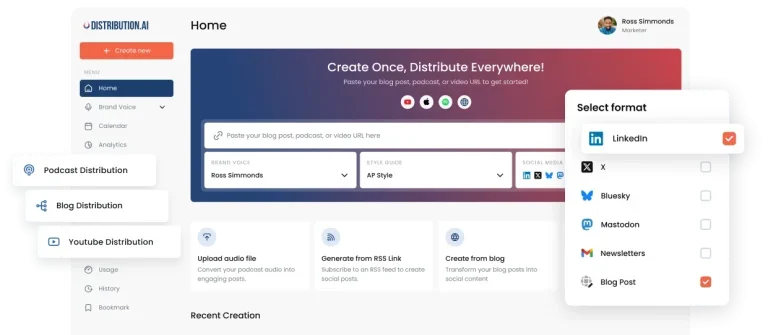
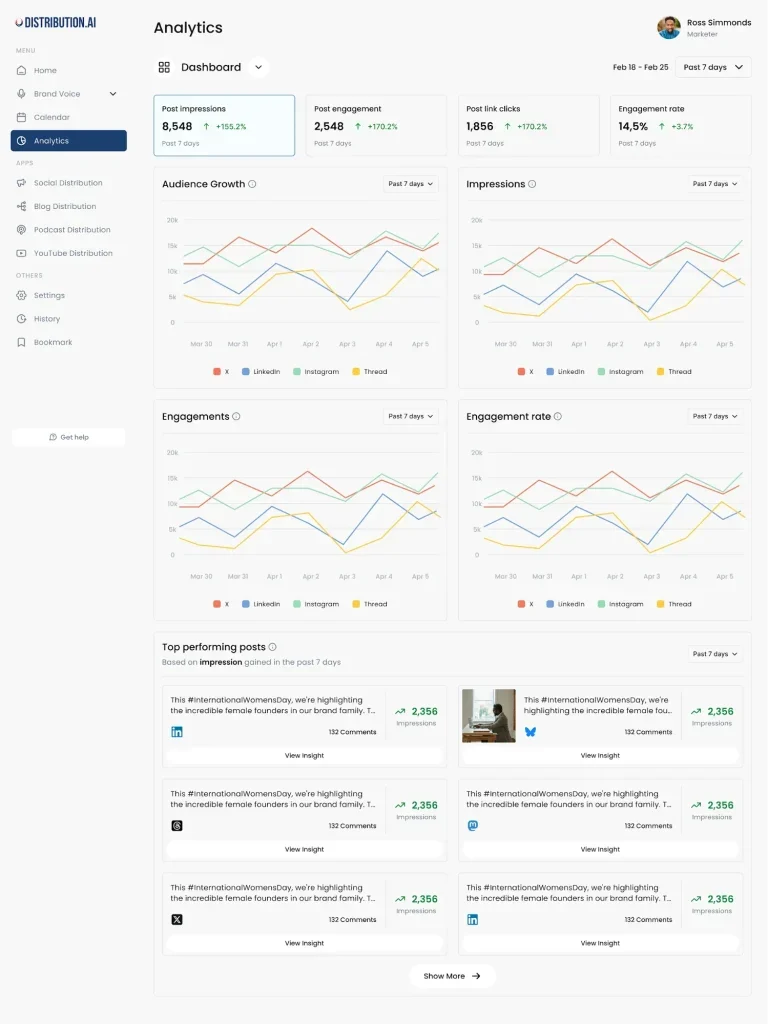
Distribution.ai takes content you already have, like a newsletter, blog post, podcast, or event recording, and turns it into ready-to-post social content for LinkedIn, X, Instagram, Threads, Bluesky, and Mastodon. You paste a link or upload a file, and the AI writes platform-native posts in your voice, then schedules them across channels from one dashboard. For a nonprofit with a lean team and no dedicated social manager, your content distribution across social media platforms is taken care of without hiring or spending hours rewriting. Built-in analytics show what actually drives engagement.
Distribution.ai’s Key Features
- Repurposes one asset like a blog, podcast, video, or report into posts sized for LinkedIn, X, Instagram, Threads, Bluesky, and Mastodon
- Platform-native post creation from a link, file, or prompt using AI rewriters you can tune to your brand voice
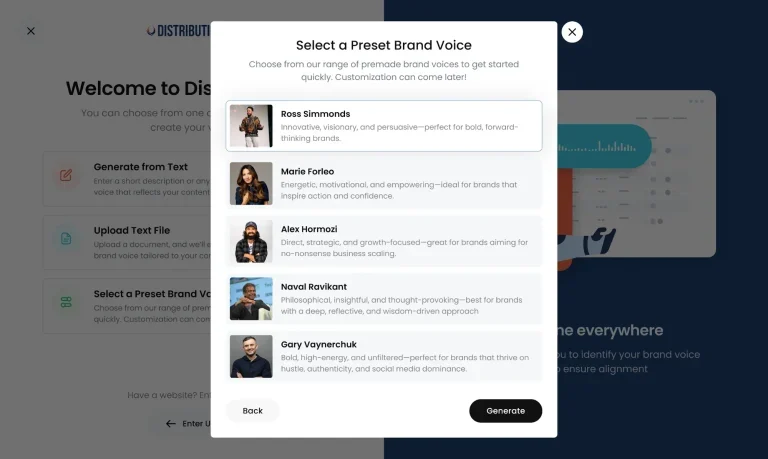
- Social media content generator for posts, captions, and image creation
- Post scheduling across social media channels with a content calendar, recurring queues, timezone settings, and team approval workflows
- Social media analytics to track reach and engagement across every connected channel in one dashboard
Distribution.ai’s Pros
- Cuts hours of manual reposting by turning a single piece of pillar content into a full multi-channel campaign
- Repurposing content, scheduling, and analytics in one dashboard
- Custom AI brand voice to ensure consistency in posts
- Platform-native formatting
Distribution.ai’s Cons
- Limited third-party reviews
- Best suited for teams with an existing content library
Distribution.ai’s Pricing
Distribution.ai uses usage-based tier pricing built around how much content you repurpose each month. It offers different plans for individuals and organizations. A 15-day free trial is available, and you get two months free on yearly billing.
- Pro: $109.90/month. Includes YouTube, blog, and podcast distribution, supporting 5 free members, up to 40 blog posts, and 750 minutes each of YouTube and podcast content per month, and advanced analytics
- Business: $368.90/month, including 15 free members, up to 120 blog posts, and 2,000 minutes each of YouTube and podcast content per month, and premium analytics
- Individual plan: Starts at $53.90/month with YouTube, blog, and podcast distribution
2. Buffer
Buffer is best for: Scheduling posts across multiple social accounts
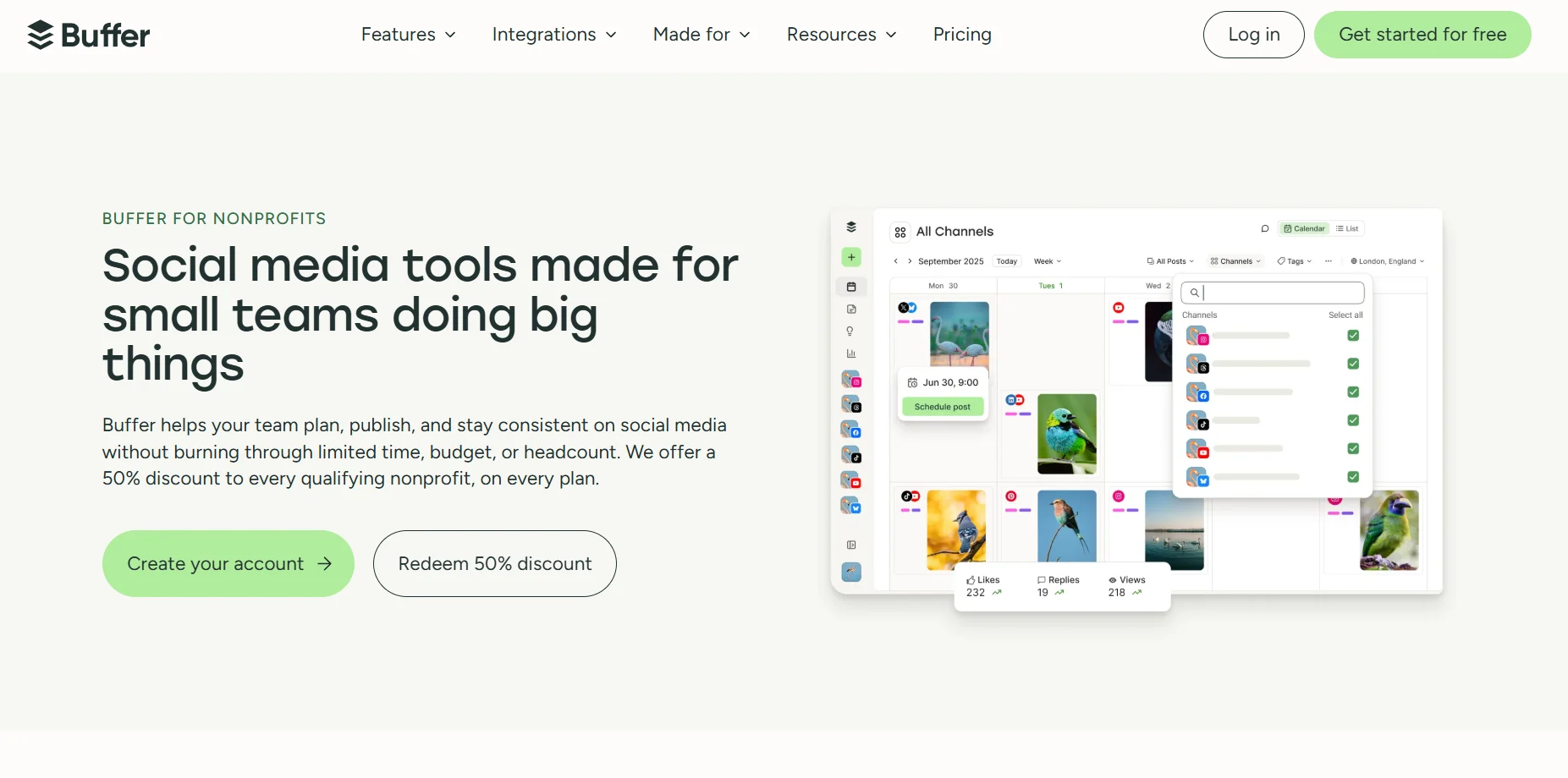
Buffer is a straightforward scheduling tool built for teams that want to get posts out without a steep learning curve. It makes managing multiple social accounts easy—connect your channels, write your posts, and schedule them from one central hub. The built-in AI helps you draft captions and repurposes posts for each platform so you’re not rewriting the same message multiple times. You also get a community inbox that pulls comments and interactions from across your social accounts into one place so nothing gets missed when a supporter reaches out.
Buffer’s Key Features
- Post scheduling and publishing across Facebook, Instagram, LinkedIn, TikTok, YouTube, Pinterest, Threads, Bluesky, and Google Business Profile
- Built-in AI Assistant to draft captions, rewrite text, and repurpose posts for each platform
- Saved replies and smart suggestions to respond to comments faster
- Buffer Insights for post-level analytics covering reach, engagement, clicks, impressions, and best-time-to-post suggestions
Buffer’s Pros
- Easy-to-use features
- Clean interface and quick setup
- Responsive customer support
Buffer’s Cons
- Analytics and statistics are limited compared with heavier tools
- Sometimes scheduled posts don’t get published due to glitches
Buffer’s Pricing
Buffer charges per social channel, which keeps costs low for small teams managing few accounts. It has a free version with 1 user account, up to 3 channels, 10 scheduled posts per channel, an AI Assistant, and basic analytics. A 14-day free trial is available for the two paid plans.
- Essentials: $6 per channel/month (billed monthly), supports one user account and unlimited scheduled posts
- Team: $12 per channel/month (billed monthly), supports unlimited team members, scheduled posts, and custom access permissions
For nonprofits, Buffer offers a 50% discount on paid plans.
3. Later
Later is best for: Visual storytelling on Instagram and TikTok
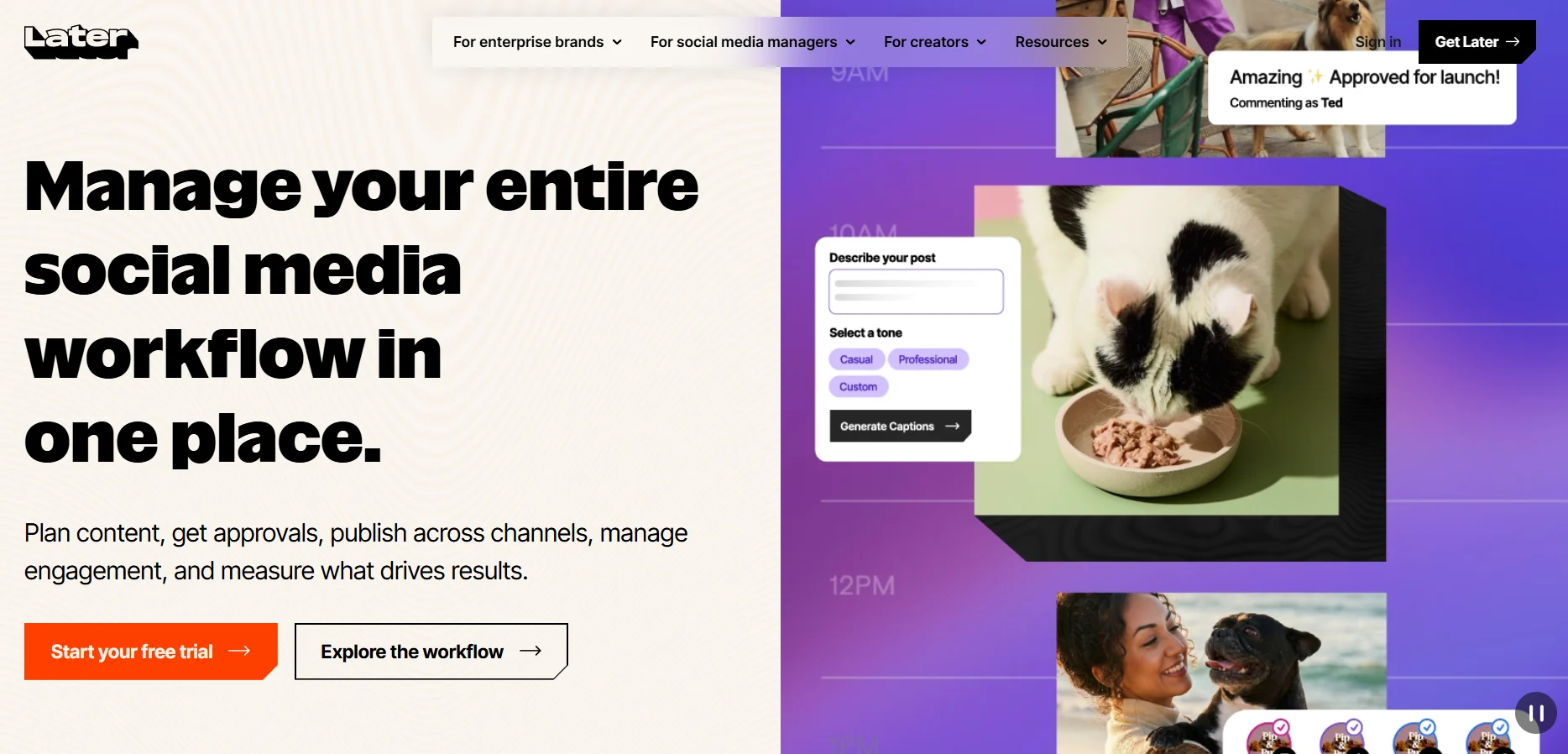
If your organization relies on photos, event coverage, and short videos to drive awareness, Later’s visual content calendar can help you keep everything organized. Drag and drop posts into your schedule, preview your Instagram grid before anything goes live, and keep your social media campaigns on-brand without hiring a designer. A director or comms lead can review and approve posts without needing a paid seat, so sign-off happens without adding to your tool bill. You can also use its built-in Link in Bio page to turn your profile link into a donation page or event signup in minutes.
Later’s Key Features
- Best time to post recommendations and platform analytics
- Instagram feed grid preview before posting
- Internal and external collaboration and approvals on the high-tier plans
- Free Link in Bio landing page with clickable buttons, linked posts, and Mailchimp integration
Later’s Pros
- Easy-to-use drag-and-drop visual calendar
- Affordable pricing
- Allows scheduling posts for an entire month
Later’s Cons
- A few users say analytics are limited, managing multiple social media accounts often feels cumbersome, and the support services are slow
- The mobile app lacks live analytics, and Instagram analytics are often buggy
Later’s Pricing
Later is tier-based and priced per “social set,” where one social set is one profile from each supported platform (total 8 profiles), and each plan bundles a fixed number of users. It offers a 14-day free trial for all paid plans. For annual subscriptions, you get 3 months free and 25% off.
- Starter: $25/month with 1 social set, 1 user, 30 posts per profile, 3 months of analytics
- Growth: $50/month supports 2 social sets, 2 users, social inbox, 180 posts per profile, 1 year of analytics
- Scale: $110/month includes 6 social sets, 4 users, custom analytics, competitive benchmarking, and unlimited posts.
- Non-profit discount: 50% off on annual Growth plan
Are you a Later user looking to switch? Check out these Later Alternatives for Social Media Management.
4. SocialBee
SocialBee is best for: Maintaining a consistent posting schedule by recycling evergreen content
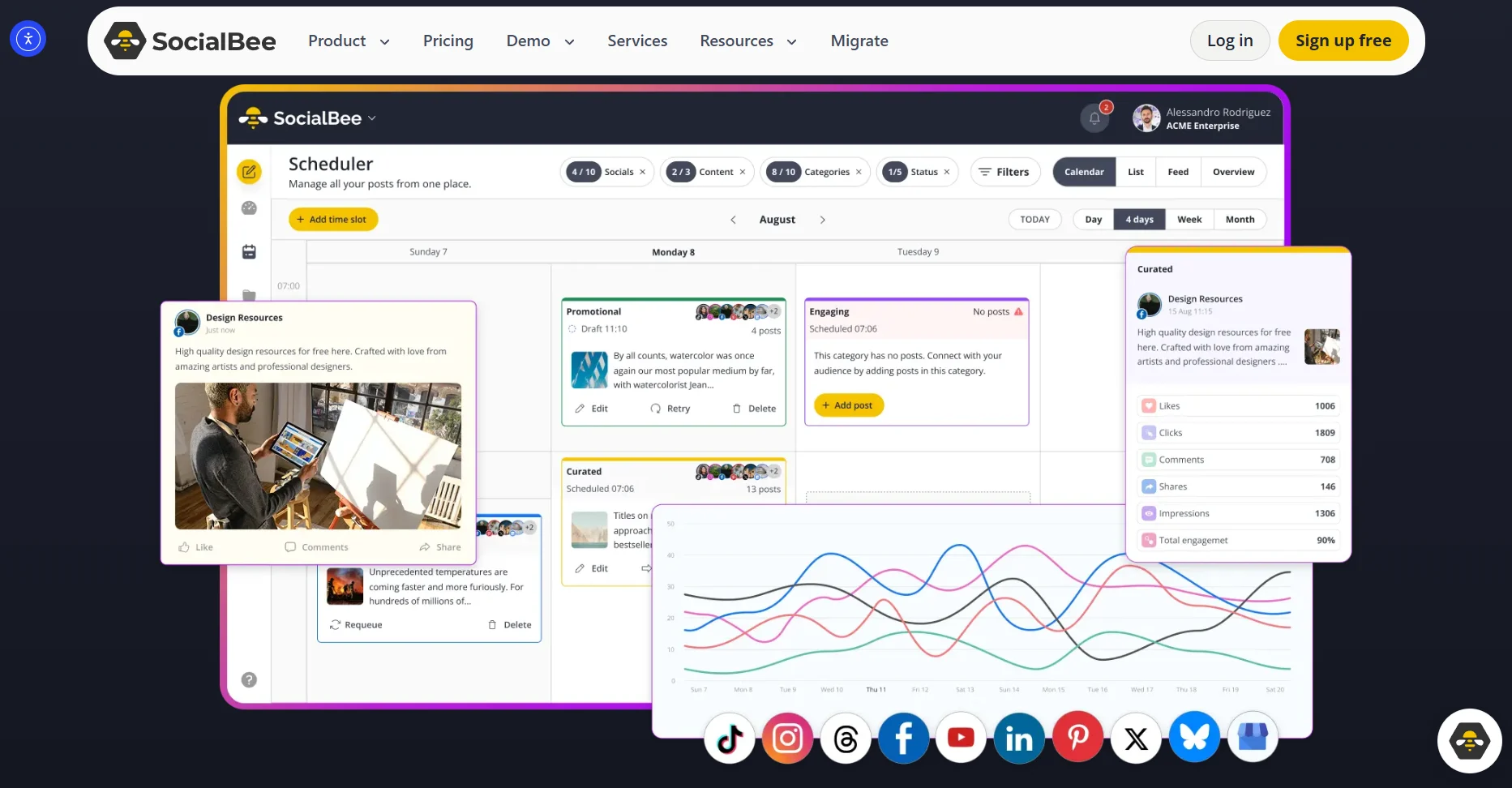
SocialBee organizes your posts into content categories and recycles them automatically on a schedule. If you run recurring campaigns for mission-critical initiatives like monthly donation asks, volunteer recruitment posts, or program updates, it keeps the queue running once you set it up. The AI Copilot helps draft captions, and a unified inbox handles comments and DMs across platforms. However, the two entry plans are locked to one user, so teams needing a second login would need the Pro plan subscription.
SocialBee’s Key Features
- Content categories for organizing posts and automatic recycling of evergreen content
- Team collaboration with workspaces, post approvals, and internal notes on higher tiers
- Content imports from RSS feeds and bulk uploads
- AI Copilot for captions and a posting strategy plus Canva, Unsplash, and GIPHY integration
SocialBee’s Pros
- Evergreen recycling gives more mileage from each post
- Good value and affordable pricing
- Robust analytics dashboard
SocialBee’s Cons
- Steep learning curve for beginners navigating the categories and scheduling options
- The editor often slows down when working on larger files
SocialBee’s Pricing
SocialBee is tier-based and charges a flat rate per plan. It offers a 14-day free trial, a 30-day money-back guarantee, and 16% off on yearly plans. NGOs get 50% off on all subscriptions.
- Bootstrap: $29/month, supports 5 profiles, 1 user, 10 content categories, 3 months of analytics
- Accelerate: $49/month, includes 10 profiles, 1 user, advanced analytics, CSV imports, bulk editing, post approvals
- Pro: $99/month, with 25 profiles, 5 users, unlimited categories, workspaces
5. RecurPost
RecurPost is best for: Automating a posting schedule across multiple social accounts
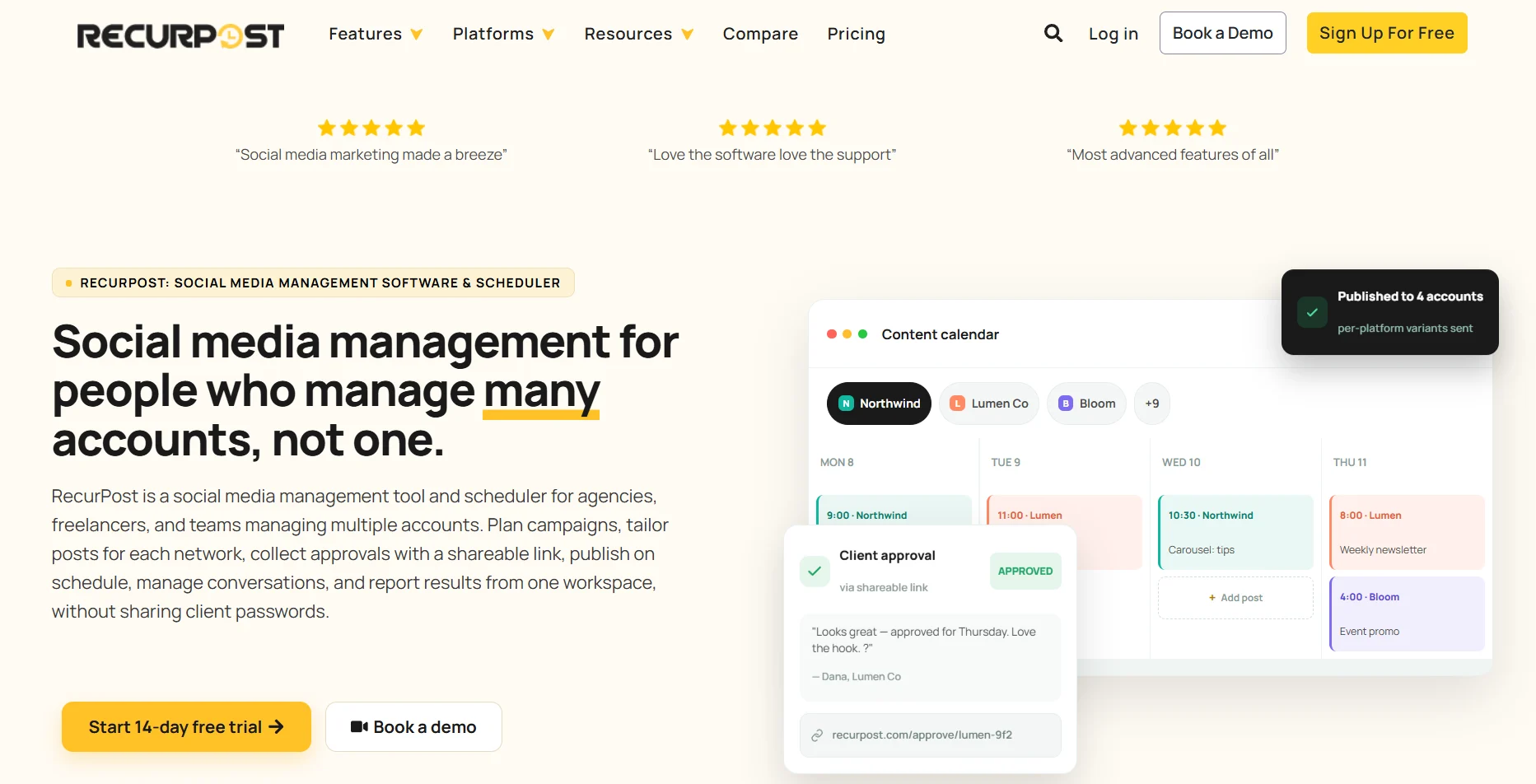
Running a nonprofit organization means the same messages matter all year round, such as volunteer calls, donation asks, and program updates. RecurPost lets you organize that content into evergreen libraries that automatically recycle on a schedule so your social accounts stay active even when your team is stretched thin. It pulls comments and DMs from all your connected platforms into one inbox so supporter conversations don’t slip through the cracks. Bulk scheduling via CSV enables you to upload a month of posts in one sitting and move on to higher-priority work.
RecurPost’s Key Features
- Post organization into evergreen content libraries
- Unified social inbox with first-comment posting, AI replies, and Instagram DM automation
- Visual content calendar with bulk scheduling by CSV import and best-time posting suggestions
- Client-style workspaces and internal and external approval workflows on high-tier plans
RecurPost’s Pros
- Automated consistent posting and content recycling
- Quick and personalized customer support
- Easy initial setup and organized workflows across accounts and posts
RecurPost’s Cons
- Dashboard feels dated and less intuitive for first-time users
- Social media reporting has limited customization options
RecurPost’s Pricing
RecurPost uses tier-based pricing billed per social account. Every self-serve plan includes a 14-day free trial, a 30-day money-back guarantee, and two months free on annual billing. Registered non-profits get 20% off on all plans.
- Starter: $9/month, includes 2 social accounts, 1 user, 10 posts per account per day, core scheduling and recycling
- Personal: $25/month, with 5 social accounts, 1 user, 20 posts per account per day, and 2 shareable social media calendars
- Agency: $79/month, supports 20 social accounts, 3 users, 80 posts per account per day, client workspaces, and 10+ AI features
- Enterprise: Custom pricing for 100+ social accounts with priority support and onboarding
- Add-ons: Extra social accounts are $4/month each, and extra teammates are $20/month each
6. Canva
Canva is best for: On-brand visual content creation for social platforms
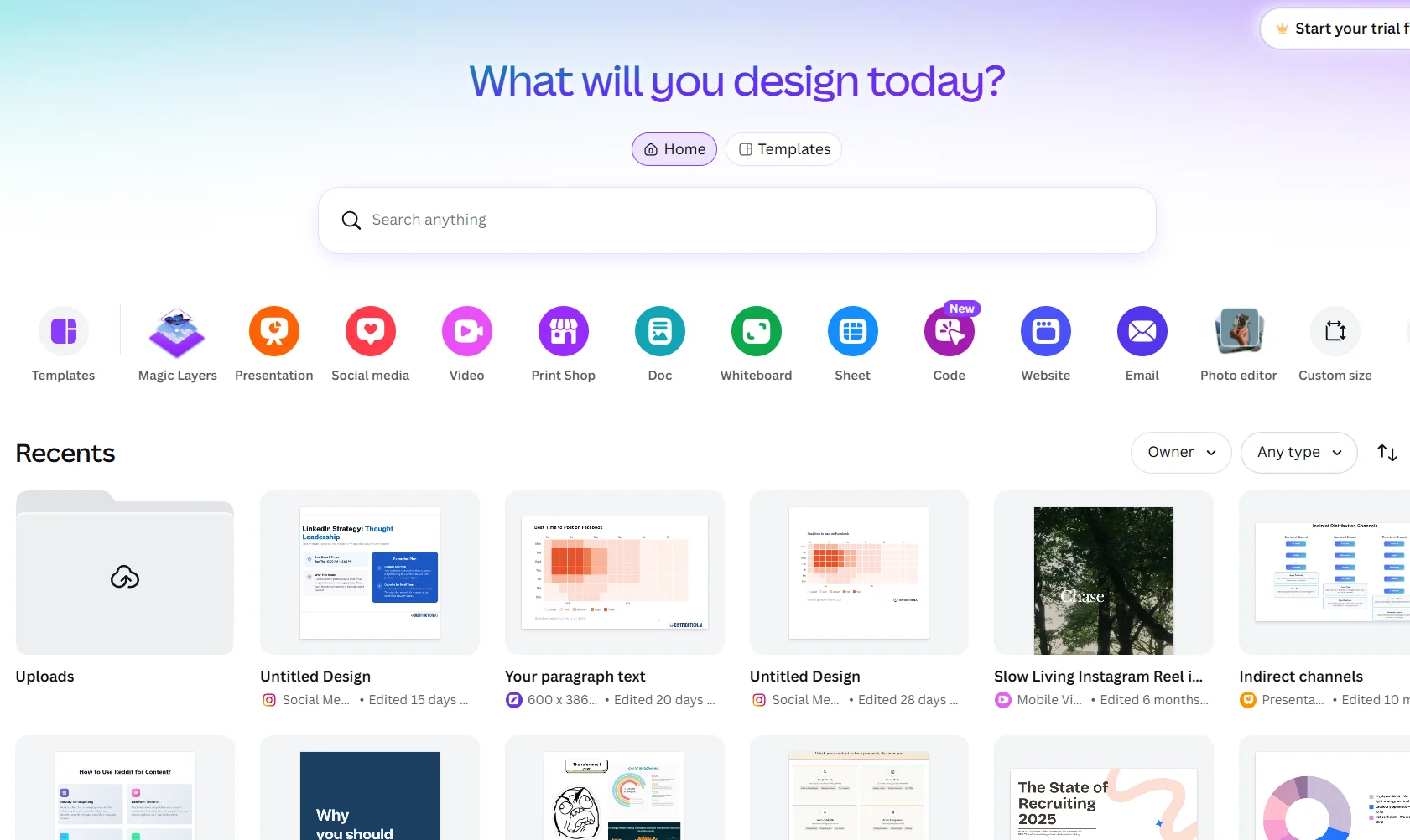
Canva’s drag-and-drop editor and template library let anyone on your team produce professional graphics, flyers, posters, and social posts, without a designer on payroll. You get a brand kit to keep your brand colors and logo locked in so every volunteer or intern working on content stays on-brand without a briefing. From the same platform you design in, you can schedule posts directly to Facebook, Instagram, LinkedIn, and Pinterest, and track performance metrics without switching tabs. Plus, you can collaborate on designs with team members in real time.
Canva’s Key Features
- Post scheduling and publishing directly through Content Planner to platforms including Facebook, Instagram, LinkedIn, and Pinterest
- Visual content calendar prefilled with social media holidays to help plan campaigns
- Social media performance analytics for tracking impressions, clicks, likes, and comments
- Team collaboration with comments, approvals, and shared visibility across up to 50 users on the nonprofit plan
Canva’s Pros
- Easy-to-use design tools, especially for non-designers
- Huge library of templates, images, and fonts at an affordable price
- Supports real-time collaboration and commenting across a team
Canva’s Cons
- Limited options for vector editing and bulk design creation
- Best templates, stock elements, and background remover sit behind the Pro subscription
- Scheduling is limited to one social post per design, and some post types still need manual publishing
Canva’s Pricing
Canva uses tier-based per-user pricing with a good value free plan with basic templates and design tools. You get a 30-day free trial for all paid plans and 16% off on yearly subscriptions. Nonprofits get a free subscription with Canva Pro’s premium features plus collaboration tools. Additional seats on Canva Enterprise are available at a 50% discount.
- Canva Pro: $18/month/user with premium templates and tools, background remover, and content scheduling
- Canva Business: $25/month/user with collaboration and team admin tools, 100+ brand kits, and access to Leonardo.ai and Flourish
- Canva Enterprise: Custom pricing for large organizations needing SSO and asset governance
7. Loomly
Loomly is best for: Managing content approval workflows across a small team
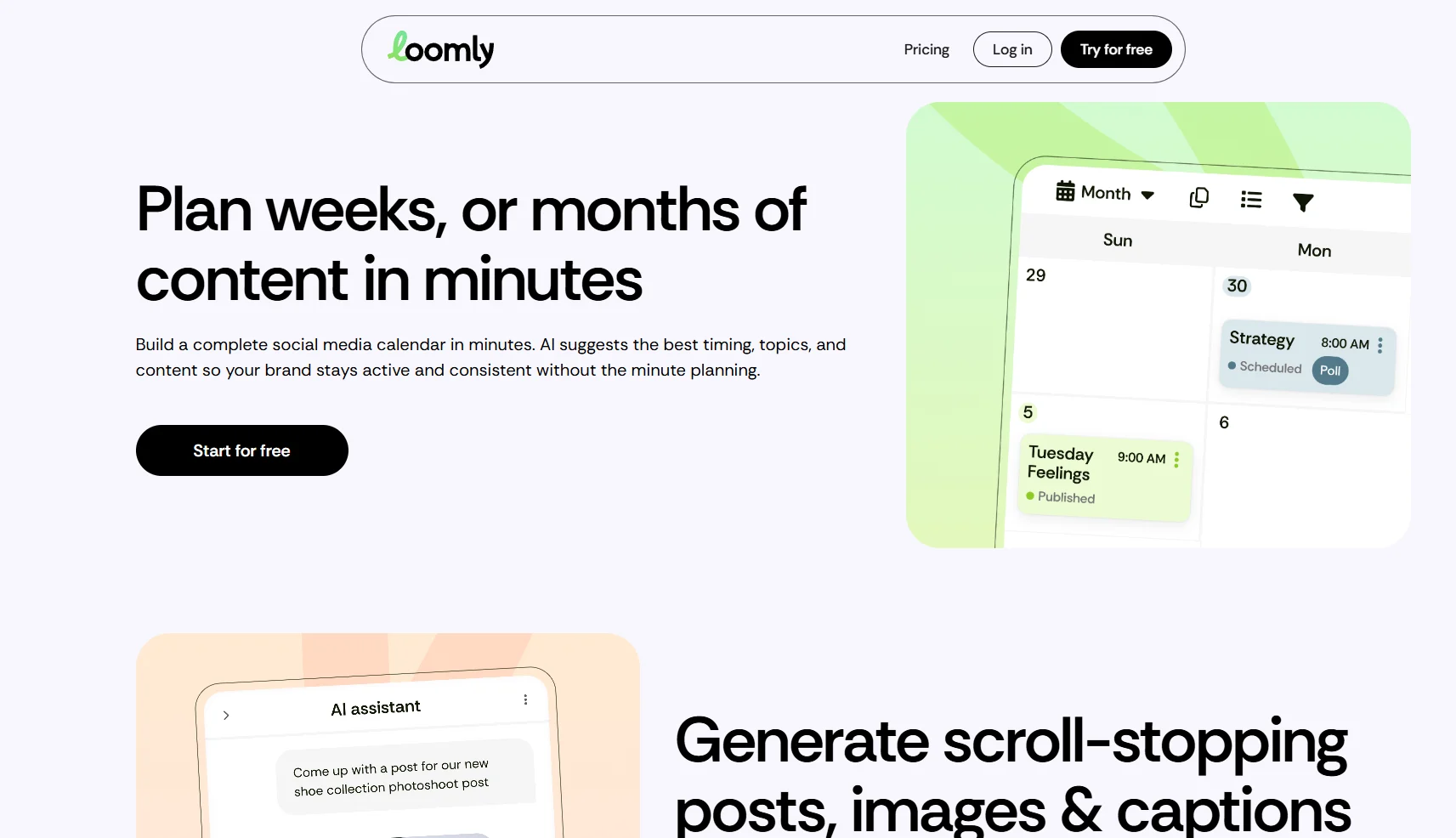
Loomly’s content calendar gives your whole team visibility into what is scheduled, what is pending approval, and what still needs work. Posts go through a built-in review workflow before anything is published, so a program director or executive can sign off without being looped into a separate email thread. The built-in post builder previews how each post will render on each platform before it goes live.
Loomly’s Key Features
- AI assistance for crafting replies and flagging important conversations
- Multi-tier approval workflows for review and batch approval of posts
- Post Builder with platform-specific previews, post mockups, and live optimization tips
- Social listening with brand monitoring and sentiment analysis features
Loomly’s Pros
- Easy to share and approve posts between teams
- Strong customer service
- Post previews and optimization tips before publishing
Loomly’s Cons
- Occasional need to reconnect accounts and reschedule failed posts after platform login changes
- Scheduling issues leading to delays
Loomly’s Pricing
Loomly uses tier-based pricing that bundles users and social accounts into flat tiers. A 15-day free trial is available, and annual billing saves about 25%. Nonprofit organizations get a 50% lifetime discount on any plan.
- Starter: $65/month with 12 social accounts, 3 users, advanced analytics, and core features
- Beyond: $332/month supports 60 social accounts, unlimited users, custom branding, custom workflows, and Slack/Teams integration
- Enterprise: Custom pricing for 61+ social accounts
8. Hootsuite
Hootsuite is best for: Multiple account management and performance tracking
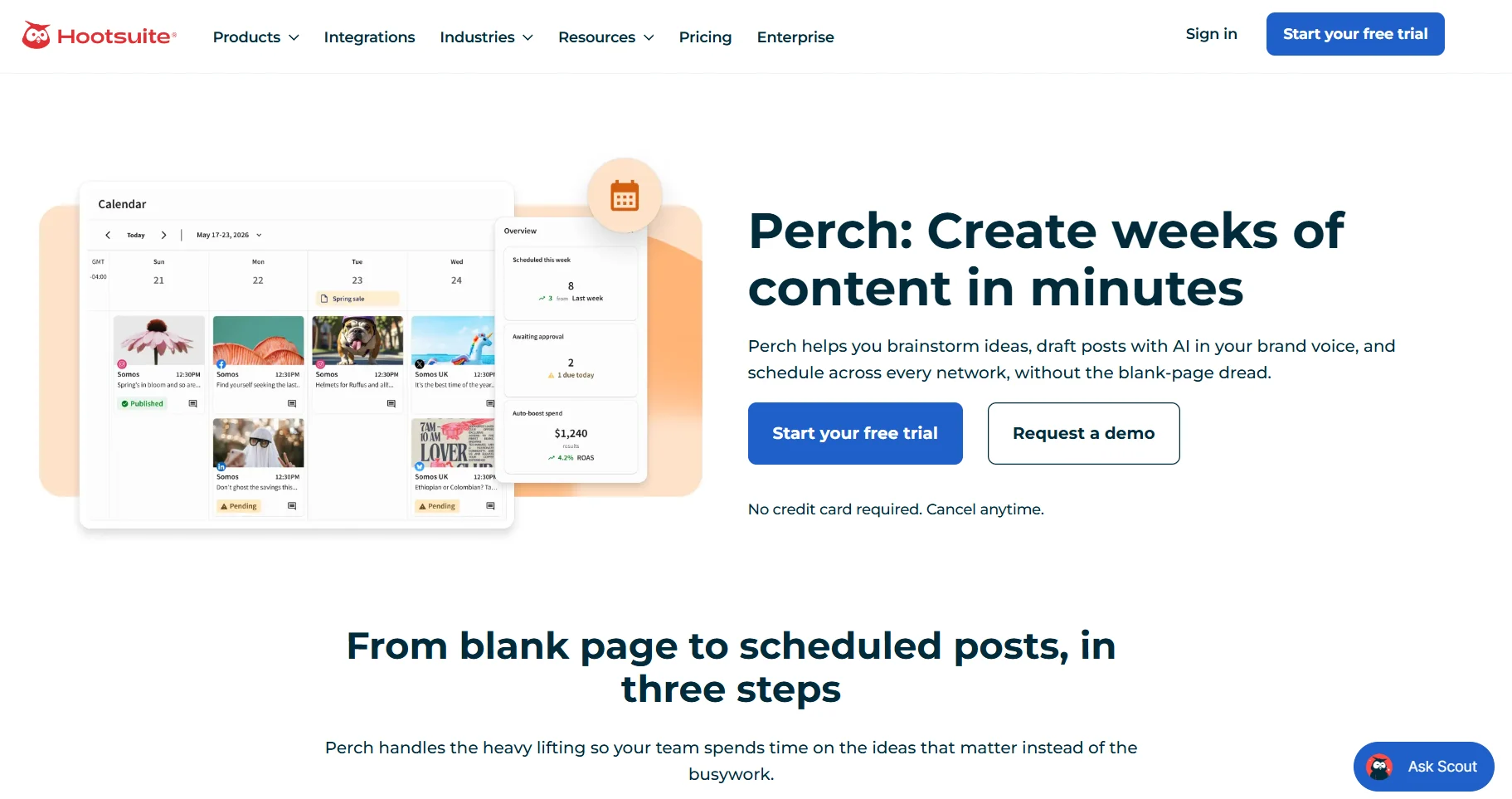
Hootsuite lets you schedule social posts across Instagram, LinkedIn, Facebook, TikTok, X, Pinterest, and YouTube from a single content calendar. The built-in Wisdom AI assistant drafts posts and images, so your team spends less time on content creation. You get a consolidated inbox for comments and direct messages from all connected accounts and customizable performance reports tracking what’s working and what’s not.
Hootsuite’s Key Features
- Schedules unlimited posts and generates posts and images with the built-in Wisdom AI assistant
- Consolidates messages into one inbox and monitors brand and competitor mentions
- Content review and approval plus message auto-routing across teams
- Custom performance reports and social trends forecast up to 90 days ahead
Hootsuite’s Pros
- Makes managing multiple accounts and social media scheduling easier
- Customizable performance reports for tracking campaign impact
- Centralized scheduling, listening, and analytics in one dashboard
Hootsuite’s Cons
- Can be expensive, especially with add-ons and additional users
- Slow customer support service
Hootsuite’s Pricing
Hootsuite uses per-user per-month pricing. A 14-day free trial is available, but there’s no free plan.
- Standard: $99 per user/month, up to 10 social accounts, scheduling, AI content and one inbox.
- Professional: $199 per user/month, unlimited social accounts and custom reports.
- Advanced: $399 per user/month, approval workflows, message routing and team performance reporting.
- Enterprise: Custom pricing with social listening, SSO and compliance tools.
- Nonprofit discount: The HootGiving program gives verified nonprofits up to 60% off, with published prices of $39 per user/month for Standard, $79 for Professional and $159 for Advanced.
9. Sprout Social
Sprout Social is best for: Social listening and performance reporting
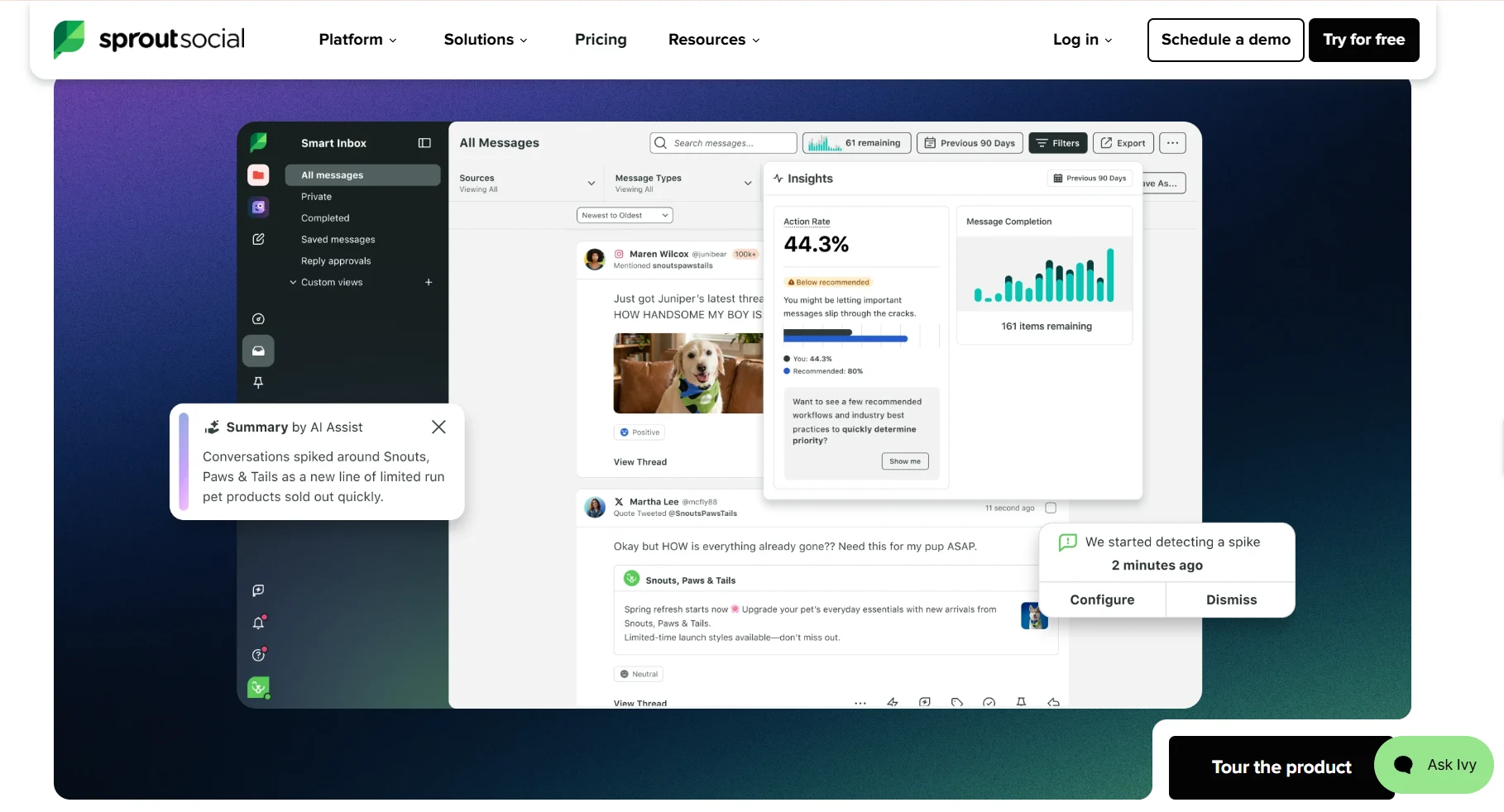
Sprout Social is best for enterprise non-profits with a communications team, multiple stakeholders, and a need to prove social media impact beyond engagement numbers. Social listening tracks public conversations around your cause, competitors, and sector trends so you can respond to what’s happening before it passes. You can also generate customizable presentation-ready analytics reports that can go straight to a board deck or funder update.
Sprout Social’s Key Features
- Unified inbox consolidates messages, mentions, comments, and reviews
- Message approval workflows and shared content calendars
- Optimal send time suggestions and AI Assist for content creation
- Insights from social conversations with social listening
Sprout Social’s Pros
- Intuitive interface
- Generates presentation-ready reports
- Makes collaboration easier
Sprout Social’s Cons
- Expensive for larger teams needing multiple seats
- Steep learning curve; the number of features might feel overwhelming initially
Sprout Social’s Pricing
Sprout Social offers per-seat per-month pricing billed annually. You get a 30-day free trial for all plans, and add-ons like Premium Analytics and Social Listening are priced separately.
- Standard: $199 per seat/month, 5 social profiles, unified inbox, and review management
- Professional: $299 per seat/month, unlimited social profiles, competitor and keyword insights, optimal send times, and message tagging
- Advanced: $399 per seat/month, sentiment analysis, helpdesk integrations, and message spike alerts
- Enterprise: Custom pricing
- Non-profit discount: If you qualify as a US 501(c) (3) organization, you get the Professional plan at $239 per seat/month and the Advanced plan at $299 per seat/month.
Choose the Social Media Management Platform Your Nonprofit Needs
There’s no universal best social media management tool for nonprofits. The right choice depends on your team size, content volume, and where you spend most of your time.
If design is the bottleneck, start with Canva. If posting consistency is the problem, SocialBee or RecurPost will keep your queue moving. If approvals slow everything down, Loomly solves that directly. And if you’re a nonprofit that already has content but struggles to distribute it across social platforms, Distribution.ai handles the heavy lifting of repurposing, scheduling, and performance tracking so your existing work reaches more people.
Want to know how Distribution.ai works?
Frequently Asked Questions
How to plan your nonprofit’s social media strategy?
Start by identifying which platforms your donors and volunteers are most active on. Then define your content mix that includes program updates, impact stories, volunteer calls, and campaign posts. Create content weekly in batches, schedule it in advance, and track what drives engagement. Posting 2 to 5 times a week is a solid baseline for most nonprofit social media managers.
Can nonprofit management tools handle direct donation links?
Most social media management tools let you include links in scheduled posts, which means you can point supporters directly to a donation page without any extra steps. Tools like Later also offer a built-in Link in Bio page that turns your profile link into a mini landing page with multiple clickable buttons, including donation links.
Why are approval workflows highly recommended for nonprofit social media accounts?
As nonprofit communications involve donor data, program claims, and funding announcements that carry reputational and legal weight, it’s crucial that the social posts go through a systematic review before they go live. Approval workflows ensure the right people review and sign off on content, reducing errors and protecting the organization’s credibility.
Promote, repurpose & distribute your content with AI
Write 10x faster, engage your audience, & never struggle with the blank page again.
Start 15-Day Free Trial
Frequently Asked Questions
Author

Promote, repurpose & distribute your content with AI
Start 15-Day Free Trial