


8 Later Alternatives to Elevate Social Media Management in 2026
Discover the best Later alternatives in 2026, including tools for content repurposing, scheduling, and advanced social media analytics.

Later is a popular social media management tool known for its visual-first approach to content planning, drag-and-drop scheduling, built-in link in bio tool and Instagram grid preview. It has earned a loyal following among creators, lifestyle brands and visual-first businesses that want their feeds to look polished before hitting publish.
But Later has some limitations that can hold teams back as they scale.
For starters, they recently removed a feature that enabled users to add comments on drafts. This made their review process more manual and time-consuming. Currently, this functionality is only available on its Growth plan and above, which costs $50/month, billed monthly and charges an additional $5/month per user.
Then, certain features, such as analytics and hashtags, aren’t as developed as its alternatives.
Finally, it lacks LinkedIn analytics features, making it difficult for B2B brands and professionals to grow their reach on the platform.
And there’s likely a better fit out there with all the advanced features you need for more comprehensive social media monitoring and management.
In this article, we’ll walk through eight Later alternatives that bring more to the table, helping you manage your social media presence more effectively.
Key Takeaways
Best for visual-first social media scheduling:
Later works well for visual-first scheduling, but it falls short for teams that need stronger collaboration on drafts, deeper analytics, and LinkedIn reporting.
Best alternatives based on team needs:
There is a replacement for every kind of user. Distribution.ai suits content repurposing teams, SocialBee fits evergreen content strategies, Planable supports agency-style approvals, and Pallyy works well for budget-conscious solo creators.
Best options by pricing level:
Cost is a major differentiator. Tools like Pallyy and SocialBu offer strong value, while Loomly is better suited to larger teams with bigger budgets.
Best way to choose the right platform:
Teams should choose a platform based on their biggest need, whether that is AI content repurposing, visual planning, category-based scheduling, client approvals, or affordable all-in-one management.
Best for content repurposing and distribution in one workflow:
Distribution.ai stands out for marketers who want to turn long-form content into platform-ready social assets while also managing publishing and tracking performance in one place.
Quick Overview of 8 Later Alternatives
To save you the time of visiting nine different pricing pages, here’s a detailed comparison of Later and eight of its most popular alternatives, covering everything from cost and key features to free trial availability.
| Top Later Alternatives Compared: 2026 Edition | |||
|---|---|---|---|
| Later | Visual-first creators and lifestyle brands | Drag-and-drop visual planner with Instagram grid preview | Starts at $16.67/month (billed annually), 1 social set, 1 user, Link in bio, AI assistant |
| Distribution.ai | Teams that want AI content repurposing from long-form assets | Turns blogs, podcasts and YouTube videos into platform-ready social content | $53.90/mo (billed monthly), Solopreneur plan. 10 blog posts, 250 min YouTube, 250 min podcasts |
| Planoly | Creators and small businesses wanting visual planning | Visual planning with hashtag manager and comment handling | $16/mo, Starter. 60 uploads/month, Auto-posting, Hashtag groups |
| SocialBee | Teams needing evergreen content queues | Category-based scheduling with content recycling and post variations | $29/mo, Bootstrap. Unlimited AI, Hashtag organizer, 14-day free trial |
| SocialBu | Budget-conscious users needing broad platform support | Affordable scheduling across 12+ platforms with post recycling | $19/mo, Standard. 800 monthly posts, 2 teams, 7-day free trial |
| Planable | Agencies and multi-stakeholder teams | Collaboration and client approval workflows as a core feature | $39/workspace/mo, Basic. Multiple approval types, Feed and calendar views |
| Loomly | Marketing teams wanting end-to-end workflow | Social listening with AI-assisted content creation and engagement | $65/mo, Starter. Idea generation, Approval workflows, 7-day free trial |
| Pallyy | Solo creators wanting maximum features at minimum cost | Feature-rich scheduling with inbox, analytics and link in bio at low cost | $25/mo, Pro. Unlimited posts, Social inbox, Analytics, Competitor tracking |
| Plann | Creators wanting drag-and-drop planning with AI captions | AI caption generator with strategy builder and free forever plan | $15/mo, Power User. Unlimited scheduling, AI captions, Multi-platform support |
A detailed comparison of Later alternatives in terms of who it is for, its core capability and pricing.
How We Evaluated These Later Alternatives
To give you a thorough breakdown, we went through the websites of each social media management tool on this list to understand their features, capabilities, use cases and pricing.
Then, we looked at review sites like G2, Capterra and Trustpilot to learn what long-term users actually think about them.
Finally, we pulled everything together to create a comprehensive list to help you pick the right alternative to Later that can help you improve your social media performance.
8 Top Later Alternatives
For each of these social media tools, we’ve included a quick overview that reflects the value it brings, who it’s ideal for, key features, pros, cons and pricing details. This should help you properly evaluate whether each Later alternative is a good fit for your needs.
1. Distribution.ai: AI-Powered Content Repurposing & Distribution
Distribution.ai is an AI-first content distribution platform that goes well beyond simple post scheduling. It repurposes your existing content, schedules it across multiple social media platforms and tracks performance afterwards.
The platform takes a published link from an existing long-form piece, such as a blog post, a YouTube video, a podcast episode or a PDF, and produces multiple bite-sized assets in your preferred tone and style.

Its content creation-to-performance monitoring capabilities on a single platform make it the strongest alternative to Later, especially for fast-moving content teams that produce long-form content.
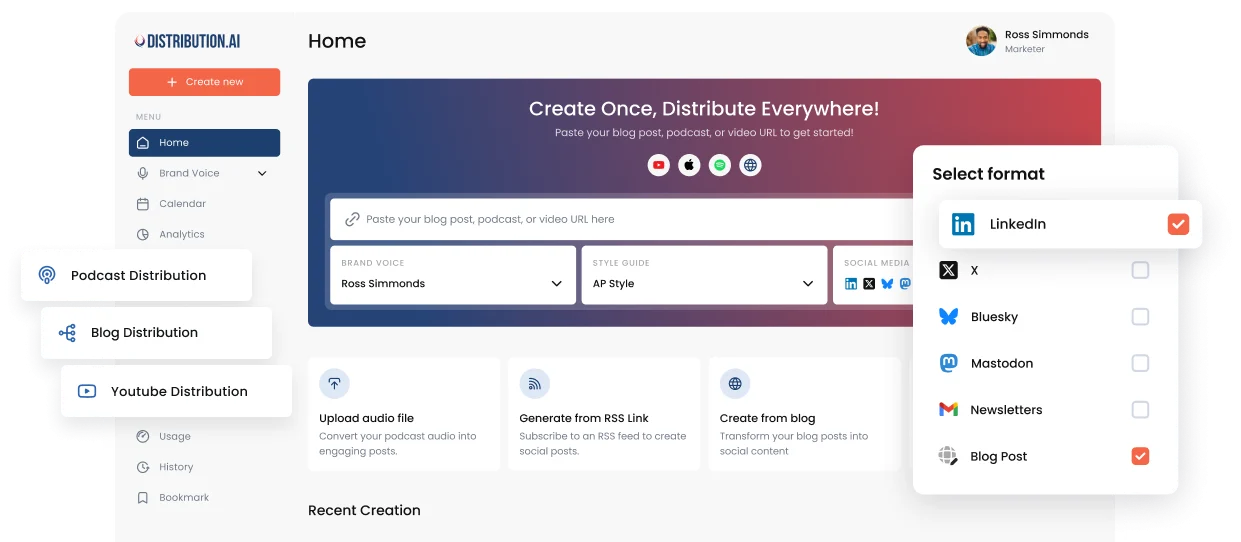
Distribution.ai is ideal for: Content marketers, marketing agencies, podcasters, YouTube creators and B2B teams who want to maximize content ROI by repurposing it for major social platforms.
Distribution.ai’s Key Features
- AI repurposing tools for multiple formats (blog, video, podcast) in agentic workflows
- Tone and style customization so your brand voice stays consistent across social media channels
- Multi-channel scheduling and social media analytics in one dashboard
- Supports seven social media networks, including LinkedIn, X, Bluesky and Mastodon
Distribution.ai’s Pros
- Intuitive user interface that lets you repurpose and schedule your first post in minutes
- Simplifies the creative process with AI-powered writing and content creation
- Bundled pricing plans so you pay for what you need
- Reduces tool sprawl with creation-to-analytics capabilities on an all-in-one platform
Distribution.ai’s Cons
- Limited reviews from independent sources, as the platform is relatively new
- Lacks advanced reporting capabilities compared to enterprise-grade reporting tools
Distribution.ai’s Pricing
Distribution.ai offers a 15-day free trial.
Its pricing starts at $53.90/month, billed monthly, includes all content distribution agents (blog, YouTube and podcasts), appropriate for solopreneurs and freelancers. This plan can repurpose 10 blog posts, 250 minutes of YouTube videos and 250 minutes of podcast content per month.
For teams that consistently repurpose a high volume of content, they can go with the Pro plan that starts at $109.90/month, billed monthly, which can distribute 40 blog posts and 750 YouTube and podcast minutes worth of content per month.
Teams with five members will need to pay $75/month, billed monthly to Later, and only get access to its scheduling capabilities. The platform’s AI assistant is also highly limited and can only help with ideation and caption generation.
In contrast, Distribution.ai is purpose-built for content repurposing and distribution, particularly for teams producing long-form blog and video content. It will cost teams $109.90/month, billed monthly, to streamline end-to-end content distribution.
2. Planoly: Visual Planning for Creators and Small Businesses
Planoly has built its reputation as a visual-first social media scheduler that makes it easy to draft, plan, schedule and publish content. If you’re already comfortable with Later’s visual approach but want a tool that’s a bit more flexible with hashtag management and comment handling, Planoly is worth a close look.
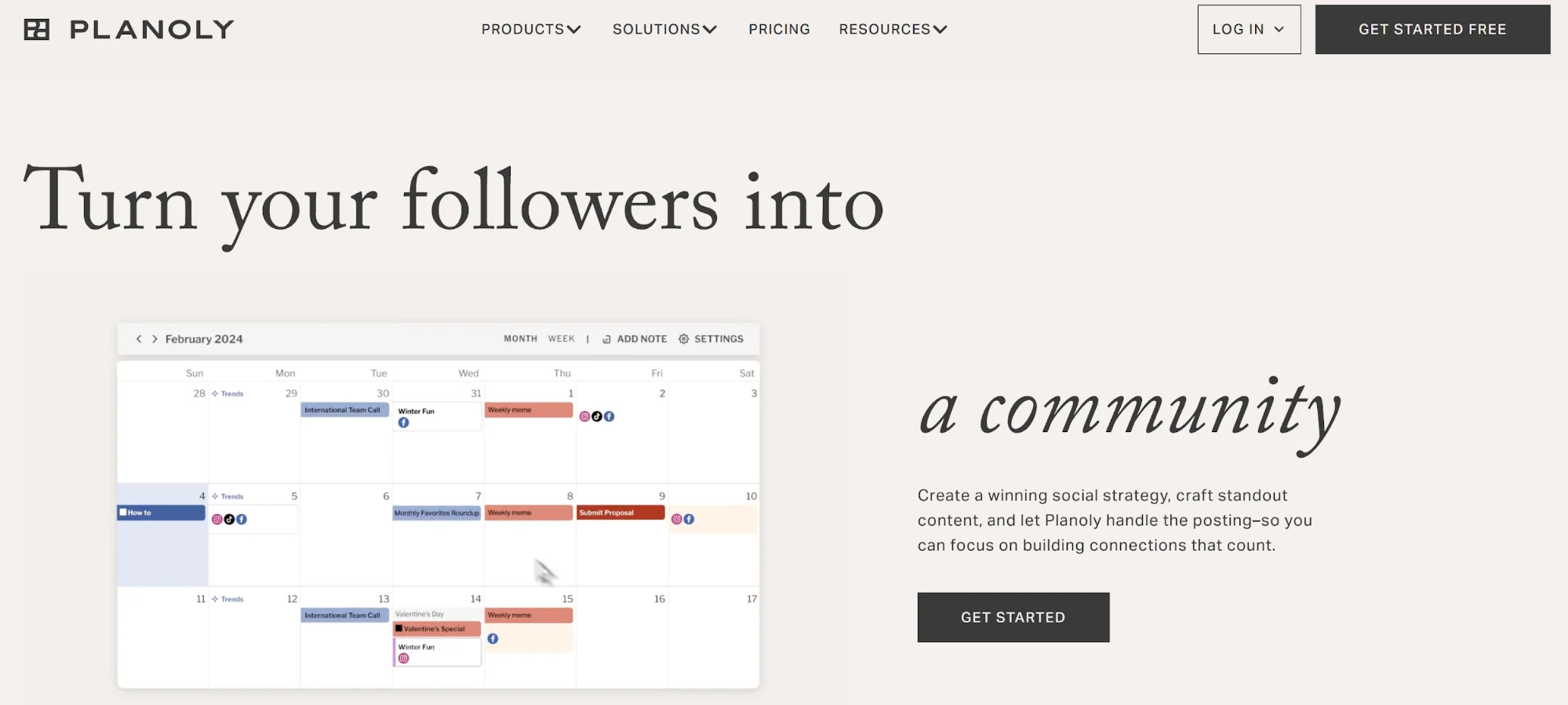
Planoly is ideal for: Creators, small businesses and social media managers who want straightforward visual planning with auto-posting capabilities.
Planoly’s Key Features
- Visual planning and scheduling with auto-posting and drag-and-drop content calendar
- Comment manager for handling replies across social media accounts from one place
- Hashtag manager to create and save hashtag groups for faster publishing
- Social media analytics and performance tracking on paid plans
Planoly’s Pros
- Users consistently praise its ease of use for scheduling and planning social media posts
- Visual planning helps creators and SMBs map content in advance using calendar and feed views
- Some users highlight positive customer support experiences
Planoly’s Cons
- Account linking and reconnecting can be confusing, with reviewers noting a learning curve around adding accounts
- A user has complained about deceptive billing practices that charge without notifying them
- Feature limitations compared to broader multi-platform social media management tools
Planoly’s Pricing
Planoly offers a free plan along with a 14-day free trial on paid plans. The Starter plan begins at $16/month (60 uploads/month), with Growth at $28/month and Professional at $43/month (both offering unlimited uploads).
Compared to Later’s Growth plan at $50/month, Planoly’s mid-tier is more affordable while still covering the visual planning basics. On top of that, you can add up to three users to that account, without any extra charge, and schedule unlimited posts.
3. SocialBee: Category-Based Scheduling and Evergreen Content
SocialBee takes a different approach to social media scheduling. Instead of just letting you drag posts onto a calendar, it organizes your content into categories and queues, making it easy to recycle evergreen posts and keep a consistent publishing rhythm without constantly creating new material.
If your social media strategy relies heavily on repurposing content themes and maintaining a steady flow across multiple social media channels, SocialBee is one of the best Later alternatives to consider.
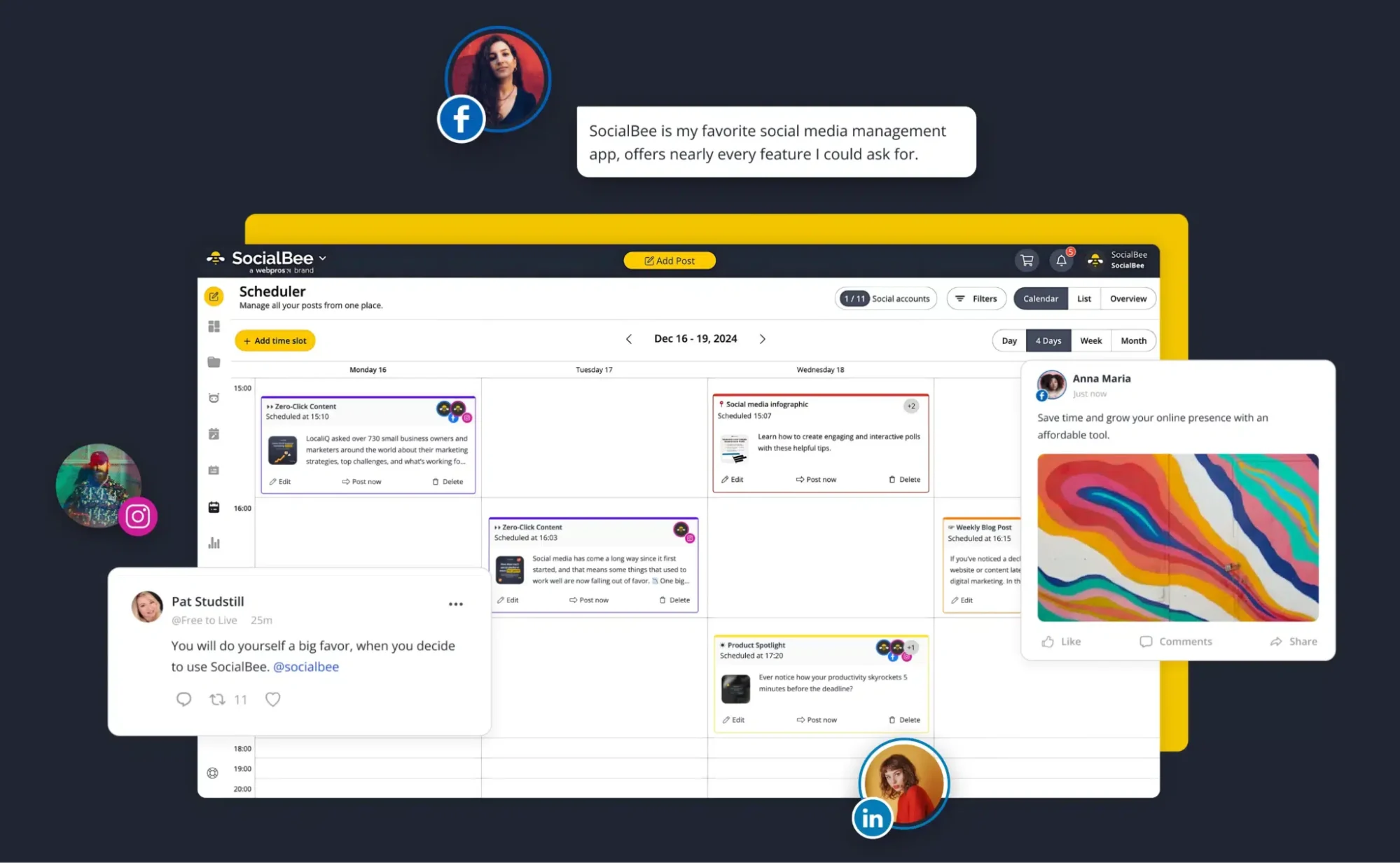
SocialBee is ideal for: Marketing teams, small businesses and social media marketers who want structured content queues, evergreen recycling and team collaboration features.
SocialBee’s Key Features
- Content creation and customization with visual integrations (Canva, Unsplash, GIPHY) and AI support
- Category-based scheduling with customized posting schedules per social media profile
- Evergreen workflows to recycle posts and expire content
- Collaboration tools, including workspaces, roles, approval workflows and @mentions
- Social media analytics and a social inbox for audience engagement
SocialBee’s Pros
- Customer service is frequently praised across review platforms, with users highlighting responsive, personalized support
- Category-based scheduling is considered a standout advantage for organizing content across multiple platforms
- Saves significant time with multi-account management and scheduling
- Ease of use is commonly mentioned, with reviewers calling it intuitive
SocialBee’s Cons
- Stuffed with AI features that aren’t very valuable to users
- Some performance and scheduling glitches, including reports of slow loading, double-posting, integration disconnection and queue stalling
- Users also complained about SocialBee’s refund policy, despite proving the platform’s glitches
SocialBee’s Pricing
SocialBee offers a 14-day free trial. The Bootstrap paid plan starts at $29/month, with Accelerate at $49/month and Pro at $99/month.
While it is priced similarly to Later, it excels by offering unlimited AI usage, advanced analytics, bulk post editor (in Accelerate and above) and a hashtag organizer. They also offer a 30-day money-back guarantee and have pricing plans for agencies that manage dozens of accounts.
4. SocialBu: Budget-Friendly Scheduling with Broad Platform Support
SocialBu is one of the most affordable social media management tools on this list, and it doesn’t skimp on platform coverage.
It supports scheduling and publishing across a wide range of social media networks, including X, Facebook, Instagram, Threads, LinkedIn, Google Business Profile, YouTube, Reddit, TikTok, Pinterest, Bluesky and more.
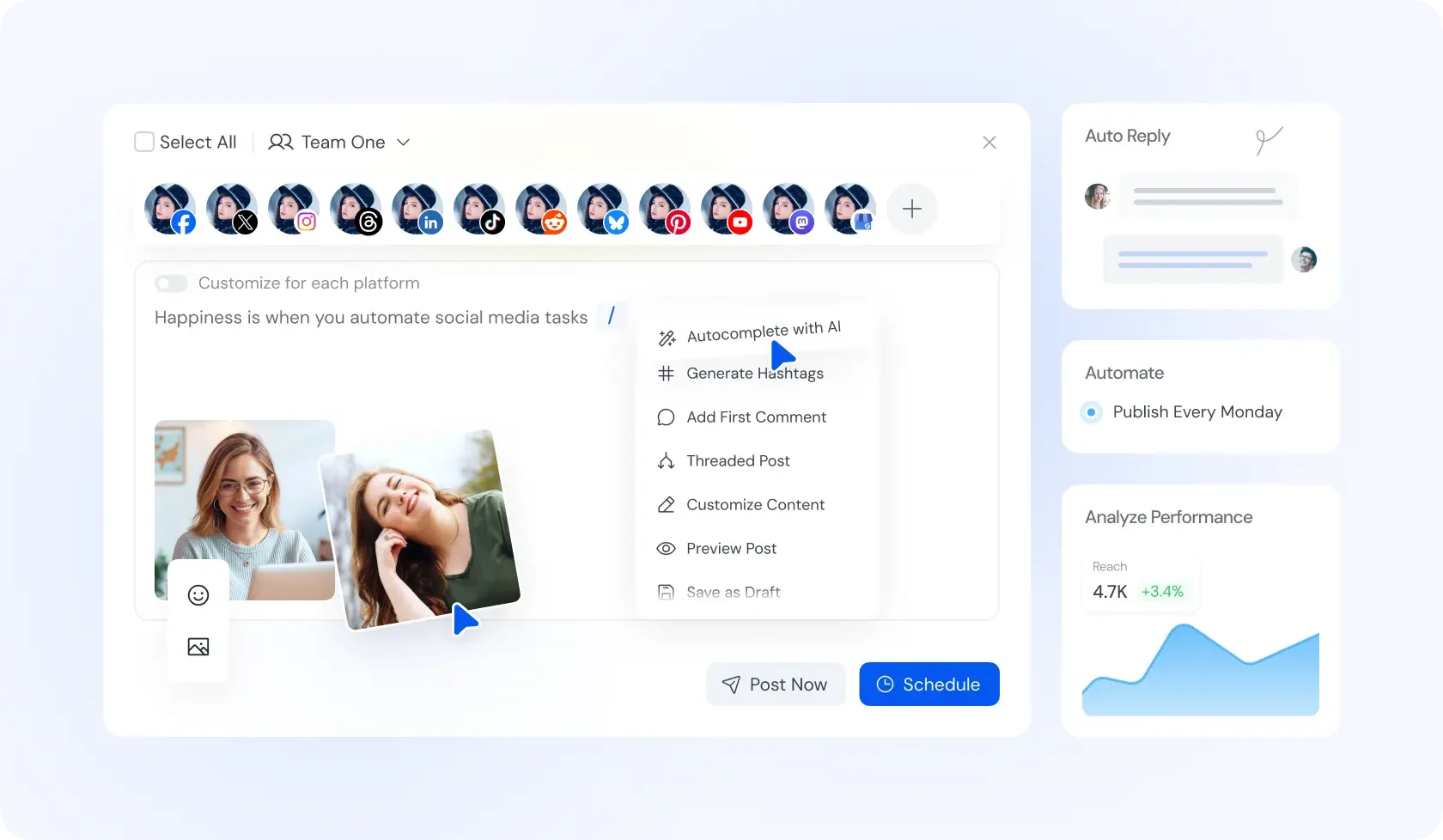
SocialBu is ideal for: Budget-conscious social media managers, freelancers and small businesses that need broad platform support and basic automation without a hefty price tag.
SocialBu’s Key Features
- Social media scheduling and publishing across 12+ platforms
- Post recycling, queues and post approval workflows
- Social media analytics to track performance across accounts
- Team support with multiple teams and collaboration on higher plans
SocialBu’s Pros
- Excellent value for money, with reviewers frequently highlighting its affordability compared to competitors
- Intuitive, easy-to-use interface that makes social media scheduling straightforward
- Breadth of features as an all-in-one social media management solution
- Responsive customer support praised by users
SocialBu’s Cons
- Clients have pointed out account disconnection issues and poor customer support quality
- Sometimes scheduled posts get delayed, impacting day-to-day usability
- The overall user experience could be more intuitive, according to some reviewers
SocialBu’s Pricing
SocialBu offers a free plan along with a 7-day free trial on paid tiers. The Standard plan starts at just $19/month, with Super at $59/month and Supreme at $199/month.
While it is priced similarly to Later’s subscription tiers, the capabilities of SocialBu are better for growing teams with a limited budget. For instance, SocialBu’s Standard plan allows 800 monthly posts, compared to Later’s 240.
Similarly, SocialBu allows you to add two teams on the Standard plan, which increases to six in the Super and 25 in the Supreme tier. In contrast, Later charges per-user can quickly get expensive.
5. Planable: Collaboration-First Publishing with Client Approvals
Planable is built around one core idea: making it dead simple for teams and clients to collaborate on social media content before it goes live. If your workflow involves multiple stakeholders or agency-style approval processes, Planable can be the right alternative.
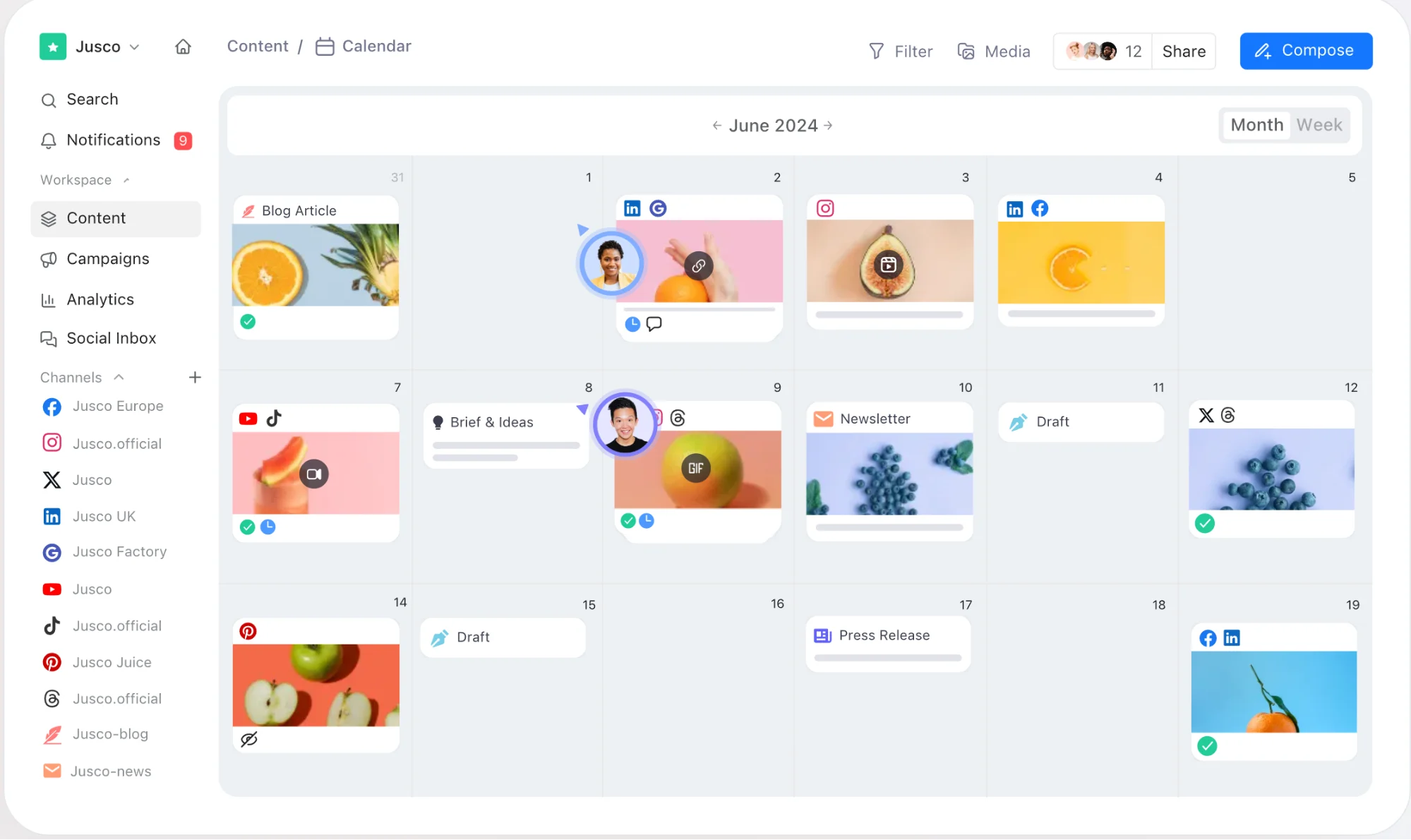
Planable is ideal for: Agencies, multi-stakeholder teams and social media managers who need structured client approvals and collaboration on social media campaigns.
Planable’s Key Features
- Collaboration and approval workflows as a core feature, with multiple approval types
- Multiple planning views, including feed and content calendar views
- Add-ons for social media analytics and a social inbox
- Publishing support for multiple social media platforms
- Free plan with 50 total posts and an unlimited platform experience
Planable’s Pros
- Very strong for approval workflows, with users praising the ease of sharing previews and getting client sign-offs
- Ease of use and the ability to see all content in one place are frequently highlighted
- Calendar view is a highly-rated feature for planning social media posts
Planable’s Cons
- Costs increase quickly as you onboard new clients, which can be challenging for small teams
- Reviewers have pointed out spotty integrations and basic functionality limitations, even on higher tiers
- Users point out poor customer support quality
Planable’s Pricing
Planable offers a free plan with 50 total posts and a “try for free” option on paid tiers. The Basic plan is $39 per workspace per month, with Pro at $59 per workspace per month and Enterprise on custom pricing.
The workspace-based model can add up if you’re managing multiple clients, but the approval workflow capabilities are hard to match.
At the same time, it is great for team collaboration and obtaining client approvals in your social media content management workflow, making it a strong fit for agencies currently using Later.
6. Loomly: End-to-End Social Workflow with AI Assistance
Loomly positions itself as a “stress-free” social media management platform that covers the entire content lifecycle, from idea generation through scheduling, engagement and analytics. It blends social listening, AI-assisted content creation, post scheduling and team collaboration into one cohesive workflow.
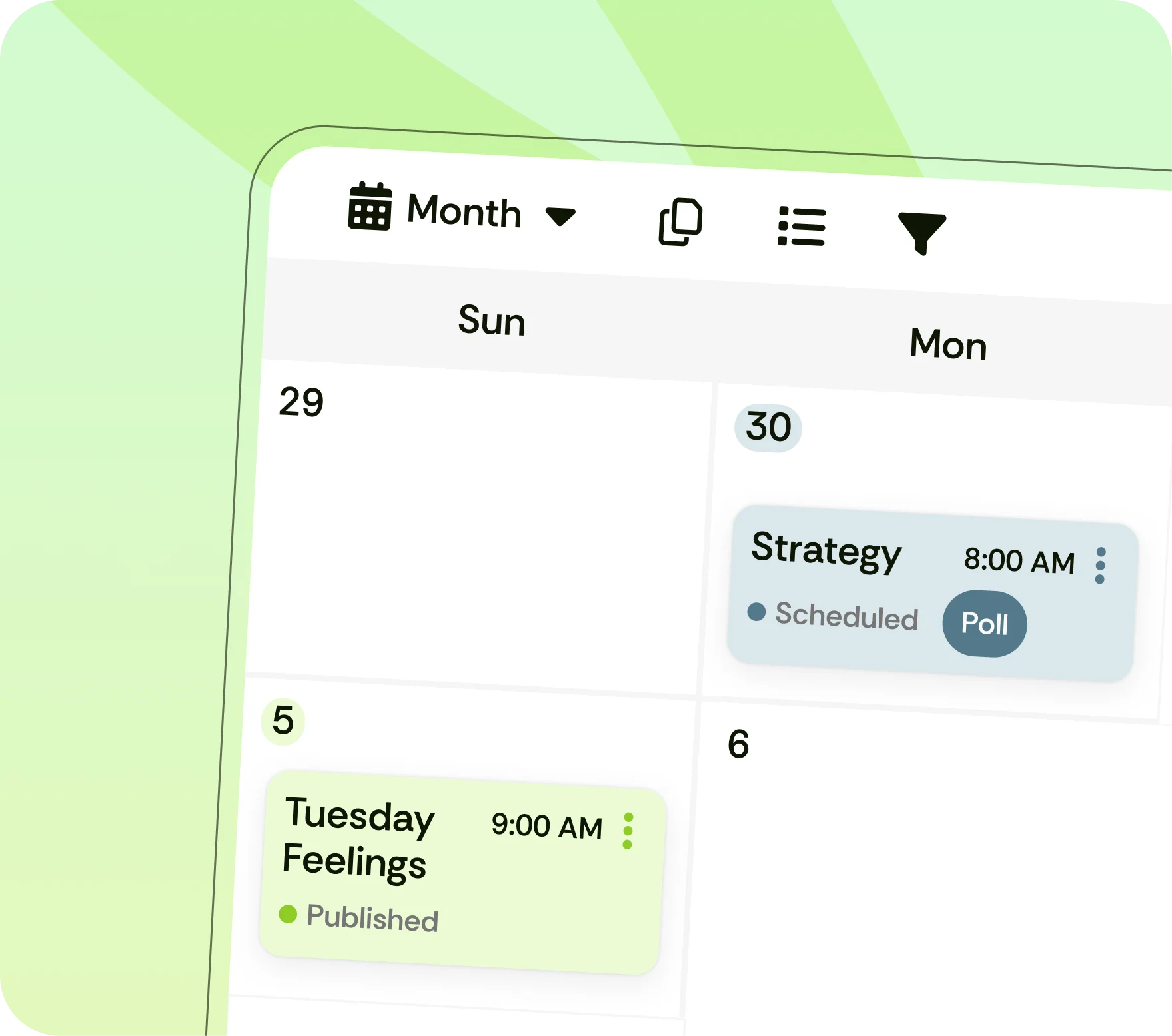
Loomly is ideal for: Marketing teams and growing businesses who want an end-to-end workflow covering ideas, creation, scheduling, engagement and advanced analytics.
Loomly’s Key Features
- End-to-end workflow from post ideas through creation, scheduling and audience engagement
- Social listening capabilities to monitor brand mentions and industry conversations
- AI assistant for content generation and post suggestions
- Team collaboration with approval workflows and role-based access
- Advanced social media analytics and reporting features
Loomly’s Pros
- User-friendly interface and easy scheduling are consistently praised by reviewers
- Multi-platform posting and content organization make managing multiple accounts seamless
- Useful for managing multiple social media accounts and calendars from one dashboard
Loomly’s Cons
- Offers basic reporting capabilities and the integrations break occasionally
- Drastic price increase to $332/month in the past 6 months and incorrect billing
- Many users are reporting significant technical issues that make the tool impractical
Loomly’s Pricing
Loomly offers a 7-day free trial. The Starter plan begins at $65/month, with tiers scaling up to Beyond at $332/month and Enterprise on custom pricing.
It’s pricier than Later at the entry level, but you get social listening, AI-assisted content creation and more robust collaboration tools included.
If your team has outgrown Later’s feature set and wants a single social media management solution that covers everything from ideation to reporting, Loomly could be a worthwhile upgrade.
7. Pallyy: Affordable All-in-One Scheduling for Creators
Pallyy is a lightweight social media management tool that punches above its weight. It covers scheduling, a social media inbox, analytics and team collaboration features while remaining cost-effective.
If you like Later’s simplicity but want more features without paying more, Pallyy can be one of the best Later alternatives.
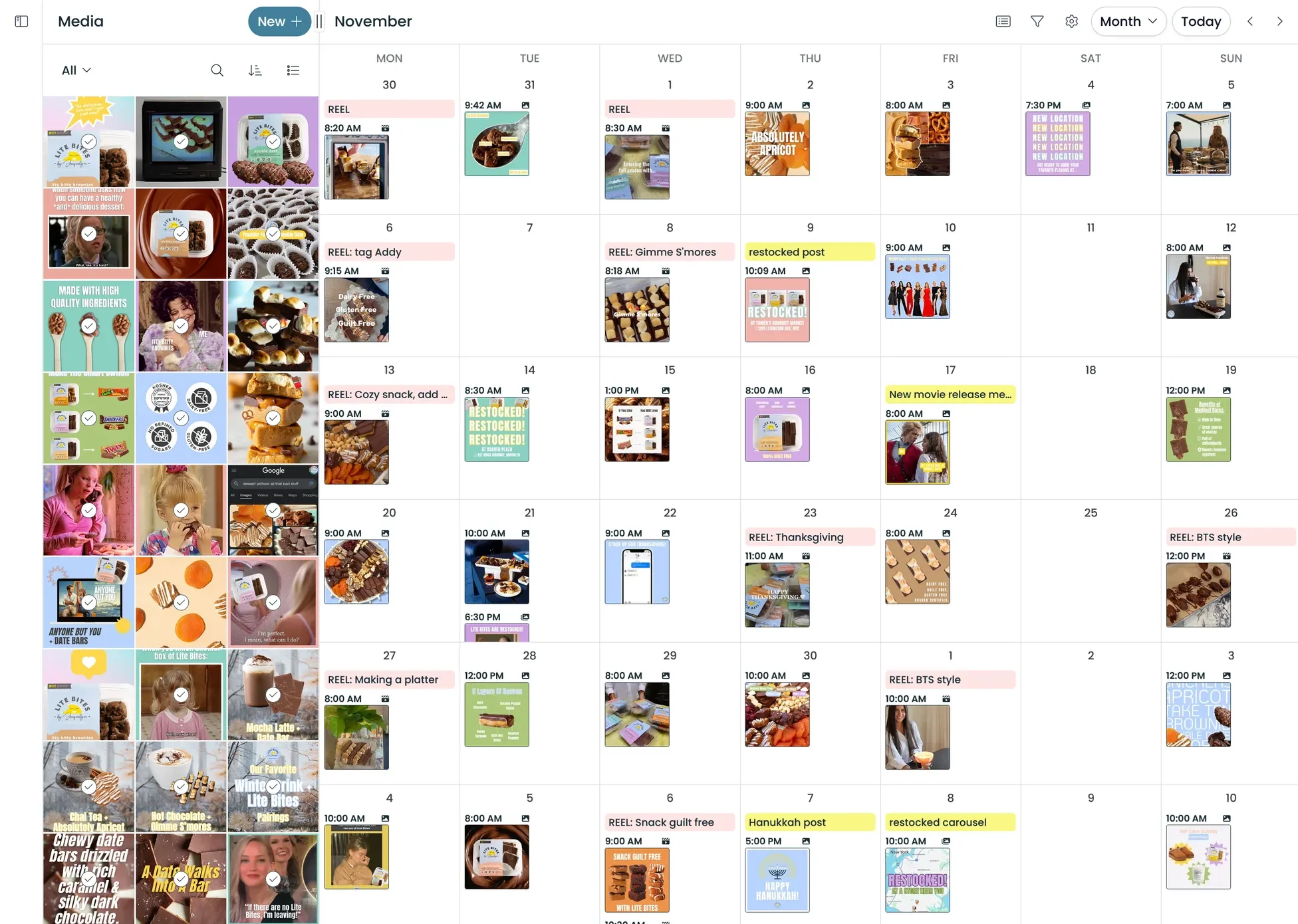
Pallyy is ideal for: Solo creators, freelancers and small teams who want a feature-rich but affordable tool for scheduling, analytics, link in bio landing page creation and social media engagement.
Pallyy’s Key Features
- Visual content planning and scheduling across multiple channels
- Scheduling features include a media library, queue and timeslot management, and labels for organization
- Social media inbox for comments, DMs, queries and reviews with assignment and automation workflows
- Analytics with historical data, post tracking, custom reports, competitor tracking and demographics
Pallyy’s Pros
- Users praise its ease of use and all-in-one feel, describing it as simple, intuitive and feature-rich
- Good value and affordability are explicitly called out by reviewers
- Responsive team that implements user feedback quickly
Pallyy’s Cons
- Limited review coverage on platforms like G2 and Trustpilot, makes it harder to assess long-term reliability
- Starter plan is fairly limited; for $15/month, you get one social set, which includes only a couple of social accounts
Pallyy’s Pricing
Pallyy offers a 14-day free trial on paid tiers.
The Starter plan is just $15/month, with Pro at $25/month, Agency at $99/month and Scale at $199/month. That makes it one of the most affordable Later alternatives on this list.
For instance, you can schedule unlimited posts in Pallyy’s Pro plan, but Later’s Growth plan ($50/month) allows only 180 posts/account/month.
Additionally, with Pallyy, you get scheduling, inbox, analytics and collaboration features at a fraction of what Later charges.
8. Plann: Visual Drag-and-Drop Planning with AI Captions
Plann rounds out this list as a visual-first social media scheduler that’s built around drag-and-drop content planning and AI-powered caption generation. It supports multiple social media platforms and offers a free forever plan, making it accessible for creators who are just getting started.
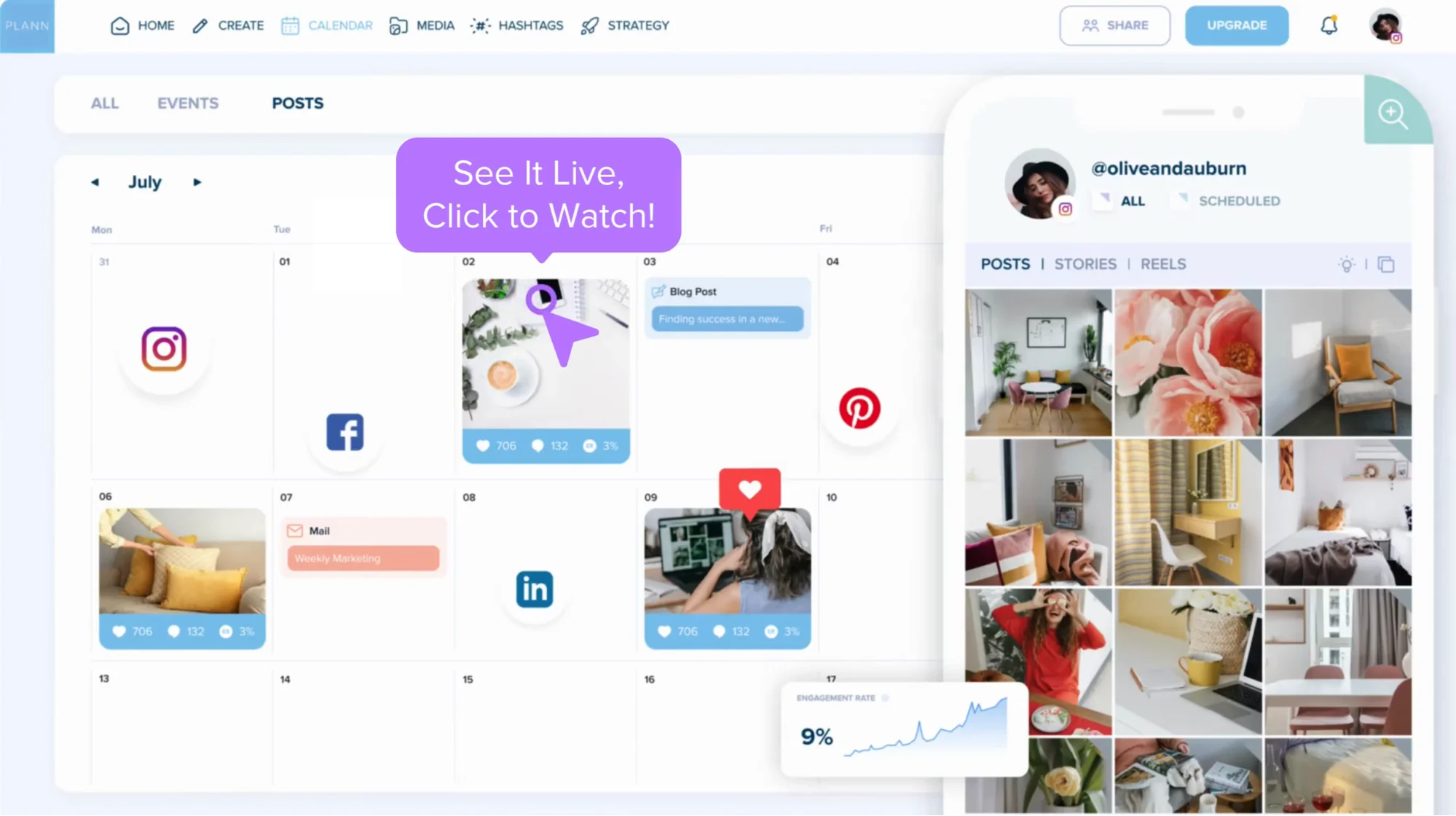
Plann is ideal for: Creators and small businesses who want drag-and-drop scheduling, AI caption generation and multi-platform support without a big commitment.
Plann’s Key Features
- Visual drag-and-drop social planner with multi-platform scheduling and auto-posting
- AI content and caption generator plus strategy builder and hashtag suggestions
- Multi-platform support including Instagram, Facebook, LinkedIn, TikTok, Pinterest and YouTube Shorts
- Offers a huge library of content templates, hashtag sets, strategy blueprints and royalty-free stock assets
Plann’s Pros
- Offers a free forever plan, making it accessible for creators on a tight budget
- Visual planning approach is familiar for users coming from Later
- AI caption generator can speed up content creation for social media posts
Plann’s Cons
- Strong billing and cancellation complaints on Trustpilot, including allegations about renewal charges and account lockouts
- Customer support responsiveness has been criticized by some users
- Product stability and UX complaints, including reports of bugs and scheduling failures
- Very limited independent review coverage, with no eligible G2 or Capterra review pages found
Plann’s Pricing
Plann offers a Free Forever plan plus a 7-day free trial on paid tiers (no credit card required).
The Power User plan is $15/month, Build is $30/month and Grow is $75/month. Pricing is competitive with Later, especially at the entry level, considering it allows unlimited scheduling from the Power User plan.
How to Choose the Right Later Alternative
With so many tools on the market, picking the right one comes down to knowing what enhances your team’s social media efforts:
- If you need AI-powered content repurposing from blogs, videos and podcasts → Distribution.ai
- If you want visual planning with hashtag management and auto-posting → Planoly
- If you need evergreen content queues and category-based scheduling → SocialBee
- If budget is your top priority and you need broad platform support → SocialBu
- If your workflow revolves around client approvals and team collaboration → Planable
- If you want an end-to-end workflow with social listening and AI assistance → Loomly
- If you’re a solo creator who wants maximum features at minimum cost → Pallyy
- If you want visual drag-and-drop planning with AI captions on a free plan → Plann
Distribution.ai: The Best Later Alternative to Scale Content Repurposing
Effective social media management is about more than scheduling posts.
The hardest part of running a strong social media strategy is consistently creating bite-sized, platform-optimized content from your existing ideas and assets.
Most teams still spend hours manually rewriting blog posts into LinkedIn updates, turning podcasts into tweet threads or converting key takeaways from YouTube videos into social snippets.
Distribution.ai solves that bottleneck while offering robust scheduling and publishing capabilities.
The AI-powered content repurposing and distribution platform generates multiple short-form assets for different social media platforms from your existing long-form content pieces, such as how-to guides, explainer videos, podcasts and articles.
Ready to scale your social media marketing efforts?
Frequently Asked Questions
1. What is the best free alternative to Later in 2026?
Pallyy is one of the best free alternatives to Later in 2026 if you want an all-in-one social media management tool with scheduling, analytics and a social inbox. Its free forever plan supports basic scheduling and publishing, making it ideal for solo creators and freelancers testing a low-cost workflow. Buffer is another solid option if you want a clean, simple scheduler with a generous free plan.
2. Can I use AI to repurpose content for multiple social media platforms?
Yes. Tools like Distribution.ai are built specifically for this. You can paste a blog post, podcast episode or YouTube link and the platform generates multiple platform-ready drafts tailored for major social media networks, helping you turn one long-form asset into many social media posts quickly.
3. What is the cheapest Later alternative for agencies?
Planable and Pallyy are among the most cost-effective options for agencies. Planable’s free plan includes 50 posts with no time limit, and its workspace-based pricing gives agencies structured approval workflows. Pallyy’s Agency plan at $99/month also offers solid value with scheduling, inbox and analytics included.
4. Which Later alternative has the best analytics and reporting?
Loomly stands out for its advanced social media analytics and reporting features across all tiers. SocialBee also offers strong analytics with PDF report exports and engagement tracking. For teams on a tighter budget, Pallyy provides custom PDF reports that also include competitor tracking and demographic insights at a lower price point.
5. How do I choose between a visual scheduling tool and a content repurposing tool?
Choose a visual scheduling tool if your content is already created and you mainly need post scheduling and basic social media analytics. Choose a content repurposing tool like Distribution.ai if your bigger challenge is turning blogs, videos or podcasts into multiple platform-specific social media posts efficiently.

Promote, repurpose & distribute your content with AI
Write 10x faster, engage your audience, & never struggle with the blank page again.
Start 15-Day Free Trial
Frequently Asked Questions
Author

Promote, repurpose & distribute your content with AI
Start 15-Day Free Trial