


11 Content Distribution Tools to Increase ROI of Every Post
Stop letting your best content die after one post. This guide lists 11 content distribution tools to get more mileage from every asset.

Content distribution is still a problem, even when there’s no shortage of tools promising to solve it.
Marketers today have access to dozens of platforms, like scheduling solutions, AI repurposing tools, market research apps and analytics dashboards. However, they continually struggle to get their content seen beyond their website.
Choosing from an overcrowded market of overlapping solutions only adds to the friction, turning what should be a distribution workflow into a recurring decision-making headache.
The data backs it up.
According to the Content Marketing Institute, 54% B2B marketers say that they don’t have appropriate resources to produce enough content. Moreover, 45% of surveyed marketers revealed that they need a better workflow to increase volume.
And if you are creating and distributing content in 2026, especially on multiple social media accounts, you must have felt this as well.
To help you cut through the noise, we bring you 11 content distribution tools that you can use today to get more eyeballs on your content and brand.
Key Takeaways
- Best for automated content repurposing and distribution: Distribution.ai produces multiple social-ready, platform-native content from existing long-form assets, and lets you schedule it and track the posts’ performance.
- Best for simple, budget-friendly scheduling: Buffer is a clean, free-tier-friendly option for solo creators and small teams looking to streamline their social media management workflows.
- Best all-in-one social media management: Hootsuite and Sprout Social are full-suite platforms with scheduling, listening, analytics and team collaboration for agencies and enterprises.
- Best for video and audio creators: Repurpose.io offers set-and-forget workflows that auto-reformat and publish your content across platforms.
- Best for paid content promotion: Taboola provides native advertising across premium publisher sites to complement your organic efforts across search and social.
- Best for email-based distribution: Mailchimp combines an intuitive campaign builder with marketing automation and a generous free plan to help you engage your audience in their inbox.
What Are Content Distribution Tools?
Content distribution tools help you create, repurpose, schedule, publish, promote and track content across channels like social media, paid ads, email, website and communities.
These platforms speed up the content creation process by generating first drafts from your existing long-form assets, such as articles, YouTube videos, podcast episodes, social media posts and webinars. They enable you to maintain a predictable publication cadence without burning out.
With the right content distribution solution, you can improve your social media presence and organic visibility on search engines and AI research platforms.
What to Look For in a Content Distribution Platform
There are simply too many content distribution tool options for modern marketing teams, and manually researching them can cost you weeks.
To cut that short into a few hours or a couple of days, you can use these parameters to filter potential fits:
- Advanced Repurposing Capabilities: Modern content distribution is about achieving content-channel fit. The tool should take one asset and intelligently repurpose it into channel-native formats like threads, carousels, captions or posts so that the algorithm picks it up naturally.
- Multi-Channel Support: You should be able to target multiple distribution channels from one platform. It is key for streamlining your workflow and minimizing tool sprawl.
- Robust Analytics and Reporting: A strong content distribution platform should help you track performance with data that answers questions, like which content distribution channels drive the most web traffic and which formats earn the most audience engagement.
- Powerful Automation: Automation tools can run your content repurposing and distribution process without your manual effort. You need to set up rules that trigger actions based on what works for your audience and niche. This includes determining content length, posting times, tone and style and channels targeted.
- Team Collaboration Features: These capabilities enable you to review and approve drafts and publication schedules. If you are a solo marketer or operate with a very lean team (<3 members), then these may not be a priority, especially if your distribution tool supports multiple user logins from different devices.
11 Content Distribution Tools to Get More Mileage From Every Post
| Tool | Best For | Standout Feature | Pricing (as of May 2026) |
| Distribution.ai | Automating repurposing and multi-channel distribution | AI engine that turns one URL into dozens of platform-specific posts | From $19/mo (individual); 15-day free trial |
| Buffer | Solo creators and small businesses | Simple, clean scheduling with a generous free plan | Free plan available; paid from $6/mo per channel |
| Hootsuite | Agencies and enterprises | All-in-one command center with social listening and ad management | From $149/user/mo; 30-day free trial |
| Sprout Social | Mid-market and enterprise teams | Best-in-class analytics paired with customer care tools | From $199/user/mo; 30-day free trial |
| RELAYTO | Marketing and sales teams with static content | Converts PDFs and presentations into interactive web experiences | Free plan available; paid from $80/mo |
| Writesonic | SEO professionals and content marketers | AI article writer that uses real-time search data for factual accuracy | Free trial (10K words); paid from $99/mo |
| Repurpose.io | Video and audio creators | Set-and-forget workflows that auto-format and publish across platforms | From $35/mo; 14-day free trial |
| Later | Visually focused brands and creators | Visual feed planner with drag-and-drop scheduling | From $25/mo; 14-day free trial |
| Agorapulse | Teams with high-volume social engagement | Unified inbox with AI-suggested responses | From $99/user/mo; 30-day free trial |
| Taboola | Performance marketers and agencies | Native advertising across premium publisher sites | CPC-based (varies by niche) |
| Mailchimp | Businesses of all sizes for email distribution | Drag-and-drop email builder with marketing automation | Free plan available; paid from $10/mo |
A side-by-side comparison of 11 content distribution tools to help you find the right fit for your workflow, budget and goals.
1. Distribution AI
Distribution AI is a content distribution platform that acts as the engine for your entire content marketing strategy. While other tools focus on the content creation process, Distribution AI solves the critical challenge of content distribution at scale.
It takes a single asset and uses its AI to automatically generate and schedule posts across all your social media accounts, turning one piece of content into a full campaign.
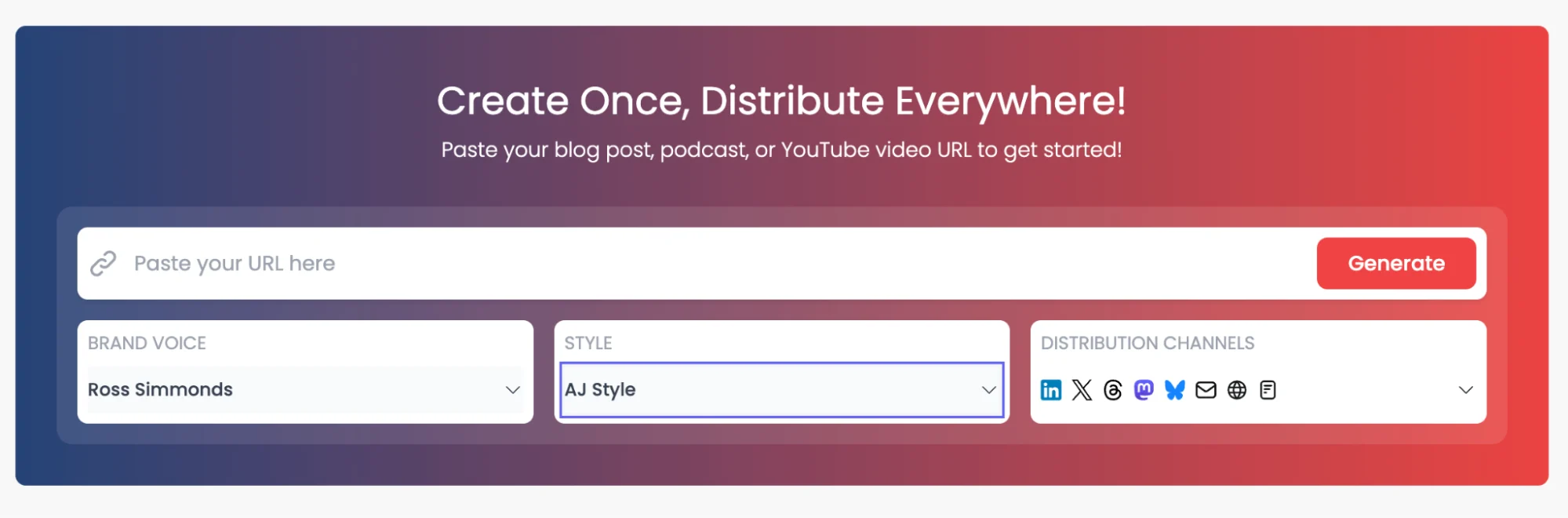
Distribution.ai is Best for: Automating the repurposing and multi-channel distribution of pillar content.
Key Features:
- AI-Powered Repurposing Engine: Takes a URL from a blog post or a YouTube video and generates dozens of short-form assets like X threads, LinkedIn posts, Facebook posts and Instagram carousel captions.
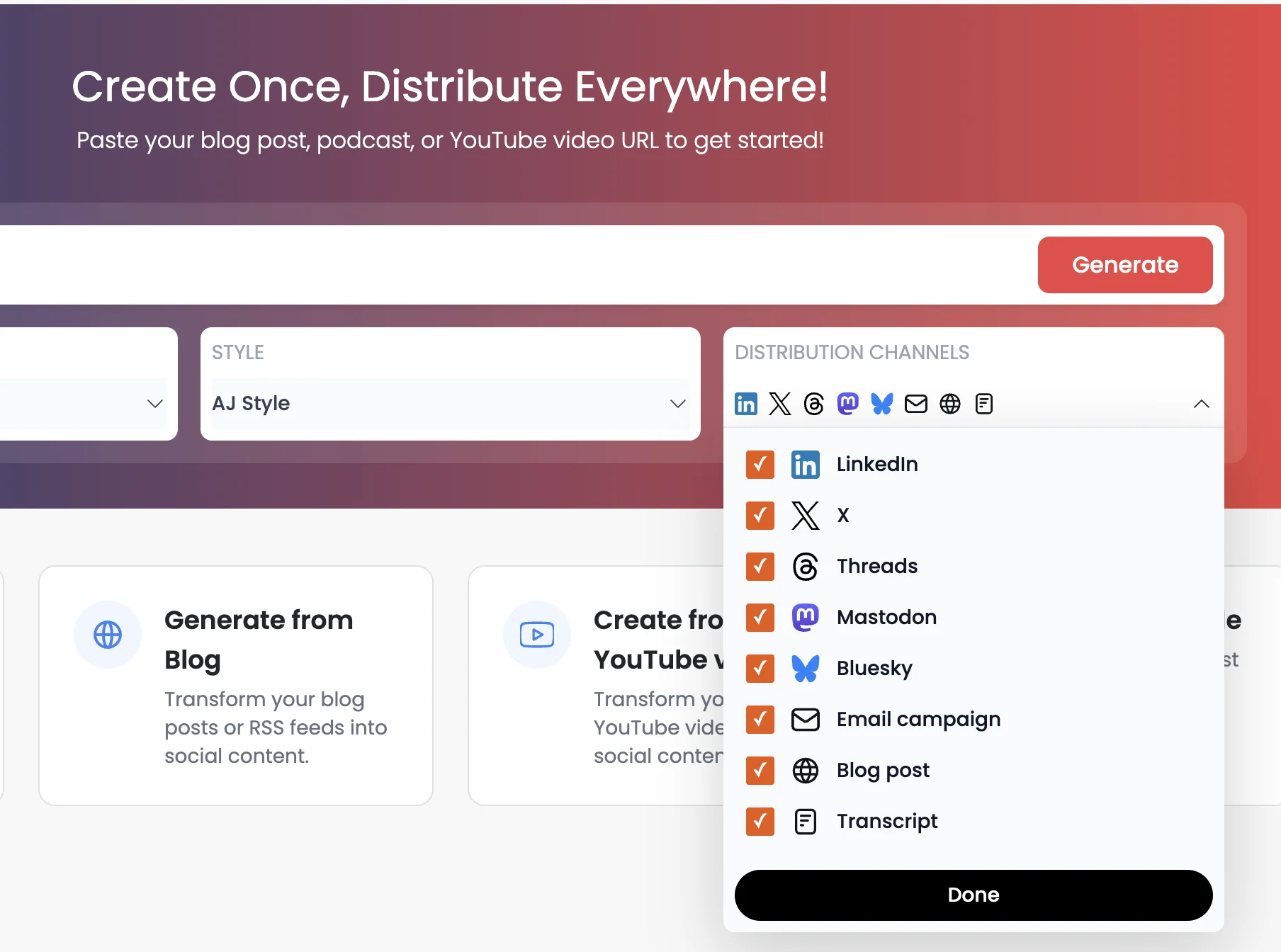
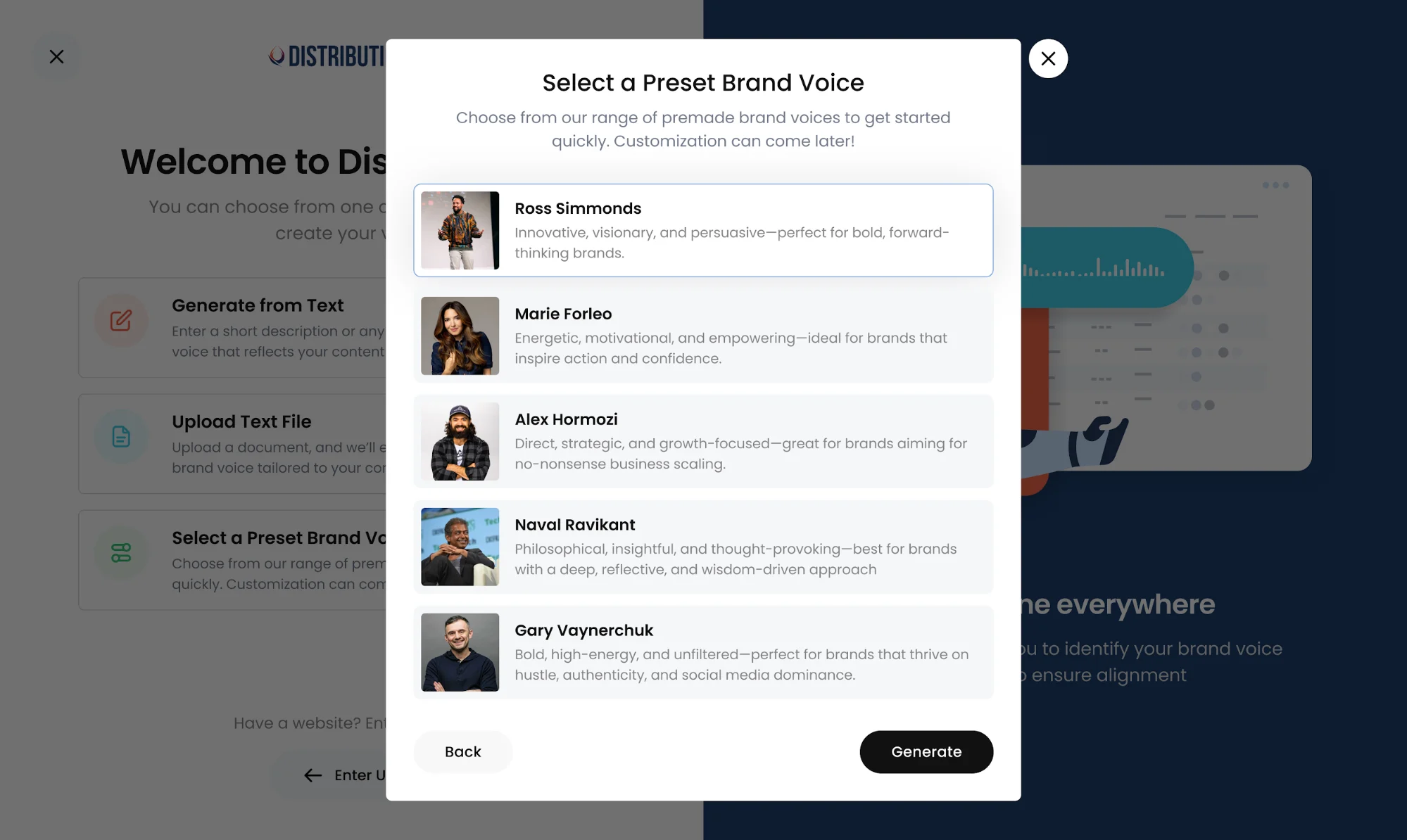
- Brand Voice Alignment: It can be trained on your brand’s unique style and tone to ensure the first draft by AI remains on-brand.
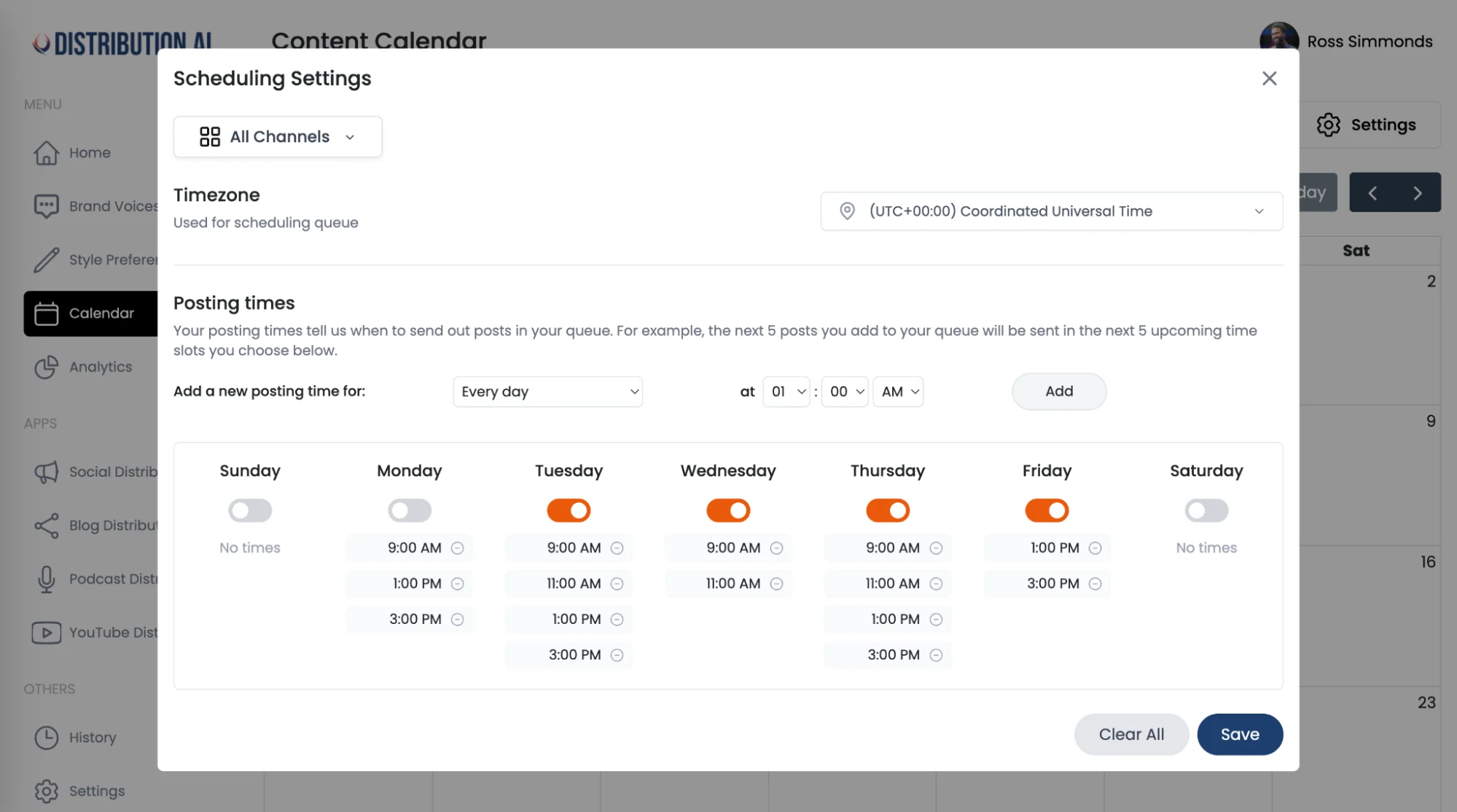
- Automated Scheduling: Intelligently schedules the newly created assets to be published across various social media platforms for broader audiences at optimal times.
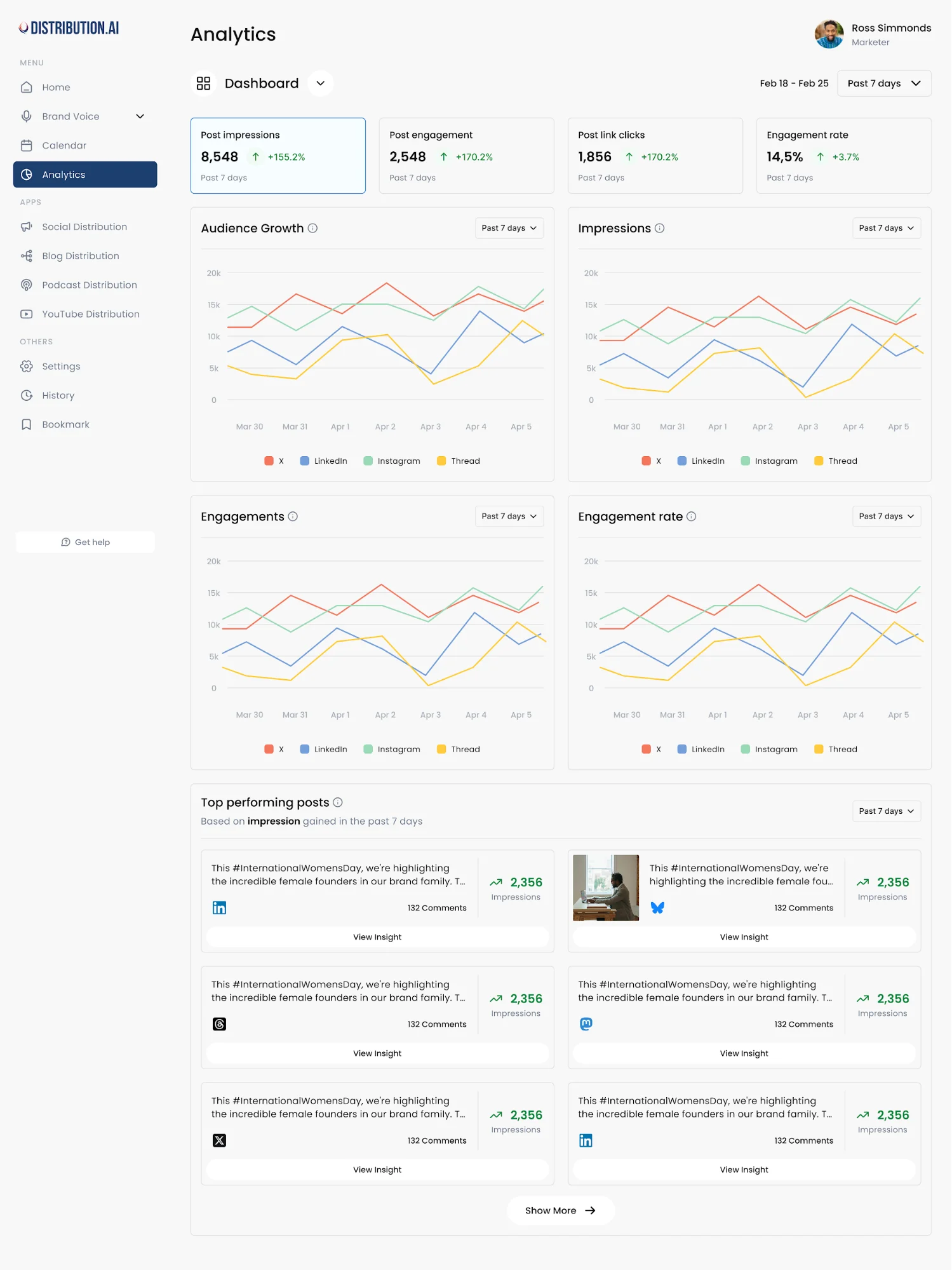
- Performance Analytics: A centralized dashboard to track key performance indicators and understand how different content formats are performing on different channels.
Distribution.ai’s Pros:
- Drastically reduces the time spent on manual content distribution.
- Maximizes the ROI of every piece of long-form content you create.
- Ensures a consistent publishing cadence across multiple networks.
Distribution.ai’s Cons:
- Limited reviews on third-party websites can make it difficult to fully assess its impact.
- Can only repurpose content in text format.
Distribution.ai’s Pricing:
The tool offers a 15-day free trial.
Distribution.ai offers two types of pricing: for individuals and organizations. Individuals and organizations, then, can either choose between YouTube, Podcast and Blog content distribution capabilities or a combination of the three.
Blog content distribution for individuals starts at $19/month when billed monthly. The entire bundle starts at $53.90/month when billed monthly. For organizations, the pricing for the same capabilities and billing frequency is $39/month and $109.90/month.
2. Buffer
Buffer is one of the original and most user-friendly social media management tools. It excels at its core job: scheduling content. Its clean interface and straightforward workflow make it an excellent starting point for those who are new to content distribution.

Buffer is Best for: Small businesses and individuals looking for simple, intuitive social media scheduling.
Buffer’s Key Features:
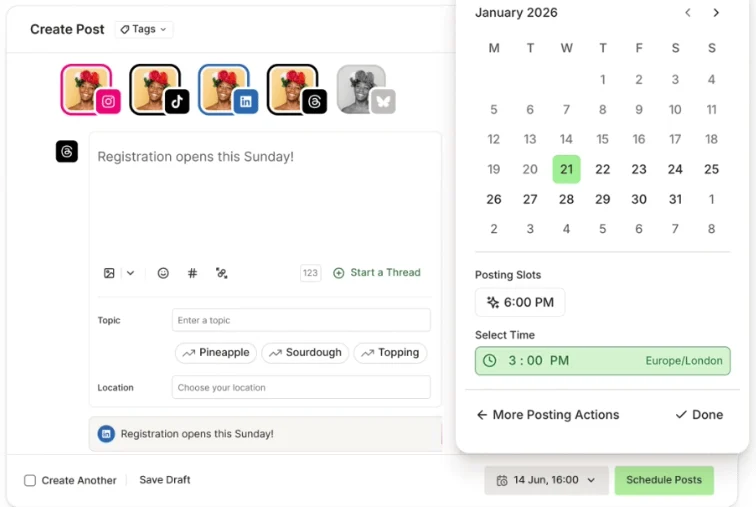
- Publishing: Allows you to plan and schedule posts for various social media accounts from a single dashboard.
- AI Assistant: Helps generate content ideas and repurpose existing posts.
- Analytics: Provides basic performance metrics to track reach, engagement and follower growth.
- Community Inbox: Engage with your audience across platforms from a single place.
Buffer’s Pros:
- Extremely easy to use with a very gentle learning curve.
- The free plan is generous and powerful enough for many solo creators.
- Focuses on doing one job (scheduling) very well.
Buffer’s Cons:
- Analytics and reporting tools are less advanced than similarly priced tools.
- The pricing can get expensive quickly if you are managing too many platforms.
Buffer’s Pricing:
Buffer offers a free forever plan where you can connect up to three channels and can schedule up to ten posts per channel. The paid plans start at $6/month for one channel, where you can schedule unlimited posts. Teams can go for the $12/month plan that has collaboration and approval capabilities.
3. Hootsuite
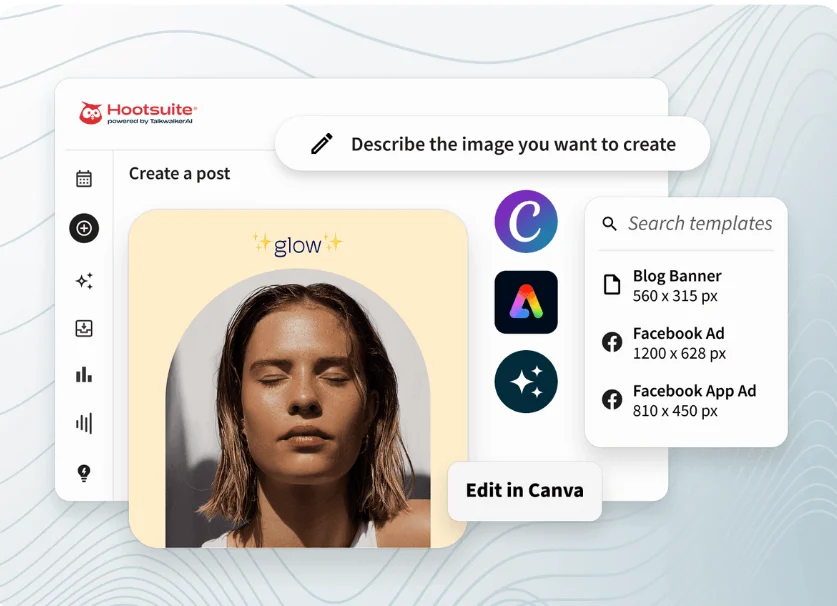
Hootsuite is a comprehensive social media management tool built for marketing teams. It brings social media management, schedule posts, social media ads, content monitoring, and track performance into one dashboard, making it a command center for social media content distribution across multiple channels and social media platforms.
Hootsuite is Best for: Agencies and enterprises needing an all-in-one platform for social media management.
Hootsuite’s Key Features:
- Publish and Schedule: Advanced scheduling features, including a bulk composer and optimal post-time recommendations.
- Engage: A unified inbox to monitor and respond to comments and messages across all social accounts.
- Monitor (Social Listening): The ability to track keywords, mentions and industry trends.
- Advertise: Tools for managing and optimizing paid advertising campaigns on social media.
Hootsuite’s Pros:
- Centralizes scheduling and analytics for multiple social accounts.
- Strong team collaboration and approval workflow features.
- Teams can generate custom reports to get personalized insights.
Hootsuite’s Cons:
- Can be expensive, particularly for smaller teams.
- Users have reported errors when publishing posts.
- Several reviews point out that the UI is clunky, which makes navigation challenging.
Hootsuite’s Pricing:
The platform offers a 30-day trial so you can explore its capabilities fully. Hootsuite is an enterprise platform that starts at $149/user/month, billed monthly, for an individual (Standard plan), where you can connect up to five social accounts. The Advanced plan allows unlimited accounts and costs $399/user/month, billed monthly.
4. Sprout Social
Sprout Social is an enterprise-grade social media management tool that blends social media management with customer care and business intelligence.
It gives marketing teams a polished user interface with advanced features for social media content distribution, content monitoring, collaboration tools, and analytics to track performance across social media channels, for teams that treat social media as a core business function.
Sprout Social is Best for: Mid-market and enterprise companies that need a premium tool for social media and customer care.
Sprout Social’s Key Features:
- Unified Smart Inbox: A sophisticated inbox for managing conversations and collaboration.
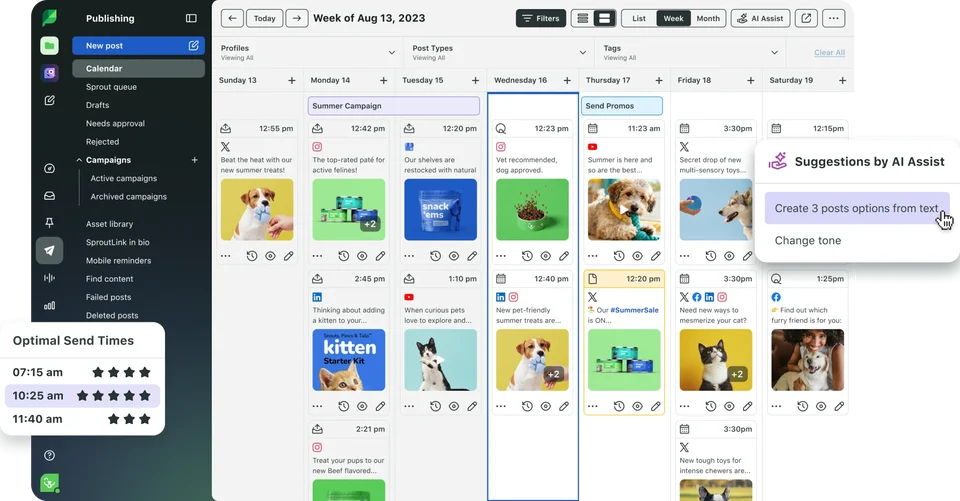
- Advanced Publishing and Scheduling: Includes a visual content calendar, optimal send times and approval workflows.
- Listening and Analytics: Deep analytics and social listening capabilities to provide valuable insights into user behavior and brand health.
- Employee Advocacy: Tools to empower employees to share brand content.
Sprout Social’s Pros:
- Best-in-class analytics and reporting.
- Excellent user interface and user experience.
- Powerful tools for team collaboration and customer care.
Sprout Social’s Cons:
- One of the most expensive options on the market.
- Users have also reported that the social listening feature doesn’t work as intended.
Sprout Social’s Pricing:
The platform offers a 30-day free trial. Premium tiers start from $199 per user per month (billed monthly) for the Standard plan, where you can connect up to five profiles. The Essential plan, priced at $299 per user per month (billed monthly), is geared towards established businesses, which allows unlimited social profiles and has AI features.
5. RELAYTO
RELAYTO is an AI content repurposing tool that converts PDFs, presentations, videos and business documents into interactive web experiences. It helps you create more engaging digital assets and track their performance across various audience touchpoints.
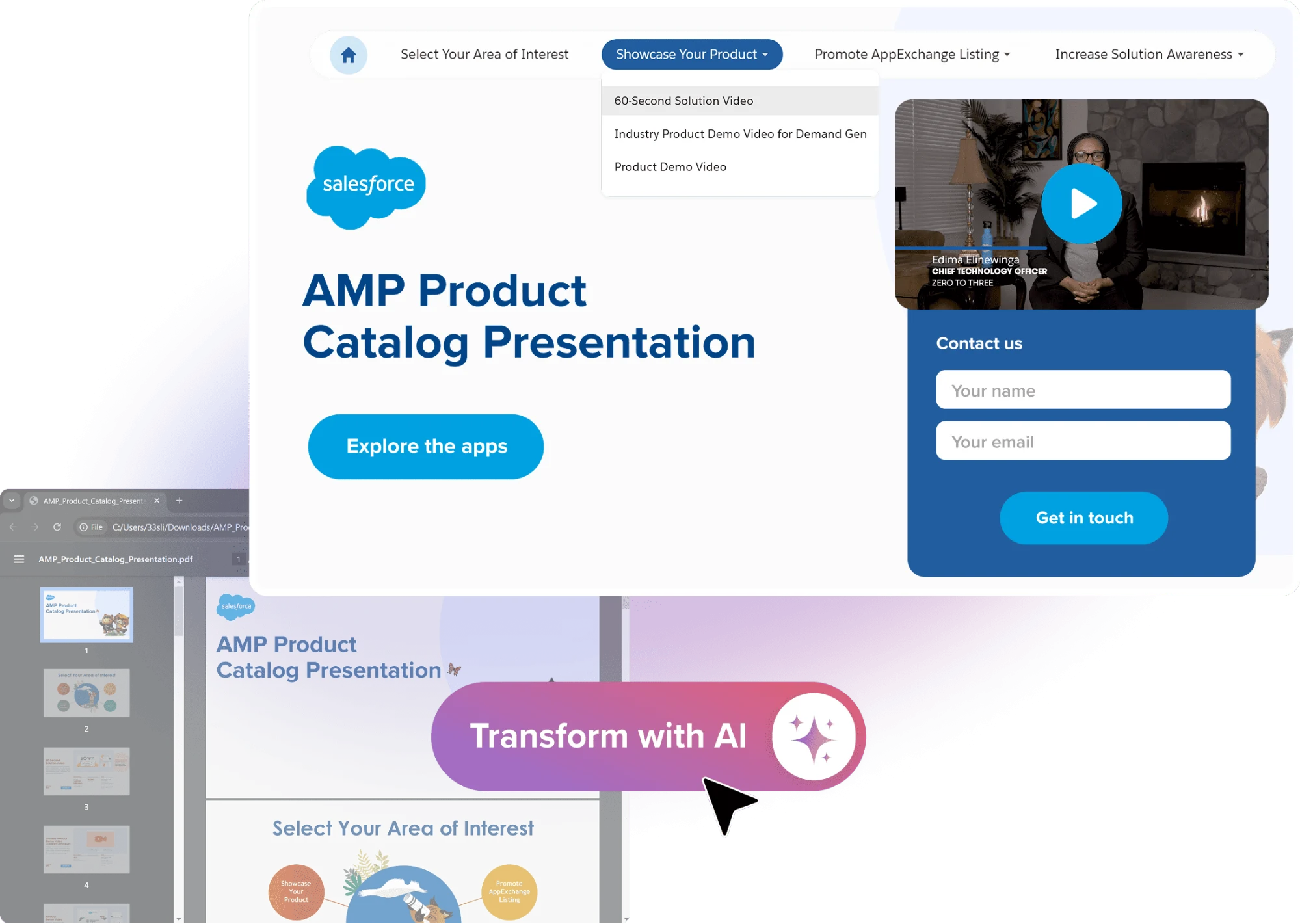
RELAYTO is Best for: Marketing and sales teams who want to maximize the value of their static organizational content.
RELAYTO’s Key Features:
- Creates Interactive Microsites and Content Experiences: Upload PDFs, slides, business documents and reports, and the AI will do the rest.
- Enterprise-Grade Out of the Box: Secure content management and controlled distribution for regulated environments.
- AI Assistant: Ask questions related to the content and receive contextual answers in a conversational format.
- In-Depth Analytics: Track content engagement through behavioral data points like heatmaps and scroll depth.
RELAYTO’s Pros:
- Converts internal content and documentation into buyer-centric content.
- Doesn’t require much technical expertise to create engaging and interactive web experiences.
- Maintains consistent branding across every digital content piece.
RELAYTO’s Cons:
- A common complaint is around the steeper learning curve, particularly around advanced features.
- Difficult to create highly customized content in a format that’s unavailable in the platform’s template library.
RELAYTO’s Pricing:
RELAYTO offers a free forever plan for individual users. The premium tiers start at $80/month, billed monthly, for solo professionals, which is for personal and non-commercial usage. For organizations, the first subscription tier costs $950/month, which gives you a unique, branded subdomain.
6. Writesonic
Writesonic is an AI writing and content distribution platform with a strong focus on search engine optimization. It integrates with search engine data to help users create factually accurate, long-form content that is designed to rank.
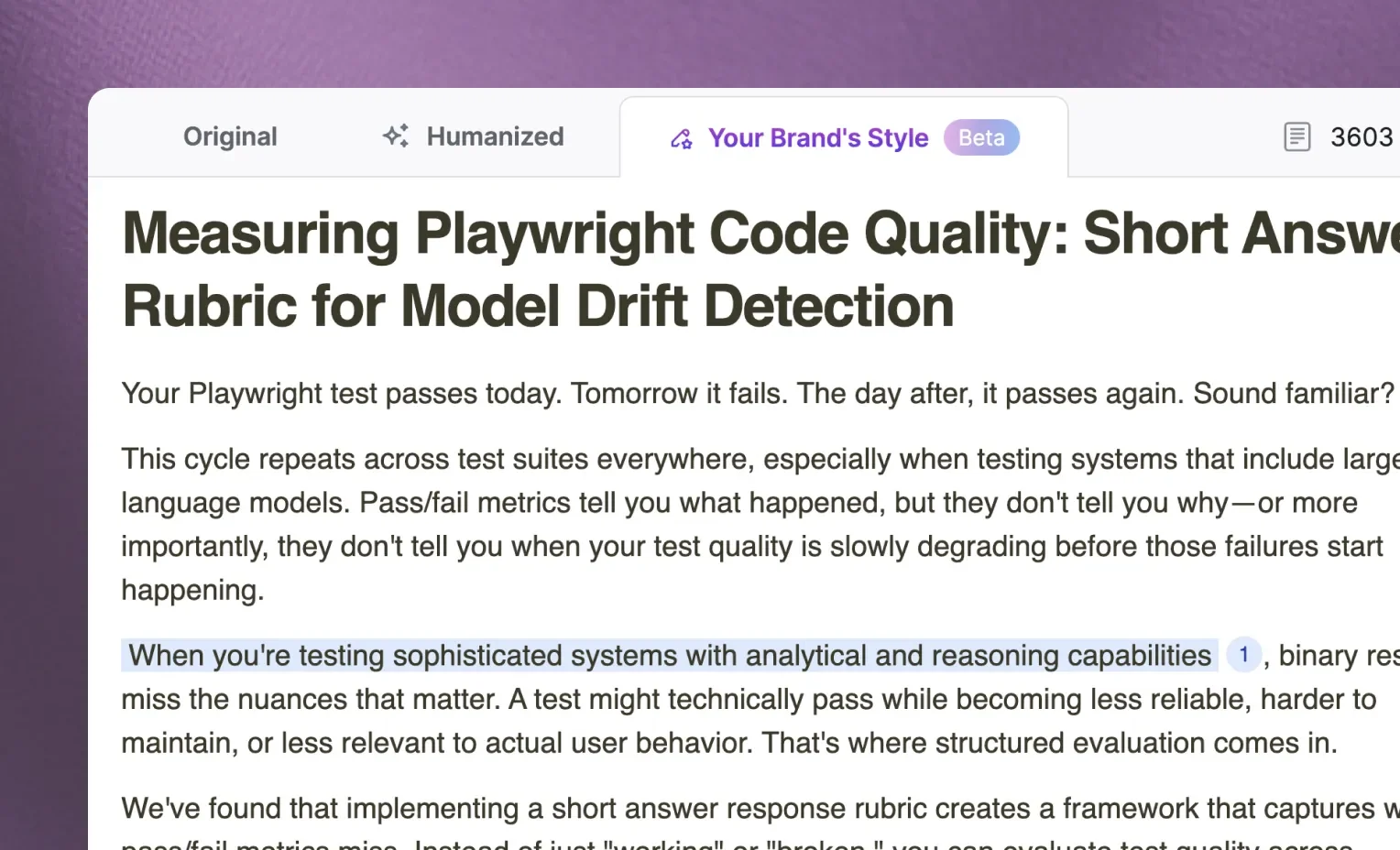
Writesonic is Best for: SEO professionals and content marketers looking to produce factual, search-optimized content faster.
Writesonic’s Key Features:
- AI Article Writer 5.0: Generates factual, SEO-optimized articles by analyzing top-ranking competitors.
- Audiosonic: An AI audio generator for creating podcasts and voiceovers.
- Botsonic: An AI chatbot builder for creating custom ChatGPT-like bots for your brand.
- Brand Voice: Can be trained to write in a company’s specific tone and style for different audience segments and channels.
Writesonic’s Pros:
- Excellent for creating SEO-friendly first drafts for blog posts and landing pages.
- The integration of real-time search data helps improve the factual accuracy of the AI output.
- Streamlines multi-format content creation in its unified interface.
- Users have praised strong customer support.
Writesonic’s Cons:
- Can disrupt the writer’s flow because they will be switching between features.
- Generated content can appear generic, which can make it difficult for brands to stand out.
Writesonic’s Pricing:
You can sign up for free and generate 10,000 premium words to test the platform. Premium tiers for the platform start at $99/month, billed monthly, which allows 50 AI queries and 15 AI articles per month. Growing organizations can go for their Basic tier, which supports 100 AI queries and 25 AI article generations per month.
7. Repurpose.io
Repurpose.io is a specialized content distribution platform for podcasters, live streamers and video content creators. Its core feature is set-and-forget workflows that automatically repurpose existing content into the right formats, then publish content across multiple channels and social media platforms.

Repurpose.io is Best for: Video and audio creators who want to automate the distribution of their content across multiple platforms.
Repurpose.io’s Key Features:
- Automated Workflows: You can create rules like, “When a new YouTube video is published, automatically create a vertical version for TikTok and a square version for LinkedIn.”
- Removes watermark: Redistributed content will appear as platform native without any manual editing effort.
- Full Video and Snippet Creation: Can publish full-length videos or create short, shareable clips with custom branding.
- Audio-to-Video Conversion: Can automatically convert podcast audio into video content with a background image and animated waveform.
Repurpose.io’s Pros:
- A massive time-saver for video creators who publish on multiple networks.
- Rule-based automation can help you use the tool in any customized video distribution workflow.
Repurpose.io’s Cons:
- Users have complained that the platform downgrades the video quality and doesn’t publish posts when scheduled.
- Some subscribers also shared that the customer support team was unresponsive.
Repurpose.io’s Pricing:
The platform offers a 14-day free trial that allows you to publish 10 videos. The paid tiers start from $35/month, when billed monthly (Starter plan), which allows you to publish 5,000 videos/month. Marketer and creator teams can go for the Pro plan, priced at $79/month, billed monthly, which allows you to publish unlimited videos.
8. Later
Later is a social media management tool, known for its visual editorial calendar. It helps marketing teams plan, preview, tweak and schedule posts for social media platforms.
The visual calendar makes it a strong choice for brands in e-commerce, beauty and lifestyle.

Later is Best for: Visually-focused brands and creators on Instagram, TikTok, LinkedIn and Pinterest.
Later’s Key Features:
- Visual Planner: A drag-and-drop tool to plan and preview the look of your Instagram feed.
- Link in Bio: A tool for creating a customizable, clickable landing page for your social media bio.
- Creator and Brand Collaborations: Tools to find and manage influencer marketing campaigns.
- Analytics: Provides insights into post performance and audience growth through custom reports.
Later’s Pros:
- The visual planner is a key differentiator for visual-heavy creators.
- Many users compliment the preview feature that allows them to see what their published post will look like.
- The Link in Bio feature is a powerful tool for driving web traffic.
Later’s Cons:
- Users have to resize the videos manually on external tools for different platforms.
- Some paid subscribers share that the customer support team can be unhelpful.
Later’s Pricing:
Later also offers a 14-day free trial, like most content distribution tools in this list. The Starter plan, targeted for individuals, starts at $25/month. You can have one account/channel and can schedule 30 posts/account per month. The Growth plan, targeted for businesses, allows two accounts per social media channel and costs $50/month. You can schedule up to 180 posts/profile.
9. Agorapulse
Agorapulse is a social media management platform that has robust scheduling capabilities on top of a unified inbox. The inbox is designed for teams that receive a high volume of comments, mentions, inquiries, feedback and messages, helping them to efficiently manage engagement.
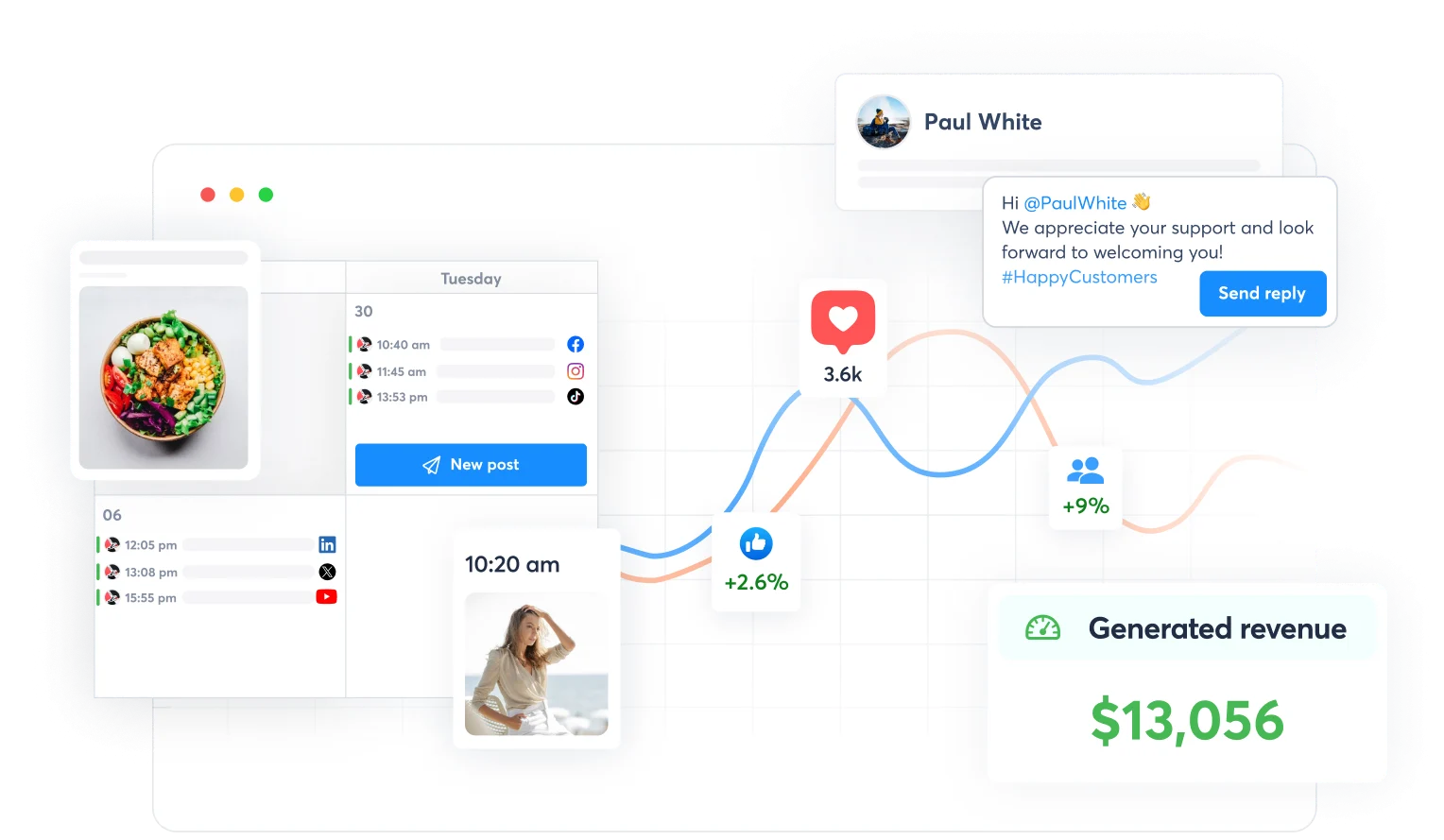
Agorapulse is Best for: Teams that need a powerful, unified inbox to manage social media scheduling and conversations at scale.
Agorapulse’s Key Features:
- Social Media Inbox: A unified inbox that funnels all interactions from multiple social media channels into one place and suggests AI-written responses based on past interactions.
- Publishing and Scheduling: Includes a shared content calendar, bulk scheduling and content queues.
- Social Listening and Monitoring: Tools to track brand mentions and important keywords.
- Reporting and Analytics: Provides detailed reports on social media ROI and team performance.
Agorapulse’s Pros:
- The social inbox is excellent for managing high volumes of engagement.
- The platform is user-friendly and has a clear interface.
- Provides great value for the price.
Agorapulse’s Cons:
- A user reported that the company charged them even after they reported a major performance bug.
- Its reporting features could be more comprehensive compared to other options.
Agorapulse’s Pricing:
You can try this platform out for free for 30 days. The paid tier starts at $99/user/month, billed monthly, and can be sufficient for social media managers handling things by themselves. The Professional plan, targeted toward growing teams, is priced at $149/user/month, billed monthly.
10. Taboola
Taboola is an open-web advertising solution that helps businesses promote their content, such as articles and videos, across digital publications and online apps. It supports granular audience targeting and ad customization to improve your content’s visibility across the web.

Taboola is Best for: Performance marketers and agencies who need scalable native advertising to promote their assets.
Taboola’s Key Features:
- Go Beyond Search and Social: Target your audience in third-party sites, such as online magazines and applications.
- Proprietary First-Party Publisher Data: Learn which paid platforms to target to complement your organic content distribution plan.
- AI Assistant: Find which platforms are right for you based on your brand’s core messaging and target audience.
- GenAI AdMaker: Create ad creatives in different formats with Taboola’s built-in AI tool for faster execution.
Taboola’s Pros:
- The platform is quite effective at distributing content to earn valuable traffic from different networks.
- Helps drive revenue through native advertising and AI-powered bidding.
- Users have applauded Taboola’s customer support in setting up their paid distribution campaigns.
Taboola’s Cons:
- A subscriber has reported losing nearly $700 through clicks from countries they’ve never targeted.
- Another user reported that their account was closed without any warning.
Taboola’s Pricing:
As it’s a paid distribution channel that serves ads, the cost will depend on your niche-specific CPC rates.
11. Mailchimp
Mailchimp is a leading email marketing software that makes it easy to build an email list and send professional campaigns to your audience. You can distribute your existing content by repurposing it as newsletters for your owned audience.
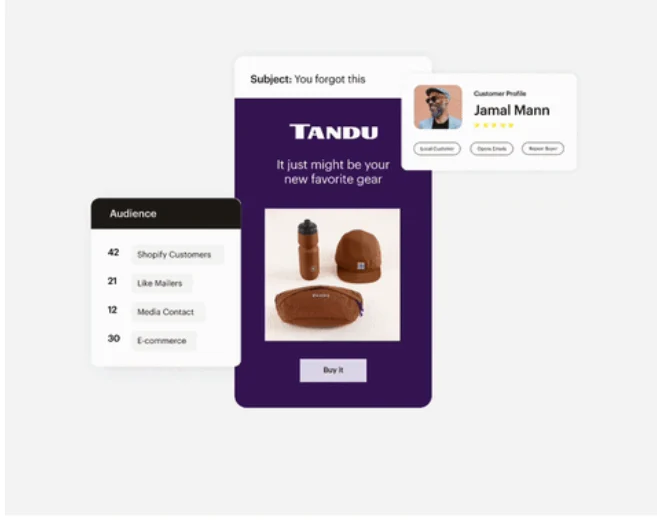
Mailchimp is Best for: Businesses of all sizes for building and managing email marketing campaigns.
Mailchimp’s Key Features:
- Email Campaign Builder: An intuitive drag-and-drop editor for creating beautiful emails.
- Marketing Automation: The ability to create automated email sequences, such as welcome series or abandoned cart reminders.
- Audience Management: Tools for segmenting your audience and personalizing your messages.
- Landing Pages and Forms: Tools for creating simple landing pages and sign-up forms to grow your list.
Mailchimp’s Pros:
- The user interface is easy to learn, especially for non-technical users.
- Marketers can set up email automations without external help.
- Comes with a wide range of integrations that accelerate adoption.
- The free plan is very generous, making it a great starting point.
Mailchimp’s Cons:
- Pricing is linked to your contact list, so it can get expensive over time.
- Users complain that managing audiences gets harder when the contact list grows and when creating multimedia-rich emails.
Mailchimp’s Pricing:
Offers a Free plan, up to 250 contacts and 500 monthly email sends. Paid plans start at $10 per month, billed monthly, for the Essentials plan that allows up to 500 contacts and 5,000 monthly email sends. You can visit their pricing page to find out how much it will actually cost you based on your contact list’s length and monthly email send requirements.
Build Your High-Mileage Content Engine with Distribution.ai
Your content distribution efforts can only be scaled if you have a steady stream of short-form repurposed assets. These assets can be published on various social platforms to deliver value to your audience and draw them to your website.
And Distribution.ai is built to help you with that.
You need to paste a link to an existing long-form content piece, such as a guide published on your website’s blog or a two-hour-long podcast episode from your RSS feed, and Distribution.ai will repurpose it instantly.
In under a minute, the platform will generate multiple posts for different social media channels, such as X, Instagram, Facebook and Bluesky.
You can also customize the tone and style to ensure the first draft is closer to what you’d say.
Then, after refining the posts, you can schedule them for publication and track their performance without leaving the platform.
Ready to get more mileage out of your content while keeping your workflow simple?
Frequently Asked Questions
1. What are the best content distribution platforms?
The best content distribution platforms depend on your primary goal. For automated campaign creation that repurposes long form content and existing content into social media posts, social media snippets, and other multi-channel content distribution, Distribution AI is a top content distribution platform. For all-in-one social media management, Hootsuite and Sprout Social are industry leaders and proven social media management tool options for marketing teams.
2. What is the difference between a content distribution tool and a social media management tool?
There is overlap, but the core focus is different. A social media management tool helps you manage social media accounts and social media channels you already use, including schedule posts, content monitoring, and basic features like a shared user interface. A true content distribution platform is built for content distribution at scale, helping you distribute content across multiple channels and content distribution channels, often with advanced features for repurposing existing content so one asset becomes many social posts and formats.
3. How do these tools support a content distribution strategy?
These content distribution tools turn your content distribution strategy from a document into an action plan. They automate the most time-consuming parts of content distribution, including repurposing, schedule posts across multiple channels, and track performance with analytics. That helps marketing teams distribute content consistently at scale, improve social media content distribution, and run ongoing content promotion across the right content distribution channels.
4. What are the best tools for automated content distribution with SEO-focused social sharing?
For this specific need, a combination of distribution tools works best. Semrush is strong for SEO research, keyword insights, and spotting content promotion opportunities. Distribution AI is a content distribution platform that takes SEO-optimized blog posts and repurposes existing content into dozens of platform-specific social media posts for social media content distribution across multiple channels, helping you drive web traffic and build authority.
5. How can I choose the right content distribution platform for my business?
Start by identifying your biggest bottleneck. Is it repurposing existing content, schedule posts across multiple channels, track performance with analytics, or team collaboration? Use the “What to Look For in a Content Distribution Platform” section and evaluate content distribution tools against five key features: repurposing for social media content distribution, support for your content distribution channels, analytics to track performance, marketing automation for content promotion, and collaboration tools that keep marketing teams aligned.

Promote, repurpose & distribute your content with AI
Write 10x faster, engage your audience, & never struggle with the blank page again.
Start 15-Day Free Trial
Frequently Asked Questions
Author

Promote, repurpose & distribute your content with AI
Start 15-Day Free Trial