


18 Social Media Content Creation Tools You Need to Know in 2026
Our definitive list of the 17 best content creation tools for 2026. Find top apps for AI writing, video, and design.
The pressure to consistently produce original, high-quality content across multiple social media channels is immense. This constant cycle of creation often leads to burnout, with marketing teams stuck on a “content treadmill” that yields diminishing returns.
But the most successful creators are working smarter. They’ve moved beyond creating content asset by asset and are instead building intelligent systems to scale their output.
The foundation of that system is a powerful set of modern social media content creation tools.
In this guide, let’s look at 18 platforms that will help scale your social media content creation efforts in 2026.
What Are Content Creation Tools for Social Media?
They are software for writing social media posts, designing graphics, generating visuals, repurposing long-form assets and editing video content. They enable busy teams to produce more quality content seamlessly to improve social media performance.
Modern social media content creation tools often integrate creation with features like AI assistance, social media scheduling, analytics, approval workflows and brand voice management.
Essentially, you can use them for complete social media management to handle everything from content generation to posting.
How to Choose the Right Tools for Your Content Stack
There are plenty of popular tools that might appear perfect for your social media content creation process.
However, as you may know from experience, it is seldom the case in practice. To ensure a tool is a true asset to your content creation process, evaluate it against these five key criteria:
1. Core Function
Does the tool excel at its primary job?
A video editing app should have powerful editing features, and an AI tool for social media content creation should produce high-quality copy.
Don’t get distracted by a long list of secondary features if the core function is weak.
2. AI-Powered Efficiency
In 2026, AI is a necessity because teams are getting leaner and have to work within tighter deadlines.
It’s pivotal to ensure that your tool of choice leverages AI in a meaningful way to save time, whether by improving the quality of your output or automating repetitive tasks.
3. Integration & Workflow
How well does the tool fit into your existing process?
The best ones have robust integrations or simple export options that make it easy to move content from one stage of your workflow to the next without friction. This accelerates adoption, enabling you to extract value from the software instantly.
4. Ease of Use
A powerful tool is useless if your team finds it too complicated to use.
Is there a user-friendly dashboard? Is the learning curve for the competitive analysis feature reasonable for your team’s skill level? Can the writers generate high-performing content without any technical assistance?
An effective way to know for sure is to test the platform in your social media content production workflow.
5. Pricing & Scalability
Does the price align with the value it provides? Consider the starting price and how the cost will scale as your team and your needs grow.
18 Best Social Media Content Creation Tools to Build Your Stack in 2026
| Tool Name | Best For | Key Function | Starting Price |
|---|---|---|---|
| Distribution.ai | Automating content repurposing for social media | Content Repurposing & Distribution | $19/month |
| Jasper | High-quality, on-brand copy | AI Writing & Copywriting | $69/month |
| Copy.ai | Short-form copy & GTM automation | AI Writing & Workflow Automation | $29/month |
| ChatGPT | General-purpose ideation | AI Writing & Brainstorming | Free plan available |
| Canva | All-in-one, template-driven design | Graphic Design | Free plan available |
| Figma | Professional, collaborative design | Professional Graphic Design | Free plan available |
| Midjourney | High-quality, artistic AI images | AI Image Generation | $10/month |
| Adobe Express | Fast, on-brand content creation | All-in-one Graphic Design | Free plan available |
| CapCut | Mobile-first short-form video | Mobile Video Editing | Free plan available |
| Descript | Editing media by editing text | Text-Based Video & Audio Editing | Free plan available |
| Synthesia | Scalable corporate videos | AI Avatar Video Generation | Free plan available |
| OpusClip | Repurposing long-form video | AI Video Clipping | $15/month |
| Pexels | Free stock photos and videos | Stock Asset Library | Free |
| HeyGen | Studio-quality AI avatar videos | AI Avatar Video Generation | Free plan available |
| Trello | Visual workflow management | Project Management | Free plan available |
| Unsplash | High-quality, artistic stock photos | Stock Photo Library | Free |
| Repurpose.io | Automating video distribution | Video & Audio Distribution | $1.17/day |
| Design.com | AI-powered logo creation | AI Logo & Brand Design | Free plan available |
1. Distribution.ai
Best for: Marketing agencies, creators, writers and teams looking to automate content repurposing and distribution at scale.
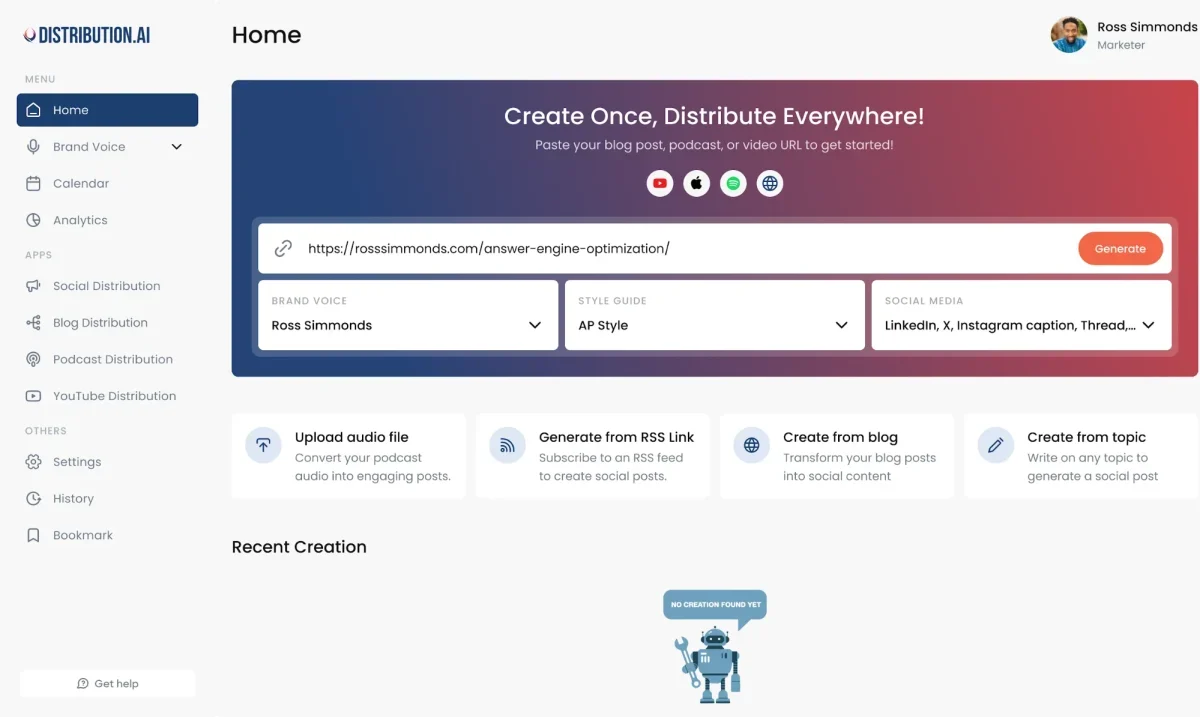
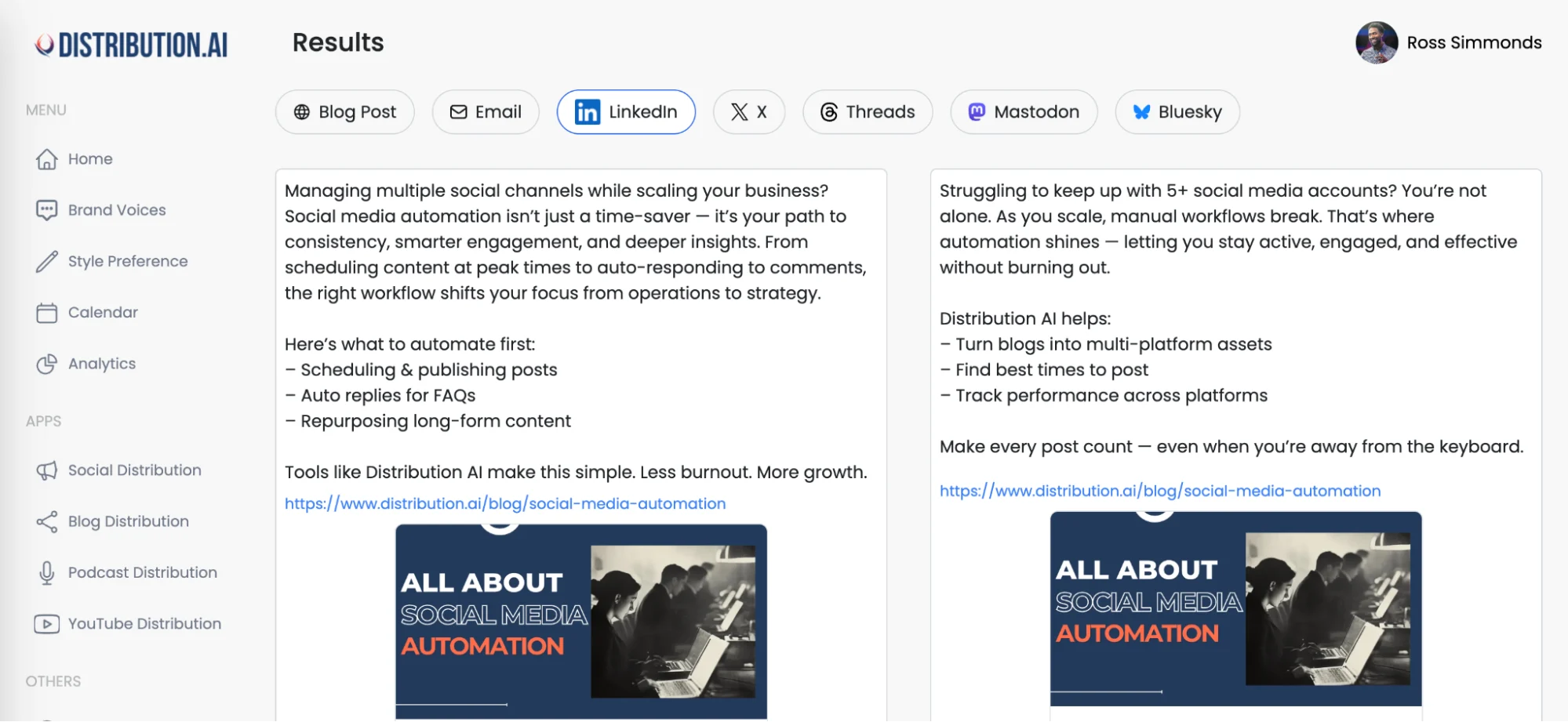
Distribution.ai is an AI-powered platform designed to maximize the value of existing content. It takes a single piece of content, such as a blog post or a YouTube video, and transforms it into numerous formats optimized for different social media channels.
This allows creators to extend their reach and maintain a consistent online presence with minimal manual effort.
Key features:
- AI Content Repurposing: Automatically converts long-form content into shorter formats like X threads and LinkedIn posts.
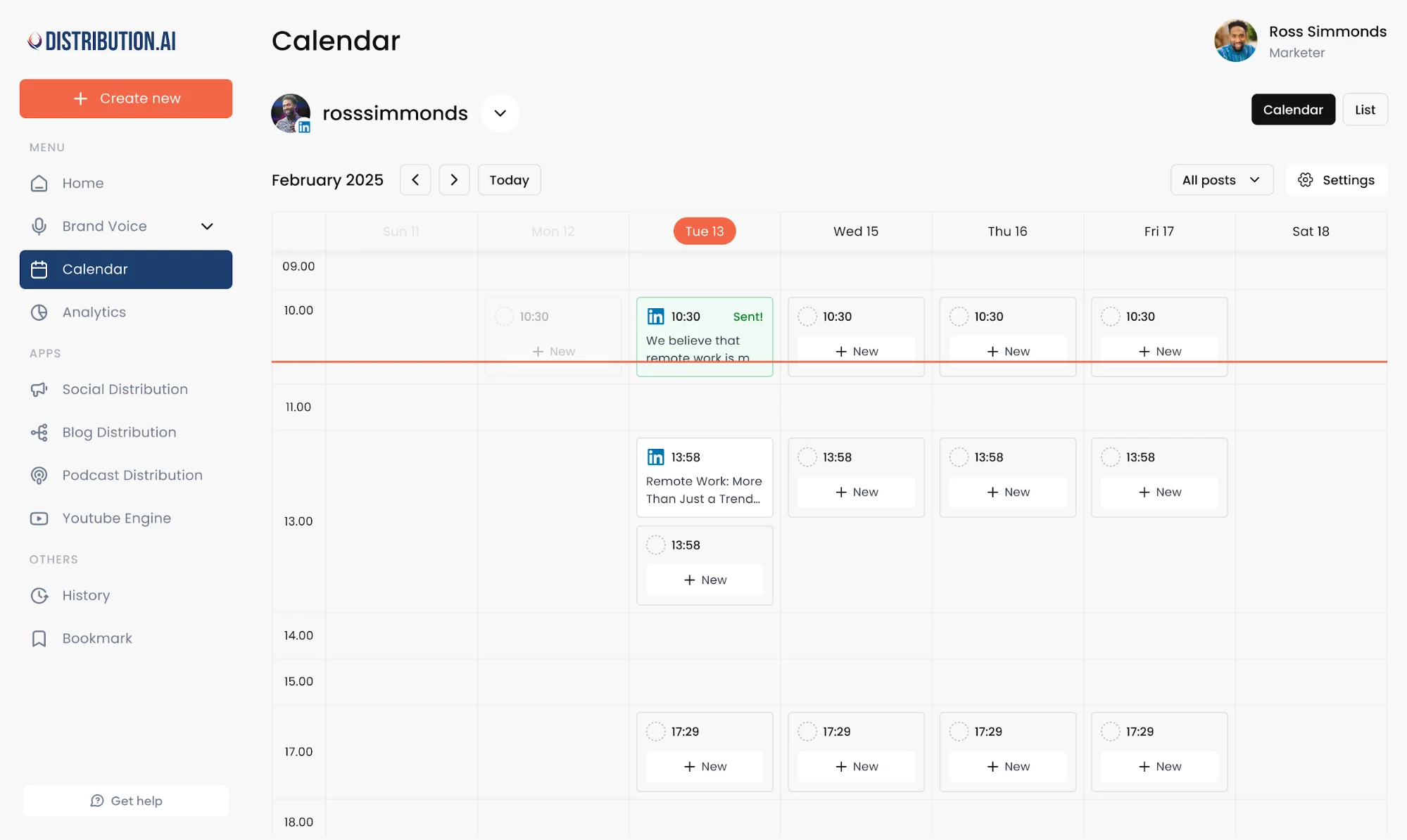
- Automated Scheduling & Distribution: Publish the newly created assets across multiple platforms at optimal times without remaining online 24/7.
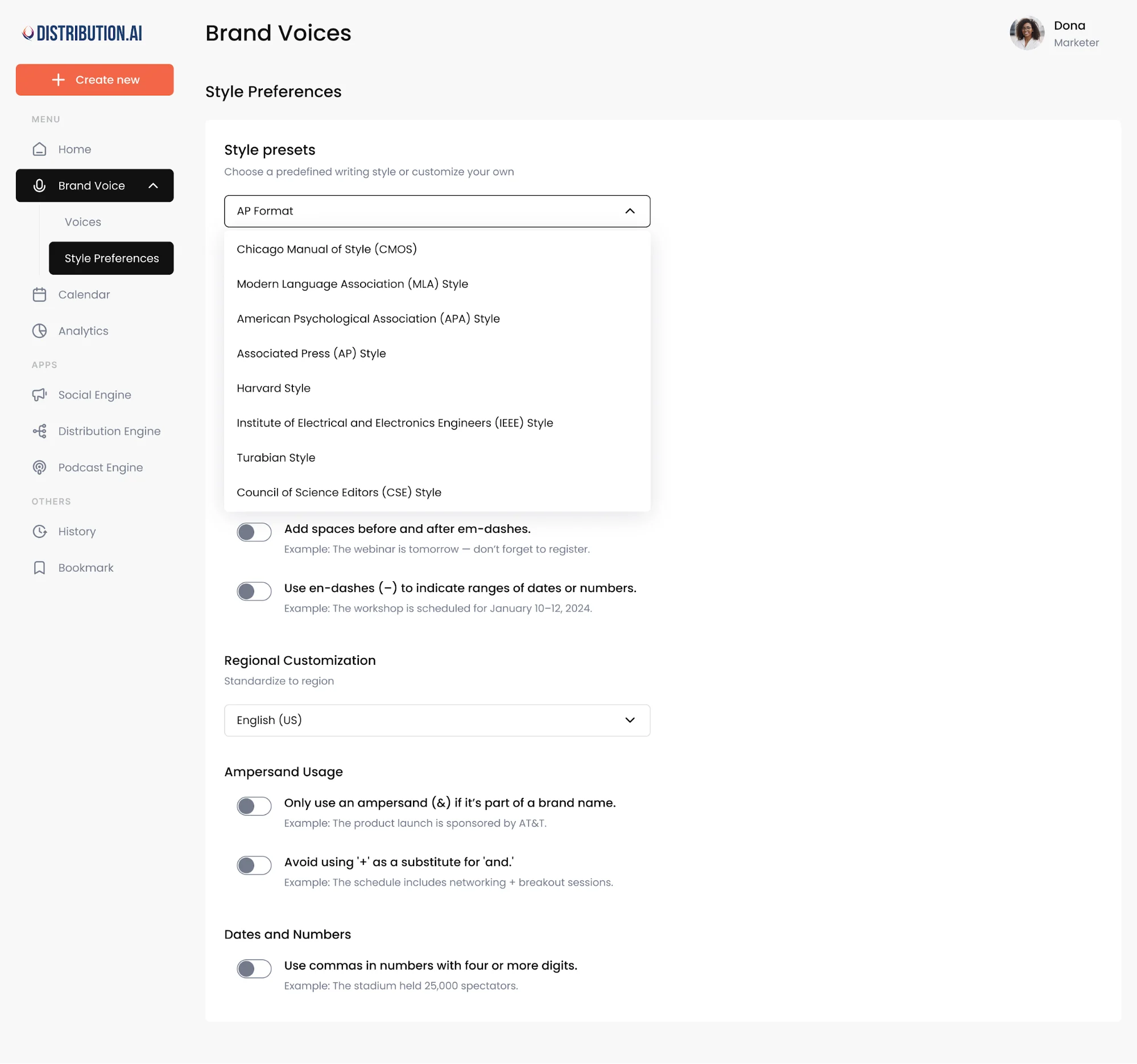
- Brand Voice Alignment: The platform can be trained on your brand’s specific voice and style guidelines to ensure the AI-written content remains consistent and authentic.
- Multi-Channel Asset Creation: Distribution AI can generate dozens of assets tailored for different channels from one pillar content piece in under a minute.
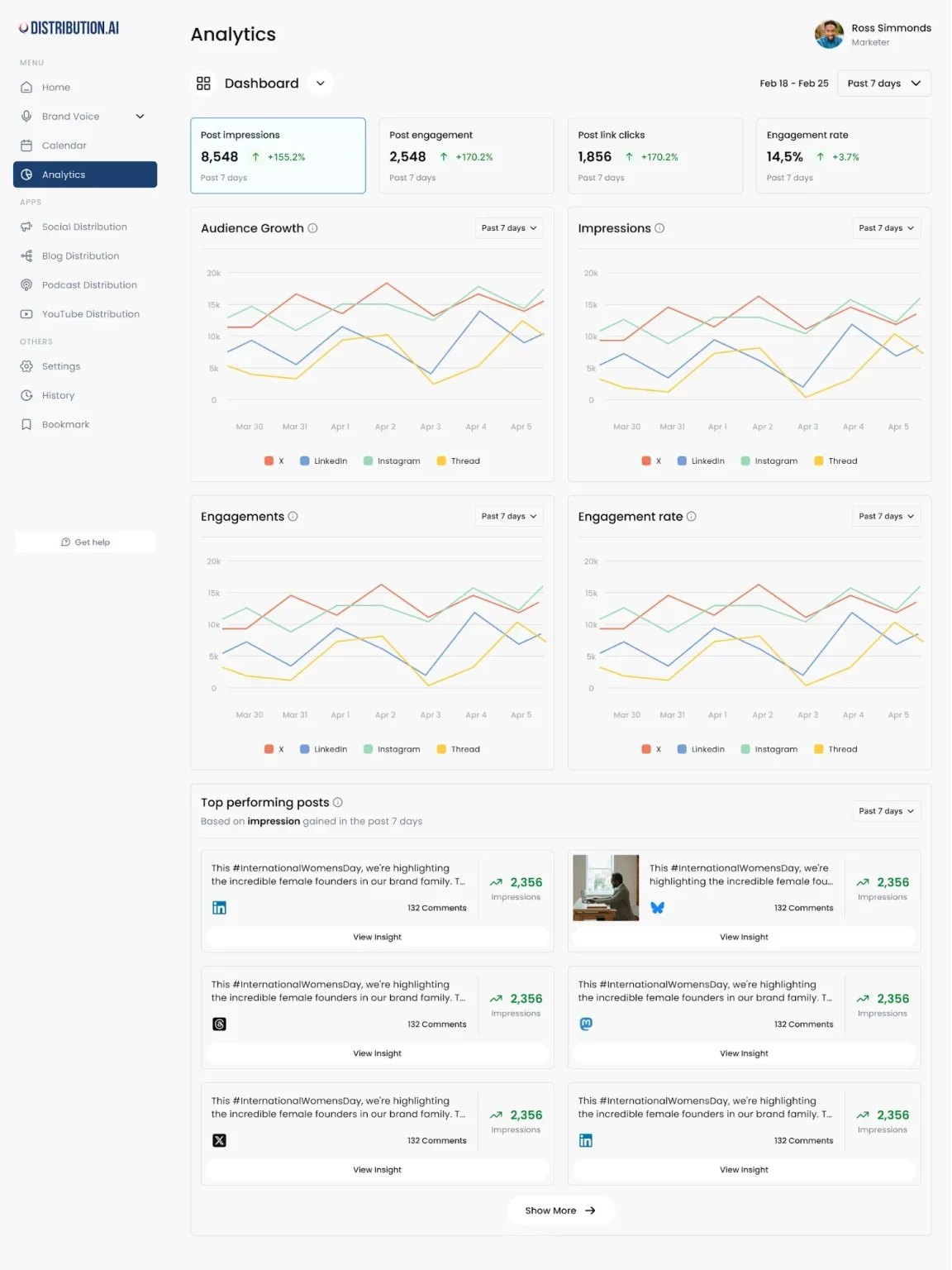
- Performance Analytics: Track how repurposed content performs across social platforms, helping to refine future social media strategy more predictably.
Pros:
- Drastically reduces the time spent on creating and publishing social media content.
- Efficiently creates a high volume of content (~40 assets in seconds) from a single source.
- Proven for creating punchy copy and being more effective at thematic extraction than general-purpose AI like ChatGPT.
- Helps maintain a consistent publishing schedule and brand voice across all channels.
Cons:
- As with any AI tool, the final output may require some human review and tweaking to ensure quality and accuracy.
- The quality of the repurposed content is dependent on the quality of the source material.
Pricing:
Distribution.ai offers a 15-day free trial. Paid plans start at $19 per month, when billed monthly. This becomes $15.83/month when billed annually.
They also offer bundled service plans: Creator at $44.92/month, Pro at $91.58/month and Business at $307.42/month, all when billed annually.
2. Jasper
Best for: Marketing teams and businesses that need to produce high-quality, on-brand AI copy at scale.
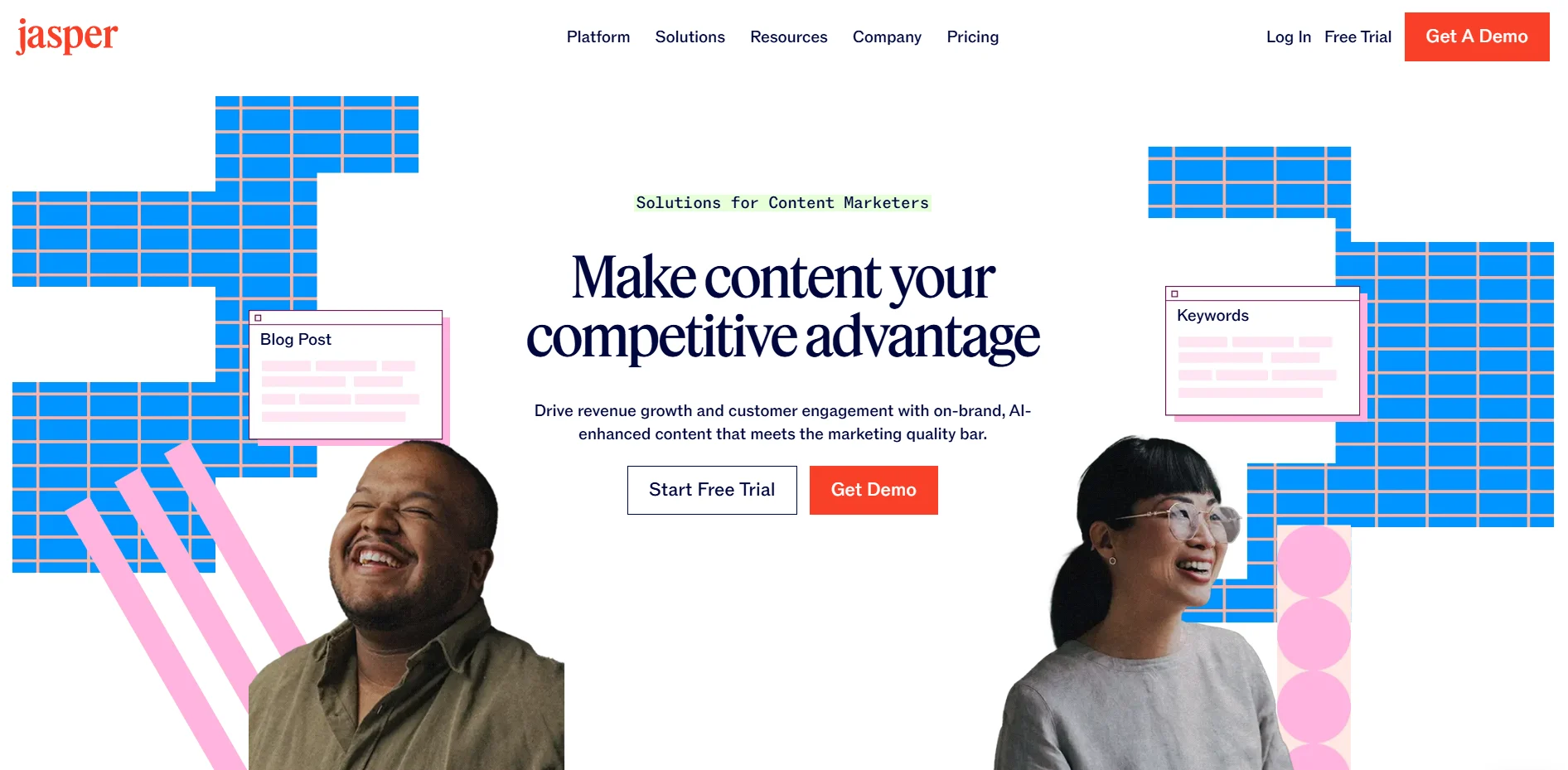
Jasper excels at creating high-performing copy for a wide range of marketing needs, including social media campaigns, ad copy, blog posts and landing pages.
Its key differentiator is the ability to learn a company’s unique brand voice and use it effectively, ensuring all generated content is consistent and authentic.
Key features:
- Jasper IQ: A central knowledge hub that stores a brand’s voice, style guides, product information and company facts to keep the AI model within your context.
- Marketing Template Library: Provides over 50 templates based on proven marketing frameworks such as AIDA (Attention, Interest, Desire, Action) and PAS (Problem, Agitate, Solution).
- AI Image Suite (Jasper Art): An integrated AI image generator for creating on-brand visuals and marketing assets.
- SEO Integration: Connects with tools like Surfer SEO to help create content that is optimized for search engine rankings.
- Team Collaboration: Offers features for team members to collaborate on documents, manage workflows, give approvals and organize projects.
Pros:
- Excellent at producing high-quality, persuasive copy specifically tailored for marketing and sales.
- The Brand Voice feature maintains brand consistency across all generated content, which can turn audiences into followers.
- The user-friendly interface and extensive library of marketing-focused templates allow teams to get started quickly.
- Significantly saves time and resources in the content creation process.
Cons:
- Costlier than general-purpose AI writing tools like ChatGPT.
- Steep learning curve for users to fully leverage its advanced features.
- Requires human review for fact-checking and final polishing.
- May struggle to generate in-depth content on highly technical or niche subjects.
Pricing:
Jasper does not offer a free plan but provides a 7-day free trial. The Creator plan starts at $69 per month (billed monthly).
3. Copy.ai
Best for: Sales and marketing teams focused on automating Go-to-Market (GTM) processes and creating content like articles, social posts, ad copy and emails.
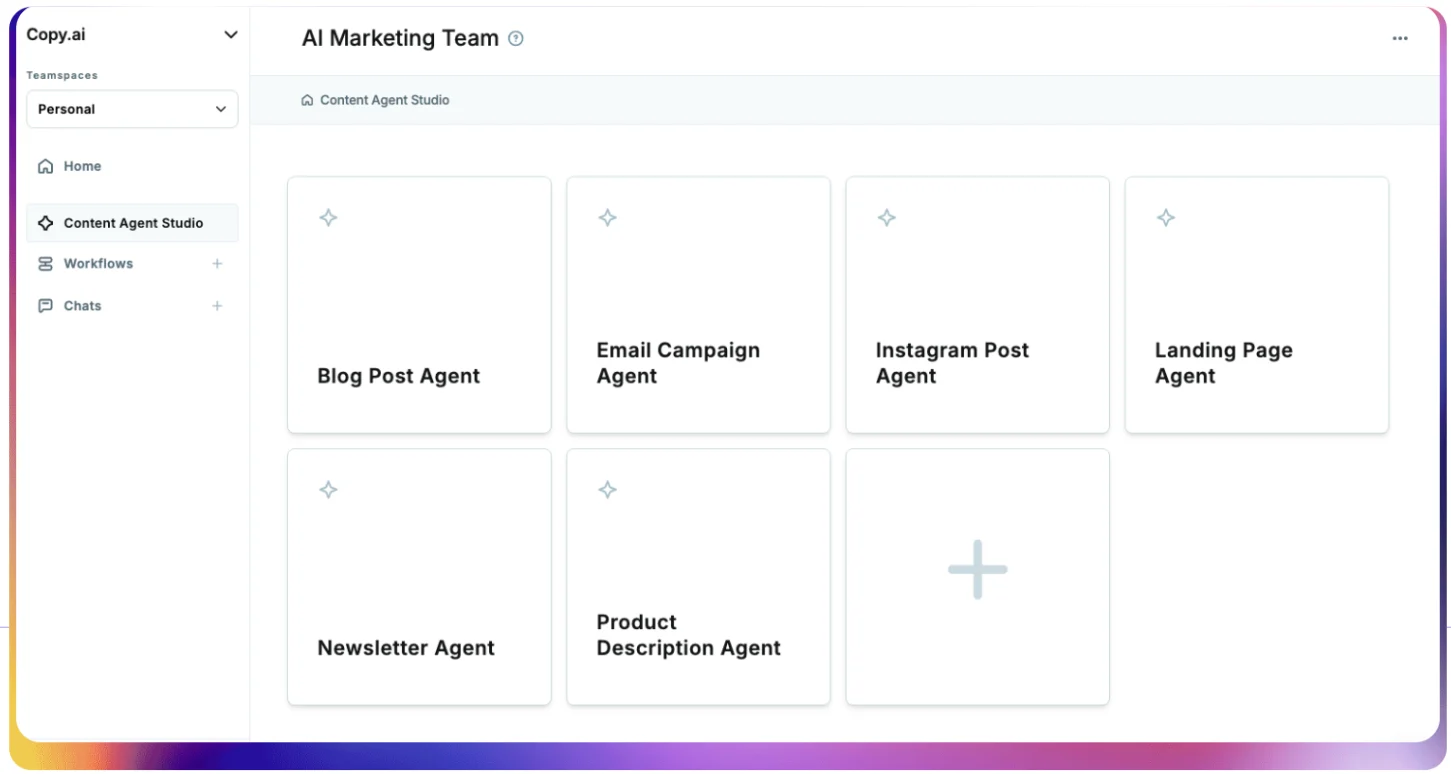
Copy.ai has evolved from a general AI writer into a specialized GTM Agent Platform. It can build and automate complex content workflows to produce articles and posts that sound like you.
You can also upload existing content, such as sales calls and interviews, to produce multiple atomic assets for different social media platforms.
Key features:
- Workflow Builder: A no-code tool that allows users to automate multi-step marketing and sales processes.
- Infobase and Brand Voice: Centralized knowledge bases for storing company information and brand guidelines to ensure the AI produces accurate and consistent content.
- Chat by Copy.ai: A conversational AI interface, enhanced with real-time web search, for executing quick editorial tasks and generating ideas.
- Extensive Template Library: Offers a wide variety of pre-built prompts, templates and workflows designed for numerous sales and marketing use cases.
Pros:
- Can do more than write content, including executing multi-step GTM processes, enabling lean teams to do more.
- Allows hyper-personalization through different customization methods that generate content in your preferred tone, style, format and flow.
- Produces both long and short-form content, streamlining the overall content creation workflow.
Cons:
- Too many features and capabilities can overwhelm professionals who just need a social media content creation tool.
- Takes time to master the platform’s functionalities, which can delay the time to value.
- It is missing some features common in other tools, such as a built-in plagiarism checker and integrations to SEO tools.
Pricing:
Copy.ai offers a Free plan that includes 2,000 words per month. The Chat plan is $29 per month (billed monthly) for 5 seats with unlimited words.
4. ChatGPT
Best for: A wide range of users for general-purpose ideation, brainstorming, research, drafting and repurposing content.
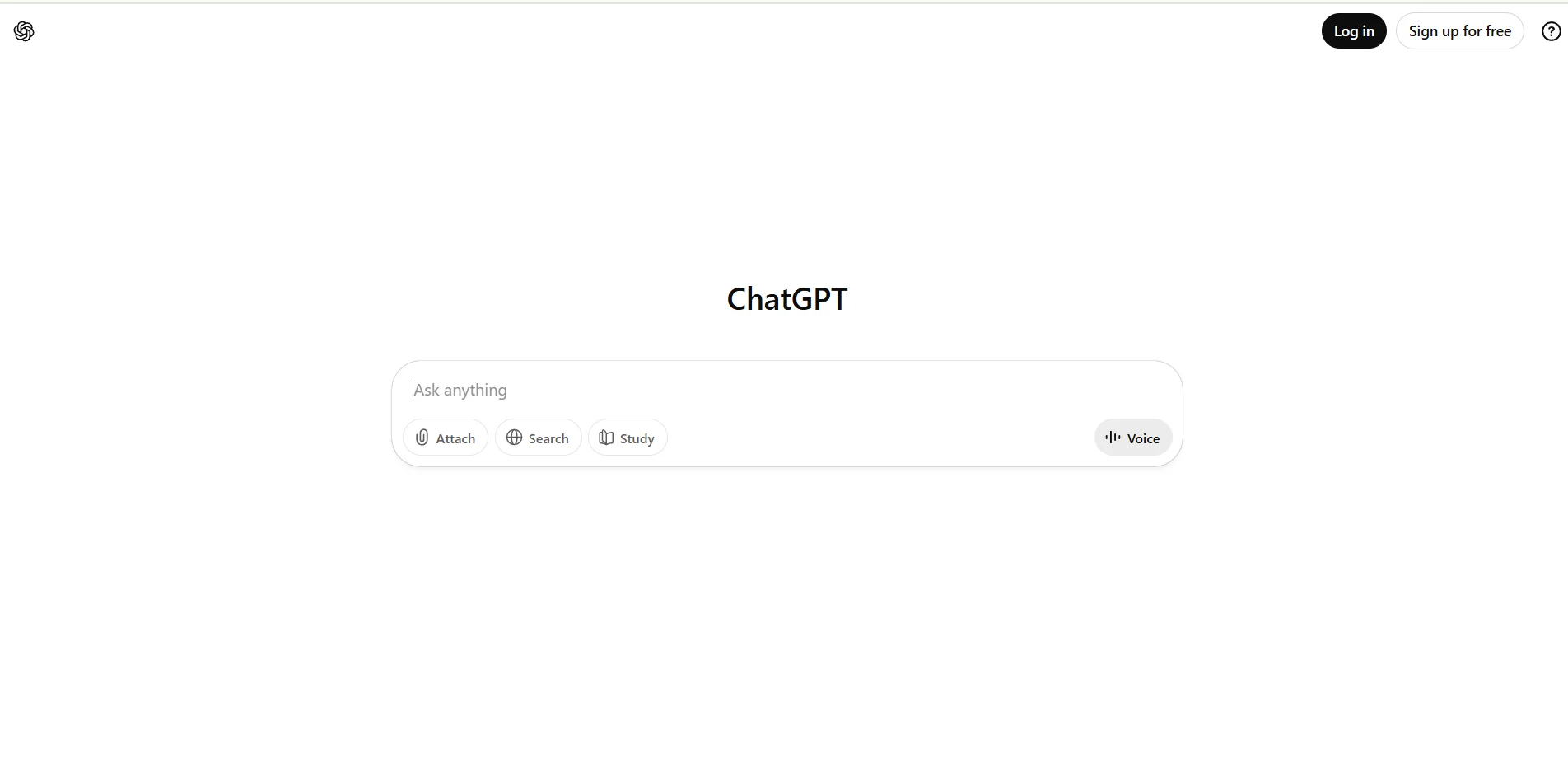
OpenAI’s ChatGPT is the industry-defining AI chatbot that has become a foundational tool for creators.
Its advanced language models (like GPT-5.2) provide sophisticated capabilities in writing, reasoning, examining and multimodal analysis.
These capabilities make this AI assistant effective for many creative tasks, such as drafting social media posts and generating article ideas for the new campaign.
Key features:
- Advanced Text Generation: Capable of producing high-quality text in numerous formats, including social media copy and short-form video scripts.
- Multimodal Input: Can analyze and interpret uploaded images and documents, allowing users to ask questions about specific content effortlessly.
- Web Browsing: Can access real-time information from the internet to provide up-to-date answers and research.
- Custom GPTs: Allows users to create and share personalized versions of ChatGPT trained on specific tone and style guidelines for specialized content formats or platforms.
Pros:
- Incredibly versatile and can be applied to many tasks in a typical social media content creation workflow.
- The free version can be sufficient for teams starting off with AI, which now includes access to advanced models.
- Continuously updated with the latest advancements in AI research.
- Highly effective at increasing efficiency and overcoming creative blocks.
Cons:
- The model can sometimes produce factually incorrect information, or “hallucinations,” which necessitates careful fact-checking by the user.
- It lacks the specialized, marketing-specific templates and pre-built workflows found in dedicated tools like Distribution.ai.
- Requires heavy customization and constant prompt maintenance efforts.
Pricing:
ChatGPT offers a Free plan and ChatGPT Plus is $20 per month for higher usage limits, access to GPT-5.2 Thinking and priority access to new features.
5. Canva
Best for: Everyone who needs a fast, template-driven tool for creating social media graphics and a wide variety of visual content.
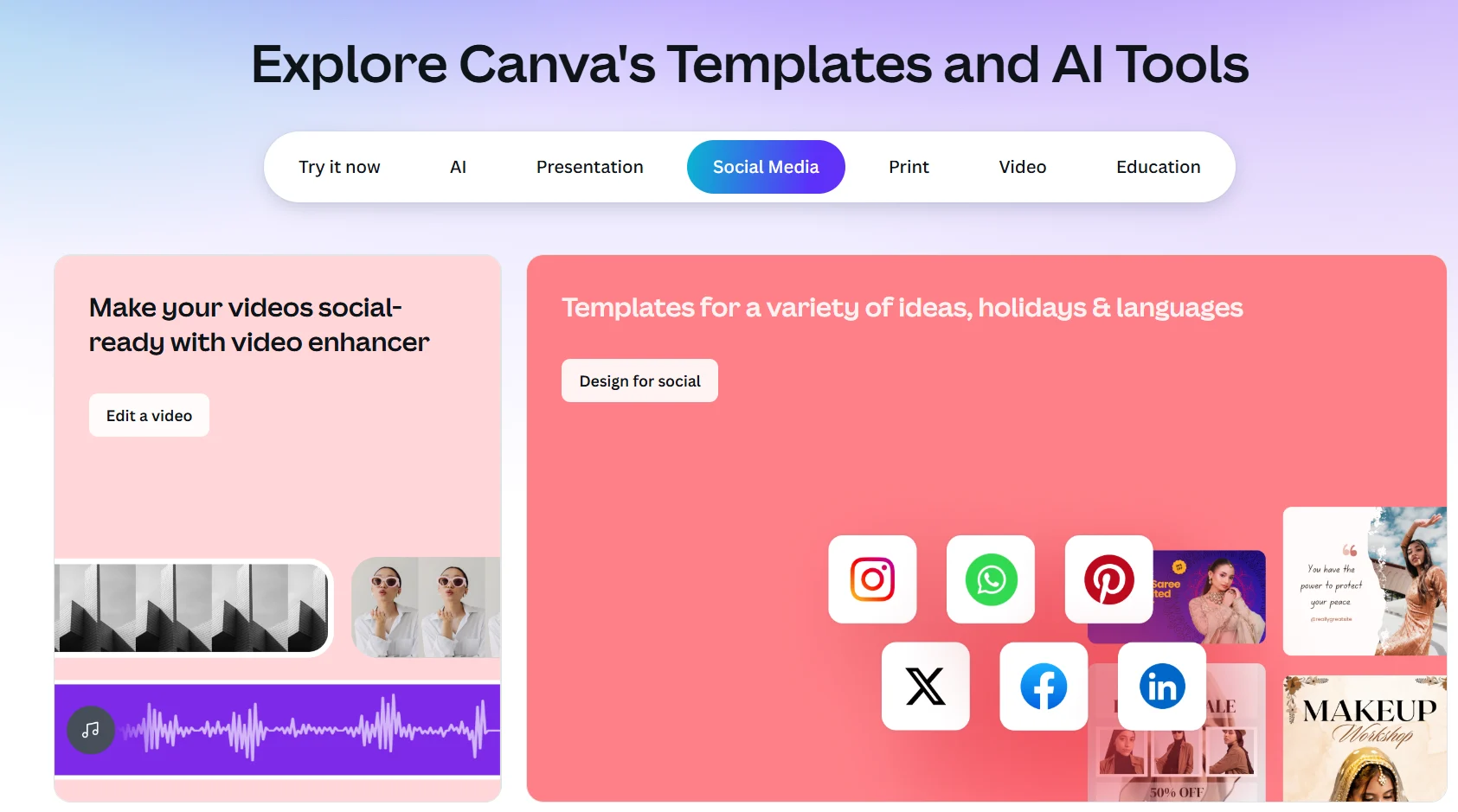
Canva is a web-based design platform that empowers non-designers to create professional-quality visuals.
Its intuitive drag-and-drop interface, combined with an enormous library of branded templates and assets, makes it the go-to tool for quickly producing scroll-stopping visuals and videos for social media.
Key features:
- Magic Studio: A comprehensive suite of AI-powered tools, including Magic Design (generates templates from a prompt), Magic Write (AI text generation), Magic Switch (one-click resizing) and Magic Eraser (object removal).
- Vast Template Library: Offers access to hundreds of thousands of professionally designed, customizable templates.
- Real-Time Collaboration: Allows teams to work on designs simultaneously, leave comments, collaborate and manage feedback directly within the platform.
- Brand Kit: Enables teams to store logos, brand colors and fonts to ensure visual consistency across all assets using brand kits.
- Integrated Video Editor: A user-friendly video editor with features like trimming and transitions, and a built‑in video convertor tool that lets you turn clips into MP4 or GIF, resize for TikTok, Reels or Shorts, and export in platform‑ready formats right in your browser.
Pros:
- Exceptionally easy to use with a very gentle learning curve, making it accessible to all skill levels.
- Its free plan is remarkably comprehensive, which can be great for teams with a limited budget.
- The immense library of templates and stock assets accelerates the content creation process.
- Collaboration features are robust and well-suited for social teams, streamlining the approval process.
Cons:
- Professional designers may find its tools basic, lacking the granular control of advanced software like Adobe Photoshop.
- The widespread use of its popular templates can sometimes lead to designs that feel generic or unoriginal.
Pricing:
Canva offers a robust Free plan. Canva Pro is available for $18.
6. Figma
Best for: Professional designers, brand teams, marketers and businesses that need an advanced, collaborative platform to create high-fidelity, on-brand social media visuals.
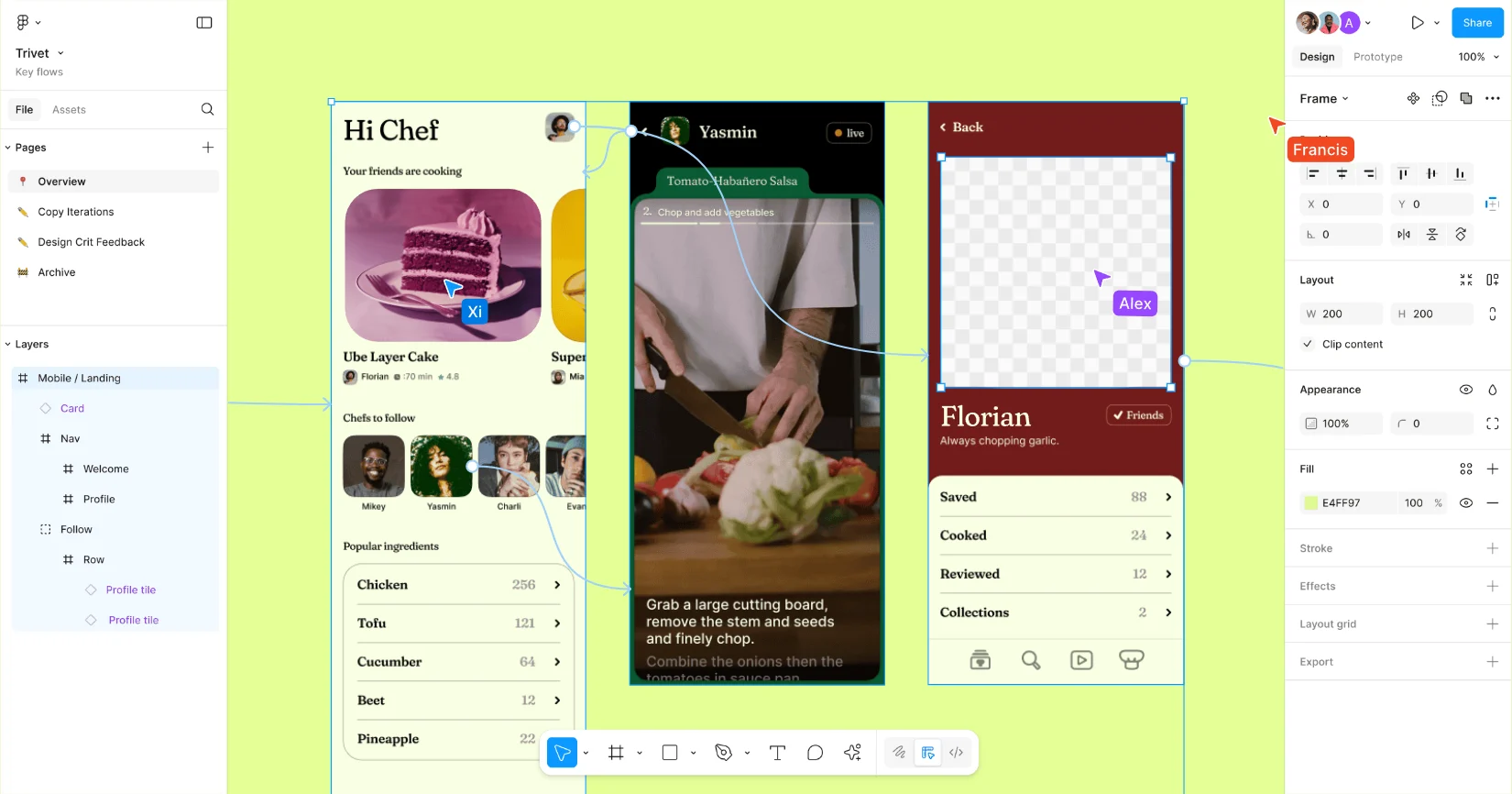
Figma is a cloud-based, collaborative design tool that has become an industry standard for digital product design, but it’s equally powerful for crafting polished social media graphics.
Its robust vector editing features and component-based system make it ideal for building reusable templates from everything from detailed campaign creatives to scalable social media assets across platforms.
Key features:
- Real-Time Collaboration: Allows multiple users to design and commenton the same file simultaneously.
- Components & Styles: Enables the creation of reusable design elements and styles (colors, fonts), ensuring brand consistency while scaling content output.
- Advanced Vector Editing: Its vector network provides more flexibility than traditional vector paths, allowing for complex illustrations and icon design.
- Extensive Plugins: A vast ecosystem of plugins for everything from accessing stock photos (Unsplash, Pexels) to checking for accessibility.
- FigJam: An integrated online whiteboarding tool designed for team brainstorming, diagramming, collaboration and workshops.
Pros:
- Unparalleled real-time collaboration capabilities for design teams.
- Powerful component-based system is excellent for maintaining design consistency at scale.
- The free Starter plan is powerful enough for many individual social media marketers and small teams.
Cons:
- Teams need to pay a subscription fee when they add third-party reviewers for feedback.
- While powerful, it has a steeper learning curve for beginners compared to simpler tools like Canva.
Pricing:
Figma Design offers a free Starter plan. The Professional plan is $20 per editor/month (billed monthly).
7. Midjourney
Best for: Designers, artists, bloggers and marketers who require high-quality and artistic AI-generated images for creative projects and campaigns.
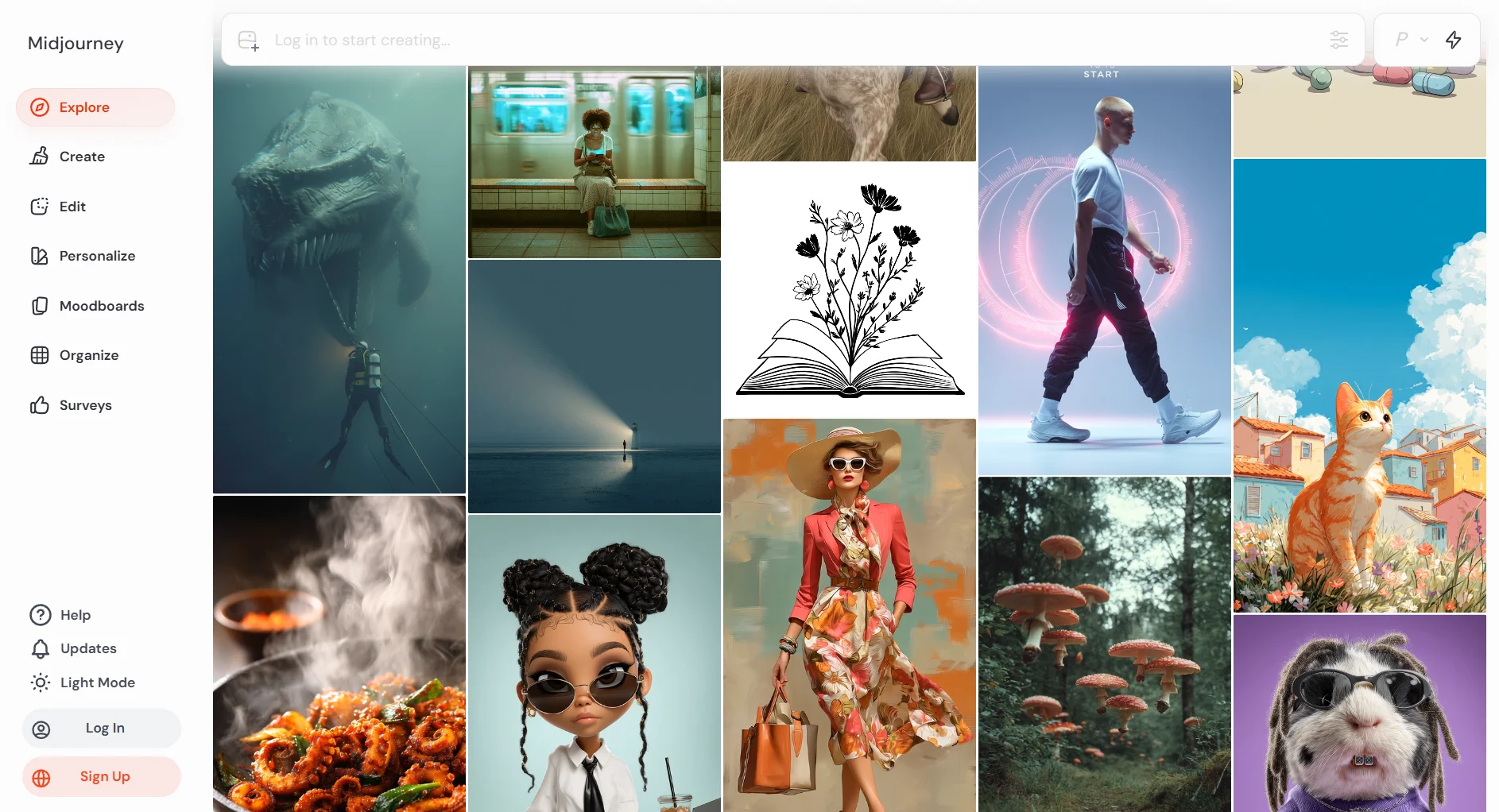
Midjourney is a premier AI image generator renowned for producing highly detailed and aesthetically unique visuals from simple text prompts.
It operates primarily through the Discord platform and a web interface, making it a community-centric tool favored by creators who prioritize artistic quality and originality in their image generation.
Key features:
- High-Quality Image Generation: Consistently produces some of the most artistic and visually compelling AI-generated realistic images available.
- Artistic Control and Customization: Offers a wide range of parameters and commands that give users fine-tuned control over the artistic style, aspect ratio, character traits and other visual elements of the output.
- Video Generation: Capable of generating short, animated video clips from text or image prompts.
- Community-Based Platform: Operates within Discord, which fosters a large and active community where users can share prompts, get inspiration, troubleshoot and receive support.
Pros:
- The quality of the generated images is exceptionally high, often with a distinct and artistic flair.
- Ideal for creating unique, non-generic visuals that can make a brand or project stand out.
- The platform is continuously updated with new features and improved AI models.
Cons:
- There is no free trial or free plan available.
- It has a steeper learning curve, particularly for users who are not familiar with Discord or the nuances of prompt engineering.
- By default, all generated images are public unless you subscribe to a more expensive plan that includes “Stealth Mode.”
- Customer support is limited and primarily community-driven through Discord.
Pricing:
Midjourney is a paid-only service. Plans start at $10 per month for the Basic Plan when billed monthly.
8. Adobe Express
Best for: Individuals and teams already within the Adobe ecosystem who need a fast, AI-powered, all-in-one app for creating on-brand social media content.
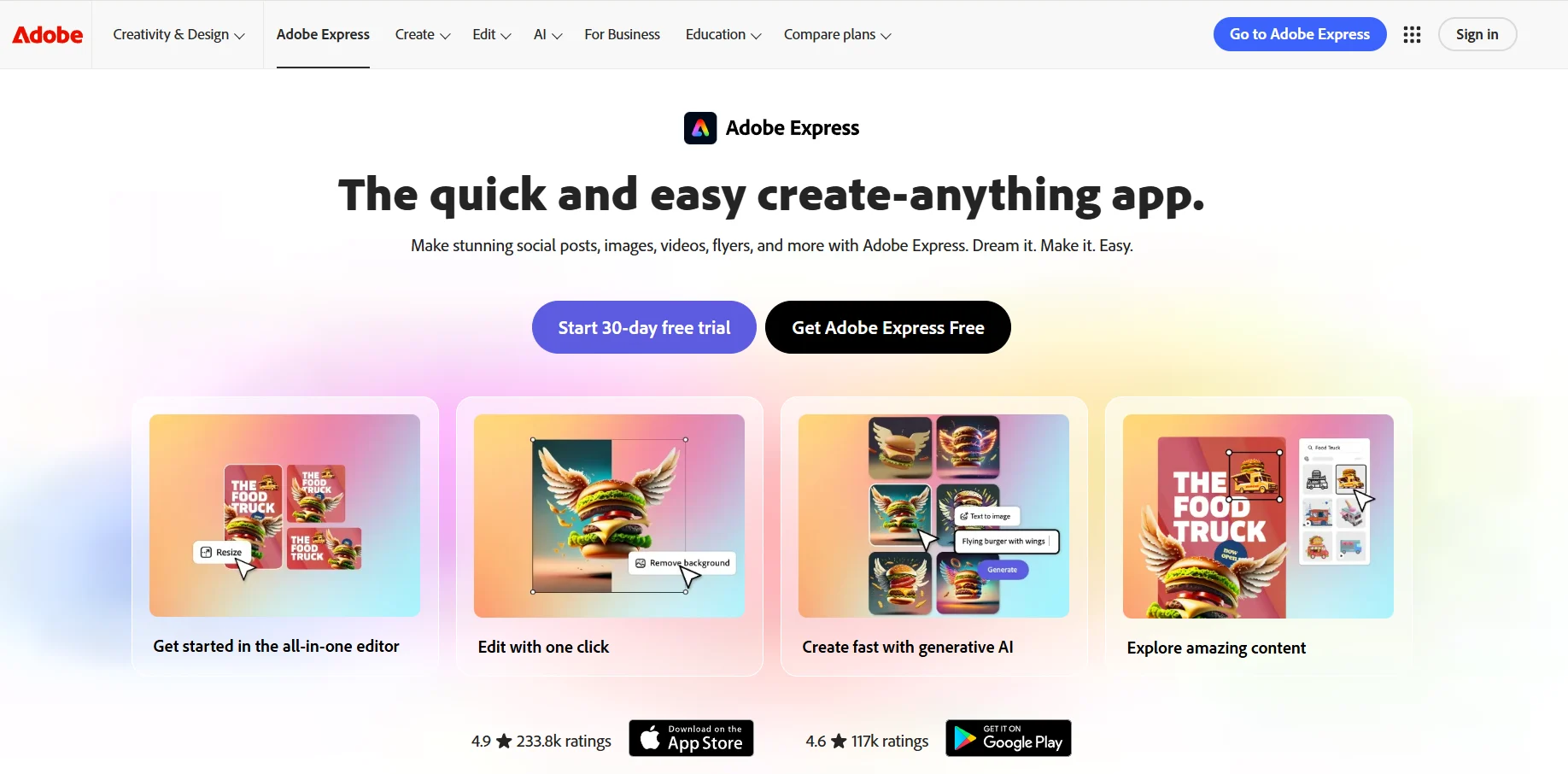
Adobe Express is an all-in-one design, photo and video application that integrates Adobe’s powerful creative technologies, including the Adobe Firefly generative AI model, into a simplified and accessible web and mobile tool.
It serves as Adobe’s direct competitor to Canva, with a key advantage being its seamless integration with the professional Creative Cloud suite.
Key features:
- Generative AI by Adobe Firefly: This engine powers advanced, commercially safe features like text-to-image generation, text effects and generative fill.
- All-in-One Editor: A unified workspace for creating social posts, flyers and videos, combining graphic design with photo and video editing tools.
- One-Click Quick Actions: A suite of tools that automate common tasks such as removing a background, resizing a video, generating captions and converting file formats.
- Creative Cloud Integration: Allows users to access and edit assets from their Creative Cloud Libraries, Adobe Fonts and Adobe Stock directly within Express.
- Brand Kits: Enables users to upload and apply brand logos, fonts and colors to designs with a single tap to maintain brand consistency.
Pros:
- The integration of Adobe Firefly provides powerful and high-quality generative AI capabilities.
- Its deep connection with the Adobe Creative Cloud suite is a major benefit for professionals using tools like Photoshop and Illustrator.
- The interface is intuitive and ideal for quickly creating professional-looking content.
Cons:
- The free version is more restrictive than Canva’s and often applies a watermark to projects that use premium content.
- It lacks the advanced, granular control of professional Adobe applications, which may frustrate experienced designers.
- Some users find that its template library is less diverse than what is offered by Canva.
Pricing:
Adobe Express offers a Free plan with core features. The Premium plan, which unlocks all premium templates and assets, is $9.99 per month or $99.99 per year.
9. CapCut
Best for: Content creators and social media managers who need a powerful and free mobile-first video editor for creating content for TikTok, Instagram Reels and YouTube Shorts.
As a product of ByteDance, the parent company of TikTok, CapCut has become the go-to video editor for the short-form video era.
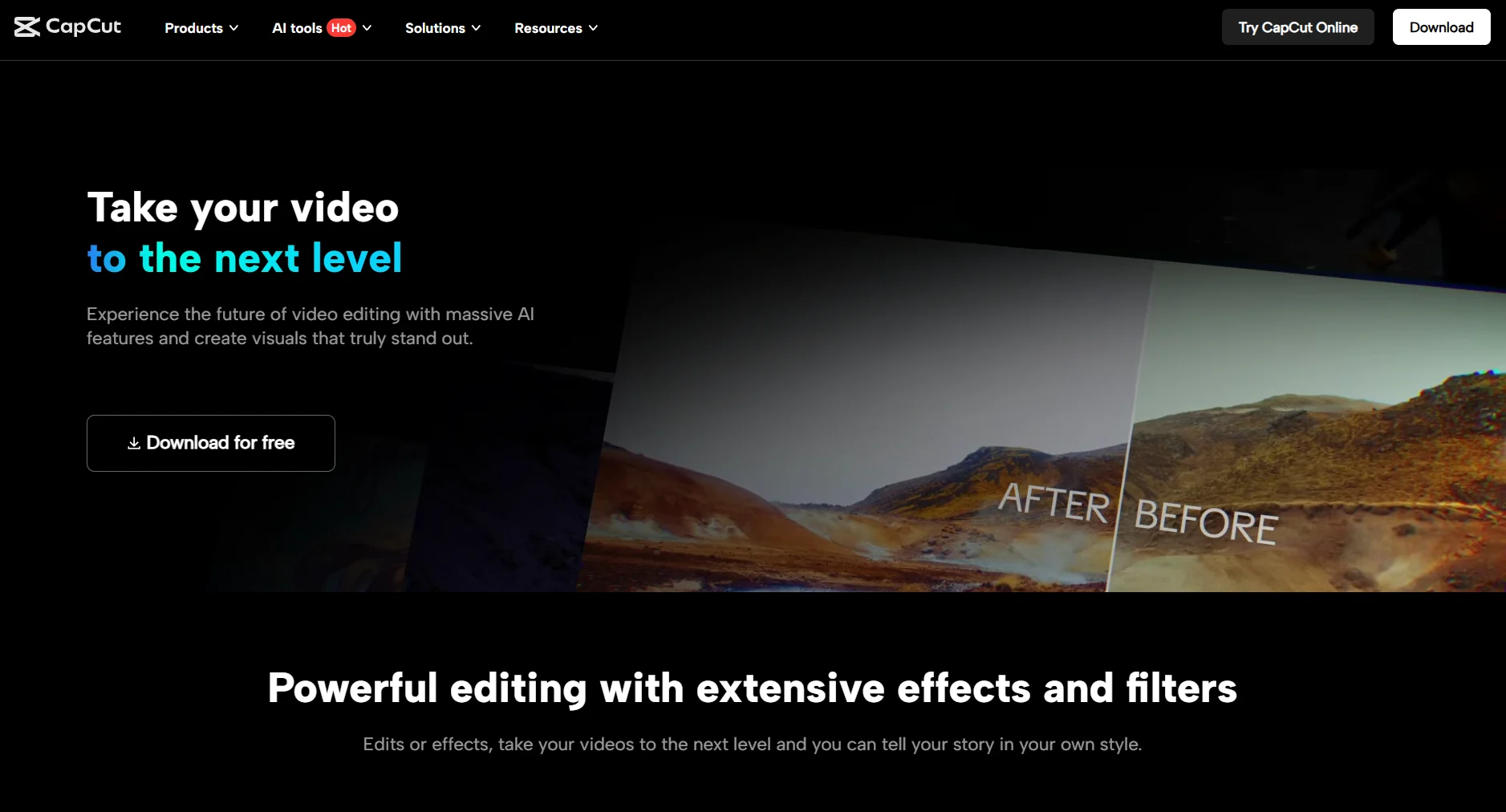
It is an all-in-one video editing application that provides a suite of tools for free, making it incredibly easy for anyone to create videos that look polished and professional, optimized for social media.
Key features:
- AI-Powered Tools: Includes a wide range of AI features such as auto captions, text-to-speech in multiple languages, motion tracking, script-to-video generation and one-click background removal.
- Extensive Effects and Audio Library: A constantly updated library of trending visual effects, filters, transitions and a vast collection of copyrighted music and sound effects.
- Template-Based Editing: Users can choose from thousands of pre-built templates, simply dropping in their own video clips to quickly create a finished video.
- Multi-Platform Availability: CapCut is available as a mobile app for iOS and Android, as well as a desktop application for Windows and Mac and a web-based editor.
Pros:
- The application is surprisingly feature-rich for a free tool.
- Its user-friendly interface is ideal for beginners and allows for very rapid video creation.
- The seamless integration with TikTok, which includes the removal of the CapCut watermark when sharing directly to the platform, is a significant advantage.
Cons:
- The editor is primarily designed for creating vertical, portrait-orientation videos, which can be limiting for other formats.
- There is a 15-minute time limit on edited videos, making it unsuitable for long-form content.
- An increasing number of advanced features and premium assets are being placed behind a “Pro” subscription paywall.
Pricing:
CapCut is primarily free to use. A CapCut Pro subscription, which unlocks premium features, effects, additional editing minutes and cloud storage, is available for around $19.99 per month.
10. Descript
Best for: Podcasters, educators, video producers and marketers who want to edit video and audio by simply editing a text transcript.
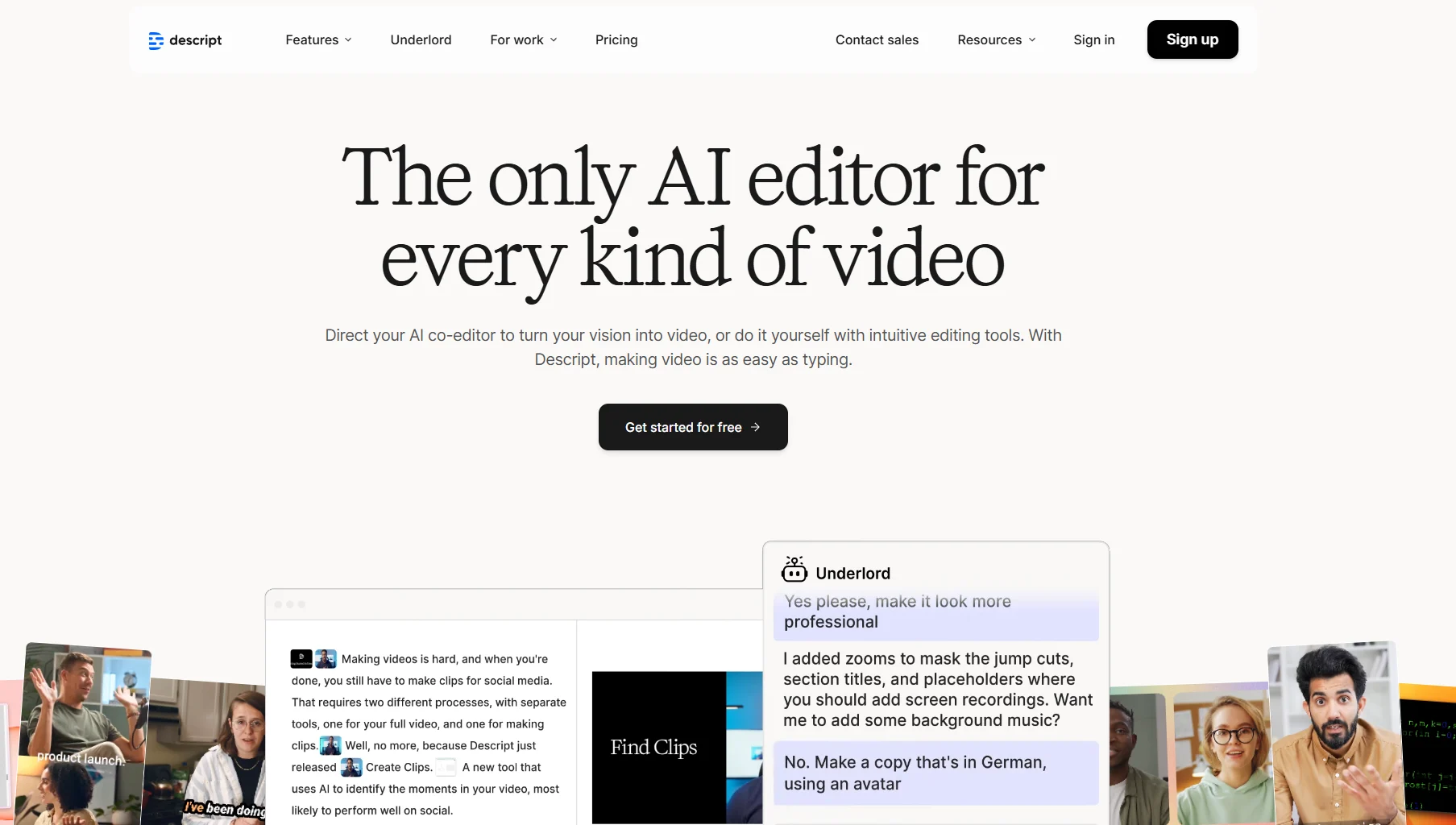
Descript offers a revolutionary approach to media editing by transforming the process into one that is as simple as editing a Word document.
The platform automatically transcribes audio and video files, allowing users to manipulate the media by cutting, copying and deleting text in the transcript. This makes editing dialogue-heavy content incredibly fast and intuitive.
Key features:
- Transcription-Based Editing: The core functionality that allows users to edit audio and video by manipulating the corresponding text transcript.
- Studio Sound: An AI-powered feature that enhances voice recordings by removing background noise and makes audio sound as if it were recorded in a professional studio.
- Overdub: An AI voice cloning tool that allows users to correct mistakes or add new narration by simply typing the words, without needing to re-record audio.
- Filler Word Removal: A one-click feature that automatically detects and removes filler words like “um,” “uh,” and “you know” from recordings.
- AI Assistant (Underlord): An integrated AI assistant that can help write and edit scripts, create social clips, generate show notes and more.
Pros:
- The text-based editing workflow speeds up the editing process for speech-heavy video content, even for beginners.
- The transcription accuracy is very high, even with multiple speakers.
- Powerful AI features like Studio Sound and Overdub provide professional-grade results with minimal effort.
- It is an excellent tool for repurposing long videos like webinars, interviews, videos and podcasts into shareable short clips.
Cons:
- The software can become slow and buggy when handling large, complex, or multi-track video projects.
- It is not a substitute for a traditional video editor like Adobe Premiere Pro when it comes to advanced visual effects, color grading, or complex motion graphics.
Pricing:
Descript offers a Free plan with 1 hour of transcription per month. The Hobbyist plan is $24 per month (billed monthly).
11. Synthesia
Best for: Large teams and businesses creating training, marketing, sales and corporate communication videos at scale using AI avatars.
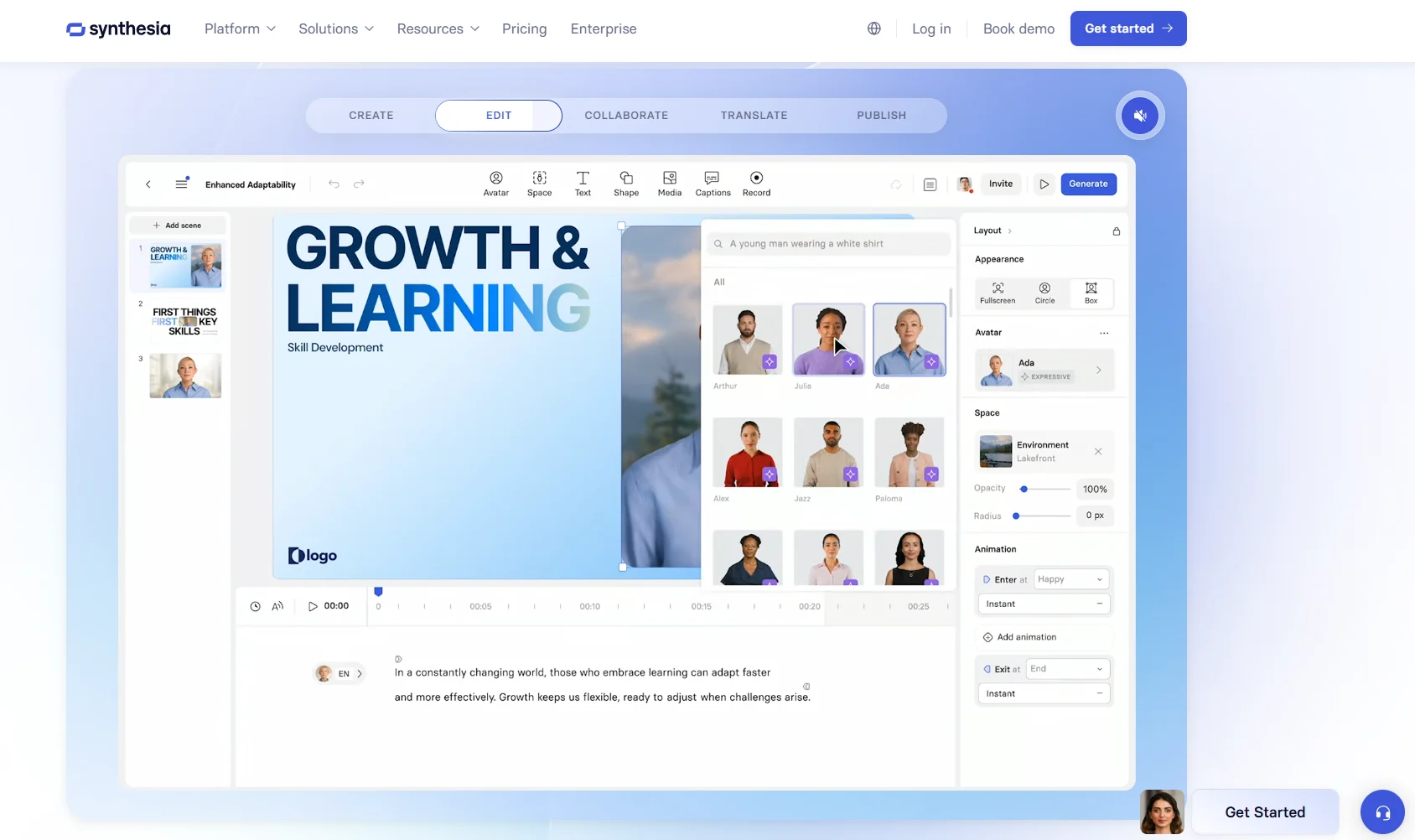
Synthesia is a leading AI video generation platform that converts text to video at studio quality.
It features realistic AI avatars and voice-overs in over 140 languages, enabling the scalable production of professional videos without the need for cameras, actors, or physical studios.
Key features:
- AI Avatars: A diverse library of over 230 stock AI avatars, with the option to create custom “digital twin” avatars on enterprise plans.
- Multilingual Support: Generates videos and high-quality voice-overs in over 140 languages and accents.
- AI Video Assistant: Can automatically transform documents, links, or ideas into complete AI-powered videos.
- Team Collaboration: Includes features for teams to collaborate in real-time on video projects within shared workspaces.
- Security & Compliance: The platform is SOC 2 and GDPR compliant, making it a secure choice for business use.
Pros:
- Offers massive time and cost savings compared to traditional video production methods.
- The interface is user-friendly and accessible for users without prior video editing experience.
- Excellent for creating scalable and localized training and marketing content for a global audience.
Cons:
- The AI avatars, while advanced, may still lack the nuance and emotional range of a human actor for certain types of content.
- The per-user pricing model can be expensive for smaller social media teams or individual marketers.
Pricing:
Synthesia’s Starter plan is $29 per month when billed monthly. or $29/month billed monthly. The tool offers a limited free plan enabling you to test out the features before committing.
12. Opus Clip
Best for: Content creators and marketers who want to automatically repurpose long-form video content into short, shareable clips for social media.
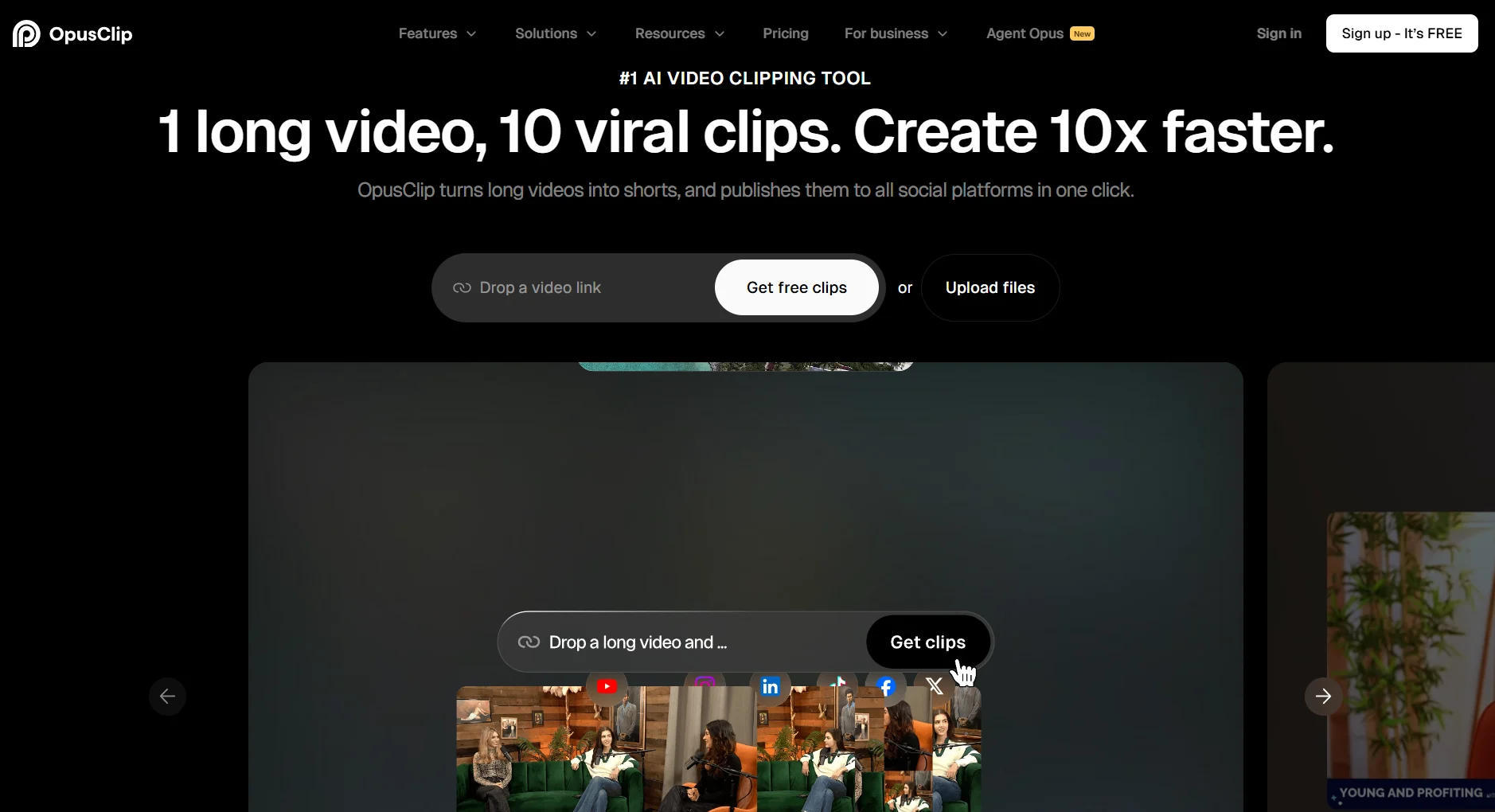
Opus Clip is an AI-powered video repurposing tool that intelligently analyzes long videos (like podcasts, webinars, or speeches) and automatically extracts the most engaging segments, turning them into short, viral-style clips.
It adds dynamic captions, reframes the video for vertical viewing and even provides a virality score to help creators identify the best clips to share.
Key features:
- AI Curation: The AI analyzes the video to identify the most compelling hooks and highlights, creating clips around them.
- Dynamic Captions & Emojis: Automatically generates animated, word-by-word captions and adds relevant emojis.
- AI Virality Score: Each generated clip is given a score from 1-100 to predict its potential to go viral.
- Active Speaker Detection & Reframing: The AI automatically keeps the active speaker in the center of the frame, perfect for interview-style content.
Pros:
- Incredibly fast and efficient at turning a single long video into a dozen or more ready-to-post short clips.
- The AI-powered curation is effective at identifying engaging content moments through NLP.
- The automatic captioning and reframing features save a huge amount of manual editing time.
Cons:
- The AI’s clip selection is not always perfect and may require some human oversight to choose the best segments.
- The tool is highly specialized and does not offer the broader video editing capabilities of a tool like CapCut or Descript.
Pricing:
Opus Clip offers a free forever plan with 60 minutes per month. Paid plans start at $15/month for the Starter plan that gives you 150 minutes per month.
13. Pexels
Best for: Content creators, marketers, writers and small businesses in need of high-quality, free stock photos and videos.
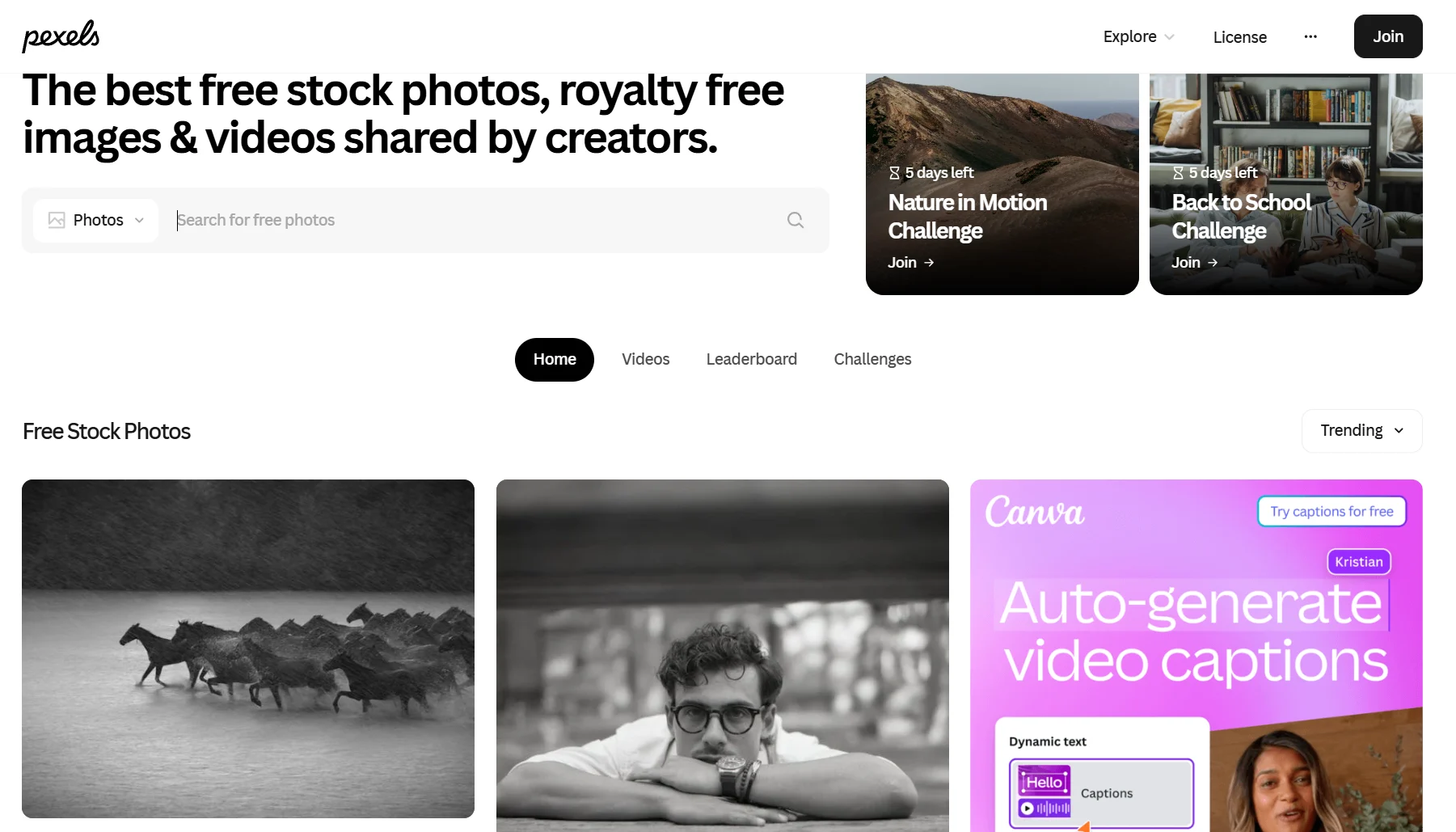
Pexels is a massive, community-driven library of royalty-free stock photos and videos. All content on the platform is shared under the Pexels License, which allows for free personal and commercial use with no attribution required.
It is an invaluable resource for sourcing high-quality visuals without a budget.
Key features:
- Extensive Library: Offers millions of high-resolution photos and videos across a wide range of categories.
- Free for Commercial Use: All content can be used for marketing, advertising, sales and other commercial projects at no cost.
- Curated Collections: The Pexels team curates collections and showcases top creators, making it easy to discover new and trending curated content.
- API Integration: Pexels offers a free API that allows its library to be integrated directly into other applications, such as design tools or website builders.
Pros:
- Completely free to use, making it an essential tool for creators on a budget.
- The quality of the photos and videos is consistently high.
- The simple and clear licensing model removes any legal ambiguity.
Cons:
- Because it is a popular free resource, some of the most downloaded images can feel overused or generic.
- The library may lack the depth and specificity of paid stock services for highly niche or technical subjects.
Pricing:
Free.
14. HeyGen
Best for: Businesses and creators who want to produce studio-quality videos with AI avatars and voices for marketing, sales, customer success and training.
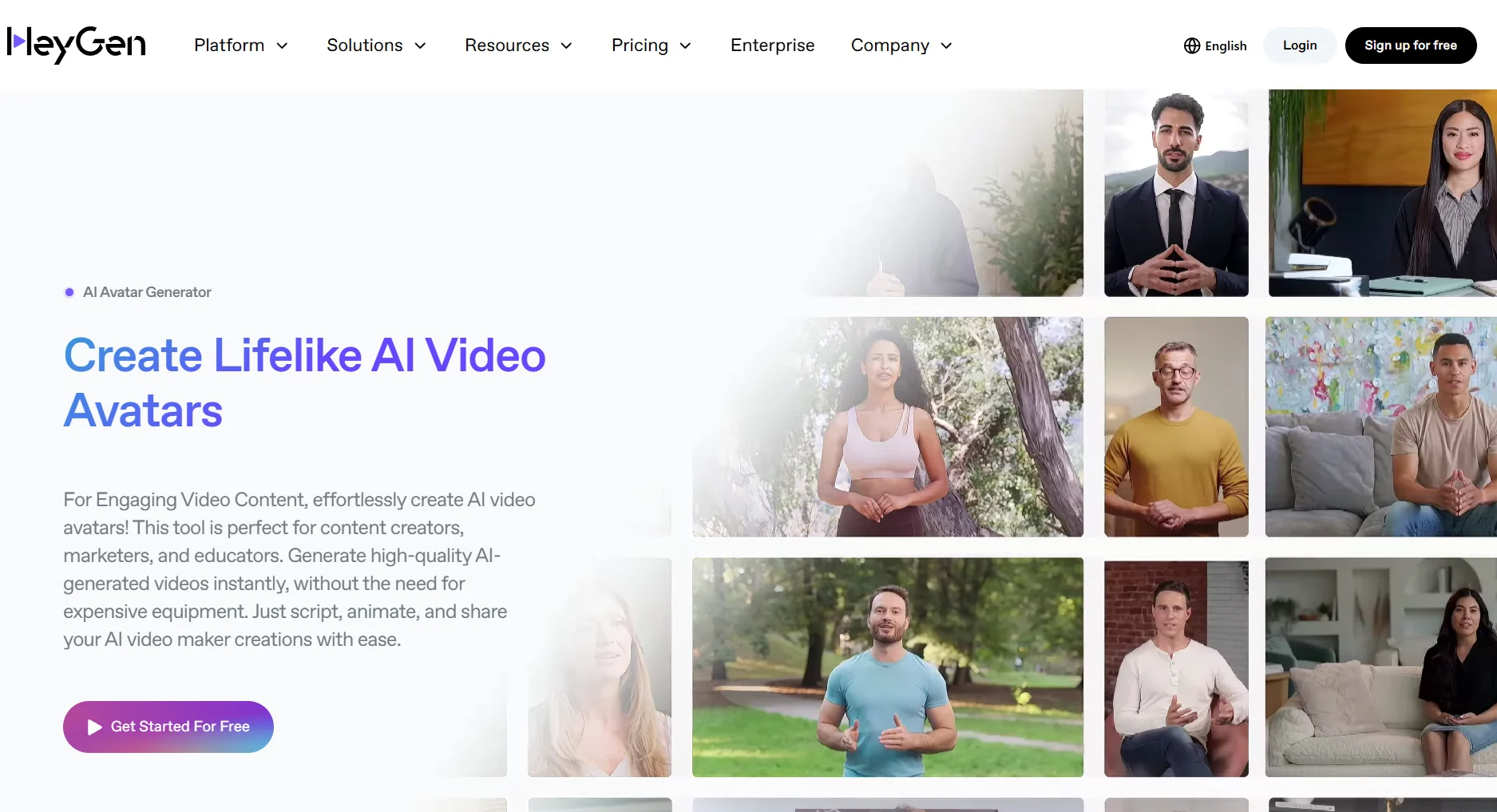
HeyGen is a powerful AI video generation platform that allows users to create professional videos with realistic AI avatars and voice cloning in minutes.
It is a direct competitor to Synthesia, offering a rich feature set that includes custom avatars and automated translation, making it a versatile tool for scalable video content production.
Key features:
- AI Avatars & Voice Cloning: A library of stock avatars and the ability to create a custom avatar. Its voice cloning feature can create a digital replica of your own voice.
- Video Translate: An AI-powered tool that can automatically translate a video into different languages while syncing the avatar’s lip movements to the new audio.
- Streaming Avatar: A unique feature that allows users to create a real-time, interactive AI avatar for live streams and presentations.
- Zapier Integration: Connects with thousands of other apps through Zapier to automate video creation workflows.
Pros:
- The quality of the AI avatars and voice cloning is very high and realistic.
- The Video Translate feature is a powerful tool for localizing content for a target audience across the globe.
- The platform is intuitive and easy to use, even for those with no video editing experience.
Cons:
- The pricing model, which is based on credits, can be confusing and may become expensive for users producing a high volume of content.
- As with all AI avatar tools, the final output may not be suitable for content that requires a deep emotional connection.
Pricing:
HeyGen offers a limited Free plan with 3 videos per month. The Creator plan is $29 per month when billed monthly and includes unlimited video creation.
15. Trello
Best for: Individuals and small teams who need a simple and flexible tool for managing the content creation workflow and content calendar.
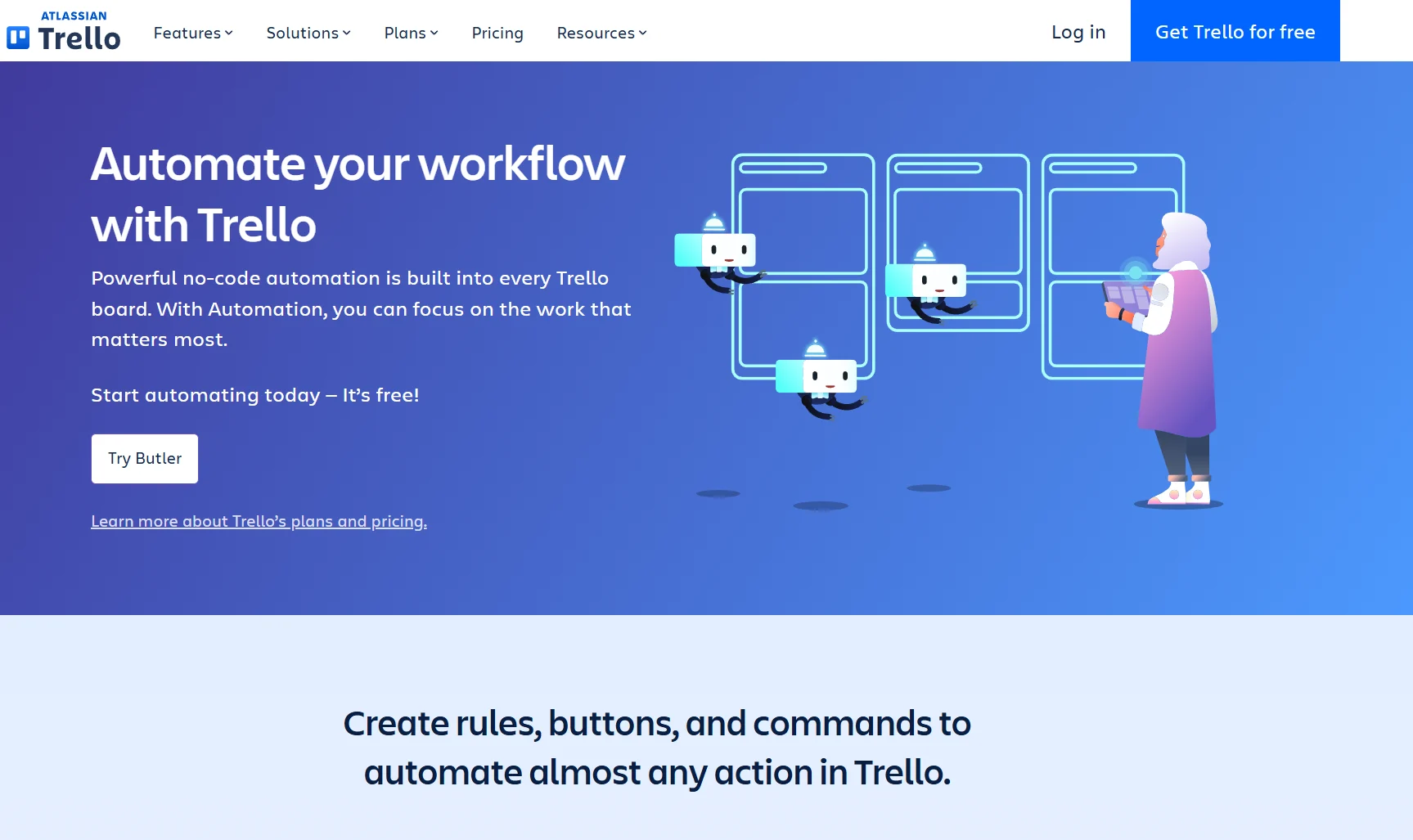
Trello is a Kanban-style project management tool that uses boards, lists and cards to help teams organize and prioritize their work.
Its visual and intuitive interface makes it an excellent choice for managing a content pipeline, allowing users to track the progress of a piece of content from the idea stage to publication.
Key features:
- Boards, Lists and Cards: The core organizational structure that allows you to create a visual workflow (e.g., lists for “Ideas,” “Drafting,” “In Review,” “Published”).
- Butler Automation: A built-in automation tool that can handle repetitive tasks, such as moving a card to the next list when a due date is met or assigning a team member when a label is added.
- Power-Ups: Integrations that add extra functionality to your Trello boards, connecting them with other tools like Slack, Google Drive, Teams and Jira.
- Templates: A library of pre-built Trello boards for a variety of use cases, including content calendars and marketing workflows.
Pros:
- Extremely easy to learn and use, with a very gentle learning curve.
- The visual, drag-and-drop interface is highly intuitive.
- The free version is very powerful and sufficient for many individuals and small teams.
Cons:
- It can become cluttered and difficult to manage for very large or complex projects with many dependencies.
- It lacks the more advanced reporting, time-tracking, external collaboration and resource management features found in more robust project management tools like Asana or Monday.com.
Pricing:
Trello offers a robust Free plan. Paid plans start at $6 per user per month (billed monthly) for the Standard plan.
16. Unsplash
Best for: Bloggers, designers, writers and marketers who need high-quality free-to-use stock photos.
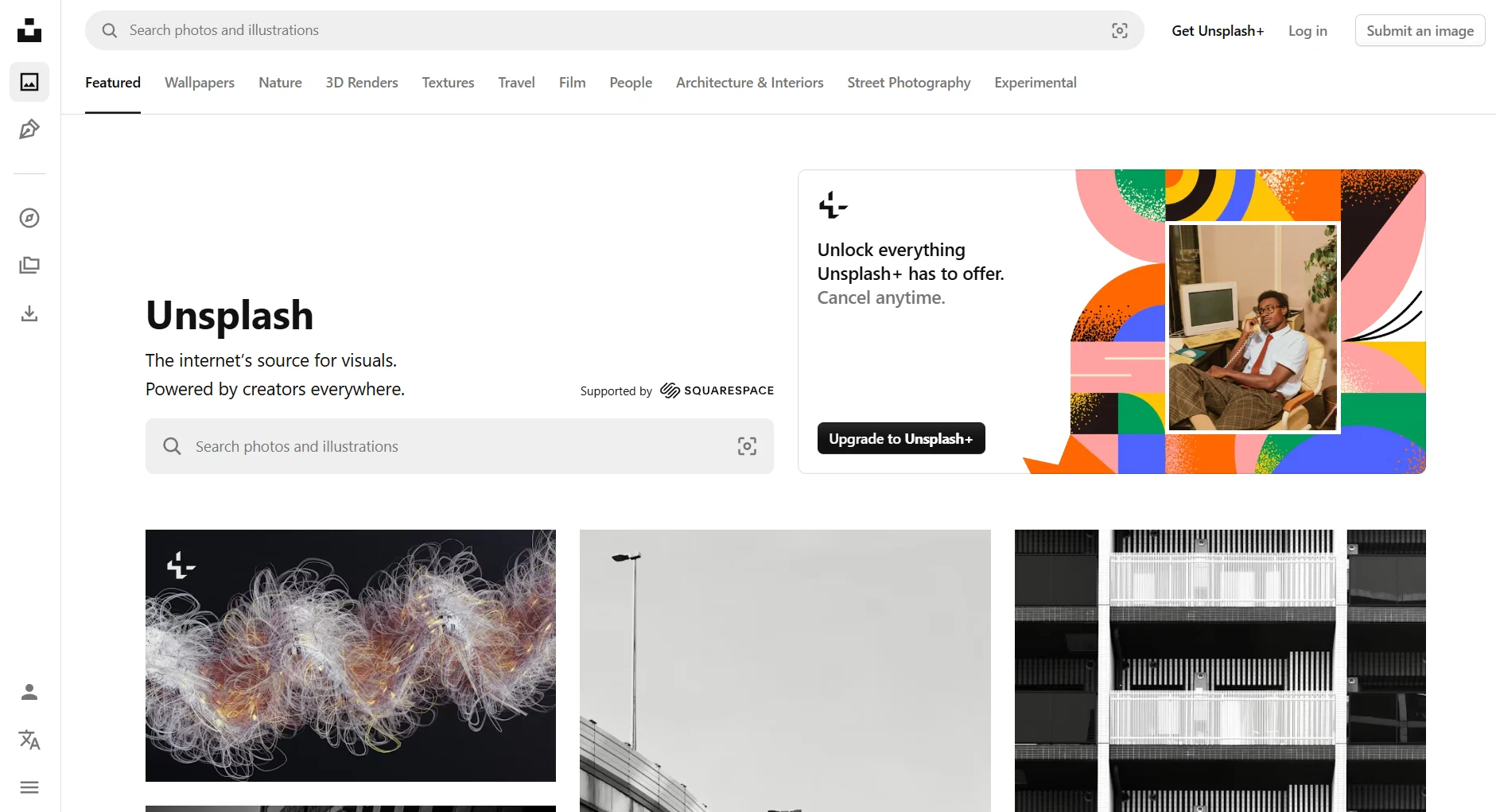
Unsplash is a platform dedicated to sharing a curated library of high-resolution, artistic photos. All images on the site are submitted by a global community of photographers and can be used for free for both personal and commercial purposes under the Unsplash License.
It is known for its more curated and less “stocky” aesthetic compared to other free photo sites, making it ideal for visual storytelling.
Key features:
- Curated Library: The photos on Unsplash are hand-selected by a team of editors, which results in a higher overall quality and more artistic feel.
- Unsplash+: A premium subscription that provides access to an expanded library of royalty-free images and enhanced legal protections.
- Integrations: Unsplash is integrated into thousands of other applications, including Figma and Trello, making it easy to access its library without leaving your workflow.
Pros:
- The quality of the photography is exceptionally high for a free resource.
- The curated, artistic style of the images is a great fit for modern brands.
- The simple license makes it easy to use the photos without worrying about legal issues.
Cons:
- The library is focused exclusively on photos and does not include stock videos or illustrations.
- As with any popular stock photo site, the most popular images can be easily recognizable and overused.
Pricing:
The vast majority of the Unsplash library is free to use. Unsplash+ is available for a subscription fee of $10/month, billed monthly.
17. Repurpose.io
Best for: Podcasters, live streamers, producers and video creators who want to automate the distribution of their content across multiple platforms.
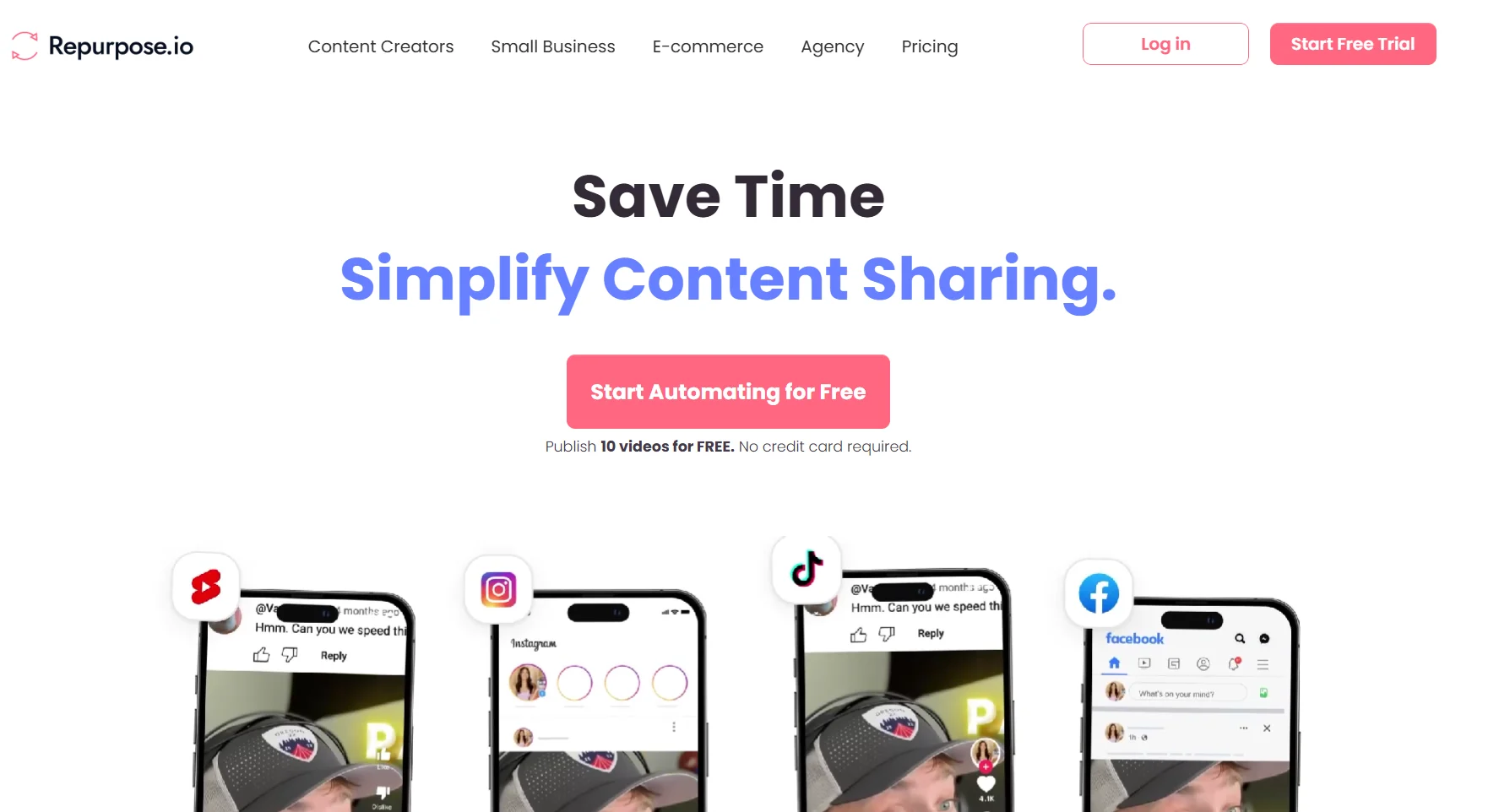
Repurpose.io is a content distribution and automation tool designed specifically for video and audio creators.
It allows users to set up automated workflows that take a single piece of content (e.g., a new YouTube video or a TikTok clip) and publish it to other platforms in the appropriate format, helping you schedule posts across channels effortlessly.
Key features:
- Automated Workflows: The core of the platform, allowing you to create “set it and forget it” rules (e.g., “When a new YouTube video is published, automatically create a version for LinkedIn and schedule it”).
- Full Video and Snippet Creation: Can publish full-length videos or create short, shareable clips with custom branding and headlines.
- Audio-to-Video Conversion: Can automatically convert podcast audio into video formats with a background image and animated waveform for sharing on platforms like YouTube.
Pros:
- A massive time-saver for creators who publish on multiple platforms.
- The workflow-based system is powerful and highly customizable.
- Excellent for ensuring that your content gets the maximum possible reach with minimal manual effort.
Cons:
- It is a pure distribution and repurposing tool and does not include any advanced video editing capabilities.
- The user interface can feel a bit dated and has a steeper learning curve than some newer AI-powered tools.
Pricing:
Repurpose.io offers a 14-day free trial. Paid plans start at $35 per month for the Content Marketer plan.
18. Design.com
Best for: Entrepreneurs and small businesses who need a professional, AI-powered logo without the cost of hiring a design agency.
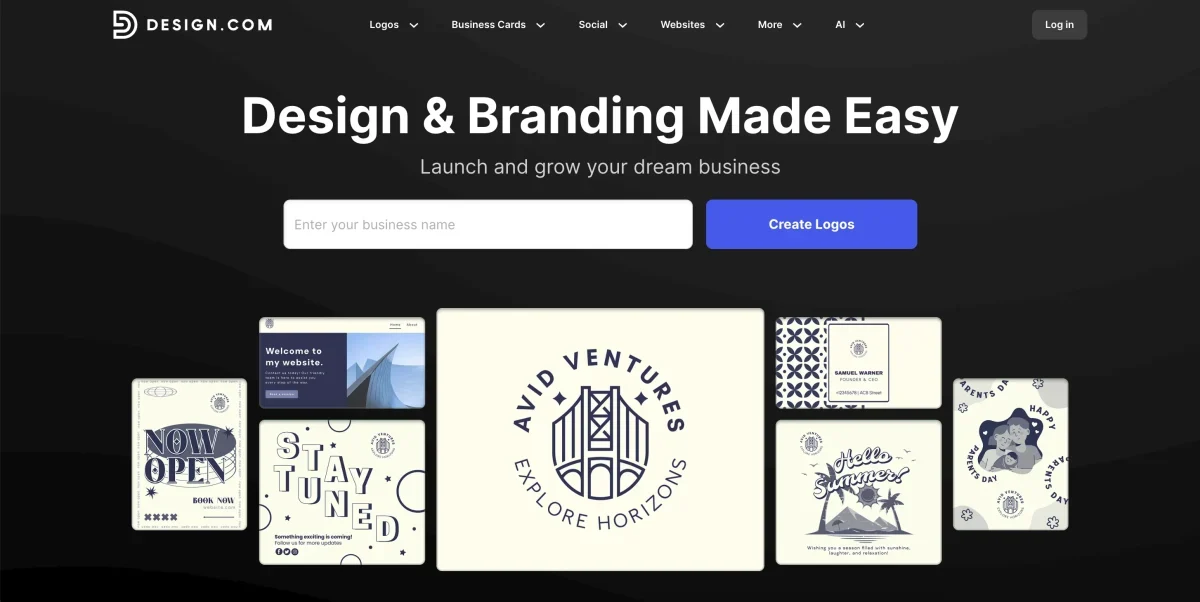
Design.com is an AI-powered logo maker built explicitly for entrepreneurs and small businesses.
The platform uses AI to understand your industry to recommend relevant icons and create harmonious color palettes that perfectly match your brand identity, helping you establish strong brand elements from day one.
Key features:
- AI-Powered Design Generation: The platform analyzes your business details to automatically generate multiple logo variations, including wordmarks, lettermarks, icon-based designs and abstract concepts.
- Massive Template Library: Access to over 343,000 logo templates, offering virtually unlimited possibilities for customization.
- Drag-and-Drop Editor: An intuitive interface with AI-powered design recommendations that guide you through the customization process.
- Multi-Format Export: Download your finished logo in various professional formats, including PNG, JPG, SVG, EPS and PDF.
- Industry-Specific Intelligence: The AI understands different industries and tailors design recommendations accordingly.
Pros:
- Creates professional-quality logos in seconds without requiring design expertise.
- Significantly more affordable than hiring a design agency or freelancer.
- The AI intelligently generates designs based on your specific business context.
- Multiple export formats make it easy to use your logo across different platforms.
Cons:
- While professional, AI-generated designs may require manual customization to match your vision.
- It may not offer the same level of creative uniqueness as a custom-designed logo from a professional designer.
Pricing:
Design.com provides a free plan for editing and downloading your first logo. Premium plans begin at $15/month (monthly).
The Content Creation Workflow: How These Tools Work Together
The most effective creators build an AI-led workflow powered by workflow automation software that can be broken into three distinct stages. This is the system that allows them to move from creating a single asset to launching a full campaign at scale efficiently.
Stage 1: Create (The Pillar Asset)
Every successful social media strategy starts with a single, high-effort “pillar” asset. This is your core piece of content, where you invest your time and expertise to create content of high value, like a detailed blog post, a product guide, a podcast episode, or a well-produced video.
You can use specialized tools here to ensure the highest possible quality.
And creating a pillar video usually unfolds in stages.
For instance, it might start with brainstorming ideas in ChatGPT and shaping a rough outline. From there, you could polish the script in Jasper.
Once the messaging is locked in, you’d design the supporting slides or graphics in Canva or Figma. For brands that need more polished visuals at scale, having access to professional design support can also help streamline the creative process without adding extra workload to internal teams. Then comes editing the final cut in a tool like Descript or CapCut.
Throughout the process, collaboration tools help keep feedback, revisions and timelines on track.
Stage 2: Compound (The Repurposing & Distribution Engine)
This is the most critical and highest-leverage stage in the entire workflow. The goal here is to multiply the ROI of the pillar asset you just created. This is where you turn that one piece of content into 10-15 platform-specific posts without starting from scratch.
This is where a content repurposing and scheduling engine like Distribution.ai becomes the core of your workflow. You can feed it your finished blog post or video, and its AI Agent will automatically generate a full campaign’s worth of on-brand, platform-specific engaging content.
For more specific needs, such as video repurposing, tools like OpusClip can be used to pull out viral moments from your videos, complementing the broader campaign created by your central distribution engine.
Stage 3: Coordinate (The Management Layer)
The final layer is managing the entire process, from the initial idea to the final scheduled post. This is where you track deadlines, manage team approvals, find areas of improvement and get a high-level view of your content calendar.
A tool like Trello can be perfect for lean teams getting started.
You can create a visual board to track each pillar asset as it moves through the “Create” and “Compound” stages, ensuring nothing falls through the cracks and your entire team is aligned.
Wrapping Up
The best content creation process in 2026 is a partnership between human creativity and AI efficiency.
Use these social media content creation tools to supercharge your ideas and automate repetitive tasks, but always keep your unique voice and strategic oversight at the center of your work.
The goal is to use technology to amplify your social media marketing efforts while upholding quality standards that relay value to your audience.
Frequently Asked Questions
1. What Tools Help Create Social Media Content?
Tools that help create social media content include graphic design platforms like Canva and Figma, video editors such as CapCut and Adobe Premiere Rush, AI writing assistants like ChatGPT and distribution and scheduling tools like Distribution.ai.
2. What Is the 5 3 2 Rule for Social Media?
The 5-3-2 rule suggests that out of every 10 social media posts, five should share valuable content from others, three should promote your own content and two should be personal or engaging posts that humanize your brand and build relationships.
3. What Are the Big 4 of Social Media Tools?
The “Big 4” of social media tools typically refer to Facebook, Instagram, X (formerly Twitter) and LinkedIn. These platforms dominate user engagement and marketing reach, making them essential channels for most businesses and content creators.
4. What Is the 30 30 30 Rule for Social Media?
The 30-30-30 rule recommends dividing your content strategy into three equal parts: 30% educational or value-driven content, 30% engaging or community-focused posts and 30% promotional material, leaving the remaining 10% for trends or experimental content.

Promote, repurpose & distribute your content with AI
Write 10x faster, engage your audience, & never struggle with the blank page again.
Start 15-Day Free Trial
Frequently Asked Questions
Author

Promote, repurpose & distribute your content with AI
Start 15-Day Free Trial