Social Media Approval Workflows: A Setup Guide for B2B Teams
Set up a social media approval workflow your team will use: three review tiers, a 7-step setup, a reviewer checklist, and how to approve AI drafts.
 By
Quick answer
A social media approval workflow is the set of rules that decides who reviews a post, what they check, and when it can go live. For most B2B teams, a good content approval process has three tiers: routine posts with one reviewer, sensitive posts with a subject expert, and regulated or high-stakes posts with legal or leadership sign-off. Everything waits on a calendar until it is approved.
Approvals get a bad name. Most teams have lived through the version where a post sits in someone’s inbox for nine days and goes out after the moment has passed.
The fix is design. A clear social media approval workflow makes review faster, because everyone knows which posts need them and which do not. This guide shows how to set one up for a B2B team, including for AI-drafted posts.
Key Takeaways
- Sort posts into risk tiers first. The tier decides the reviewer, the deadline and the checklist.
- Give every tier a named owner and a time limit. Approvals stall when nobody knows whose turn it is.
- Review against a written brand voice and a short checklist so feedback stays consistent.
- AI drafting raises the volume of posts. The approval step is what keeps quality and accuracy in check.
- Every post should land on a scheduled calendar before it goes live, so there is always a window to catch mistakes.
What a social media approval workflow actually covers
An approval workflow answers four questions for every post:
- Who wrote it, and who reviews it.
- What the reviewer checks.
- How long the reviewer has.
- What happens when the reviewer says no.
Most teams answer these questions differently for every post, which is where the delays come from. Product marketing wants to check feature names. Legal wants to see customer mentions. The CMO wants to see the company page. Nobody wrote it down, so every post goes to everyone.
A written social media approval process fixes that. It is also the backbone of social media governance: the policies that decide who can speak for the brand, on which channels, and with what guardrails.
Why approvals matter more now that AI writes first drafts
AI tools have made drafting cheap. A single blog post can become a dozen channel-ready posts in minutes. That is good for distribution. It also means a team that used to review five posts a week can now be looking at fifty.
The answer is a better filter. AI drafts should go through the same approval workflow for social posts as human drafts, with extra attention on two things: facts and voice. Models can get product details wrong, and they can drift away from how your brand sounds. A reviewer who knows the source material catches both.
We covered where AI helps and where humans still need to make the call in AI Agents for Social Media: What They Can and Can’t Do in 2026. The short version: let the agent draft and schedule, and keep a person on the approve button.
The three-tier content approval process
Most B2B teams do well with three tiers. Use this table as a starting point and adjust it to your industry.
| Tier | Typical posts | Reviewer | Target turnaround |
|---|---|---|---|
| 1. Routine | Blog promotion, event reminders, reshares of published content | One peer or the social lead | Same day |
| 2. Sensitive | Product claims, pricing, comparisons, data points, opinion pieces | Social lead plus a subject expert | One to two business days |
| 3. High stakes | Customer names, regulated topics, financial results, crisis responses | Legal, compliance or leadership | Agreed in advance per post |
Tiers exist for speed. Most of your volume should sit in Tier 1, where one reviewer clears a batch in minutes. Save the heavy process for posts that carry real risk.
Watch out: If every post ends up in Tier 3, your tiers are too broad. Rewrite the Tier 3 definition until it covers only the posts that could cause legal, financial or reputational harm.
How to set up a social media approval workflow in 7 steps
Audit what you post today
Pull the last 60 days of posts across every channel. Tag each one with the tier it should have been in. This shows you where the real volume and the real risk sit.
Write your tier definitions
Use concrete triggers. A post moves to Tier 2 if it names a product feature, a price or a statistic. It moves to Tier 3 if it names a customer or touches a regulated topic.
Name an owner and a backup for each tier
Use a person’s name for each role. When the owner is away, the backup approves. This one rule removes most stalled posts.
Set turnaround times
Agree on a deadline per tier and put it in writing. If a Tier 1 post is not reviewed by end of day, the social lead can approve it.
Write a one-page review checklist
Reviewers check the same things every time: facts, links, voice, channel fit, and anything that needs a source. A short list beats a long policy nobody reads.
Configure roles in your tool
Set up who can draft, who can approve and who can publish. Make sure unapproved posts cannot go live by accident.
Review the workflow every quarter
Look at how long approvals took, how many posts were rejected and why. Tighten the tiers or the checklist based on what you find.
The approval checklist for social posts
Give reviewers this list. It keeps feedback consistent and stops reviews from turning into rewrites.
- Every fact, number and product name matches the source content.
- Any statistic has a source the team can point to.
- Links work and point to the right page.
- The post sounds like your brand voice guide.
- The format fits the channel: length, hashtags, line breaks, image needs.
- Nothing names a customer, partner or person without permission.
- The scheduled time makes sense for the audience and does not clash with other news.
Item four only works if your brand voice is written down. If it is not, start there. Foundation’s guide on using a style guide to create a cohesive brand identity is a practical place to begin.
Where approval features sit in common tools
Most social media tools put approvals on higher plans. Here is where they sit based on each vendor’s public pages, as of October 2026. Check the vendor’s current pricing before you buy, since plans change often.
| Tool | Where approvals sit (as of Oct 2026) | Source |
|---|---|---|
| Buffer | Team plan | Buffer pricing |
| Hootsuite | Review and approve listed on Advanced and Enterprise | Hootsuite plans |
| Sprout Social | Message approval workflows on Professional and Advanced | Sprout help center |
| Agorapulse | Approvals available; multi-step approval on the Custom plan (help article dated Aug 24, 2026) | Agorapulse help center |
| Distribution.ai | Organizations with roles and approval workflows; posts made through the AI connector wait for approval in the app | MCP connector page |
For a wider view of the tools themselves, see our roundup of social media scheduling tools.
Approvals when AI drafts and schedules your posts
Teams now draft posts in ChatGPT and Claude and send them straight to a scheduler. That is fast. It also creates a new path for posts to skip review, so the approval workflow has to cover it.
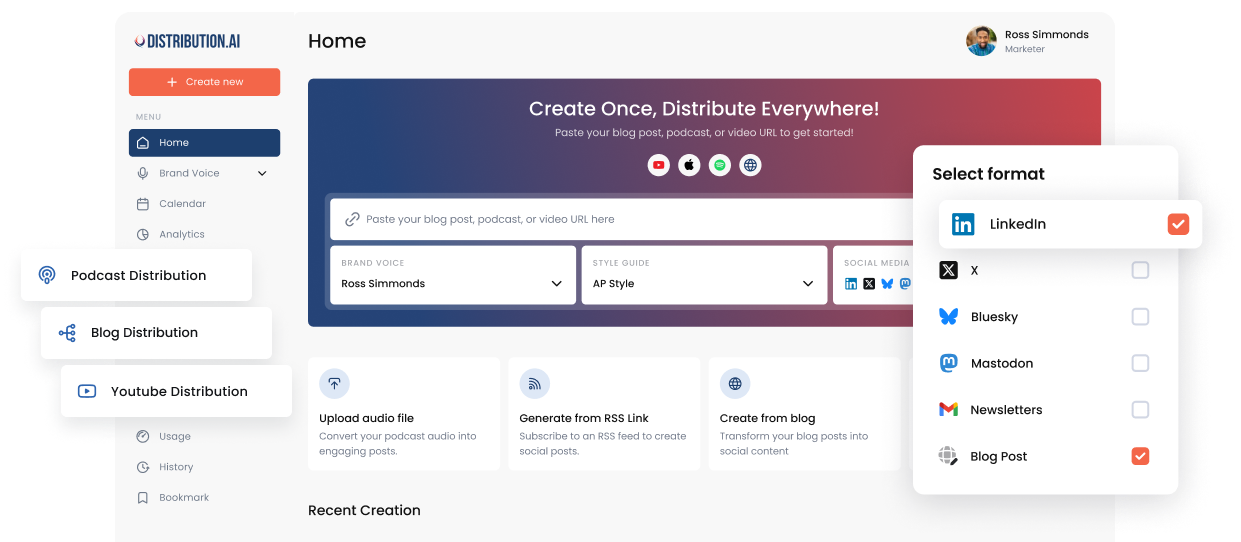
In Distribution.ai, the MCP connector for ChatGPT and Claude was built with this in mind. Nothing publishes right away. Every post is scheduled and shows up on your calendar first. If your workspace requires approval, posts created from the chat are staged and wait for approval in the app. The connector’s permissions are split into reading, writing and scheduling, and you can revoke access at any time from Settings.
That gives you a clean rule for the team: AI can draft and queue, and a named person approves. If you are setting this up for the first time, our guide on how to connect Claude to your social media accounts walks through it step by step.
Pro tip: Ask reviewers to approve batches instead of single posts. Review a week of Tier 1 posts in one sitting on the calendar view. Repeated phrases jump out.
Common approval bottlenecks and how to fix them
Too many reviewers
Every extra reviewer adds a day. Cap Tier 1 at one reviewer and Tier 2 at two.
Feedback that rewrites the post
Reviewers should approve, reject with a reason, or suggest a specific fix. Rewriting from scratch belongs earlier, when the brief is set.
No deadline
Posts without a deadline wait forever. Put the turnaround time in the workflow and give the social lead authority to approve Tier 1 when it passes.
Approvals outside the tool
Approvals in Slack threads get lost. Keep them next to the calendar so there is one record.
Approval speed matters because distribution is a volume game played over time. Ross Simmonds makes this point in his ultimate guide to content distribution: the work only pays off if you keep showing up across channels. A workflow that clears posts quickly is what makes that consistency possible. For the bigger picture on why scheduling alone falls short, read Content Distribution vs Social Media Scheduling.
Go deeper
Frequently asked questions
What is a social media approval workflow?
It is a defined process that sets who reviews each social post, what they check, how long they have, and what happens if they reject it. It makes sure posts are accurate and on brand before they go live.
How many approval steps should a B2B team have?
Most teams need one step for routine posts, two for sensitive posts, and a separate legal or leadership step for high-stakes posts. More steps than that usually slow things down without reducing risk.
Should AI-generated social posts be approved by a person?
Yes. AI can draft quickly, but it can get facts wrong or drift from your brand voice. A reviewer who knows the source material should approve AI drafts before they publish.
How long should social media approval take?
Aim for same-day approval on routine posts and one to two business days for sensitive posts. Agree on high-stakes timelines post by post, and plan those well ahead of the publish date.
What should be on a social media approval checklist?
Accuracy of facts and product names, sources for statistics, working links, brand voice, channel fit, permission for any names mentioned, and a sensible publish time.
Ship more posts without losing control
Turn your content into channel-ready posts, route them through approvals, and schedule everything on one calendar.
No credit card required.
Author

Promote, repurpose & distribute your content with AI
Start 15-Day Free Trial