


7 Best Loomly Alternatives for Agencies in 2026
Need a better Loomly alternative? Discover top tools for approvals, publishing, analytics, and content repurposing.

The appeal of Loomly is easy to see. You want to plan your social content and organize it with ease? Loomly will do that for you. However, if you want to expand and include more people in the decision-making process, or need a reporting system, Loomly might not be the right tool for you.
That is where you need to start looking for Loomly alternatives. This guide compares the top options for teams that need more than a content calendar.
We will cover:
- The strongest Loomly alternatives worth considering in 2026
- What each tool does well and who it suits best
- The key features, pros, cons, and pricing details that matter most
- The tradeoffs to consider before you switch
- Which options make the most sense for different workflows and priorities
At A Glance: The Best Loomly Alternatives
Below, we compare the top Loomly alternatives in a way that makes it easier to see which tool fits your workflow, priorities, and team setup best.
| Tool | Entry Pricing / Plan Context (As Of 04/26) | Best For | Standout Feature |
|---|---|---|---|
| Agorapulse | Standard: $79/user/month billed monthly or $59/user/month billed yearly; 30-day free trial | Agencies and growing teams that need inbox and reporting depth | Unified social inbox with stronger reporting |
| Sprout Social | Starts at $79/month; monthly and annual billing available; 30-day free trial | Larger teams that need advanced analytics and engagement workflows | Deeper reporting and enterprise-scale workflows |
| Distribution.ai | Blog: starts at $19/month billed monthly; YouTube and Podcast: start at $29/month billed monthly; annual billing available; 15-day free trial | Marketers, creators, and agencies that want repurposing plus distribution | Turns long-form content into channel-ready posts |
| SocialPilot | Essentials:$30/month billed monthly or $25.50/month billed yearly; 14-day free trial | Small businesses and agencies managing multiple accounts | Bulk scheduling with agency-friendly workflows |
| Buffer | Free plan available; Essentials: $6/channel/month billed monthly or $5/channel/month billed yearly | Solo users and small teams that want lightweight scheduling | Simple publishing with low-cost entry pricing |
| Planable | Basic: $39/workspace/month billed monthly or $32.50/workspace/month billed yearly; Pro: $59/workspace/month billed monthly or $49.17/workspace/month billed yearly; free option available | Teams that care most about approvals and feedback | Visual planning and approval workflows |
| Loomly | Starter: $49/month billed yearly or $65/month billed monthly; 7-day free trial | Teams that want a structured calendar with approvals | Content calendar with built-in post ideas and approvals |
| Hootsuite | Standard: pricing shown on paid plans; 30-day free trial; plan details available for Standard, Advanced, and Enterprise | Teams that want stronger analytics and listening | Social listening and analytics in one platform |
A table comparing Loomly and its top alternatives by pricing context, ideal use case, and standout feature
Why Do You Need A Loomly Alternative?
Loomly is popular because it gives teams a clean way to plan content, manage approvals, and keep publishing organized across channels.
But the reasons people start looking elsewhere are specific, not vague.
On G2, the platform’s pros-and-cons summaries highlight frustration with Instagram
Story tagging limits, limited analytics, scheduling issues, publishing limitations, and usability problems.

Capterra review snippets add more practical workflow complaints, including account sync problems, cases where posts had to be published manually, and limits around scheduling some Instagram content.
Users on Trustpilot have added a separate pricing concern, with multiple recent reviews complaining about steep price increases.
That does not mean Loomly is a bad product. It means the fit gets weaker once your team needs deeper analytics, smoother publishing, stronger workflow flexibility, or pricing that feels easier to justify as content operations grow. That is usually when Loomly alternatives start to look more compelling.
How We Evaluated The Best Loomly Alternatives
We reviewed Loomly and each alternative using official product and pricing pages, review sites, Google listings, community discussions, and third-party comparison pages.
This is a curated list, not a definitive ranking.
We focused on workflow fit, reporting depth, publishing reliability, collaboration, customer support, and pricing context, including free trial availability and entry-plan scope.
The Best Loomly Alternatives in 2026
Below, we break down the best Loomly alternatives in more detail, including where each one stands out, who it suits best, and what tradeoffs are worth knowing before you switch.
1. Distribution.ai: Best For Content Repurposing, And Multi-Channel Distribution
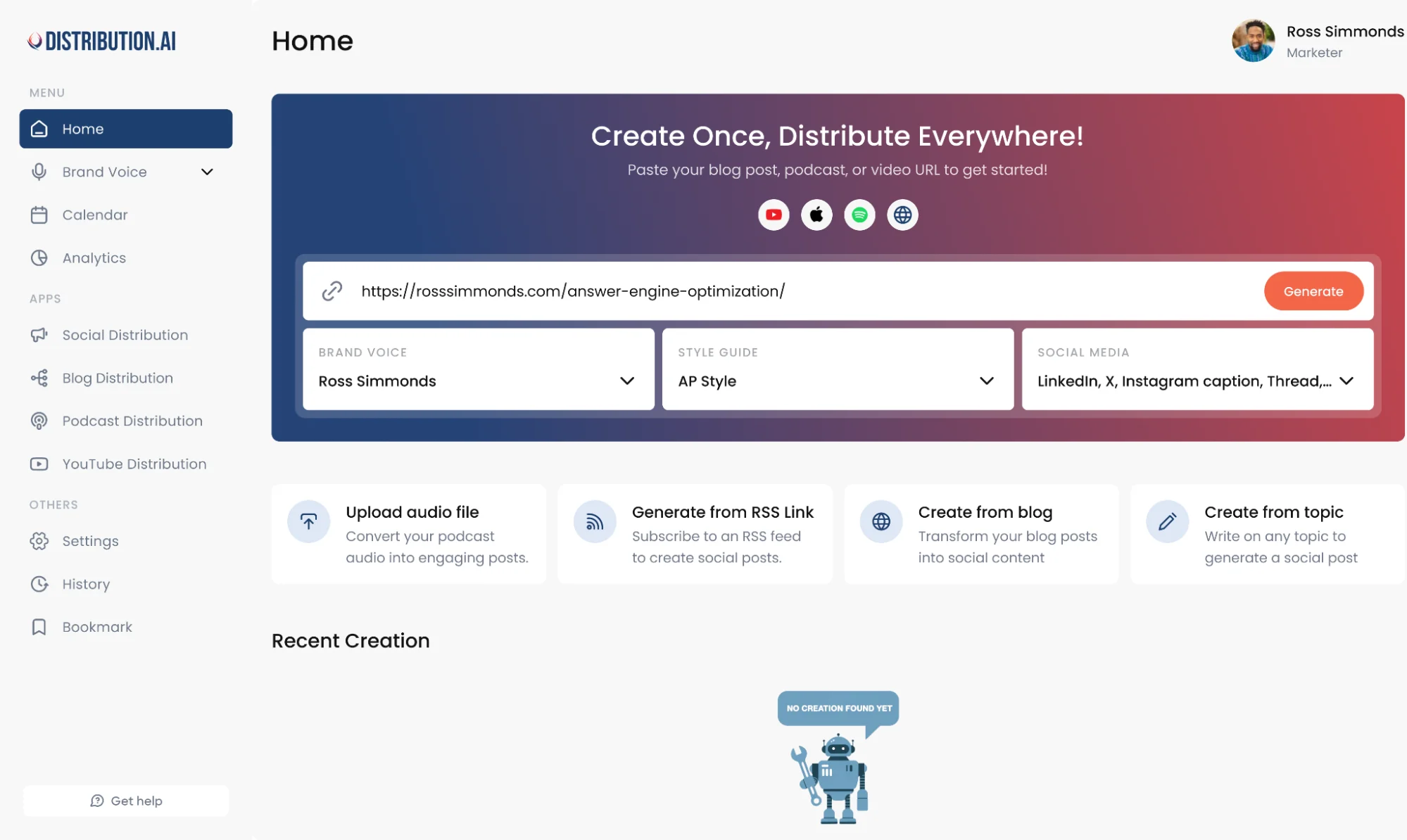
Distribution.ai is a stronger Loomly alternative for teams that are running into reporting gaps, publishing friction and workflow drag.
Loomly users repeatedly call out limited analytics, scheduling issues, publishing limitations and usability problems, while Distribution.ai is built to turn one asset into many channel-ready posts, keep distribution moving and track performance from the same dashboard.
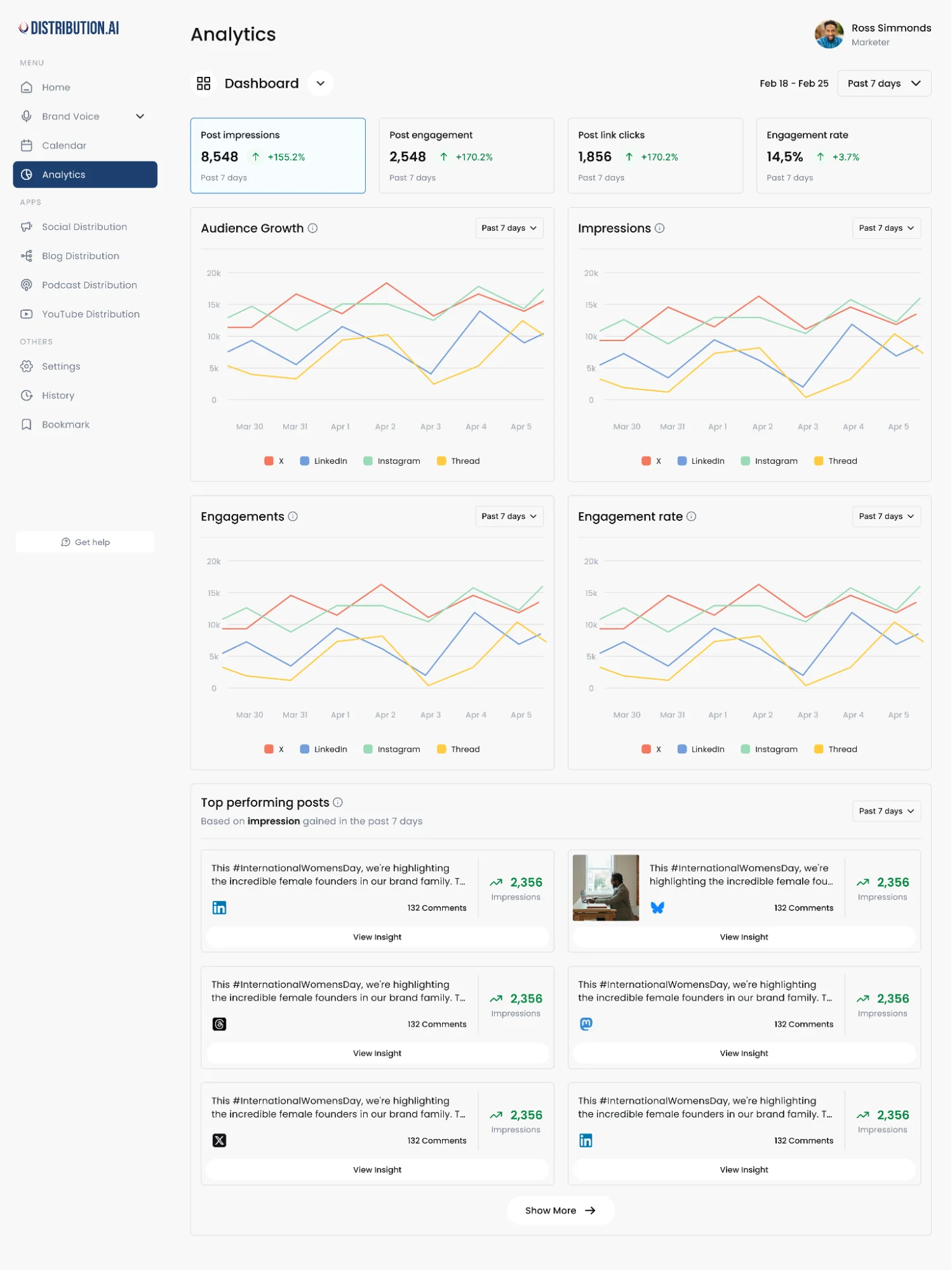
That works for teams that need more than a cleaner calendar and approval flow.
Distribution.ai Is Best For
Marketing teams, creators and agencies that want to repurpose blogs, videos and podcasts into social posts, track results more clearly and manage distribution across channels without adding more manual work.
Distribution.ai’s Key Features
- AI repurposing tools for multiple formats, including blog, video, and podcast workflows
- Tone and style customization tools for a more consistent brand voice across social media channels
- Multi-channel scheduling and performance tracking in one dashboard
- Platform-native formatting for LinkedIn, X, Bluesky, Instagram, newsletters, and more
Distribution AI’s Pros
- Creates more output from each content asset
- Brings repurposing, scheduling and distribution into one workflow
- Offers stronger analytics than a calendar-first setup
- Reduces manual drafting across channels
Distribution AI’s Cons
- Less suitable for teams that only want a simple scheduler
- Best results depend on having source content to repurpose
Distribution AI’s Pricing
- Creator plans start at $19/month for Blog and $29/month for YouTube or Podcast
- Organization plans are the more relevant comparison for teams
- The Organization Pro bundle starts at $91.58/month billed annually and includes 5 team members
- Additional team members cost $55/month each
- Bundle plans include Blog, YouTube, and Podcast workflows
- A 15-day free trial is available
2. Planable: Best For Approvals, Feedback And Visual Collaboration
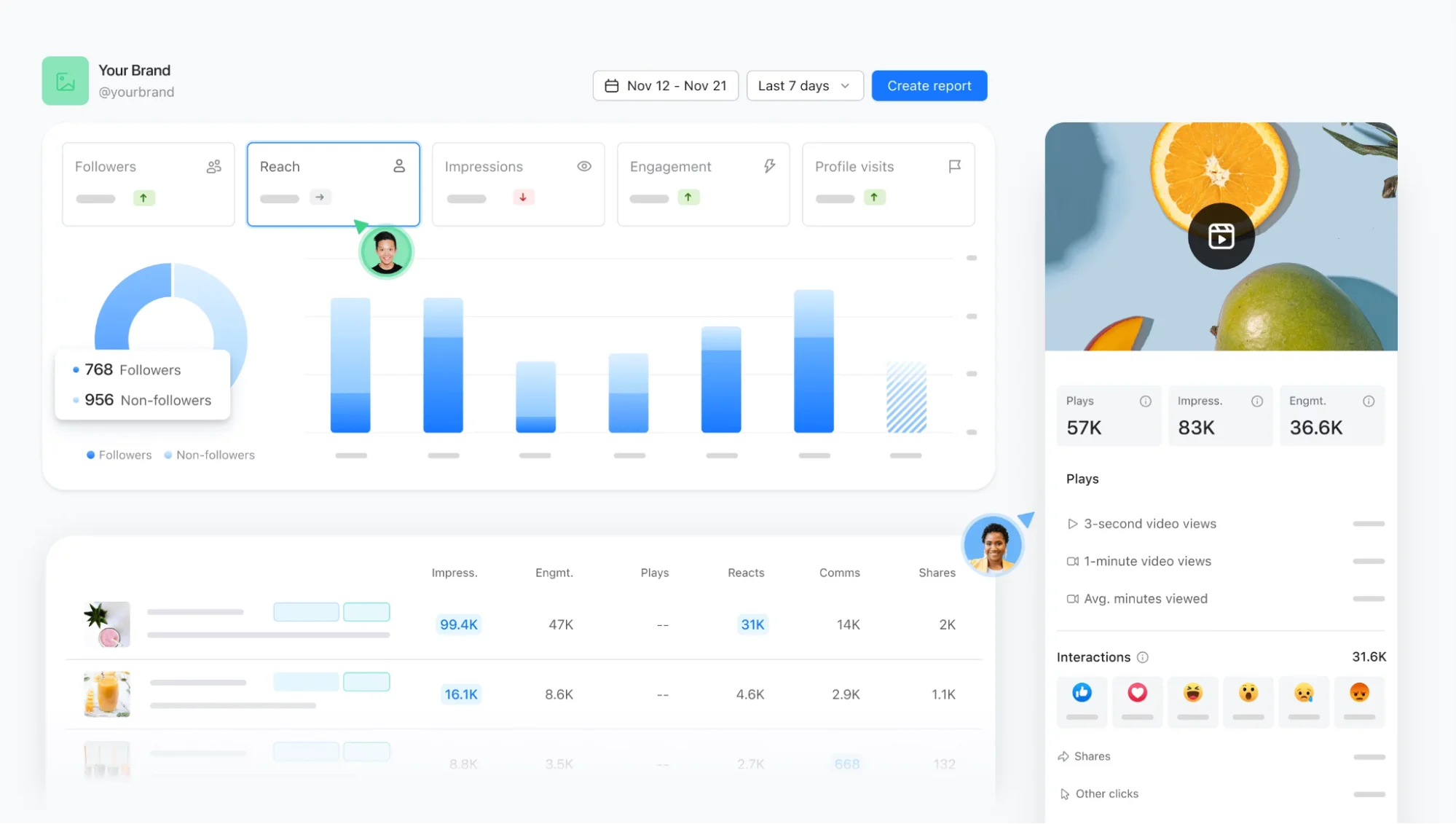
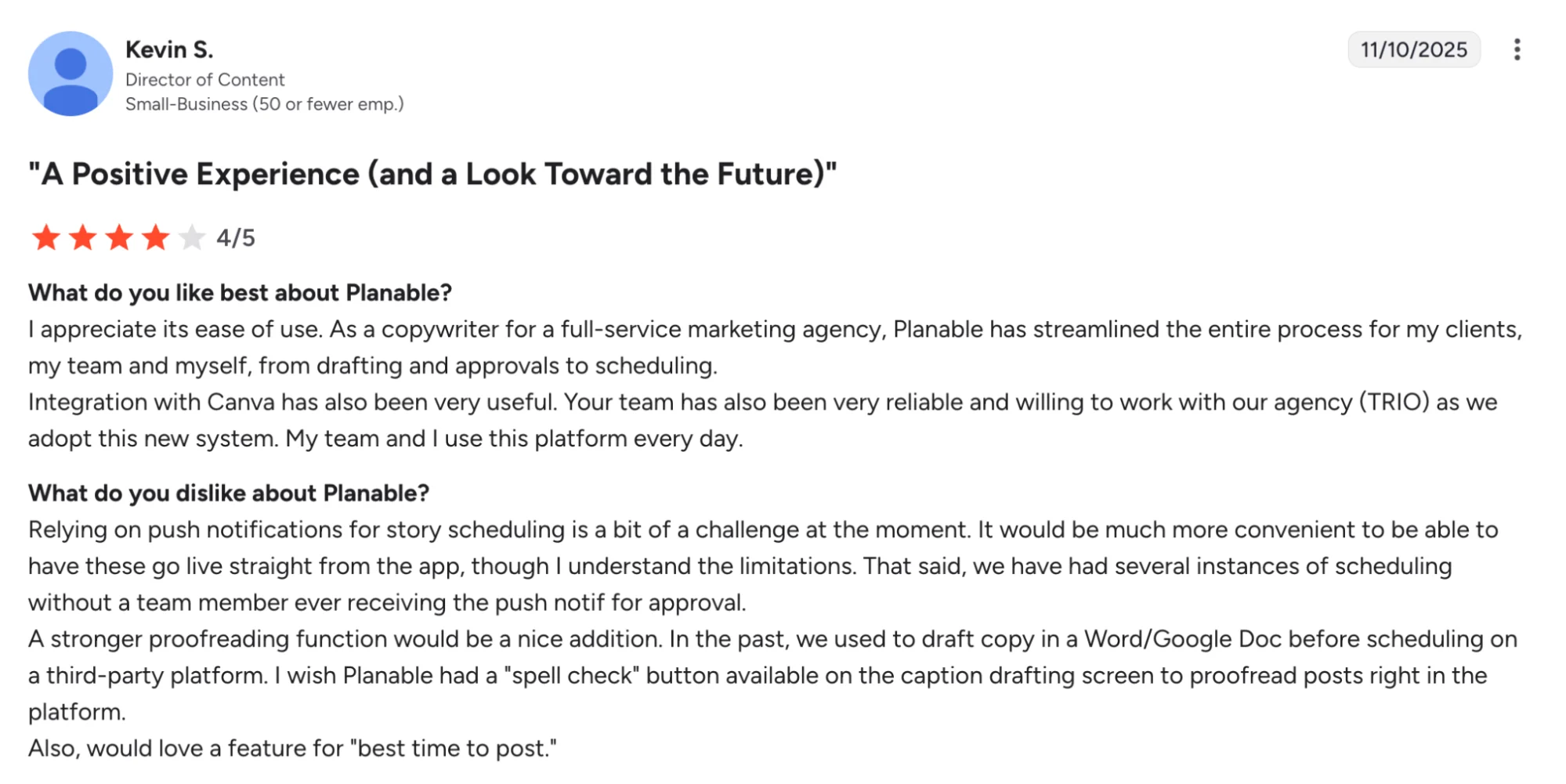
Planable suits teams that are outgrowing Loomly’s limits around workflow flexibility and usability. While Loomly is built around planning and publishing, Planable leans harder into review, feedback, and approval flow, which makes it more useful when more stakeholders need to see, comment on, and sign off on content before it goes live.
Its pricing page also makes the collaboration angle clearer by centering workspace access, user counts, and enterprise support, rather than treating approvals as a secondary layer.
Planable Is Best For
Teams that want a more visual content calendar, smoother approvals and better collaboration across multiple accounts and channels.
Planable’s Key Features
- Visual content calendar tools for planning, previewing and organizing posts across channels
- Approval workflow tools for faster feedback and cleaner stakeholder signoff
- Universal Content support for social posts, blogs, newsletters and other campaign assets
- Multi-view workspace tools with feed, calendar, grid and list layouts for clearer workflow management
Planable’s Pros
- Makes approvals and feedback easier to manage
- Keeps collaboration more visible before publishing
- Works well for multi-stakeholder workflows
- Gives teams a stronger visual planning experience
Planable’s Cons
- Some users want broader platform integrations
- Publishing depth is not the main reason to buy it
- Pricing can feel high if collaboration is not your bottleneck
Planable’s Pricing
- Basic starts at $39/workspace/month billed monthly or $390/workspace/year billed yearly
- Pro starts at $59/workspace/month billed monthly or $590/workspace/year billed yearly
- Enterprise starts at $200/month with custom pricing available
- Planable allows unlimited users in a workspace
- A free plan is available with the first 50 posts
- This pricing model makes the most sense for teams buying around approvals, collaboration, and workspace-based planning
3. SocialPilot: Best For Multi-Account Management And Better Value For Agencies
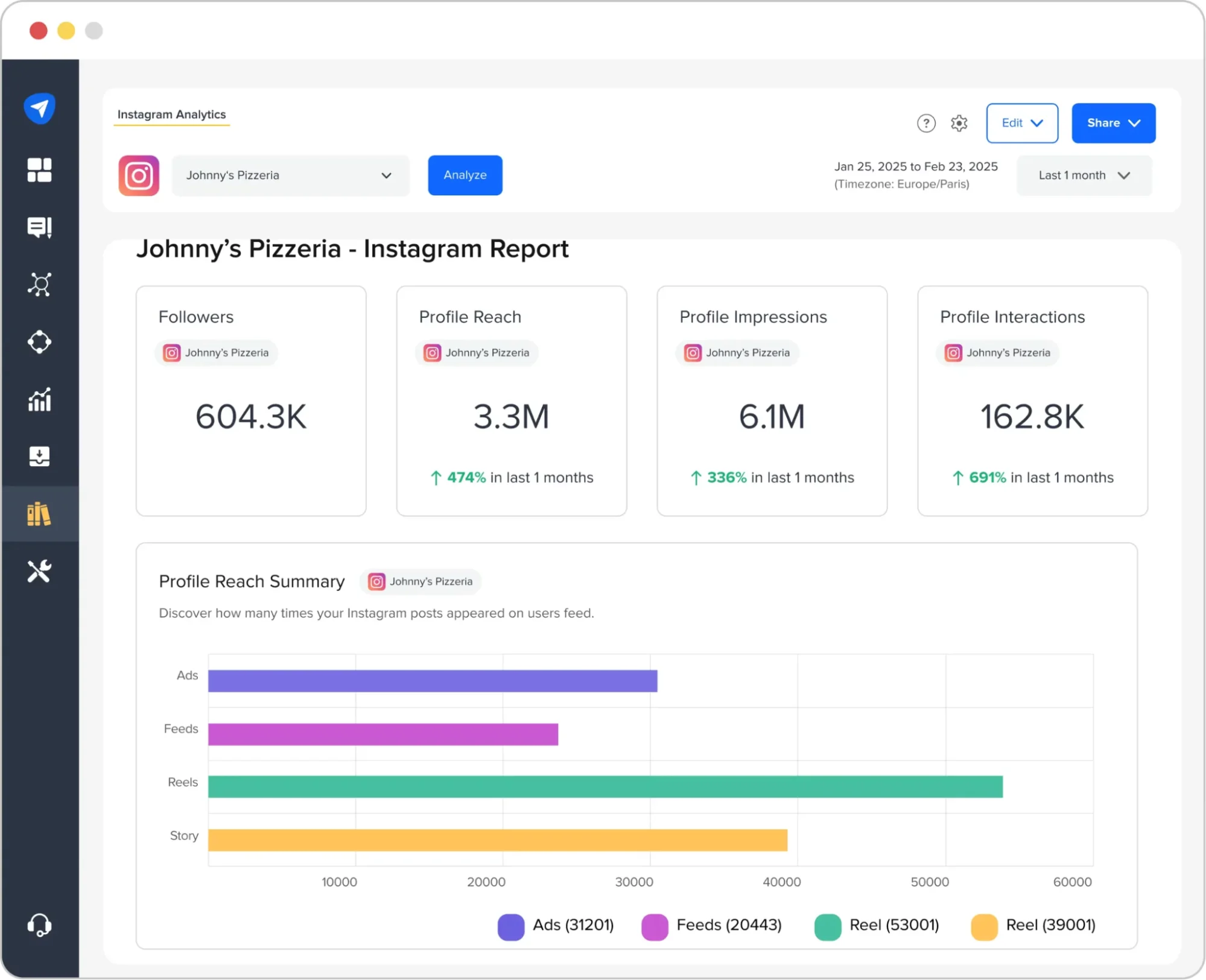
SocialPilot is a practical Loomly alternative for teams that need more room to manage multiple accounts, clients, and publishing workflows without moving into higher-end pricing too quickly.
This social media tool leans more into bulk scheduling, account management, and agency-friendly workflow support, which makes it a stronger match for teams handling a broader day-to-day social media management process.
SocialPilot Is Best For
Small businesses, marketing teams, and agencies managing multiple social media accounts, multiple clients, and multiple brands across major social media platforms.
SocialPilot’s Key Features
- Bulk scheduling tools with CSV import for high-volume publishing across multiple social media channels
- Analytics and reporting tools for tracking social media performance more clearly
- Client approval and team collaboration features for smoother review workflows
- Content calendar, media library, RSS feeds, and Google Business support for day-to-day social media management
SocialPilot’s Pros
- Better suited to multiple accounts and multiple clients
- Stronger bulk scheduling for social media posts at scale
- More useful reporting features for social media managers
- Good value for agencies managing multiple brands
SocialPilot’s Cons
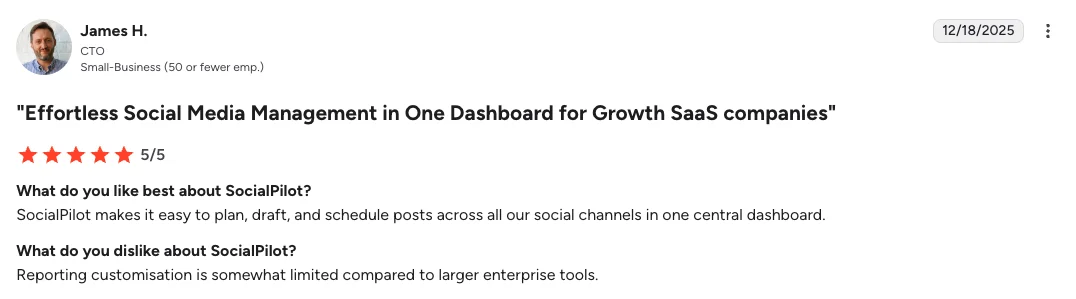
- Social listening capabilities are lighter than more advanced platforms
- Some advanced features are reserved for higher plans
- Workflow depth is still lighter than premium enterprise tools
SocialPilot’s Pricing
- Standard starts at $50/month billed monthly or $42.50/month billed yearly
- The Standard plan includes 15 social media accounts and 3 users
- Premium starts at $100/month billed monthly or $85/month billed yearly
- The Premium plan includes 25 social media accounts and 6 users
- Ultimate starts at $310/month billed monthly or $263.50/month billed yearly
- The Ultimate plan includes 50 social media accounts and unlimited users
- Enterprise is available as a separate custom plan
- A free trial is available and the pricing page says no credit card required
- This pricing structure is better suited to teams buying for multiple accounts, multiple users, approvals, and agency workflows
4. Agorapulse: Best For Stronger Inbox Management And Reporting
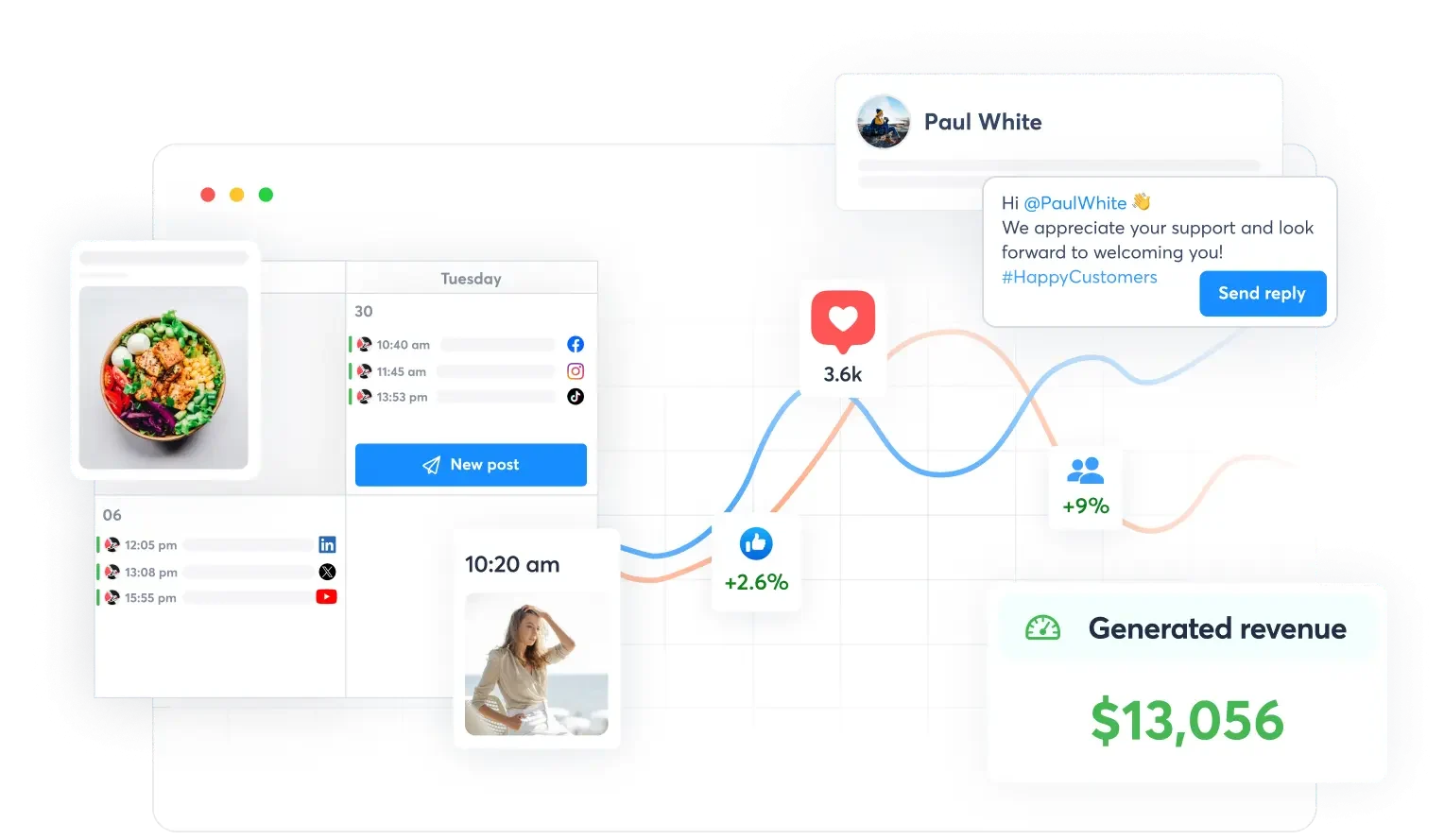
Agorapulse is a better match when the real gap is not content planning, but everything that happens after publishing starts.
Loomly is useful for calendars and approvals, but Agorapulse leans harder into inbox management, reporting, monitoring, and team workflows, which makes it more practical for agencies and growing marketing teams handling heavier social media operations.
Its official pricing also makes that positioning clear by tying higher plans to inbox depth, collaboration, ROI analysis, and competitor benchmarking.
Agorapulse Is Best For
Agencies and growing teams that want a unified social inbox, clearer reporting, and a more structured approval workflow across multiple social media accounts.
Agorapulse’s Key Features
- Unified social inbox tools for managing messages, comments, and reviews in one place
- Publishing and scheduling tools for handling content across multiple social media channels
- Reporting and ROI analysis tools for deeper social media reporting
- Team assignment and approval tools for more structured collaboration workflows
Agorapulse’s Pros
- Stronger inbox management than calendar-first tools
- Better reporting depth for active teams
- Helpful collaboration and approval workflows
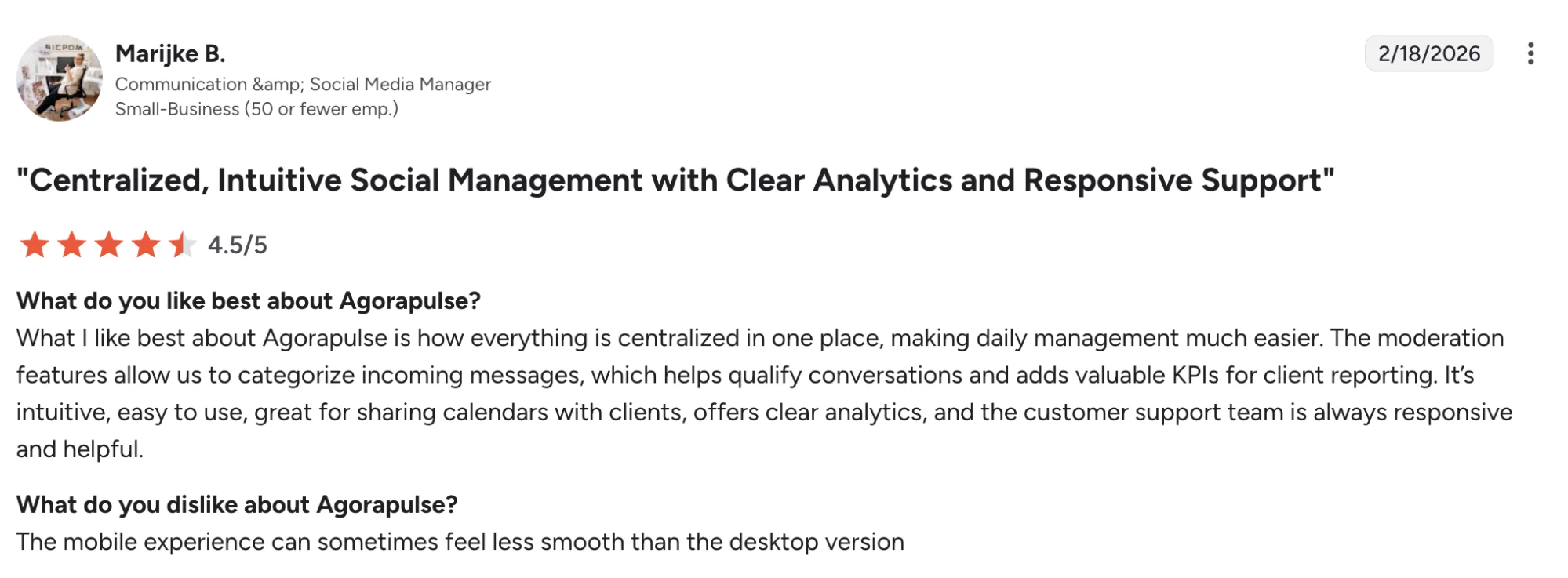
- Highly rated customer support
Agorapulse’s Cons
- Some reporting bugs still come up in reviews
- Customization can feel limited in some workflows
- Mobile experience gets mixed feedback
Agorapulse’s Pricing
- Standard starts at $79/user/month billed monthly
- Professional starts at $119/user/month billed monthly
- Advanced starts at $149/user/month billed monthly
- Custom uses tailored pricing
- Agorapulse uses a per-user pricing model, so each added user is charged at the same plan rate
- A 30-day free trial is available with no credit card required
- This pricing model makes the most sense for teams buying around inbox management, collaboration, reporting, and community workflows
5. Hootsuite: Best For Deeper Analytics, Listening And Enterprise-Style Social Management
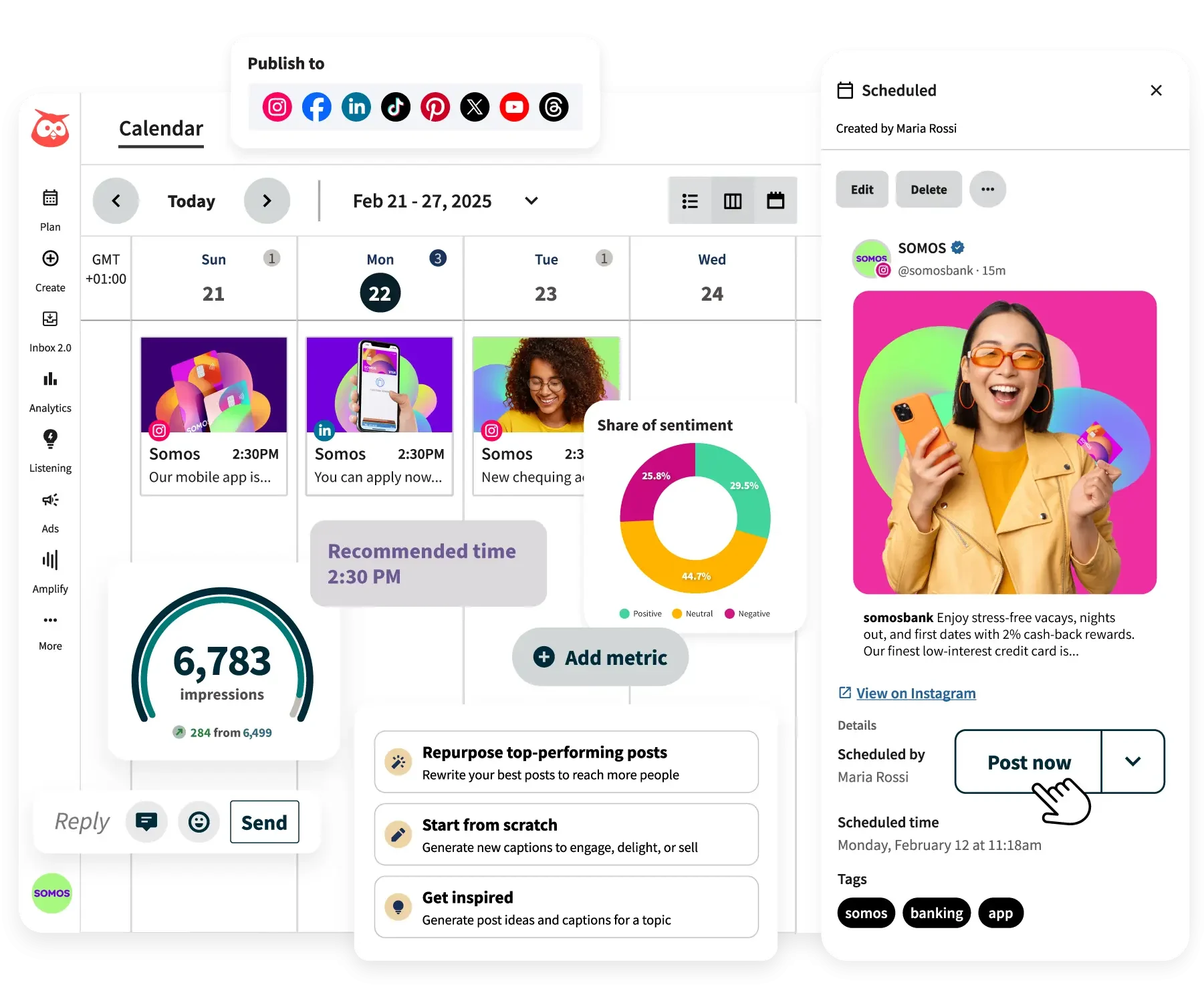
Hootsuite is better for teams that need more visibility into performance and audience activity across channels.
It puts more emphasis on analytics, social listening, engagement, and operational control, which makes it more useful for larger teams managing a broader social media strategy.
Hootsuite Is Best For
Marketing teams and larger brands that want stronger analytics, social listening, and more operational control across multiple social media platforms.
Hootsuite’s Key Features
- Social listening and monitoring tools for tracking brand mentions, sentiment, and competitor activity
- Advanced analytics and reporting tools for deeper social media reporting
- Unified inbox and assignment tools for managing audience engagement across accounts
- Bulk scheduling, content calendar, and approval workflows for more structured publishing
Hootsuite’s Pros
- Offers deeper analytics than lighter planning tools
- Brings listening and engagement into the same platform
- Handles larger multi-account workflows more comfortably
- Gives teams more control over reporting and publishing
Hootsuite’s Cons
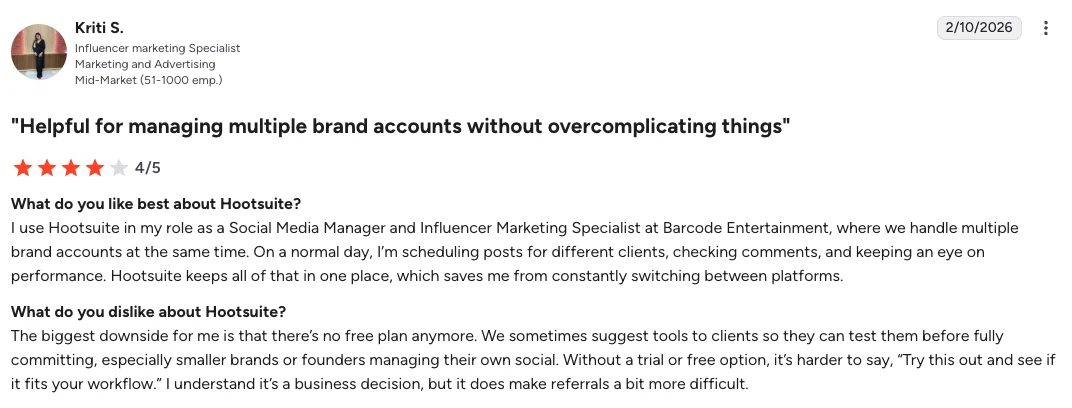
- More expensive than many other options
- Has a steeper learning curve for smaller teams
- Can feel too heavy for simpler workflows
Hootsuite’s Pricing
- Standard and Advanced are the main paid plans
- Enterprise uses custom pricing
- Standard supports up to 10 social media accounts
- Advanced supports unlimited social media accounts and adds deeper analytics, broader social listening, and more workflow controls
- Both paid tiers include a 30-day free trial
- This pricing model is better suited to teams buying for analytics, listening, collaboration, and broader operational control
6. Sprout Social: Best For Deeper Analytics And Reporting
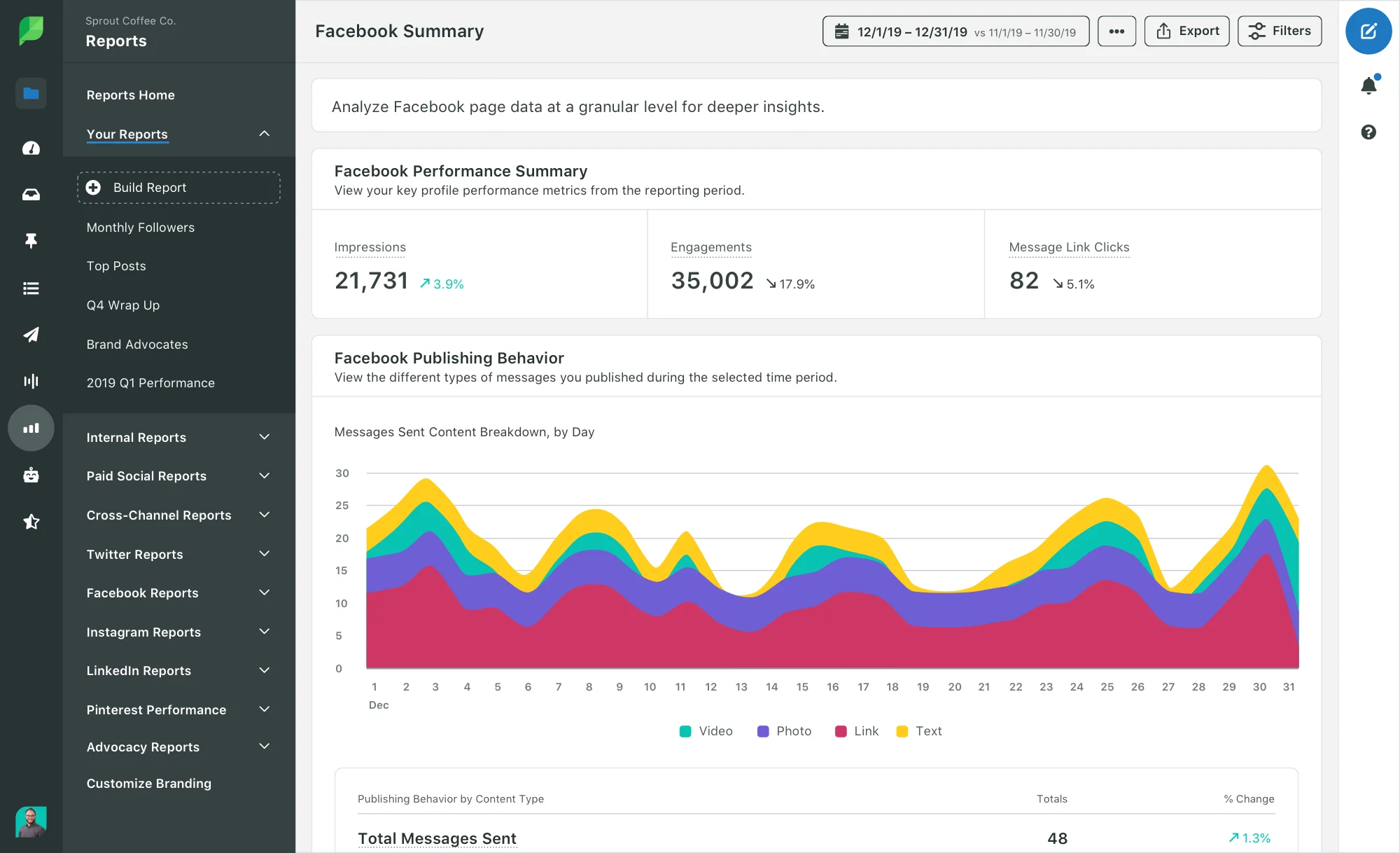
Sprout Social is a stronger option for teams that need more visibility into performance, engagement, and audience behavior.
It is built for brands that want reporting, social listening, and broader operational control in one place, which makes it a better match for larger teams managing more complex social media efforts.
Sprout Social Is Best For
Marketing teams and larger brands that want deeper analytics, stronger engagement workflows, and more advanced social media reporting across multiple platforms.
Sprout Social’s Key Features
- Advanced analytics and reporting tools for deeper social media performance tracking
- Smart inbox and engagement tools for managing conversations across accounts
- Social listening tools for trend spotting, sentiment analysis, and audience insights
- Competitor and paid insights for more detailed performance benchmarking
Sprout Social’s Pros
- Offers more detailed analytics than lighter tools
- Brings engagement and reporting into one platform
- Supports stronger visibility across larger social media efforts
- Better suited to teams with more advanced reporting needs
Sprout Social’s Cons
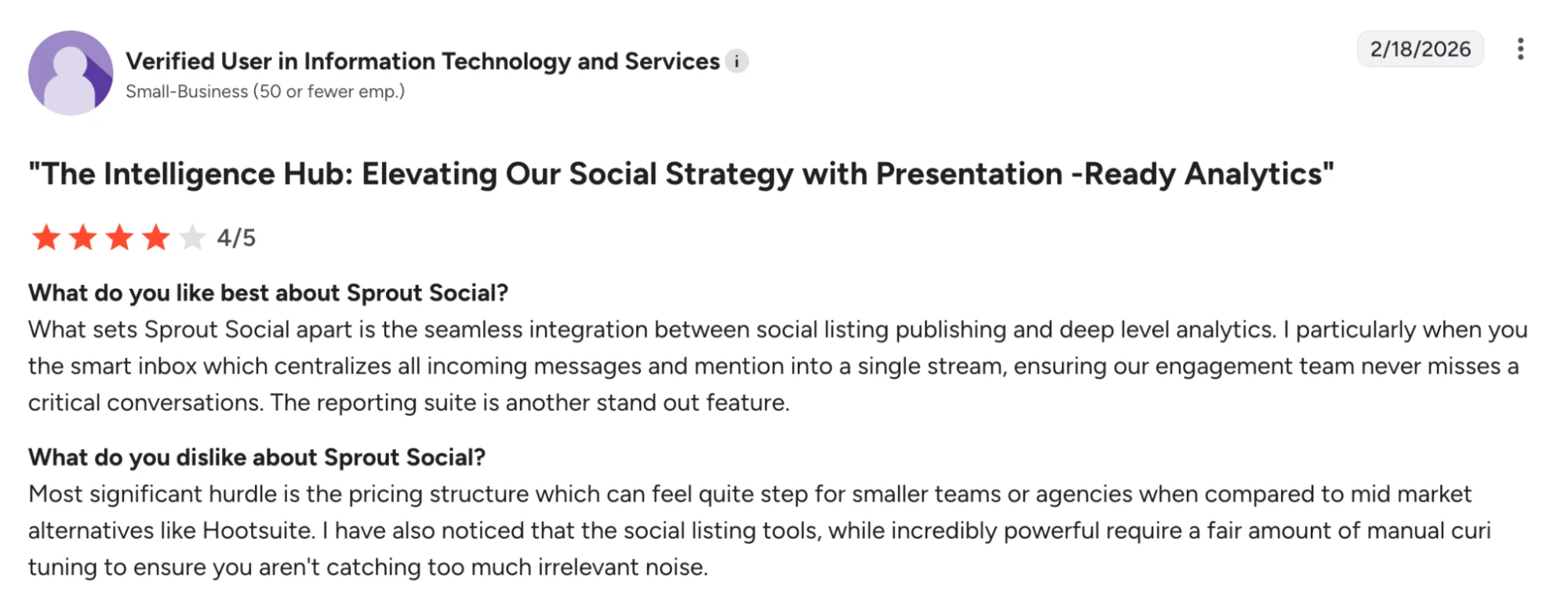
- Pricing is high for smaller teams
- Advanced features can feel excessive for simpler workflows
- Total cost rises quickly as seats and add-ons increase
Sprout Social’s Pricing
- Pricing starts at $79/month
- Monthly and annual billing are both available
- Enterprise is available as a separate plan category
- A 30-day free trial is available
- Sprout Social also offers add-on solutions, including Social Insights
- This pricing structure is better suited to teams buying for advanced analytics, engagement workflows, and enterprise-scale reporting
7. Buffer: Best For Simpler Scheduling And Lower-Cost Publishing
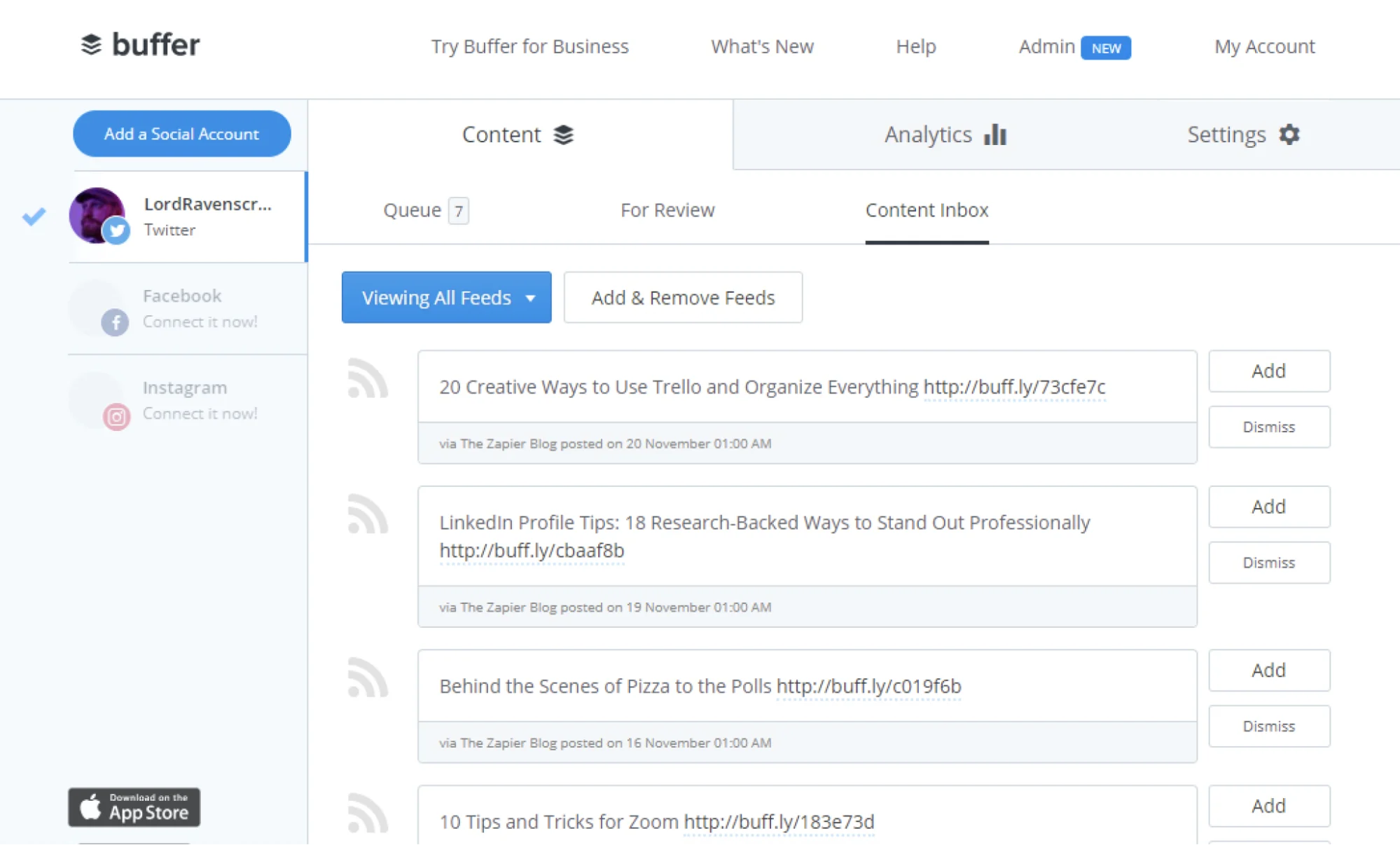
Buffer is a practical choice for teams that want social media scheduling to stay simple.
Its appeal is straightforward: an intuitive interface, a lower-cost entry point, and an easier way to manage social media posts across multiple platforms without adding a heavier workflow layer.
That makes it a better fit for solo marketers, small businesses, and lean teams that care more about speed and usability than deeper reporting or complex collaboration.
Buffer Is Best For
Solo marketers, small businesses, and lean teams that want a simpler social media management tool for scheduling posts across multiple social media accounts.
Buffer’s Key Features
- Social media scheduling tools for planning and publishing across multiple social media platforms
- Content calendar and collaboration tools for lighter team coordination
- Basic analytics and reporting tools for tracking post performance
- AI tools for post ideas, repurposing, and tone adjustments
Buffer’s Pros
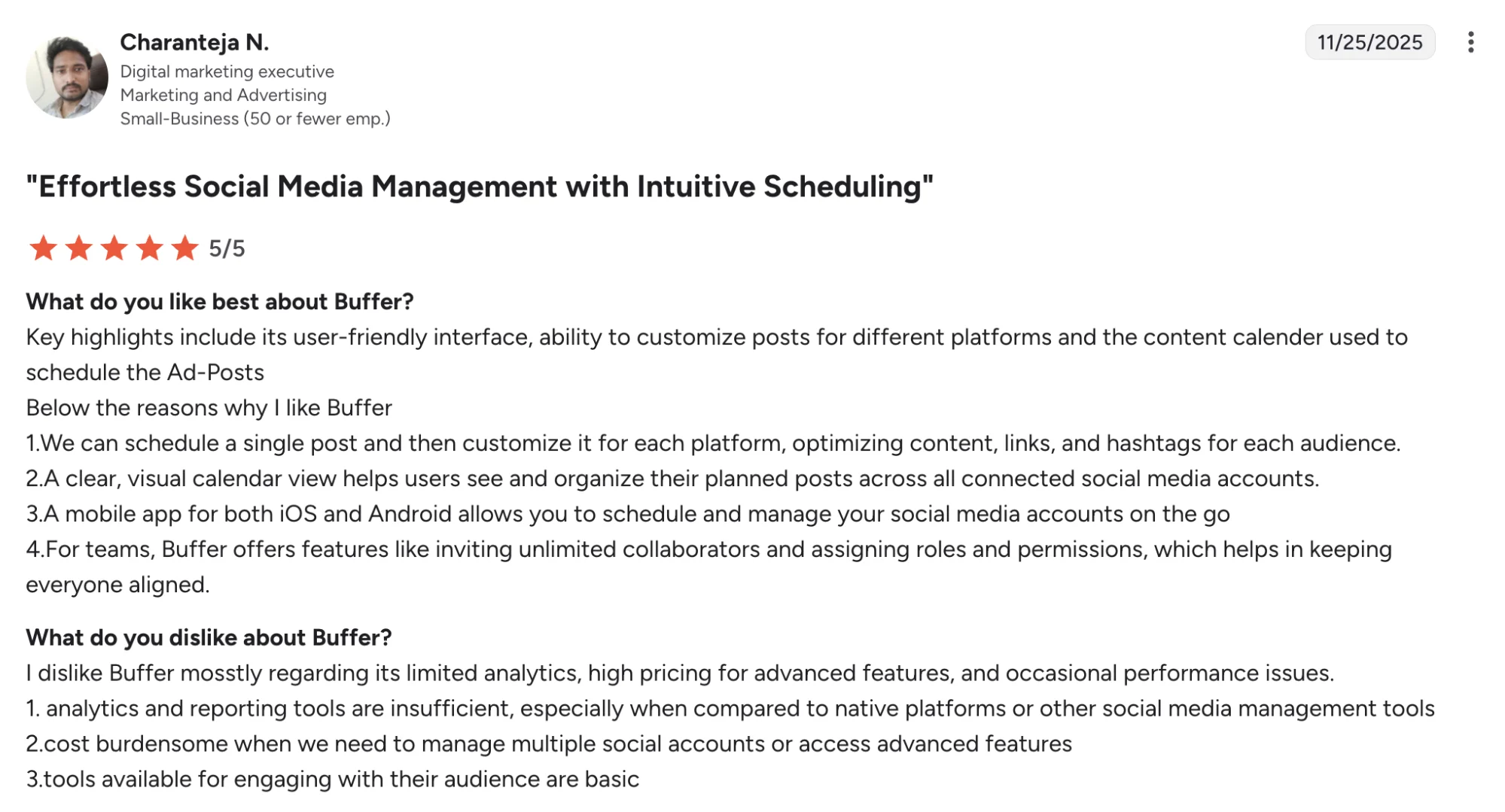
- Easy to learn and use
- Lower-cost entry point for smaller teams
- Good for straightforward publishing
- Broad network support across major channels
Buffer’s Cons
- More advanced features sit on paid plans
- Workflow depth is limited for larger teams
Buffer’s Pricing
- Team starts at $12/channel/month billed monthly for channels 1–10
- Team starts at $120/channel/year billed yearly for channels 1–10
- The Team plan includes unlimited team members
- Buffer also offers a free plan and a 14-day free trial on paid plans
- Buffer’s pricing is charged per social channel, and the cost per channel drops as more channels are added
- This pricing model is better suited to teams buying for collaboration, approvals, and multi-channel publishing
How to Choose the Right Loomly Alternative
The best choice depends on what is slowing your team down.
- For content repurposing, stronger analytics, and multi-channel distribution, go with Distribution AI.
- For approvals, feedback, and visual collaboration, Planable is the stronger fit.
- For multi-account management and better value for agencies, look at SocialPilot.
- For inbox management, reporting, and community workflows, Agorapulse stands out.
- For deeper analytics, social listening, and broader workflow control, Hootsuite or Sprout Social makes more sense.
- For simpler scheduling and lower-cost publishing, Buffer is the easiest fit.
If your team needs more than a content calendar and wants better output, clearer performance visibility, and less manual work across channels, Distribution.ai is the most complete option on this list.
Why Distribution.ai Is The Best Overall Loomly Alternative
The real gap is not just planning social content. It is getting more value from everything your team already creates. Distribution.ai helps turn blogs, videos, and podcasts into channel-ready social media posts, then schedule, distribute, and track them from one workflow. That makes it a stronger fit for teams that want more output, clearer analytics, and less manual work across channels.
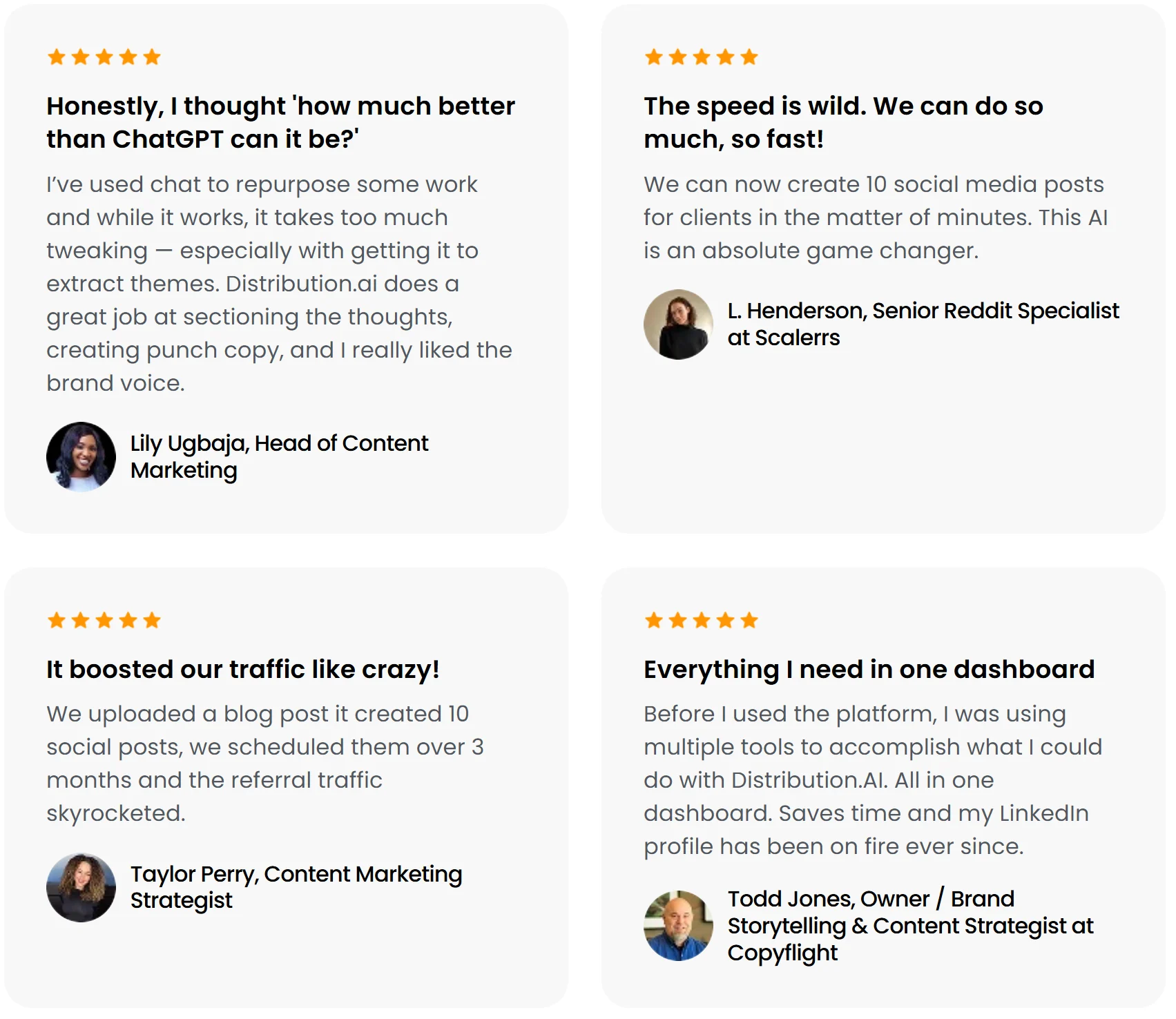
Alt text: Distribution.ai customer reviews
The case for ROI is stronger, too. Loomly’s value is tied more closely to planning and approvals, while Distribution.ai is easier to justify when the goal is to create more assets from existing content and connect that work to performance and distribution.
Pricing supports that difference.
| Loomly | Distribution.ai | |
|---|---|---|
| Entry pricing | Starter: $49/month billed yearly or $65/month billed monthly | Blog: $19/month billed monthly; YouTube or Podcast: $29/month billed monthly |
| What that price actually buys | A small-team workflow with 3 users, 12 social accounts, approvals, scheduling, and a content calendar | A single content workflow built to repurpose one source type into channel-ready posts, then support distribution and tracking |
| Why a buyer would choose it | Makes sense when the main need is organizing, planning, approvals, and publishing for a team | Makes sense when the main need is getting more output from blogs, videos, or podcasts and tying that work to performance |
| Trial | 7-day free trial | 15-day free trial |
That broader value is what makes Distribution.ai the better overall Loomly alternative. Loomly is useful for planning and approvals, but Distribution.ai gives teams a stronger return when the goal is to create more content, distribute it across channels, and connect that work to performance.
Frequently Asked Questions
Which Loomly alternative is best for teams that publish from blogs or RSS feeds?
Distribution.ai is the stronger choice when your workflow starts with existing content, not just a content calendar.
It is built to turn blogs, podcasts, and other long-form assets into social media posts across multiple social media channels, which makes it more useful than planning-first tools for repurposing-led distribution.
Do any Loomly alternatives support unlimited users?
Some platforms market unlimited users or workspace-based access, but the real buying question is whether those seats come with useful collaboration features, approval workflows, and reporting tools.
For leadership teams, user limits matter less than whether the platform can support the full social media management process without extra friction.
Which Loomly alternative is strongest for community management and a social inbox?
If community management is a bigger priority than content planning, look at Agorapulse, Hootsuite, or Sprout Social.
They are stronger fits for unified inbox workflows, social media engagement, and social listening capabilities, which makes them more practical for teams managing comments, replies, and day-to-day audience interaction.
What is the best Loomly alternative for agencies managing multiple brands?
For agencies managing multiple brands, the right choice depends on the workflow. SocialPilot is better for multiple clients, approvals, and bulk scheduling. Distribution.ai is stronger when agencies also need to turn blogs, videos, and podcasts into channel-ready social media posts and track performance more clearly.
Which Loomly alternative makes the most sense for social media monitoring?
Teams that care about social media monitoring, competitor tracking, and social listening tools should usually look at Hootsuite or Sprout Social.
They offer more advanced analytics, broader reporting features, and deeper visibility into audience behavior than tools built mainly around scheduling, approvals, and a visual calendar.
How important is customer support when comparing Loomly alternatives?
Customer support matters more than many buyers expect, especially once multiple accounts, multiple platforms, and approval workflows are involved. Fast support can reduce downtime, missed posts, and publishing errors. It is worth checking review sites for support quality, not just key features, pricing, or social media scheduling capabilities.
Should small businesses choose a free plan or pay for more advanced features?
A free plan can be enough for simple social media efforts, but small businesses usually outgrow it once reporting features, approval workflows, or team collaboration become more important.
The better decision is to match the plan to your actual social media strategy, not just pick the lowest starting price.

Promote, repurpose & distribute your content with AI
Write 10x faster, engage your audience, & never struggle with the blank page again.
Start 15-Day Free Trial
Frequently Asked Questions
Author

Promote, repurpose & distribute your content with AI
Start 15-Day Free Trial