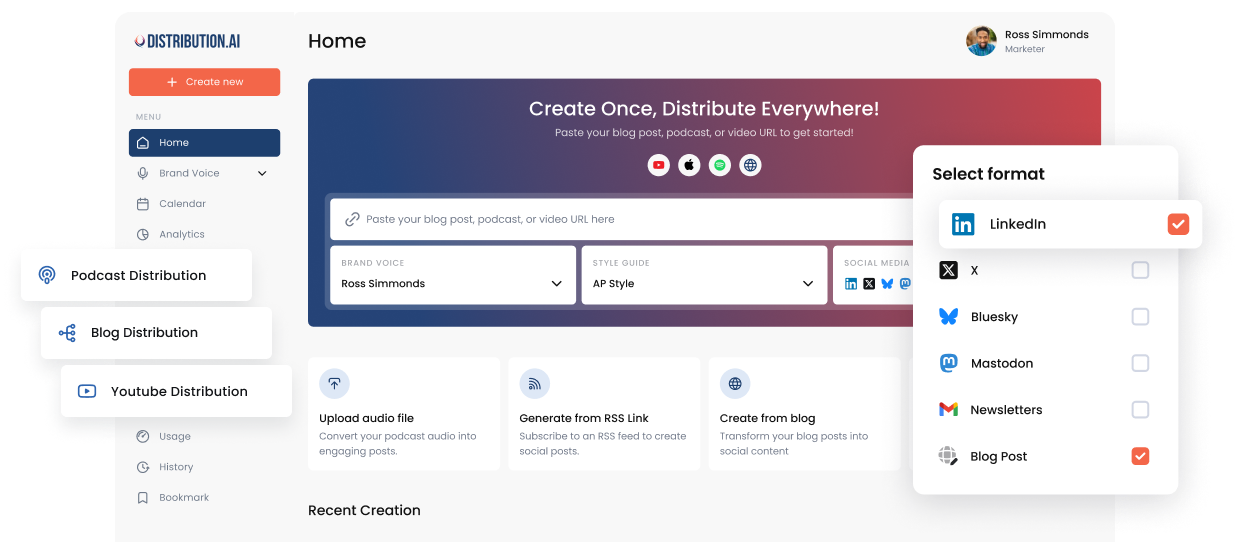
How to Create a Social Media Content Calendar (+ Free Templates)
Learn how to build a social media content calendar that saves time, boosts consistency, and drives better ROI. Includes free templates and best practices.

Maintaining a healthy presence across multiple social media networks can be demanding for marketers and creators.
Constantly creating new content in different formats and for different audiences so the posts get picked up by the algorithm for maximum reach can be time-consuming. Then comes the task of posting them at optimal times and tracking the performance to make iterations later on.
All of it can be streamlined with a social media content calendar.
This article covers what a social media content calendar is, its advantages, how to create one, some templates, best practices and one big challenge when maintaining one (with a solution).
Key Takeaways
- A social media content calendar maps out what you’re publishing, where and when, so you’re never scrambling to figure out “what should I post today?”
- It leads to less decision fatigue, a consistent posting rhythm, easier team collaboration, better content quality and clearer ROI tracking when you can tie performance back to specific posts.
- You can build a content calendar in five steps: Pick 2–3 platforms where your audience actually hangs out, decide the fields (date, platform, format, copy, status, etc.), batch-create your content, lock in specific posting dates, then schedule and track performance.
- Try to leave 20–30% of slots open so you can jump on trends, breaking news or company updates without pausing your queue.
- There are plenty of free templates to get started, but if you want something lightweight, you can spin up a custom Excel or Sheets template using Claude, ChatGPT or Gemini in minutes.
- Maintaining a content calendar for social media has two main challenges: Creating quality content and too many tools. Distribution.ai solves both by letting you repurpose existing content, schedule across platforms and track KPIs from one place.
What Is a Social Media Content Calendar
A social media content calendar, also known as a content planner, is a tool that schedules what gets published where and when.
It helps creators and marketers to plan their social media strategy in advance by mapping their social media posting strategy based on content strategy, target platform, date and time.
These details allow teams to understand what is in their publishing queue at a glance, enabling them to spend their time more productively when executing social media marketing campaigns.
Why Do You Need a Content Calendar for Social Media
A social media content calendar has many advantages for teams managing multiple accounts across platforms:
- Publishing decision fatigue: You won’t have to wonder “what to post” on any day of the week. One glance at the calendar, and you’ll know what to publish on a particular social media channel. It also enables you to plan ahead if a particular week looks empty.
- Regular publishing cadence: Maintain a predictable posting schedule even during busy weeks when you have to generate reports, plan the next campaign, collaborate with other marketing team members and engage with your audience.
- Effective time management: You can batch social media content management tasks like creation and post scheduling for an entire week. This prevents last-minute scrambling and saves time.
- Team collaboration: Explaining to other team members what you plan to publish for the next week across social networks is clearer with a content planner. You can simply share the link with them and they can asynchronously review the upcoming posts and provide feedback.
- Improved content quality: A social media content calendar adds structure to your creative process by saving you time and enabling better collaboration. Over time, it reflects in your content quality because you will get more time to proofread copy and align your message with marketing goals.
- Better ROI tracking: You can correlate spikes or dips in social media metrics with what was published through the content calendar. It will enable you to quickly connect which topics, formats and platforms yielded the best results.
How to Create a Social Media Content Calendar
There are five key steps to create and adopt your social media content planner that serves your brand’s marketing objectives and helps you stay organized when executing campaigns:
1. Identify Target Platforms and Publishing Cadence
Pick 2–3 social media platforms where the majority of your target audience exists. Typically, it is LinkedIn, X and Instagram because these networks have the most users.
Fewer social channels also help you create better content, as your attention won’t be spread thin across 8 or 9 channels. All of it keeps your social media content calendar lean, which simplifies campaign management down the line.
The next step here is to set a volume target to determine the posting frequency per week.
It can be different for each channel depending on your resources and audience ratio. If possible, define the formats for each individual content piece for additional clarity.
For example:
- LinkedIn: 5 posts/week
- 1 carousel
- 2 written posts (actionable and educational)
- 1 vertical video
- 1 thought leadership
- X: 7 posts/week
- 2 threads
- 3 long-form written posts
- 2 videos
- Instagram: 6 posts/week
- 1 photo dump
- 2 Stories
- 2 single-photo posts
- 1 Reel
These tangible content goals align your efforts better with broader business objectives. Moreover, if you want to scale up or down the volume/variety for any channel, you can do it measurably by referring to past data.
Apart from this, it helps you decide the publishing date and time for each asset. You can always publish a post at an optimal time to maximize reach within your niche.
2. Choose the Fields for Your Content Calendar
Each field in your social media marketing content calendar contains some detail about a particular content piece, such as its publish date & time and platform. These data points help you manage the overall creation-publication-tracking process more effectively.
You can consider the following key details if you are creating your own template or looking for a social media scheduling tool:
- Publish Date & Time
- Platform & Format (e.g., Instagram Reel, LinkedIn Text Post)
- Content Pillar
- Caption & Copy (with CTAs and hashtags)
- Visual Assets Link (Google Drive/Canva link)
- Post Status (Draft, In Review, Scheduled, Published)
- Published link
You can definitely add more fields like “Owned By” and “Time Spent” based on what your team needs.
3. Batch Create and Review the Assets
Create content in batches to save time and increase efficiency. For instance, you can block a couple of hours on Tuesday to write LinkedIn posts and carousel content.
It will also accelerate the review process because you can get all of the feedback at once.
However, it is key to be mindful of how many hours you can spend creating content every week for different social media channels. Depending on your content volume target and marketing goals, it can take anything between a few hours and a couple of days.
You can use artificial intelligence (AI) to expedite the whole workflow, especially if you have existing long-form content pieces like articles and YouTube videos.
Distribution.ai can turn a content idea or an older asset into multiple channel-native social media posts in minutes. This allows busy marketers and small teams to produce social media content quickly without starting from scratch.
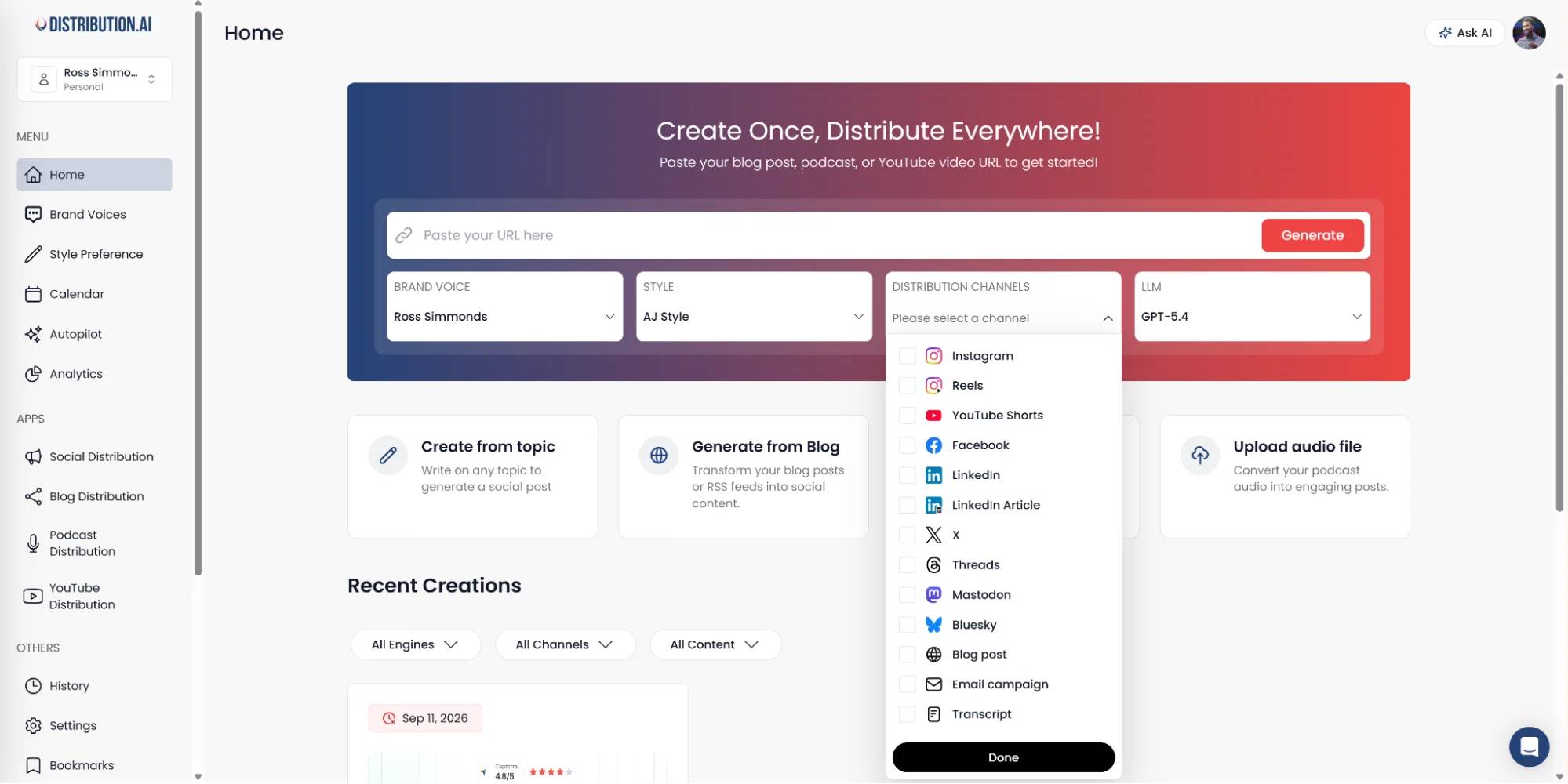
After signing up and starting your 15-day free trial, you simply need to paste the link to a published content piece (like a blog post or a YouTube video) or upload a file and click on “Generate.”
4. Find the Posting Dates for the Month
After creating the content, choose when you will post it each month. A good rule of thumb here is to post on days when your audience is more likely to be active on social media than others.
And that depends on the nature of your industry.
For example, if you are a B2B SaaS company posting on LinkedIn, you should avoid weekends and holidays.
Similarly, if you are a B2C consumer brand, holidays and festive seasons might be the times when you ramp up your Instagram activity.
Rather than vaguely mentioning “3 days in the first week or “5 days in the third week,” list the exact dates. It will make it intuitive to tie each slot to a particular content piece you already created for each platform.
Your list can look something like this:
- 3rd August:
- LinkedIn post
- Instagram story
- 4th August:
- Instagram Reel
- X thread
- 5th August:
- LinkedIn carousel
- X video post
5. Schedule Content and Monitor Performance
Upload and schedule social posts on each of the social media channels you are targeting. Currently, all the major social networks offer a built-in scheduling calendar.
At the same time, it is much more efficient if you have a unified social media planning calendar where you can upload and schedule content pieces for all channels at once.
Distribution.ai does that by publishing content on different social media networks at optimal times from one place. You can schedule posts, threads, videos and image carousels/slides for any social media in its unified social media content calendar.
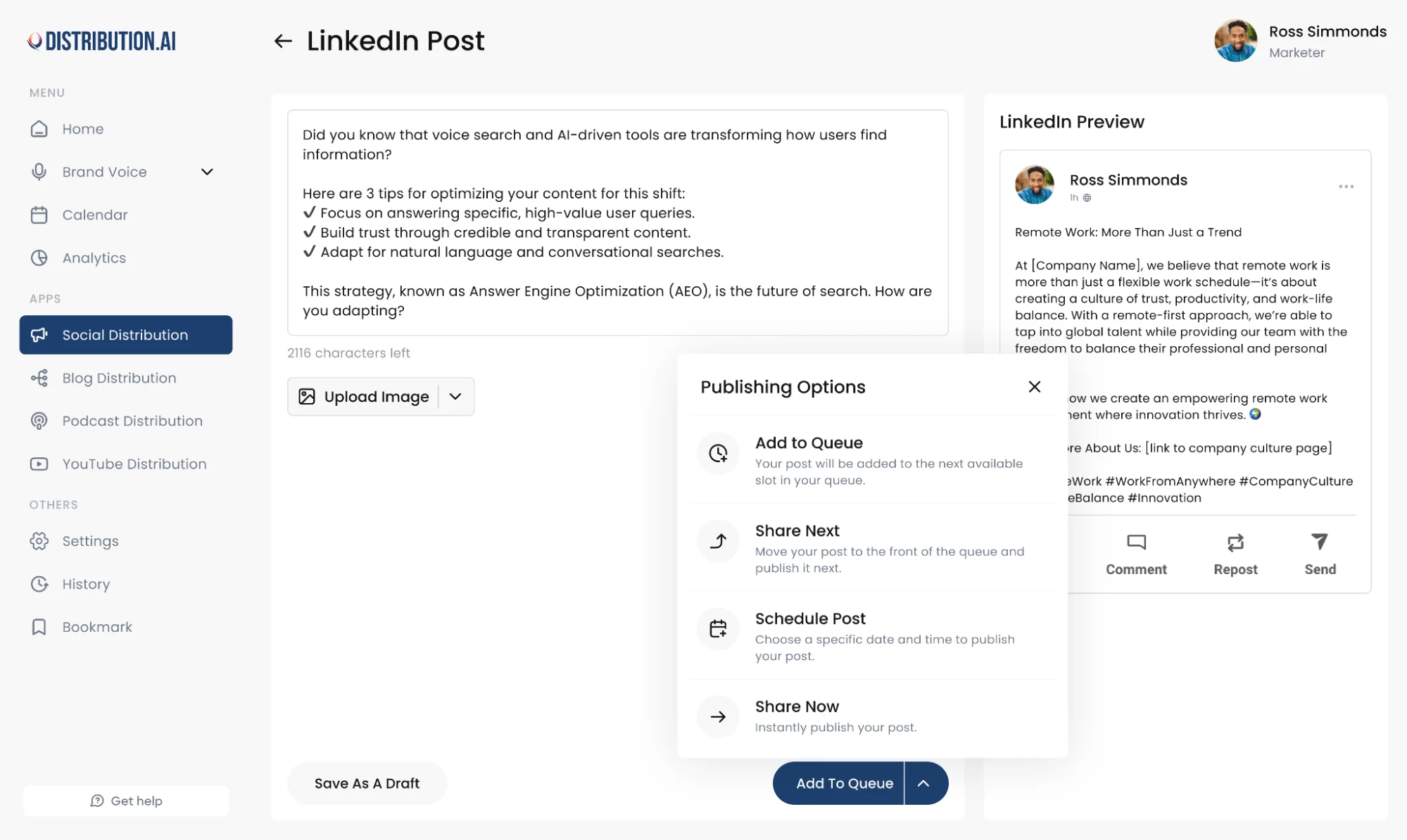
It saves a lot of time by preventing the manual work of uploading content onto multiple platforms. Additionally, the repurposed content is already reviewed and approved right on Distribution.ai, simplifying the workflow further.
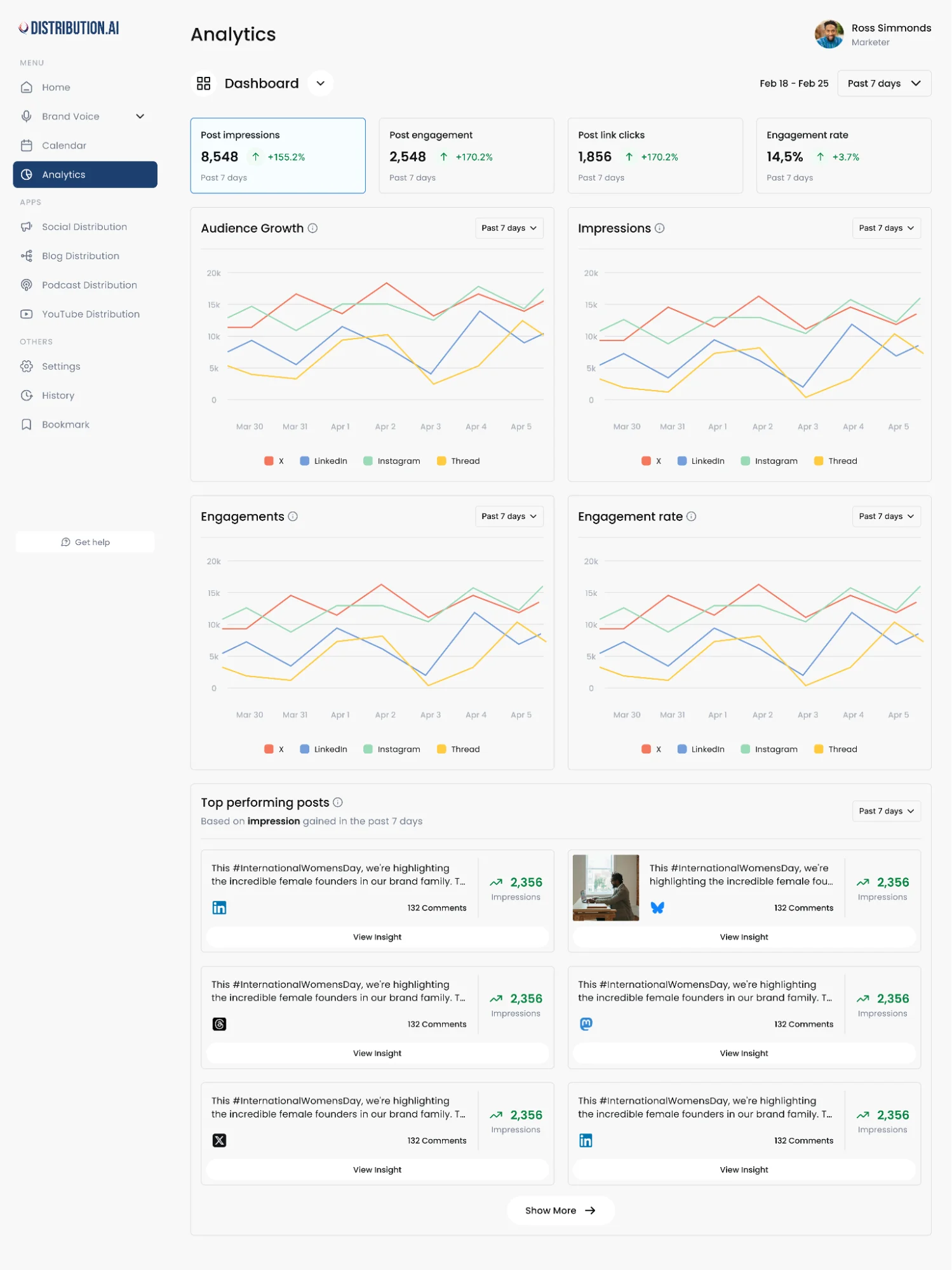
Finally, the platform’s unified social media analytics dashboard collates key metrics from various channels to help you get an idea of what works.
Top Social Media Content Calendar Templates You Can Use Today
The following free templates will help you set up your social media strategy on a content calendar without spending many resources.
- Airtable’s free social media calendar template contains all of the key fields you need in a clean, minimalistic interface. The Airtable planner can be integrated with Instagram, Facebook and LinkedIn.
- Asana’s calendar template is more suited for teams who need a comprehensive project management tool for executing social campaigns. You can add and assign sub-tasks to collaborate better with your team.
- Canva offers a content calendar for social media marketers that is embedded with its creative suite. It can be useful if you already design creatives, like videos and slide decks, on Canva.
- Notion’s social media content calendar comes with all the perks of Notion’s document and project management capabilities. It has multiple views, integrates with Notion AI and supports custom integrations.
The above templates are quite sufficient for most social media marketers. However, it requires you to sign up for a new tool if you aren’t already using it, and add it to your tech stack.
Moreover, you may want something even simpler, like an Excel sheet. These types of content calendars can be personalized with AI.
Create a Custom Social Media Calendar Template Using AI
You can use Claude, ChatGPT or Gemini to generate an Excel sheet-based social media calendar template. Describe the social channels you are targeting and the specific fields you want.
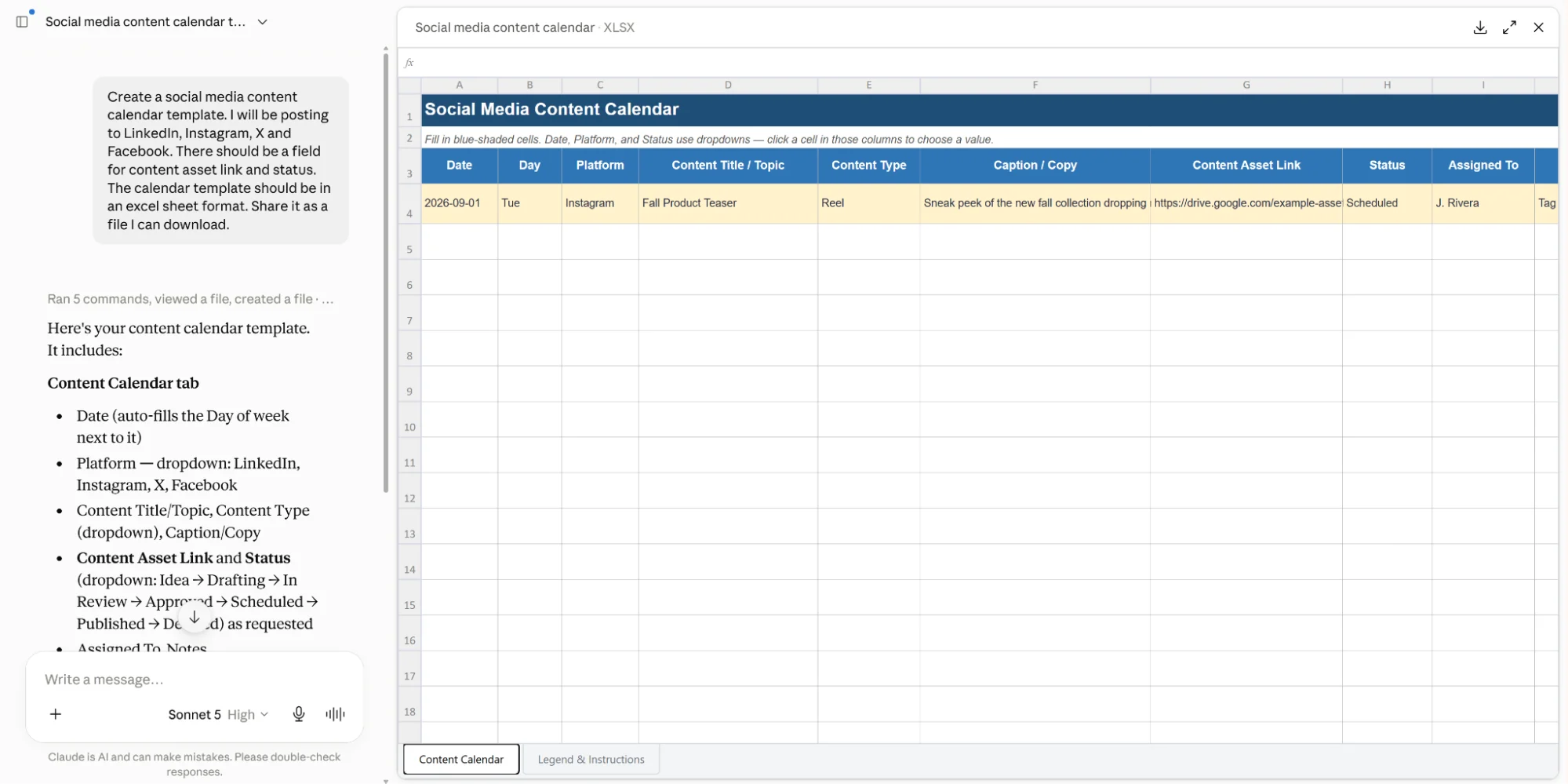
The generated file can be accessed and further customized easily with tools like Microsoft Excel and Google Sheets.
Best Practices When Managing a Social Media Content Calendar
The following best practices will allow you to balance a strict publishing schedule and operational flexibility:
- Leave 20-30% of slots empty: It gives you the opportunity to capitalize on emerging trends, breaking news, company updates and user-generated content.
- Have a pause button: You should be able to temporarily stop your publishing queue in the event of sensitive social issues or company crises.
- Customize content for each channel: It can be tempting to publish the same copy across networks to save time. But each social platform has nuanced content needs and overlapping audiences can find it boring and repetitive.
- Maintain an “idea box”: You can use it to store inspirations and topics with core values that can be converted into engaging social content for the next week or month.
Challenges When Managing Social Media Calendars
There are two main roadblocks when running social media campaigns with calendars that you might face: creating high-quality content regularly and dealing with tool sprawl.
Content creation for multiple channels from scratch is resource-intensive, to say the least. Additionally, it requires dedicated deep work hours and a creative skill set to pull it off.
The second problem usually hides under the surface until you are in the middle of the third week. If you are using marketing tools for creating, collaborating, scheduling and monitoring key performance indicators (KPIs), your workflow will feel heavy.
For instance, if you write LinkedIn posts on Google Docs, work with your team members on Slack for approval, schedule them natively on the social channel and track performance data on LinkedIn’s dashboard, your process will be tedious. Multiple tools can work if you occasionally publish on the same platform, but they break when you try to scale it up.
Fortunately, Distribution.ai addresses both of the challenges effectively.
Grow Your Brand With Distribution.ai’s Social Media Content Calendar
Distribution.ai can help you produce short-form content and streamline the approval-to-analytics workflow from one platform to grow your social media presence.
The AI-powered content creation feature will convert your ideas and existing content (in both text and video format) into multiple LinkedIn posts, X threads, Instagram captions and carousel content in under a minute.
Then, you can collaboratively polish the content in Distribution.ai’s editor with your team and post them in a consistent posting schedule using the built-in calendar.
The repurposing solution’s integrated dashboard will collate KPIs like impressions, click-through rate, engagement, etc., for all of your social media accounts.
Promote, repurpose & distribute your content with AI
Write 10x faster, engage your audience, & never struggle with the blank page again.
Start 15-Day Free Trial
Frequently Asked Questions
Author

Promote, repurpose & distribute your content with AI
Start 15-Day Free Trial