


Content Repurposing: How to Turn One Idea Into a Scalable Content System
Learn content repurposing and turn one idea into posts, videos, and long-form content with a scalable system.
Great ideas deserve more than one shot. A single blog post or YouTube video carries enough raw material to fuel weeks of content across every channel your audience uses.
If you want to scale fast, you have to treat every content piece as a source asset and rebuild it into formats built for each platform.
The system behind it is called content repurposing.
In this guide, you will learn how to identify what is worth repurposing, how AI tools can cut the manual effort significantly, and how to build a repurposing workflow you can run consistently.
What Are the 4 Types of Content?
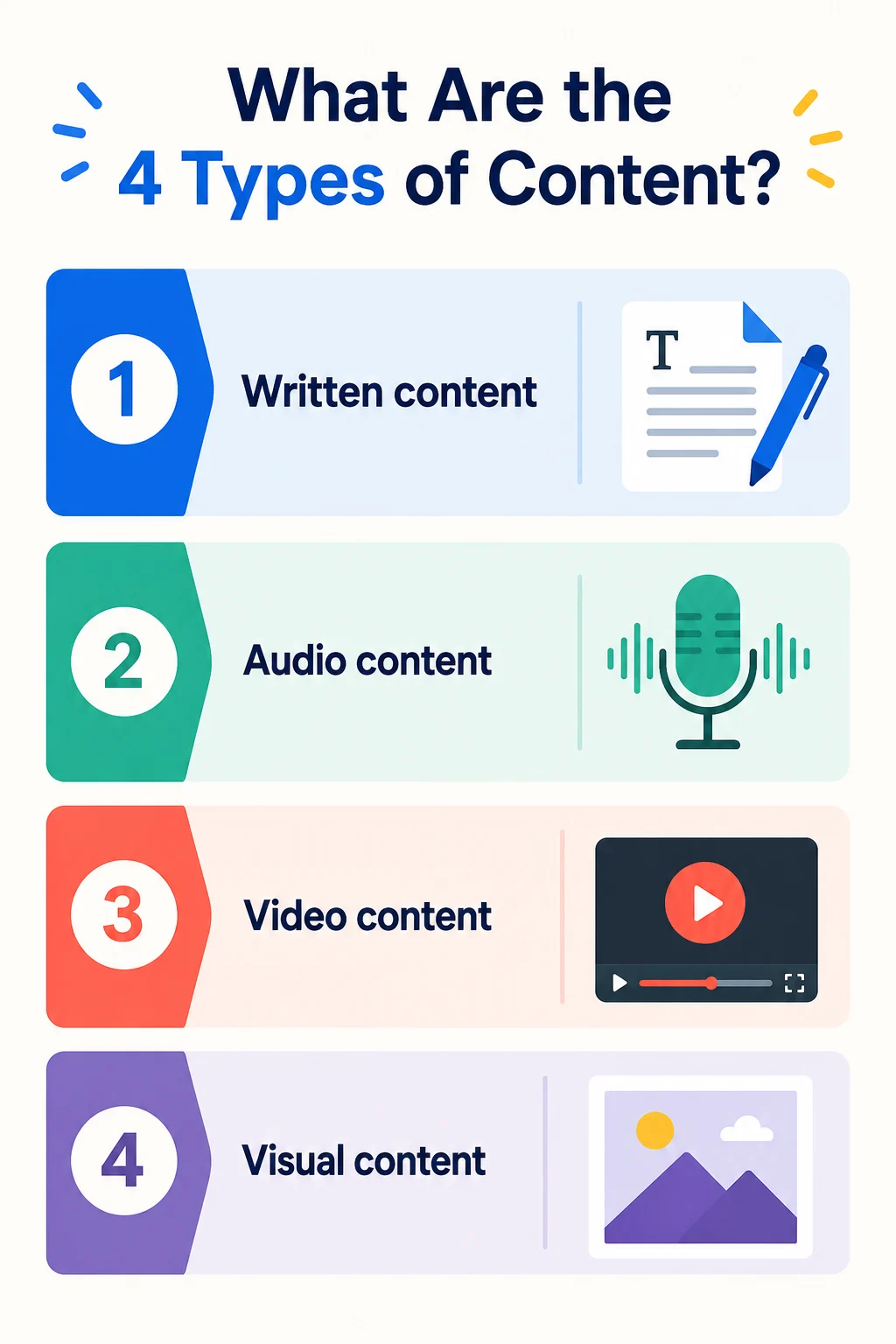
Before you can build a content repurposing strategy, it helps to understand the four formats your content will live in across channels.
- Written content includes blog posts, long-form articles, LinkedIn articles, research reports, and newsletters. It performs well on search engines and gives your target audience something to reference and revisit.
- Audio content covers podcast episodes and audiograms. It reaches audience segments during moments when video and written content simply cannot, such as commutes, workouts, and daily routines.
- Video content has YouTube videos, short-form videos, webinars, and reels. It is the highest-engagement format across virtually every social media platform today.
- Visual content spans across infographics, Instagram carousel posts, slide decks, and visual assets. It earns shares and saves at a higher rate and works well for frameworks, data, and step-by-step guides.
A strong content repurposing strategy moves a single idea across all four.
Content Repurposing vs Reposting vs Crossposting
These three tactics can look similar on the surface, but they drive very different results depending on your goal, channel, and how much manual effort you want to spend.
| Approach | What it means | What changes | Best for | Example |
|---|---|---|---|---|
| Content repurposing | Rebuilding one idea into different formats for different channels | Format, structure, length, hook, CTA, and sometimes angle | Scaling a content system across multiple platforms while staying on brand | Turn a long form YouTube video into shorter clips, social media posts, visual content, and a blog post for search engines |
| Reposting | Sharing the same content again on the same platform | Timing, sometimes the caption | Giving evergreen content new life and reaching new audiences who missed it | Repost a high-performing Instagram Reels clip two weeks later with a new opening line |
| Crossposting | Publishing the same content on multiple platforms with light edits | Minor formatting, caption, hashtags, cropping | Fast distribution across social media platforms when the format travels well | Post the same short video to Instagram Reels, TikTok, and YouTube Shorts with platform-specific captions |
All three have a place in your content strategy. Reposting extends the life of high-performing content. Crossposting saves time on distribution.
Why Repurpose Content?
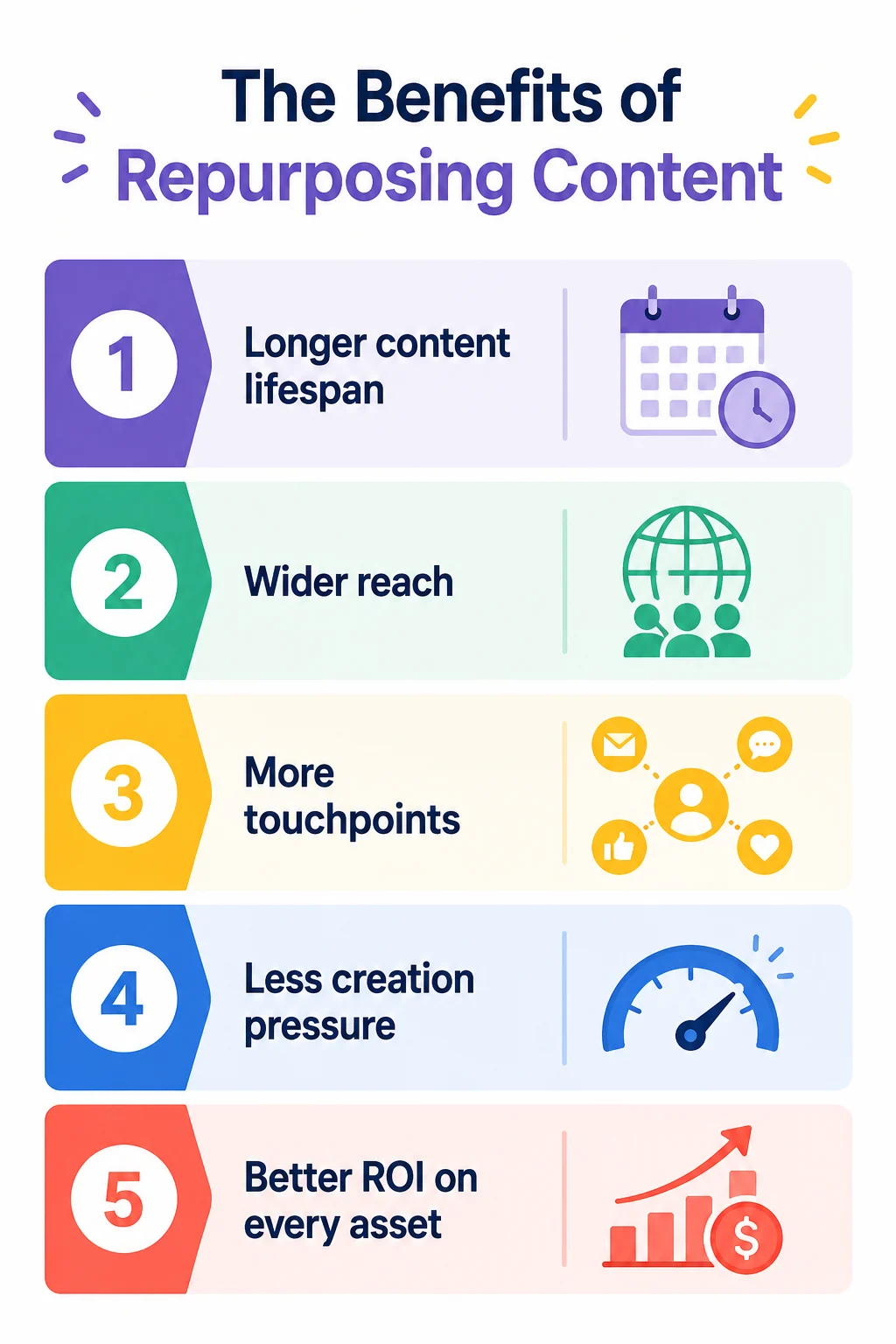
Publishing once and moving on is the fastest way to underutilize your best work. Here is why repurposing changes that:
1. Extends your content lifespan
Most content gets a short window of attention before it disappears from feeds. Repurposing gives your best ideas multiple opportunities to be discovered.
For example, a blog post published six months ago may no longer attract social engagement, but turning its key takeaways into a LinkedIn carousel or a short-form video can introduce that same idea to an entirely new audience.
2. Meets your audience where they are
Not everyone consumes content the same way. Some people read blog posts, others watch YouTube videos, and many prefer scrolling through short-form content on social media. Repurposing allows you to adapt one idea to different consumption habits.
A detailed guide can become a video tutorial, a carousel, a podcast discussion, and a newsletter feature, helping you reach people who would never engage with the original format.
3. Creates repeated touchpoints without repeating yourself
Most people do not take action the first time they encounter your content. Marketing research often points to the importance of multiple interactions before someone remembers a brand or makes a decision.
Repurposing helps reinforce the same core message through different formats. For example, someone might first discover an idea through a LinkedIn post, later watch a related video, and eventually read the full article before becoming a customer.
4. Reduces the pressure of constant content creation
Creating high-quality content from scratch takes time. Research, writing, recording, editing, and design all add up quickly. Repurposing allows teams to get more value from work they have already completed.
Instead of creating five entirely new pieces of content, a marketing team can turn one webinar into a blog post, several social posts, short video clips, and an email campaign, significantly increasing output without increasing workload.
How to Choose Which Content Is Worth Repurposing
Your repurposing strategy is only as strong as the source material you feed it.
Here is how to identify what is actually worth your time.
1. Start with what already proved itself
Check your Google Analytics, your social media metrics, and your inbox. High saves, strong watch time, and steady organic traffic months after publishing are the signals worth following. If it earned attention the first time, it has a strong case for a second run in a new format.
2. Pick pieces with a clear takeaway
If you cannot summarize the value in a single line, the content will fall apart when you try to adapt it into shorter formats. The best source assets have a clear key insight that travels well across social media platforms and content formats.
3. Prioritize evergreen content first
Time-sensitive content can still be repurposed, but it needs a refresh before it goes back out. Evergreen topics skip that step entirely, which makes them the lowest-effort, highest-return starting point.
4. Look for content that can branch into a series
A single how-to can become a set of mini-lessons. A long tutorial can become a checklist and a few standalone social posts. If you can see three to five natural sub-topics inside a piece, you are looking at a strong source asset.
Your Complete Content Repurposing Plan (By Source Format)
A strong repurposing plan does not start with the channel. It starts with the source. Here is how to get the most out of each format you already have.
1. Blog Post as a Source
A strong blog post is one of the easiest pieces of existing content to scale because the thinking is already done.
Your job is to pull the key points and package them into formats people actually consume on different channels.
What to create from one blog post:
- 3 to 5 social media posts: One key point per post, written for the platform, not copied line by line.
- 1 to 2 short videos: Turn one section into a quick lesson, then cut it into shorter clips for social media channels like Instagram Reels.
- 1 visual content piece: A visually engaging checklist, framework, or key takeaways carousel people will save and share.
- 1 refreshed version of the post: Update key statistics and tighten structure so the written content stays strong for search engines and search results.
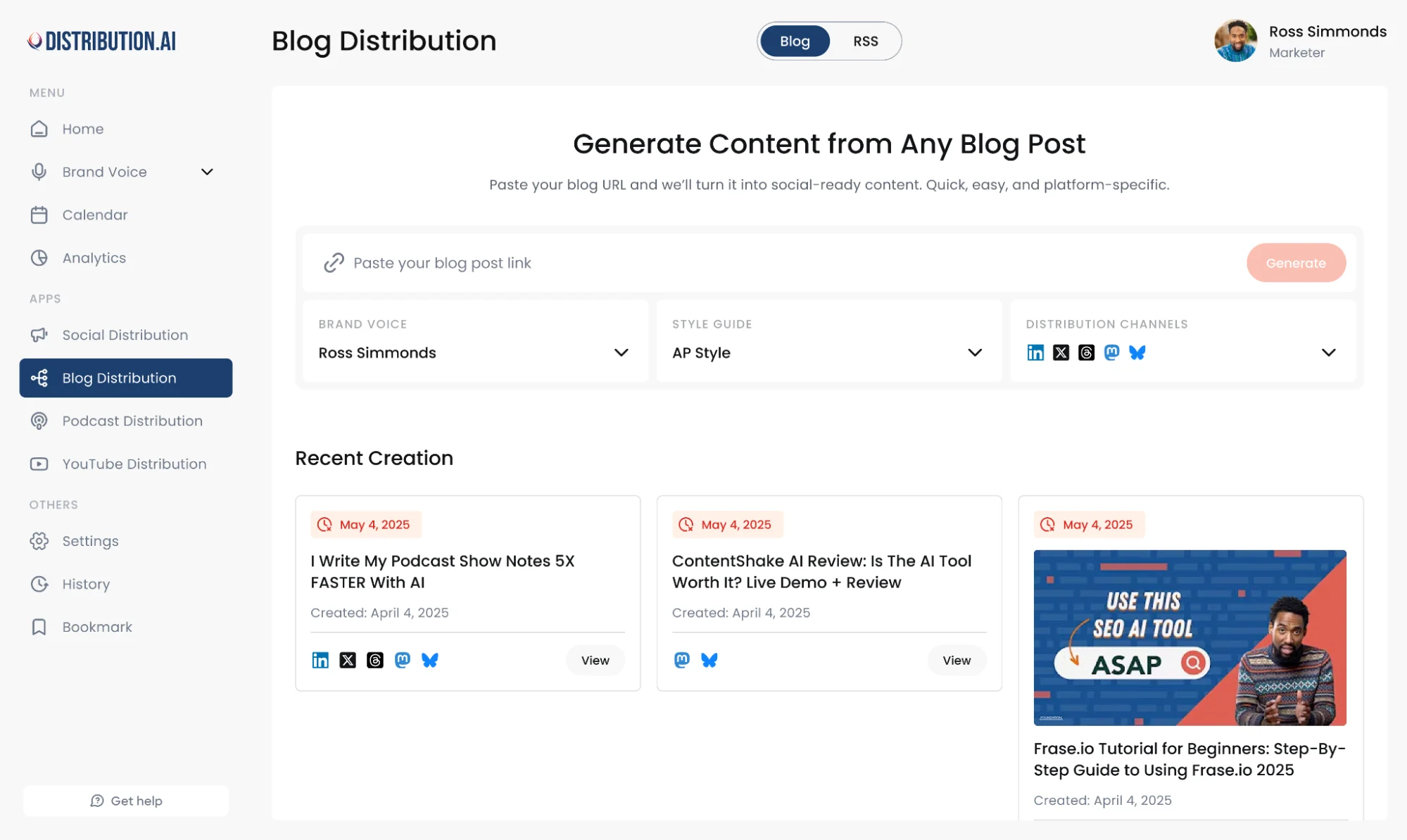
With Distribution.ai, you paste the blog URL, and the platform automatically generates channel-ready posts for LinkedIn, Instagram, X, and more in your brand voice.
One blog post becomes a month of scheduled social content without your team touching a single draft manually.
2. YouTube Video or Long Form Video as a Source
A long-form YouTube video is one of the most underutilized source assets in most content strategies.
By the time a video is published, your team has already done the hard work: the research, scripting, delivery, and editing.
What the majority of teams skip is extracting everything valuable that lives inside that single recording and turning it into content that works across the rest of their channels.
What to create
- 5 to 8 shorter clips: Go back through the recording and pull the moments where a single idea lands cleanly on its own. One idea per clip, a tight ending, and a hook that does not depend on having watched the full video to make sense.
- 3 to 6 LinkedIn posts: Take each clip and write a standalone text post around the core point it makes. LinkedIn rewards posts that teach something specific, so focus on the practical takeaway rather than the story around it.
- 1 written blog post: Convert the full video into a long-form article for people who prefer reading and for search engines that cannot watch video content. Use the video structure as your outline and expand each section with more context than the video allows.
- 1 visual recap: Summarize the key takeaways into a single shareable graphic. Keep it clean, make it easy to save, and design it so it makes sense without any additional context.
Distribution.ai cuts that process down significantly.
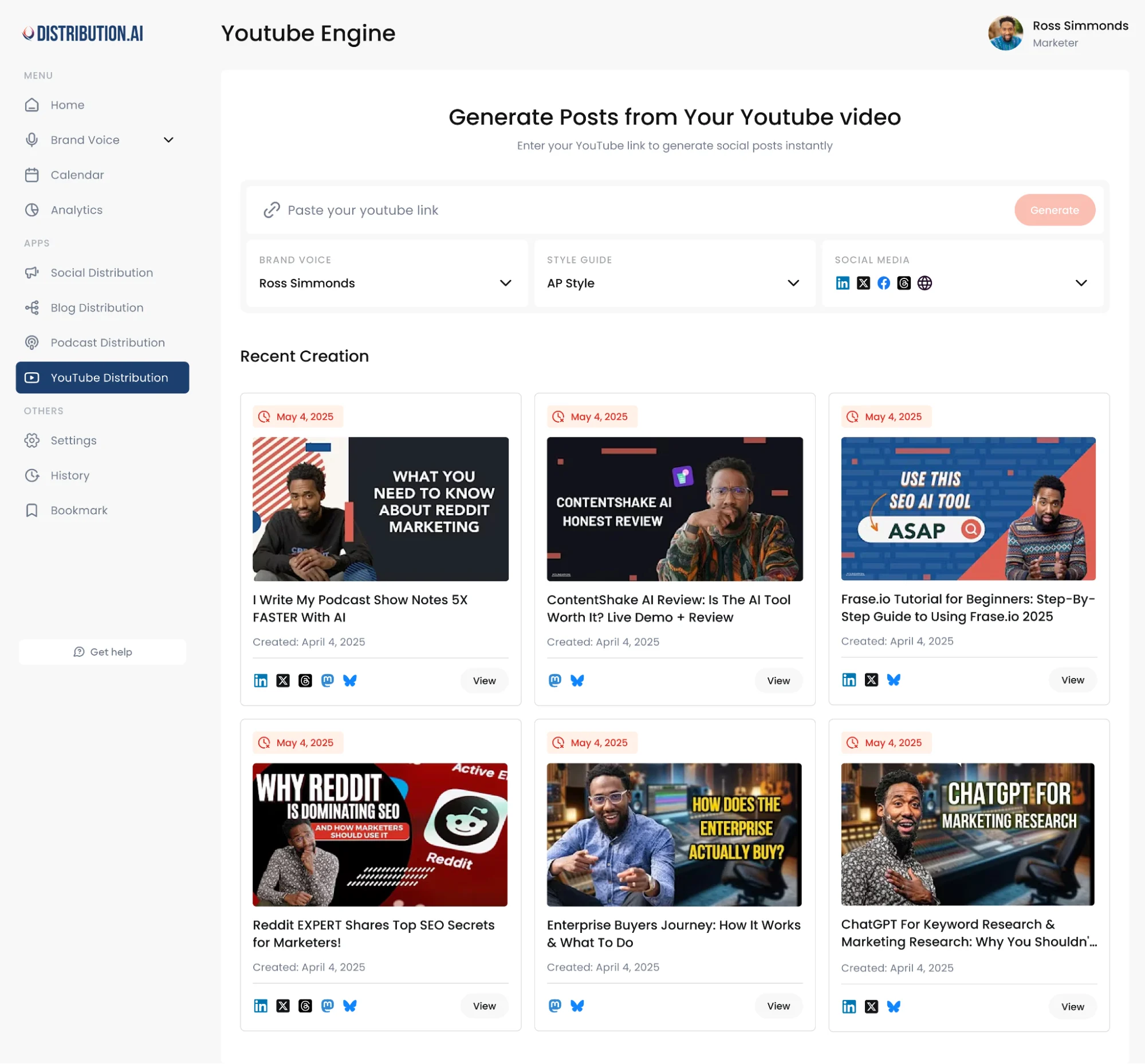
Paste the video link, set your brand voice, and the platform surfaces the strongest moments and generates platform-ready drafts across your social media channels. Your team comes in at the review stage, not the extraction stage.
3. Slides, Webinars, and Workshops
A webinar or workshop is pre-packaged content. The structure, sequencing, and key points are already in place before the session even starts. Teams upload the recording, send a follow-up email, and move on.
That is where the opportunity gets left on the table.
Here is what to do instead:
- 1 long-form article: Use the slide titles as your section headings and fill each one out with the explanation and examples from the session. This captures the value for people who were not in the room and gives search engines a written version of the content to index.
- A week of social media snippets: One key point per day, written as a standalone post for the platform rather than a summary of the whole session.
- Short form videos: Record a quick one to two-minute explanation for each major section. These drive curious viewers back to the full recording and work well as standalone educational content on LinkedIn and YouTube Shorts.
- Visual assets: Take the strongest framework or data point from the session and turn it into a clean shareable graphic. A well-designed visual asset earns far more saves and shares than a text post covering the same idea.
The live audience was always going to be the smallest audience this content ever reached. Everything built from it determines how far the session actually travels.
4. Podcast Episode as a Source
A podcast episode carries something most written content cannot replicate: genuine personality and unscripted opinion.
The specific language a guest uses to describe a problem, the throwaway line that makes everything click, the part of the conversation where something unexpected gets said, all these are the moments worth capturing.
The challenge is that we listen back through an hour of audio, pull two or three quotes, post them, and call it done. That is a fraction of what a single episode can produce.
Instead, paste the episode link into Distribution.ai, pick your brand voice and writing style, and the platform automatically pulls the key moments from the episode and generates drafts across every format listed below.
Your team can review, edit if needed, and schedule directly from the same dashboard.
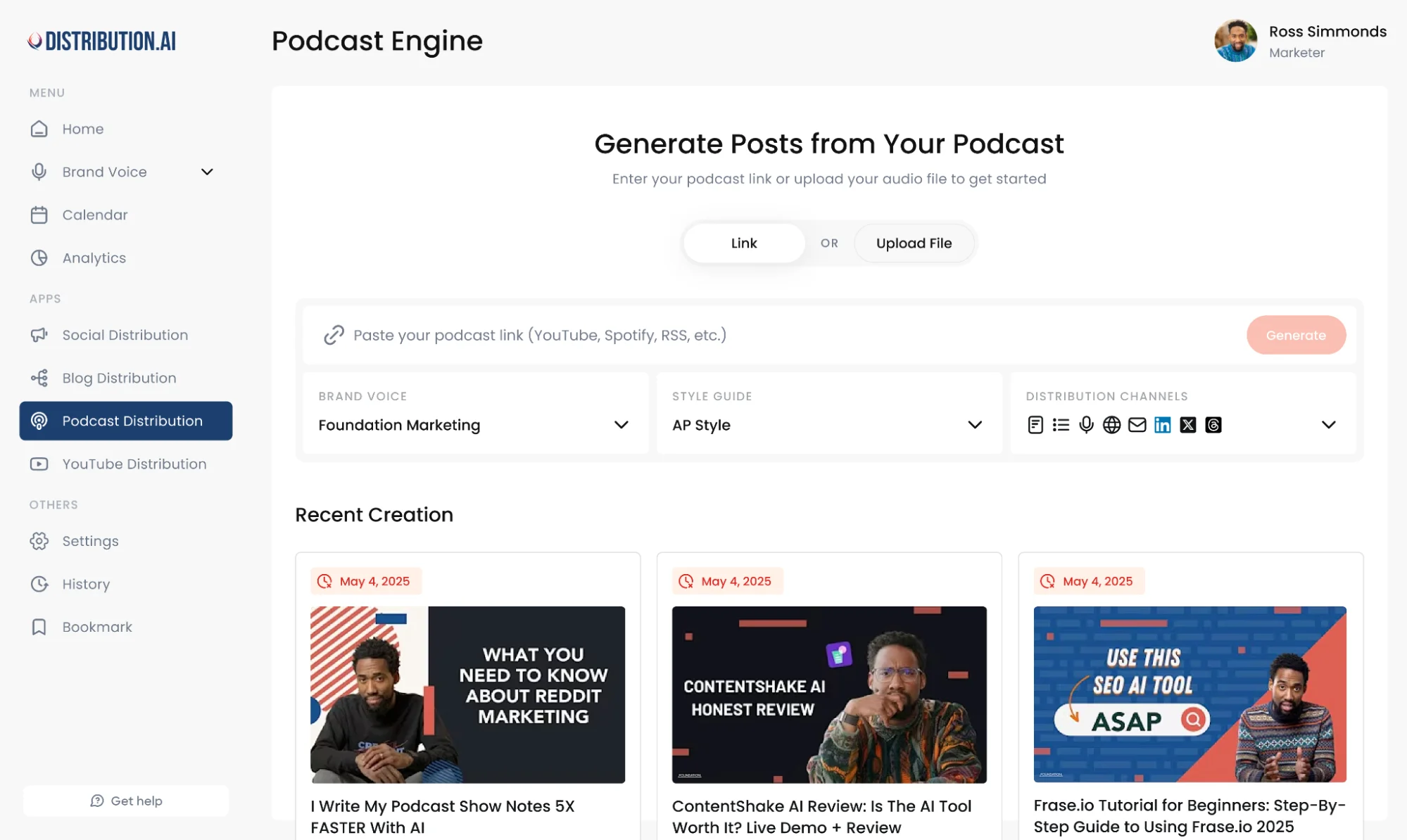
Here is what else to create:
- 5 to 8 social posts: Pull the strongest lines and the most practical takeaways from the episode. Write each post around a single point and make it valuable on its own, even for someone who has never listened to the show before.
- 1 to 3 short form video clips: Find the moments where the guest says something genuinely useful or surprising. Clip those moments cleanly, add captions, and publish them on the social media platforms where short-form video performs well.
- 1 written recap: Structure it as a proper article rather than a transcript dump and optimize it for search engines so the episode keeps pulling in new audiences long after the publish date.
- 1 audiogram: Pull a strong 60 to 90 second moment, pair it with a waveform visual, and publish it as a standalone social post. Audiograms build brand recognition around your podcast on LinkedIn and Instagram particularly well.
Just by working one episode properly, you can fill an entire week of content across every platform your audience uses without your team recording a single new thing.
5. Customer Insights
Sales calls, support tickets, onboarding conversations, and community questions are the most underused content sources that most teams have direct access to.
The language your customers use to describe their problems is the same language their peers are typing into search engines.
Content built from real customer language earns trust faster, ranks more naturally, and sounds nothing like the generic marketing content flooding every platform right now.
What to create:
- FAQ style social posts: Take the questions that come up repeatedly in sales calls or support conversations and answer them one at a time in a direct, no-fluff format. These perform well on social media because they are immediately useful to anyone who has the same question.
- Objection handling content: Turn the most common hesitations your sales team hears into short posts and short-form videos that address the concern head-on. The goal is to make a potential customer feel understood before they ever speak to someone on your team.
- A dedicated blog section: If a question keeps coming up in sales conversations, it is showing up on search engines, too. Write the most thorough and honest answer available and build a section of your blog around it. That is how you earn both rankings and reader trust at the same time.
- Visual content recaps: Take a common misconception or a multi-step answer and break it down into a carousel or infographic using the exact words your customers use. Familiar language makes content feel written specifically for the reader rather than broadcast at them.
The best part of this source format is that the ideas never run dry. Every sales call, every support ticket, and every community thread is a new brief your audience wrote for you.
6. Newsletter
A newsletter sits in a unique position in your content strategy. It already has an engaged audience that chose to hear from you directly.
The ideas, observations, and arguments inside each edition are often some of your sharpest thinking, yet they reach only the people already on your list.
Repurposing newsletter content is how you take those ideas and put them in front of audience segments that have not found you yet.
What to create:
- LinkedIn articles or standalone social posts: Pull the central argument or the most useful insight from an edition and rewrite it as a platform native post. LinkedIn rewards thoughtful opinion-led content, and newsletter editions are often exactly that.
- Instagram carousel posts: Take a multi-step section or a list of observations from the edition and turn it into a carousel with supporting visuals. Carousels built around specific, useful ideas consistently outperform single-image posts on engagement.
- Evergreen blog content: High-performing editions that cover topics your audience will always care about deserve a longer lifespan. Refresh the content, optimize it for search, and publish it as a standalone blog post that keeps pulling in new readers long after the original send date.
A newsletter sent reaches the audience you already have. Everything repurposed from it reaches the audience you have not met yet.
How to Build Content Repurposing Into Your Workflow
Repurposing works as a system only when it is built into the content creation process from the start.
1. Adopt the Create Once, Publish Everywhere mindset
COPE is a content strategy principle that flips the order of operations. Instead of creating content for one channel and occasionally adapting it for others, you design every piece with repurposing in mind from the beginning.
Before anything gets published, decide which formats you will pull from it and which channels they will go to. The decision gets made upfront, so the execution becomes a checklist, not a creative exercise every single time.
2. Map your formats to your channels before you hit publish
A blog post triggers a social content plan. A YouTube video triggers a written article and a set of clips. A podcast episode triggers a written recap and a set of audiograms.
Building this mapping into your briefing process means your team knows exactly what gets created from every source asset before the source asset even goes live.
3. Batch your repurposing to protect your team’s time
Processing one piece at a time is inefficient.
Set aside dedicated time each week to run multiple source assets through your repurposing workflow together.
AI tools handling the format conversion mean a single session can produce enough scheduled content to cover your entire social media calendar for the week.
4. Put repurposed content in the calendar like original content
Repurposed assets belong in your content calendar with the same discipline as anything created from scratch.
Without a schedule, even the strongest source material sits in a folder instead of reaching the audience segments it was built for.
Treat distribution as part of the workflow, not an afterthought at the end of it.
How to Measure What Works and Build a Feedback Loop
A content repurposing strategy without a feedback loop is just guesswork with extra steps. Measuring what lands and why is what separates teams that keep scaling from teams that keep starting over.
1. Track The Signals
Different content formats require different success metrics. A LinkedIn post might be judged by saves and shares, while a YouTube Short is better measured by watch time and retention. Blog content often succeeds through organic traffic, time on page, and conversions.
For example, if a repurposed carousel earns 500 saves while a text-only post on the same topic earns 20, that is a strong signal that your audience prefers visual content for that subject. The metric itself matters less than what it tells you about audience behavior.
2. Ask the right question after every batch
After every content batch, look beyond performance numbers and identify what drove the result.
Did a short-form video perform well because of the topic? Was the opening hook stronger? Did the format make the information easier to consume?
For example, if three of your top-performing posts all start with a surprising statistic, the statistic may be doing more work than the topic itself. Understanding that difference helps you create repeatable wins instead of chasing random successes.
3. Use Distribution.ai’s analytics to centralize your data
Instead of pulling reports from five different platforms, Distribution.ai tracks performance across all your social media channels in one dashboard.
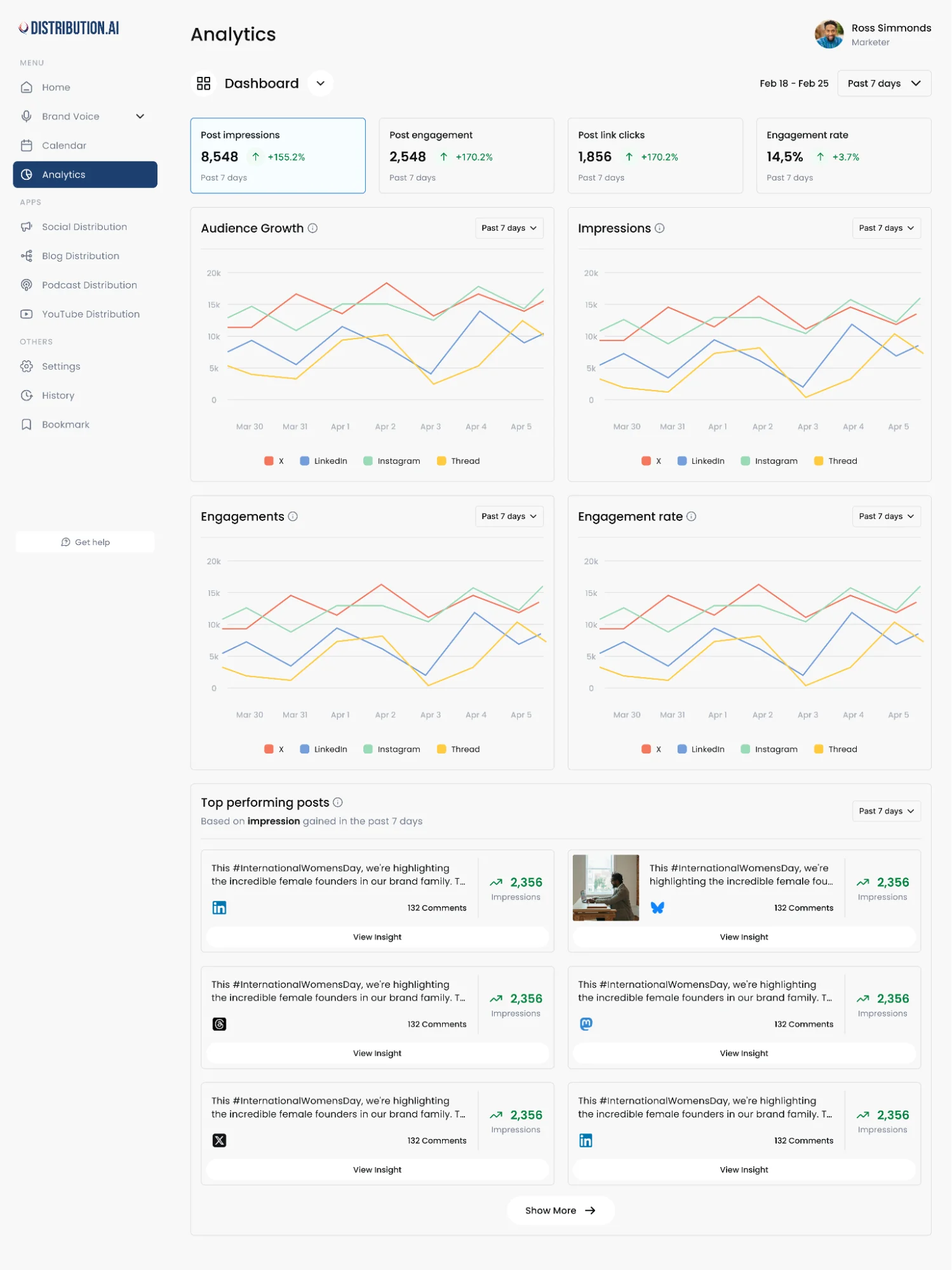
You see which repurposed assets are driving engagement and which formats are earning the most reach, without stitching tools together manually.
4. Build a small evergreen library
Document the hooks, content angles, formats, and topics that repeatedly perform well.
For instance, if “step-by-step breakdown” carousel posts consistently outperform opinion-based posts, make that a repeatable format in your workflow. Over time, this collection becomes a playbook built on evidence rather than assumptions.
5. Let winners inform your content calendar
The strongest content ideas often come from your own performance data.
If a blog post about customer onboarding drives strong traffic and its repurposed social posts generate high engagement, that topic deserves additional coverage. You might expand it into a webinar, a podcast discussion, or a deeper guide.
Instead of guessing what your audience wants next, use proven winners to guide future content decisions. Every successful asset becomes a signal for what to create and repurpose next.
Start Repurposing Your Content With Distribution.ai
A content repurposing strategy compounds over time. The more consistently you run it, the more your existing assets keep working across channels, reaching audience segments you have not built yet, and reducing the pressure of starting from scratch every single week.
The teams winning at content distribution are not publishing more. They are publishing smarter, squeezing more value out of every source asset they already have, and letting performance data tell them what to do next.
If you have a blog, a YouTube channel, a podcast, or even a newsletter sitting underutilized right now, you already have everything you need to start.
Frequently Asked Questions
1. Is repurposing content legal?
Repurposing your own content is completely legal. Issues arise when you use someone else’s written content, visuals, or audio without permission. If you did not create it, get explicit rights before adapting it. Licensed and royalty-free material is always the safer path.
2. Can I use AI tools to repurpose content faster?
Yes. AI tools like Distribution.ai handle the format conversion automatically, turning a blog post or podcast episode into platform-ready drafts in minutes. Tools like Canva and Piktochart help create infographics and visual assets from text-based content, reducing production costs significantly without sacrificing quality.
3. How do I repurpose content without it feeling repetitive?
The key is changing the entry point, not just the format. Lead with a personal story in one version, lead with data in another, and lead with a direct how-to in a third. Each piece should feel native to its platform rather than a copy of the original with different formatting.
4. What role does cornerstone content play in a repurposing strategy?
Cornerstone content, your most comprehensive and authoritative pieces, should sit at the center of your repurposing plan. Every format you create from it, short form videos, carousels, social posts, should link back to it. This builds topical authority on search engines while driving consistent referral traffic back to your best work.
5. How does keyword research fit into a content repurposing strategy?
Keyword research tells you which formats and angles your target audience is already searching for. Before repurposing a piece, check whether the topic has search demand in a different format, a video, a listicle, or a summary, so the repurposed version earns organic traffic and not just social engagement.
6. What is the difference between content recycling and content repurposing?
Content recycling means reusing the same piece with minimal changes, updating a statistic or refreshing a caption. Content repurposing goes deeper, rebuilding the idea into an entirely new format for a different channel and a different audience segment. One is maintenance, the other is strategy.

Promote, repurpose & distribute your content with AI
Write 10x faster, engage your audience, & never struggle with the blank page again.
Start 15-Day Free Trial
Frequently Asked Questions
Author

Promote, repurpose & distribute your content with AI
Start 15-Day Free Trial