Your Back Catalogue Is Your Best Content: How to Redistribute Old Blog Posts
Redistribute old blog posts with a 7-step checklist: audit your back catalogue, refresh evergreen content and repurpose it into new social posts.
Quick answer
To redistribute old blog posts, audit your back catalogue for evergreen pieces that still match what buyers search for, refresh the facts, then turn each post into new social posts, email snippets and community answers on a recurring schedule. Treat a published post as the start of its distribution life. The work that already earned traffic or pipeline usually deserves another run.
Most B2B teams publish a post, share it once, and move on to the next one. Six months later that post is buried on page four of the blog archive. Nobody on LinkedIn has seen it since launch week.
That is a waste of good work. If you want to redistribute old blog posts, you already have the hardest part done. The research is finished. The argument is written. The examples are in place. What is missing is a system that keeps putting that content in front of the right people.
This guide walks through how to find the posts worth resurfacing, how to refresh them, and how to build a repeatable rhythm for evergreen content distribution.
Key Takeaways
- Your back catalogue is a library of finished ideas. Redistributing it costs far less than writing from scratch.
- Start with an audit. Sort posts into resurface, refresh, merge or retire.
- Refresh facts and dates before you promote anything old. Stale numbers hurt trust.
- One post can feed many formats: LinkedIn posts, X threads, newsletter blurbs, community answers and short video scripts.
- Put old content on a recurring schedule so distribution happens by default instead of by memory.
Why you should redistribute old blog posts
Your audience is not the same audience you had when the post went live. New followers joined. New buyers entered the market. People who saw it once forgot it. A post you consider “old” is brand new to most of the people who could use it today.
Ross Simmonds built a whole philosophy around this idea in his book Create Once, Distribute Forever. The core argument is simple. Teams overspend on creation and underspend on distribution. The fix is to get more mileage from the assets you already have.
There is also a search angle. Content that keeps getting shared, cited and linked sends fresh signals to search engines and to the AI systems that read the web. Foundation’s guide to evergreen content covers why durable topics keep paying off long after launch.
Three signs a post deserves another run
- It still answers a question your buyers ask on sales calls.
- It performed well at launch, then traffic flattened because promotion stopped.
- It contains a framework, checklist or point of view that is still true.
Step one: audit your back catalogue content
Before you share anything, know what you have. Export every published URL from your CMS or sitemap into a spreadsheet. Add columns for publish date, topic, organic sessions over the last 12 months, conversions or assisted pipeline if you track it, and the last date it was shared on social.
Then sort each post into one of four buckets.
| Bucket | What it looks like | What to do |
|---|---|---|
| Resurface | Accurate, evergreen, still relevant | Add to the redistribution queue as is |
| Refresh | Strong topic, dated examples or numbers | Update facts, screenshots and the date, then queue it |
| Merge | Two or three thin posts on the same topic | Combine into one stronger post and redirect the others |
| Retire | Off-strategy, wrong audience or obsolete product info | Leave it out of distribution, or remove and redirect |
If you want a structured way to score your current distribution habits before you start, Ross’s B2B SaaS Content Distribution Audit walks through ten dimensions worth checking.
Step two: refresh before you republish old content
Promoting an outdated post does more harm than leaving it alone. A broken screenshot or a statistic from four years ago tells a reader you stopped paying attention. Fix the basics first.
- Replace old statistics with current, sourced ones. If you cannot find a current source, remove the number.
- Update product screenshots and tool names.
- Add a short “quick answer” near the top so AI search tools have a clean passage to quote.
- Check internal links and point them to your newest related content.
- Change the “last updated” date only when you made real changes.
Watch out: do not change the URL of a post that already ranks or earns links. Refresh the content in place so you keep the history it has built.
Step three: repurpose old blog posts into new formats
Redistribution works best when every channel gets a native version. A link dropped into LinkedIn with “new post!” will underperform. A post that teaches one idea from the article, in LinkedIn’s format, gives people a reason to stop scrolling and click.
One solid 2,000-word article can usually produce:
- Several LinkedIn posts, each built around one insight, framework or example
- An X thread that walks through the main steps
- A Threads post with a sharp opinion from the piece
- A short newsletter section with a link back
- Helpful answers in communities like Reddit or Slack groups where the question comes up
- A script for a 60-second video
For a deeper walkthrough of formats, see Ross’s guide to content repurposing. If you have audio in the archive too, our post on repurposing podcast episodes into multi-format content applies the same thinking to episodes.
A 7-step checklist to redistribute old blog posts
Use this as your working process. It fits a monthly cycle for most content teams.
Pick five posts
Choose from your Resurface and Refresh buckets. Mix proven winners with strong posts that never got a fair launch.
Refresh the facts
Update numbers, screenshots, links and examples. Add a quick answer box if the post lacks one.
Pull out the atomic ideas
List every standalone insight, stat, framework and story in the post. Each one is a potential social post.
Write channel-native versions
Draft posts for LinkedIn, X and Threads in your brand voice. Respect each channel’s length and style.
Spread them out
Schedule posts across several weeks so one article shows up repeatedly without flooding any single feed.
Share it with people too
Send the refreshed post to sales and customer success. Drop it into relevant community threads where it answers a real question.
Measure and rotate
Track clicks, referral traffic and assisted conversions per post. Keep the winners in rotation and swap out the rest.
Build an evergreen content distribution rhythm
The checklist above works once. The real gain comes when it runs every month without a heroic effort. That is the difference between a campaign and a system.
A simple rhythm for a lean team looks like this:
- New content gets a launch week of distribution, as usual.
- Every week, one or two older posts get a fresh set of social posts.
- Every quarter, the audit repeats and the buckets get updated.
This is the gap between posting and distribution that we covered in Content Distribution vs Social Media Scheduling. A scheduler handles the “when.” A distribution system decides what deserves another run and turns it into something new for each channel.
Where Distribution.ai fits
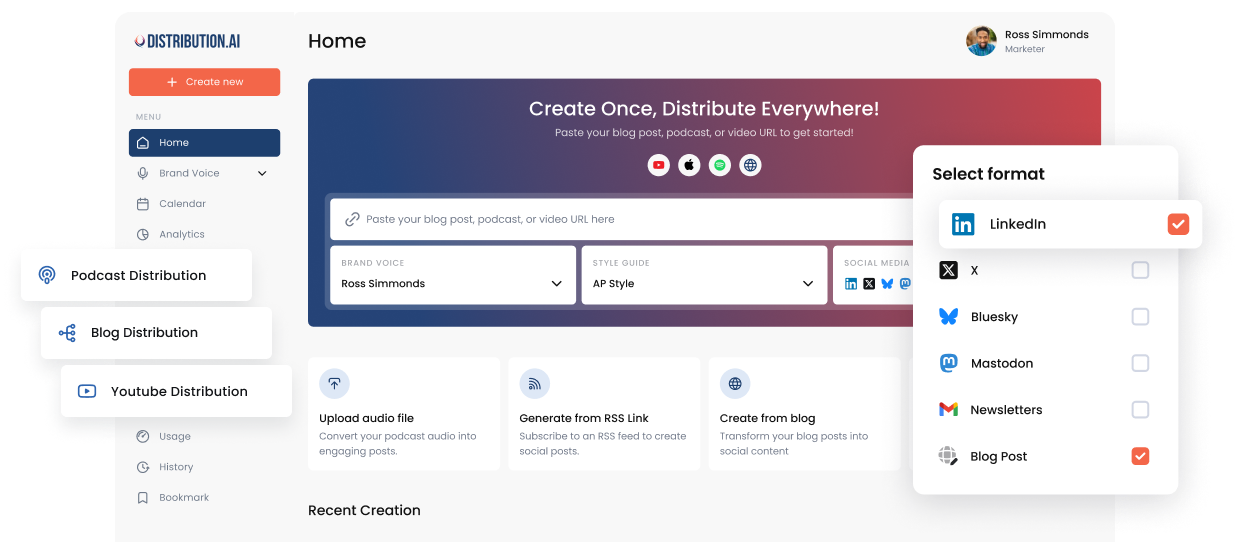
Distribution.ai was built for exactly this job. Paste the URL of an old blog post and it generates channel-ready posts in your brand voice for the channels you select. You can set recurring posting schedules, queue posts across platforms and route them through approval workflows before anything goes live. For new content, Autopilot links to your blog, podcast or YouTube channel and creates posts automatically the moment something is published.
If you work inside ChatGPT or Claude, the Distribution.ai MCP connector lets you paste a link and ask for LinkedIn and X posts, then say “Schedule those over the next week” to fill your open posting slots. Every post lands on your calendar first, so nothing goes out without you seeing it. Our walkthrough on connecting Claude to your social media accounts covers setup.
Want to test the idea before committing? The free AI LinkedIn post generator can turn the talking points from one old post into a draft in seconds.
Go deeper
Common mistakes when resurfacing old content
- Sharing the same caption twice. Each redistribution needs a new angle, hook or excerpt.
- Skipping the refresh. An outdated stat on a resurfaced post signals neglect.
- Resharing everything. Only post what still serves your buyers today. Retire the rest.
- Ignoring the sales team. Reps can use refreshed posts in follow-ups. Tell them what is available.
- No measurement. Without tracking you cannot tell which older posts earn their spot in rotation.
Frequently asked questions
How often should I redistribute old blog posts?
Many teams find a monthly cycle manageable: refresh a small batch, then spread their social posts over the following weeks. Strong evergreen pieces can return every quarter with a new angle each time.
Will republishing old content hurt my SEO?
Updating a post in place and sharing it again does not create duplicate content. Problems come from publishing the same article at a new URL. Keep the original URL, improve the content and update the modified date only when the changes are real.
Which old posts should I start with?
Start with posts that once performed well and then flattened, plus posts that answer questions your sales team hears every week. Those have proven demand.
Is it annoying to share the same article several times?
It can be if every share looks the same. Lead with a different idea, quote or example each time, and space shares out. Most followers will not have seen the earlier posts.
Can AI help repurpose my back catalogue?
Yes. Tools like Distribution.ai turn a blog URL into channel-ready posts in your brand voice, which removes most of the drafting time. Keep a human review step to check facts and tone before anything is scheduled.
Give your best posts a second life
Turn your back catalogue into a steady stream of on-brand social posts, scheduled and ready for review.
No credit card required.
Promote, repurpose & distribute your content with AI
Write 10x faster, engage your audience, & never struggle with the blank page again.
Start 15-Day Free Trial
Frequently Asked Questions
Author

Promote, repurpose & distribute your content with AI
Start 15-Day Free Trial