14 Best Instagram Marketing Tools [Tested and Verified]
Discover 14 Instagram marketing tools organized by category. Each tool is tested and verified so you can find what fits your workflow fast.

Instagram marketing is a lot of work. You need a steady content pipeline, posts going out at the right time, a grip on what the algorithm rewards, outreach, and consistent engagement. Falling short on time to manage all of this is sure to happen. And that’s where the right tool stack can help.
However, with hundreds of options out there, choosing the right ones is a challenge in itself. So we’ve done the initial groundwork to save you some time.
This list covers 14 Instagram marketing tools, each verified against third-party reviews and official pricing. We have also tested a few ourselves so we can tell you what each one solves.
Why Should You Trust Us?
We evaluated every tool on this list against the same criteria and included the ones that genuinely solve an Instagram marketing problem.
While we considered G2, Trustpilot, and Capterra for user reviews, we also tried out the tools where third-party review coverage was limited
Each platform’s pricing was verified from their official pricing page. Features were confirmed against each platform’s own documentation and feature pages.
Best Instagram Marketing Tools
Here’s a quick snapshot of all 14 Instagram marketing platforms before we get into a detailed breakdown.
| Distribution.ai | Repurposing blogs, podcasts, and videos into Instagram posts | 15-day free trial | $53.90/month |
| OpusClip | Turning long-form video into Instagram Reels | 7-day free trial | $15/month |
| Repurpose.io | Automated cross-posting across platforms | 14-day free trial | $35/month |
| Buffer | Simple scheduling for solo creators and small teams | Free plan (3 channels) | $6/month per channel |
| Later | Visual feed planning for Instagram-heavy workflows | 14-day free trial | $25/month |
| SocialBee | Evergreen content recycling and scheduling | 14-day free trial | $29/month |
| Pallyy | Affordable scheduling for freelancers and agencies | Free plan (1 social set) | $25/month |
| Canva | Instagram graphic design without a designer | Free plan | $18/month per user |
| Visme | Social graphics alongside presentations and reports | Free plan | $29/month per user |
| Sprout Social | Enterprise-level analytics and social listening | 30-day free trial | $79/seat/month |
| Metricool | Scheduling with competitor tracking and ads reporting | Free plan (1 brand) | $25/month |
| Iconosquare | Advanced analytics and white-label client reporting | 14-day free trial + free plan | $11/month |
| Inflact | Influencer discovery and competitor research | Free (limited) | $34/month |
| Virallized | Organic follower growth through human outreach | 7-day money-back guarantee | $99/month |
Instagram Content Repurposing Tools
1. Distribution.ai
Best for: Marketers and agencies looking to repurpose, schedule, and track performance from one dashboard
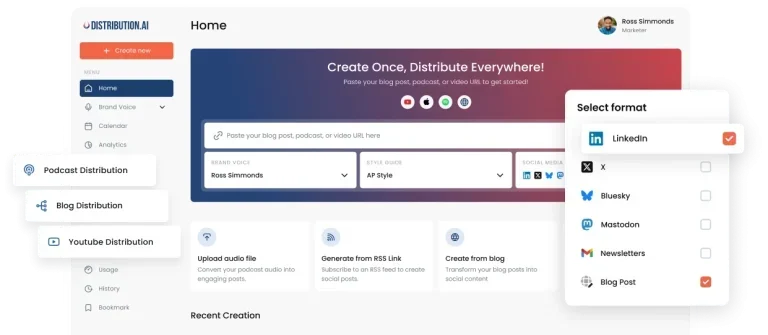
Distribution.ai’s AI content repurposing and distribution platform generates multiple social media posts tailored for specific platforms from your existing blogs, podcasts, and videos. You can then schedule the posts for publishing on Instagram app, LinkedIn, X, Facebook, Bluesky, Mastodon, and more. It includes a content calendar, approval workflows, team collaboration, and a performance analytics dashboard, all in one place.
Why we chose Distribution.ai: This is the only tool in our list that focuses on repurposing existing content assets and making the most of them. It ensures your posting stays consistent without creating content everyday. You can simply copy-paste URLs and Distribution.ai generates dozens of posts in your brand voice and style.
Distribution.ai’s core features
- Autopilot mode connects your blog, podcast, or YouTube channel and generates Instagram-ready posts automatically every time new content is published
- Custom brand voice and writing style preferences ensure every generated post sounds like your brand
- Short clip generation from long-form videos that can be published as YouTube Shorts and Instagram Reels
- Performance analytics dashboard tracks engagement across all connected channels with filtering by platform and time range
Pros
- Generates multiple platform-specific posts in one go
- Easy to use
- Supports 10 channels including email campaigns, newsletters, and blog posts, along with social media
Cons
- Limited third-party reviews
- Doesn’t include an inbox or social listening features yet
Pricing
Pricing by content type (YouTube, podcast, blog, or bundle). Annual billing includes 2 free months. 15-day free trial, no credit card required.
- Creator: $53.90/month, for solo creators and freelancers. 250 mins/month YouTube and podcast duration, 10 blog posts/month, 1-week data retention, email support (48-hr SLA)
- Pro: $109.90/month, for small businesses and marketing teams. 750 mins/month YouTube and podcast duration, 40 blog posts/month, 1-month data retention, priority email/chat (24-hr SLA)
- Business: $368.90/month, for high-volume channels and enterprise brands. 2,000 mins/month YouTube and podcast duration, 120 blog posts/month, indefinite data retention, dedicated support
If you choose only blog repurposing, the creator plan costs you $19/month, Pro costs $39/month, and Business $129/month. For YouTube or podcast repurposing (excluding blog), the creator plan costs 29/month, Pro costs $59/month, and Business costs $199/month.
2. OpusClip
Best for: Video marketers who heavily rely on Instagram Reels
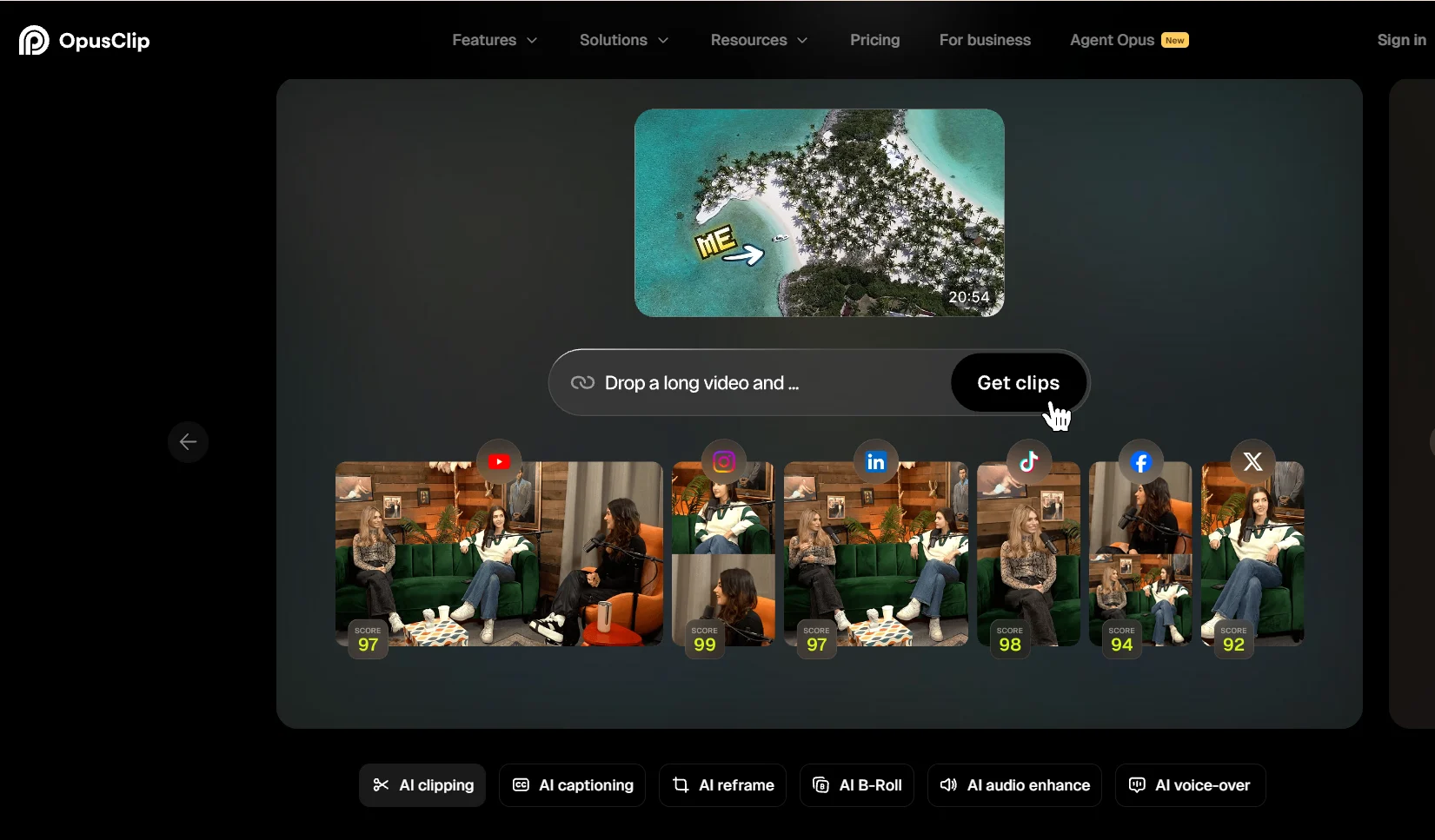
OpusClip is an AI video clipping tool that turns long-form video, such as webinars or podcasts, into short clips for your Instagram Reels.
Why we chose OpusClip: The platform offers several AI features to help you create and edit AI B-Rolls and even generate polished videos from raw footage. Its Virality Score is a highlight feature that assigns a score between 0 and 99 to each of your Reels based on its hook, pacing, and Instagram algorithm patterns. This way, you know which Reel to post first and how much engagement to expect.
OpusClip’s core features
- Auto reframe to 9:16 short clips for Instagram, TikTok, and YouTube with moving object tracking and subject-centered even during fast movement
- Animated captions in 20+ languages with emoji and keyword highlights, auto-generated title, description, and hashtags for each Reel
- Built-in social scheduler auto-posts directly to Instagram Reels, TikTok, YouTube Shorts, LinkedIn, Facebook, and X
Pros
- Speeds up video creation by creating multiple Instagram Reels in minutes, with captions and hashtags
- Easy-to-use tool with great customer service
Cons
- Sometimes, most of the AI clips might need manual cleanup before posting
- Processing can be slow during peak times
Pricing
Usage-based credit pricing across three tiers. The credits determine how many minutes of video you can process. It offers a 7-day free Pro Plan trial for new users, including 90 minutes of processing.
- Free: 60 credits/month, watermarked exports, no scheduler
- Starter: $15/month, 150 credits/month, watermark-free, auto-post to Instagram Reels, TikTok, and YouTube Shorts
- Pro: $29/month with 3,600 credits/year, social scheduler across all major platforms, team workspace with 2 seats, AI B-roll, brand templates
- Business: Custom pricing for high-volume teams needing API access and dedicated support
3. Repurpose.io
Best for: Creators and agencies looking for automated video and image repurposing for social platforms
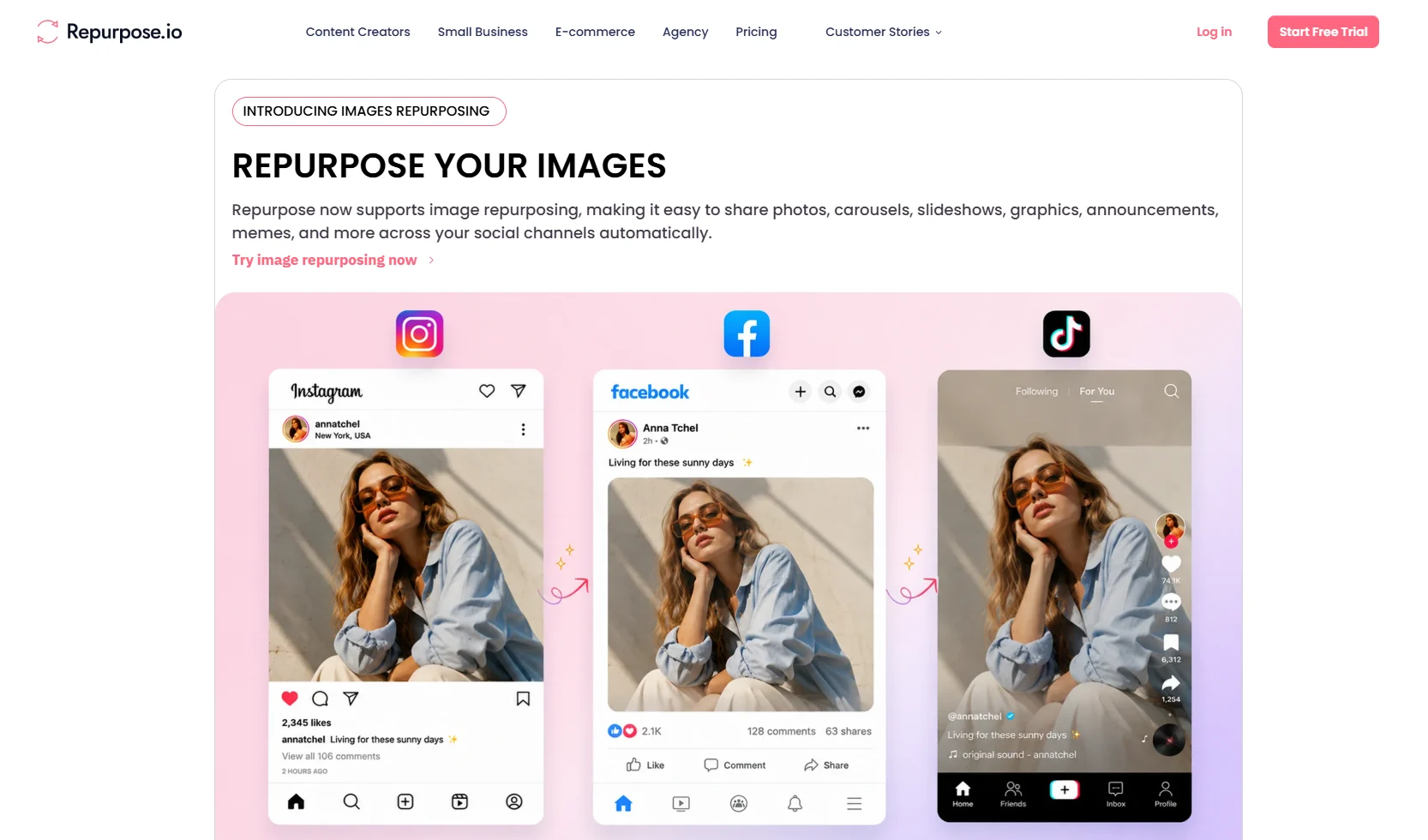
Repurpose.io is a content distribution tool that helps you with cross-posting one piece of content across multiple social media accounts.
Why we chose Repurpose.io: Its automated hand-off distribution helps you stay consistent with posting on social media. Once you connect your Instagram, TikTok, YouTube, Facebook, podcast feed, Google Drive, or Dropbox and set up a workflow, it automatically pulls content, reformats it for your chosen destinations, removes watermarks, and publishes across platforms without manual input. It also turns audio content into Instagram video posts with waveform or static image overlays, so even non-video content can be used for your Instagram feed.
Repurpose.io’s core features
- Custom automated workflows for scheduling and publishing posts
- Watermark removal and automatic formatting and resizing of content
- Audio-to-video repurposing
Pros
- Watermark-free repurposing from TikTok and Instagram
- Responsive support team with weekly meetings and customization as per preference
Cons
- A few users found the platform to be extremely buggy, hampering workflows
- The interface can be slow, and troubleshooting might become time-consuming
Pricing
Account-based pricing across three tiers. A 14-day free trial is available.
- Starter: $35/month (or $349/year, save 17%), up to 3 accounts per platform, 5,000 published videos/month
- Pro: $79/month (or $790/year), up to 10 accounts per platform, unlimited published videos/month
- Agency: $179/month (or $1,790/year), up to 25 accounts per platform, unlimited published videos/month
Instagram Content Scheduling Tools
4. Buffer
Best for: Solo creators and small businesses that want a simple scheduler to manage Instagram alongside other platforms
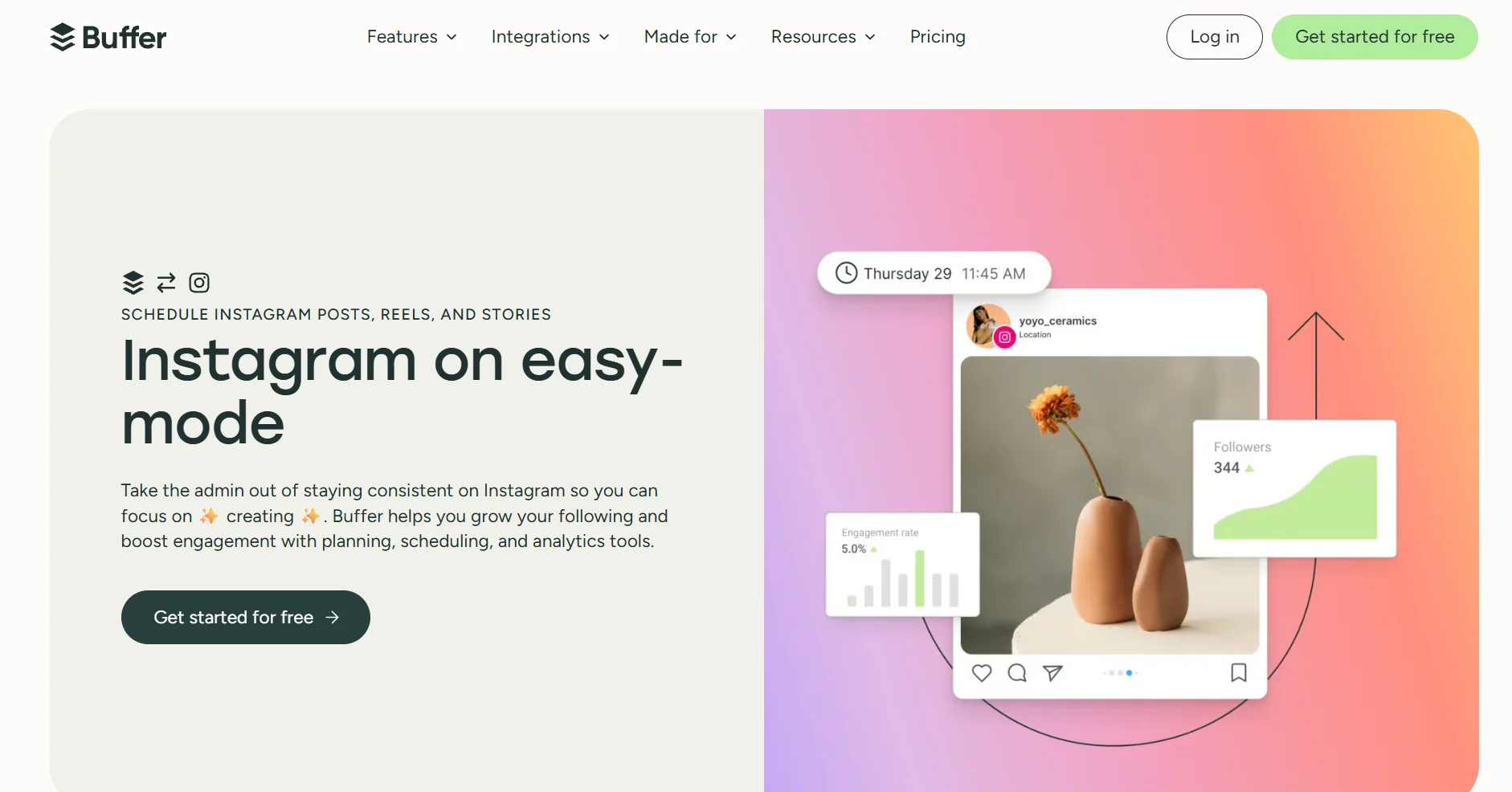
Buffer is an easy-to-use social media scheduling tool that you can use to create platform-specific posts and schedule them for publishing. Specifically for Instagram and TikTok, it handles Reels, Stories, feed posts, and carousels by auto-publishing them.
Why we chose Buffer: Buffer’s simplicity makes it ideal for creators. The feature set isn’t overwhelming, and you can quickly set it up. You can schedule your first comment and get suggestions on hashtags and the best times to post on Instagram. Its per-channel pricing is another win. You pay for each Instagram account you connect, which means if you run a single Instagram account, you get it for just $6/month.
However, if you need advanced features like social listening or competitor tracking, you might need to explore alternatives to Buffer.
Buffer’s core features
- Auto-publishes Instagram feed posts, Stories, Reels, and carousels
- Hashtag manager for saving and organizing reusable hashtag sets across campaigns
- AI assistant to ideate and refine content for social media
- Community inbox for managing post comments across platforms
Pros
- Intuitive interface with minimal setup time
- Supports 11 social networks including Google Business Profile
- A mobile app for both iOS and Android makes social media management easy on the go
Cons
- Limited analytics
- Several users managing multiple accounts find the scheduling tool to be expensive, with advanced features locked behind high pricing tiers
Pricing
Per-channel pricing across three tiers. 14-day free trial available on paid plans.
- Free: Up to 3 channels, 10 scheduled posts per channel, AI Assistant
- Essentials: $6/month per channel, unlimited posts, hashtag manager, first comment scheduling
- Team: $12/month per channel, unlimited team members, approval workflows, custom access permissions, branded reports
5. Later
Best for: Visual-first brands and creators working with Instagram-heavy workflows
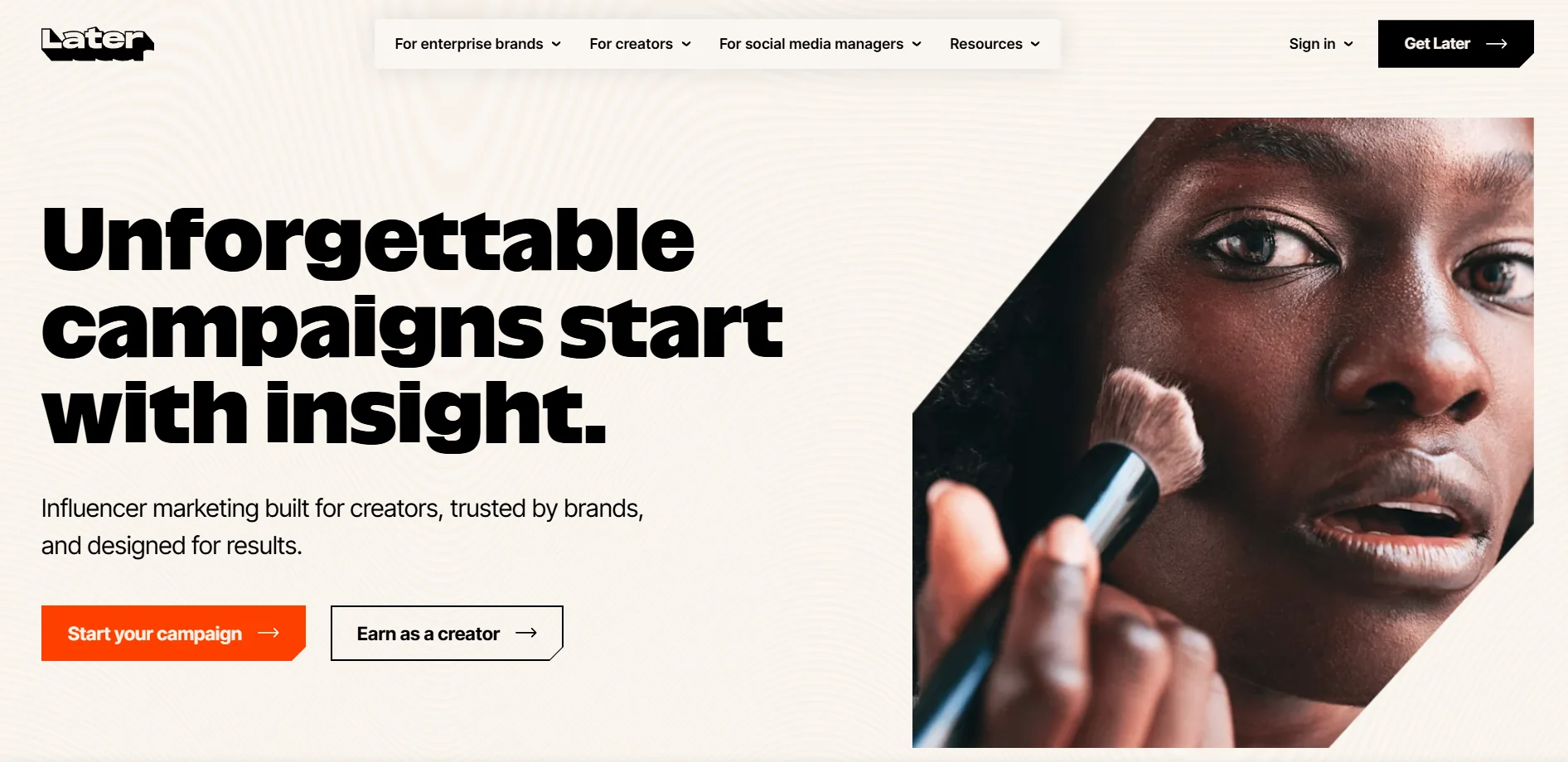
Later started as an Instagram scheduler, but now it supports content planning and social media analytics for different platforms. It offers a drag-and-drop visual calendar that shows you exactly how your Instagram grid will look before anything goes live. It supports all Instagram formats, including feed posts, Reels, Stories, carousels, and auto-publishes content for both business and creator accounts.
Why we chose Later: This social media scheduling tool combines visual feed planning, Instagram-specific features, such as product tagging, trending audio for Reels, and a Link in Bio page that makes Later the most Instagram-native tool on this list.
Later’s core features
- Visual grid planner shows your Instagram feed preview
- Instagram location tagging and first comment scheduling
- Best times to post on social media recommendations personalized by format
- Collect features to automatically pull Instagram content and add it to the media library for reposting
Pros
- Users appreciate the intuitive visual planning interfaces
- Simple review system for non-tech users
- AI assistance for post captions
Cons
- Analytics are limited, and user analytics accounts often get unlinked
- Doesn’t support scheduling LinkedIn carousels. Users also face issues scheduling images on TikTok
Pricing
Social set-based pricing. One social set includes one profile from each supported platform. 14-day free trial available. Annual billing saves 25% and includes 3 months free.
- Starter: $25/month includes 1 social set (8 profiles), 1 user, 30 posts per profile/month, 3 months of analytics
- Growth: $50/month, 2 social sets (16 profiles), 2 users, 180 posts per profile/month, social inbox, approvals, 1 year of analytics
- Scale: $110/month, 6 social sets, 4 users, unlimited posts, custom analytics, competitive benchmarking, brand health, 2 years of analytics
Already a Later user? It might feel limiting if you want multi-platform scheduling and detailed analytics. Explore these Later Alternatives.
6. SocialBee
Best for: Marketers, solopreneurs, and agencies looking for content scheduling and evergreen content recycling
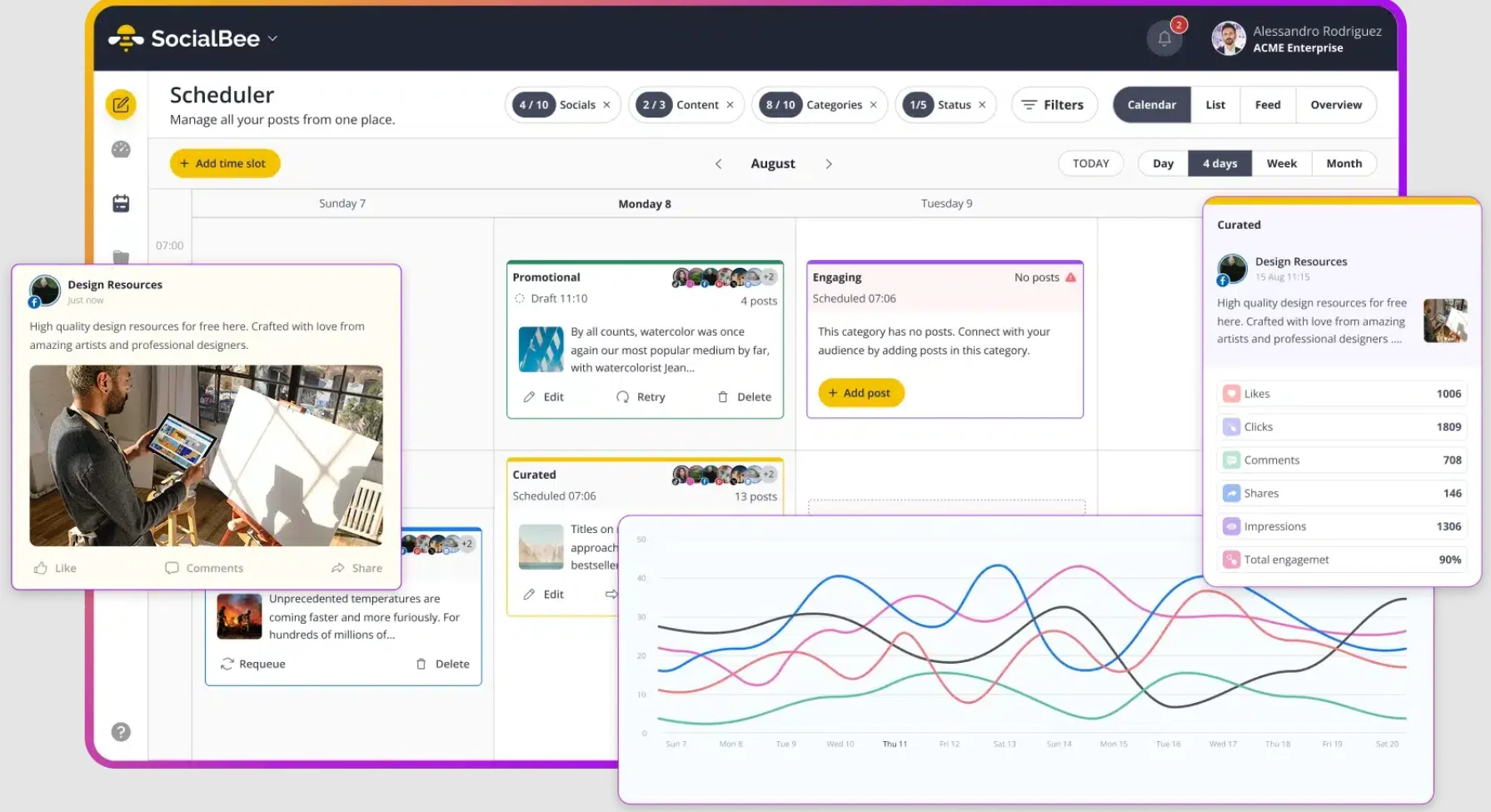
If you’re a busy solopreneur or a social media manager managing a lot of existing uncategorized content, SocialBee’s social media management tool can help you organize it into categories, such as educational posts, promotional content, user-generated content, or seasonal campaigns, and auto-recycle it on a schedule. It also includes an engagement inbox for comments and DMs and an Instagram grid preview so you can check your feed before anything goes live.
Why we chose SocialBee: SocialBee handles evergreen and campaign content together. You can set expiry dates on time-sensitive posts while keeping evergreen content cycling indefinitely without manual input. The AI Copilot also helps you generate multi-week content plans with captions and images.
SocialBee’s core features
- Category-based content queue and post organizer
- AI Copilot for generating social media strategy with ready-to-use captions and images
- Instagram grid preview and first comment scheduling
- Engagement inbox for managing Instagram comments, DMs, and mentions alongside Facebook, LinkedIn, YouTube, and X
Pros
- Users praise SocialBee’s responsive customer support
- Allows content customization for platforms while maintaining a consistent brand voice
- Detailed analytics in a single dashboard, especially for small businesses
Cons
- A few users faced system glitches when scheduling videos
- Limited integration options
Pricing
Flat-rate tier pricing per plan. Tiers scale by the number of social profiles, workspaces, and users. Add-ons available for extra profiles, users, and workspaces. 14-day free trial.
- Bootstrap: $29/month, 5 social profiles, 1 user, 10 content categories, 3 months of analytics
- Accelerate: $49/month, 10 social profiles, 1 user, advanced analytics up to 2 years, hashtag organizer, post approval, bulk editor
- Pro: $99/month, 25 social profiles, 3 users per workspace, 5 workspaces, internal notes, exportable reports
- Agency plans are separate, starting from $179/month for 5 user/workspace and 10 workspaces.
7. Pallyy
Best for: Freelancers and small teams looking for an affordable multi-channel social media management tool
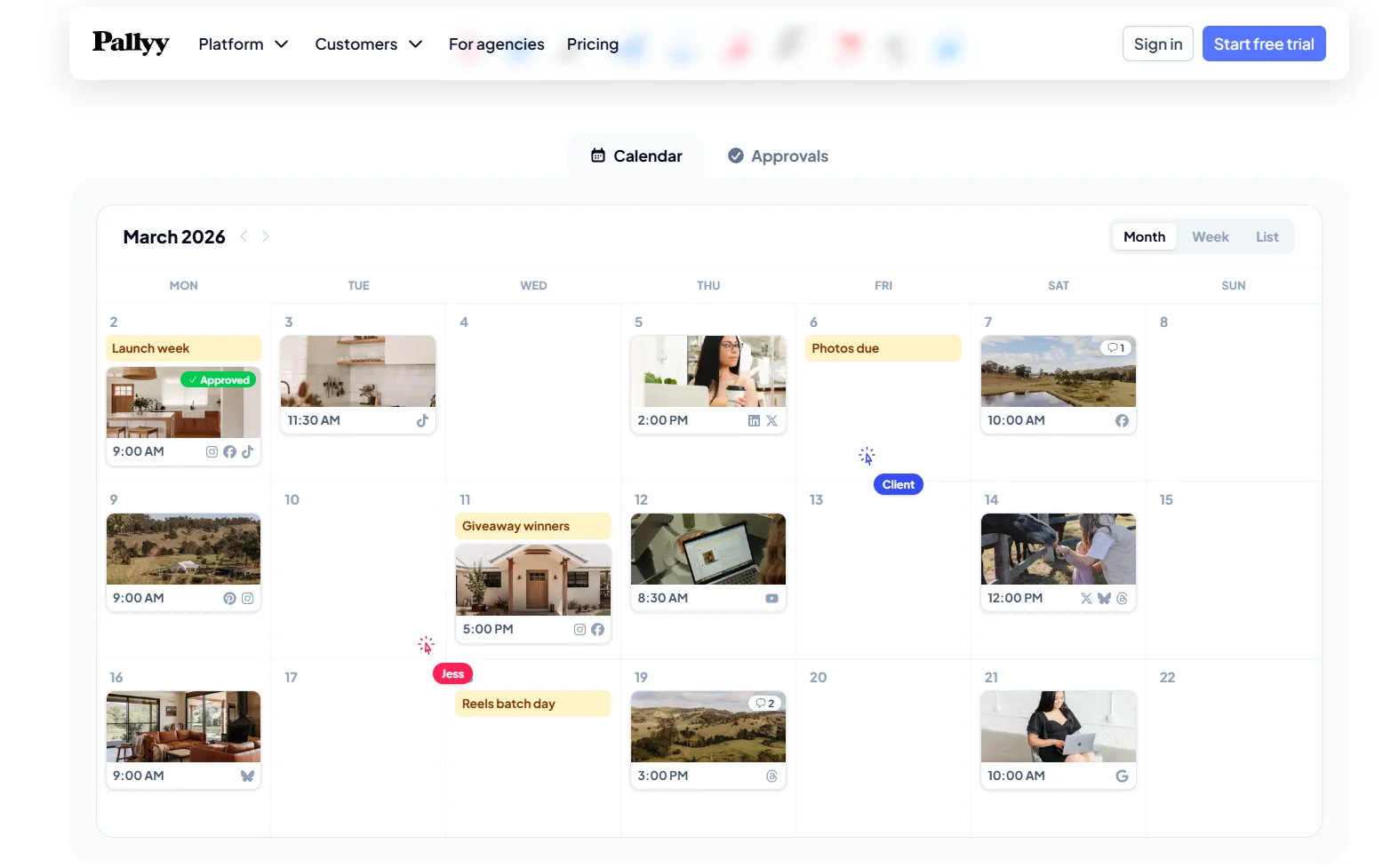
Pallyy is a freelancer’s scheduler that lets you queue your content and post it across social media channels after approval. You can preview the post before it goes live, add captions and hashtags using AI, and even add alt text to make them screen reader friendly.
Why we chose Pallyy: We found Pallyy to be one of the most cost-effective options with a generous free plan. There are no post caps on paid plans, and you get access to approval workflows in the starter paid plan. It also offers plenty of features, from first comment scheduling to Instagram product and location tagging, and a media library to organize your images and videos.
Pallyy’s core features
- Instagram grid planner for feed previews before publishing
- Social inbox for tracking DMs, mentions, comments, and reviews across Instagram, Facebook, Google My Business, and more
- Approval workflows and shared client calendars
- Competitor tracking for up to ten Instagram competitors
Pros
- Clean and intuitive interface makes scheduling easy
- Easy-to-use approval workflows support seamless collaboration
- Affordable for small businesses and solopreneurs
Cons
- According to a user, the support team isn’t great at troubleshooting.
- Reporting and analytics could have more customization options.
Pricing
Pallyy offers a free plan, and the paid ones are social set-based. One social set covers all platforms for one brand or client (one account on each platform). 14-day free trial on paid plans.
- Free: 1 social set, 15 posts/month, basic calendar and analytics
- Pro: $25/month for 1 social set, unlimited posts, 1 user, social inbox, AI captions, approval workflows, shared calendars, 5 years of analytics
- Agency: $99/month, 10 social sets, 3 users, custom reports, report export, 20GB storage
- Scale: $199/month for unlimited posts, 30 social sets, 10 users, and access to all social media features
- Extra social sets are available as add-ons at $10/month each on Pro and Agency plans
Instagram Content Creation Tools
8. Canva
Best for: Marketers and small teams who need Instagram-ready visuals without a design background.
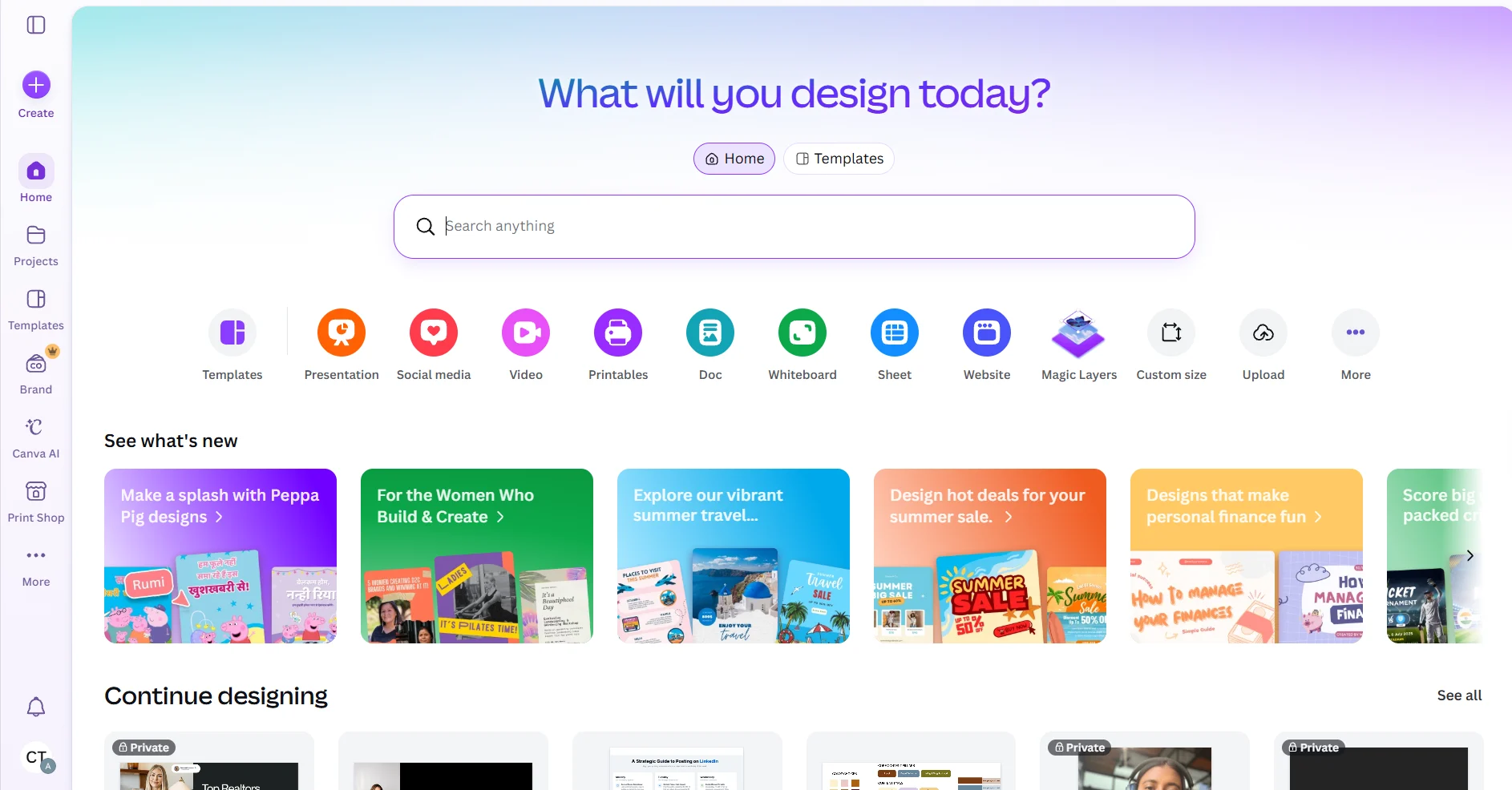
Canva’s graphic design tool with its drag-and-drop editor is ideal for creators and teams to design visuals and publish them directly to Instagram without switching platforms.
Why we chose Canva: Canva offers millions of templates and stock photos for Instagram Stories, Reels, posts, and carousels. They’re pre-sized and tailored for every format. You can collaborate with your team on designs, edit them in real time, and also store brand assets in a shared Brand Kit. Canva also has a built-in AI caption generator for your designs.
Canva’s core features
- Pre-sized templates for all Instagram content formats
- Magic Resize adapts any design to a different format or platform in one click
- Scheduling and publishing to Instagram, Facebook, and other platforms from within Canva
Pros
- Intuitive interface that requires no prior design experience
- Template library with Instagram-specific formats
Cons
- Free templates are generic
- Key Instagram features like Background Remover, Magic Resize, and premium templates are locked behind the Pro plan
Pricing
Subscription-based pricing. A 30-day free trial is available for Pro and Teams plans.
- Free: Basic design tools, 2M+ templates, 5GB storage
- Pro: $18/month per user, premium templates, Brand Kit, Magic Resize, Background Remover, content scheduler
- Business: $25/month per user, all Pro features plus team collaboration, admin controls, and brand governance tools
- Enterprise: Custom pricing
9. Visme
Best for: Marketing teams that need Instagram graphics alongside presentations, reports, and interactive content.
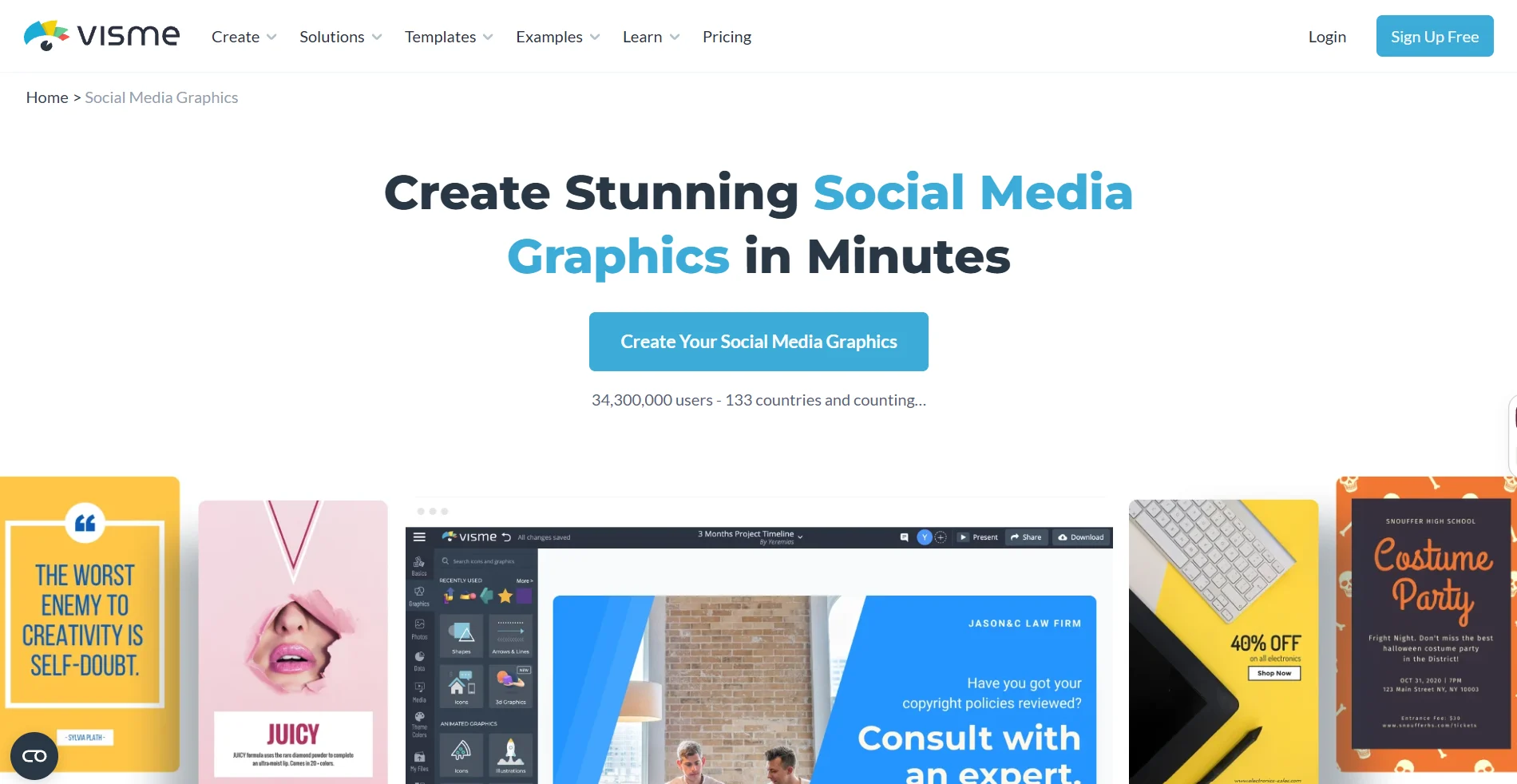
Visme covers all types of social media content plus charts and graphs, presentations, reports, forms, and everything else you need. For Instagram marketers, it provides thousands of templates for feed posts, Stories, and Reel covers, along with a full asset library, AI design tools, and team brand controls.
Why we chose Visme: Visme is a comprehensive design tool. You can create your social graphics and marketing presentations on the same platform. It offers animation tools, so you don’t need another video editing platform subscription. It also has a brand kit with admin controls that make it easy for everyone, including freelancers and clients, to use brand fonts, colors, and logos for different Instagram post types.
Visme’s core features
- 10,000+ templates including Instagram feed posts, Stories, and Reels covers, with full drag-and-drop customization
- AI Writer for drafting Instagram captions, post copy, and content outlines directly in the editor
- Animation and motion tools for adding transitions, hover effects, and animated elements
- Direct download in Instagram-compatible formats (MP4, PNG, GIF)
Pros
- High-quality graphics download
- Drag-and-drop functions improve user experience and make it easy to incorporate external data
- Plenty of template options, including marketing presentations, catalogs
Cons
- Clunky interface
- Limited capabilities in the free plan
Pricing
Subscription-based pricing across three main tiers. No free trial.
- Basic: Free, access to core editor, basic templates, limited download formats
- Starter: $29/person per month with access to premium templates, Brand Kit, advanced export formats, privacy controls
- Pro for Teams: $59/person per month, simultaneous editing, Slide Library, Dynamic Fields, admin brand controls
- Enterprise: Custom pricing from 10 users
Instagram Analytics and Reporting Tools
10. SocialSprout
Best for: Mid-size to enterprise teams that need premium analytics and social listening in one platform.
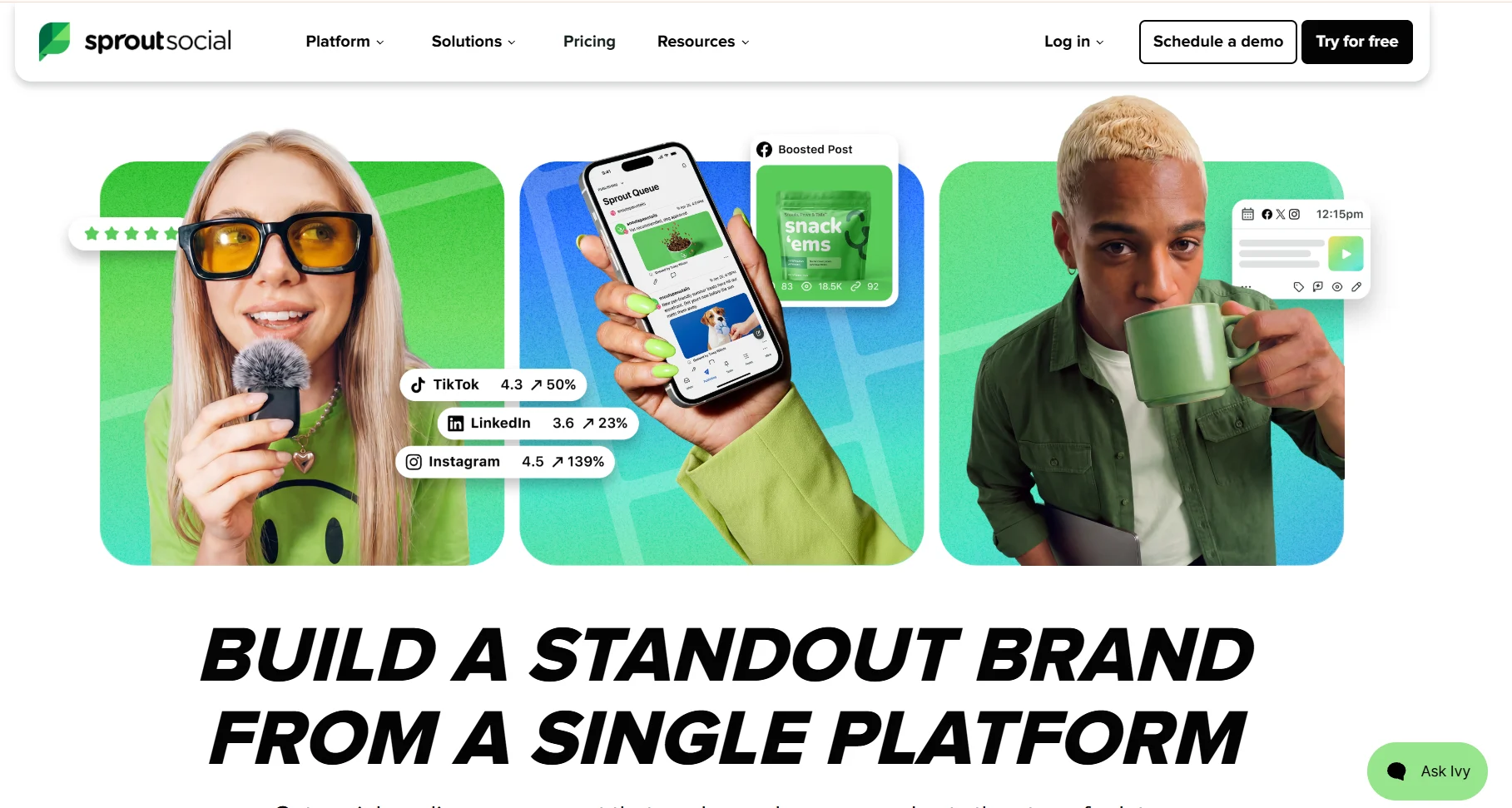
Sprout Social is a comprehensive social media management platform built around analytics, engagement, publishing, and team workflows. It consolidates Instagram DMs, comments, and mentions alongside every other connected platform into a Smart Inbox, so you don’t miss responding to any follower comment on your posts.
Why we chose Sprout Social: The reporting depth has earned it a place on this list. You can pull profile-level, post-level, and campaign-level data into a single exportable report, complete with Reels metrics, Story data, Instagram hashtag trends, and competitor benchmarking.
For data-driven brands and agencies that need to prove Instagram ROI to stakeholders, Sprout Social generates clean, custom reporting that can help you make informed Instagram marketing strategy decisions.
Sprout Social’s core features
- Social listening tool to track brand mentions
- Customizable PDF and CSV reports exportable by profile, campaign, or tag for client or stakeholder reporting
- SproutLink turns your Instagram bio link into a multi-destination landing page with click tracking
- AI influencer marketing tools to discover the right creators and centralize outreach, contacts, approvals, and payments
Pros
- Centralized management of all social accounts
- Makes tracking comments, likes, and other interactions easier
- Mobile app to make on-the-go changes easy
Cons
- Per-seat pricing makes it expensive for small teams; social listening and premium analytics are add-ons that increase costs further
- Steep learning curve due to the number of features
Pricing
Per-seat pricing across four tiers. Social listening and premium analytics are available as separate paid add-ons on Standard plans. A 30-day free trial.
- Essentials: $79/seat/month (billed annually), 5 social profiles, basic analytics, Smart Inbox, Trellis AI agent
- Standard: $199/seat/month (billed annually), 5 social profiles, keyword monitoring, review management
- Professional: $299/seat/month (billed annually), unlimited social profiles, competitor insights, message tagging, paid performance data
- Advanced: $399/seat/month (billed annually), sentiment analysis in Smart Inbox, team productivity reports, API access, helpdesk integrations
- Enterprise: Custom pricing
11. Metricool
Best for: Solo marketers and small agencies who want centralized post scheduling with in-depth reporting features
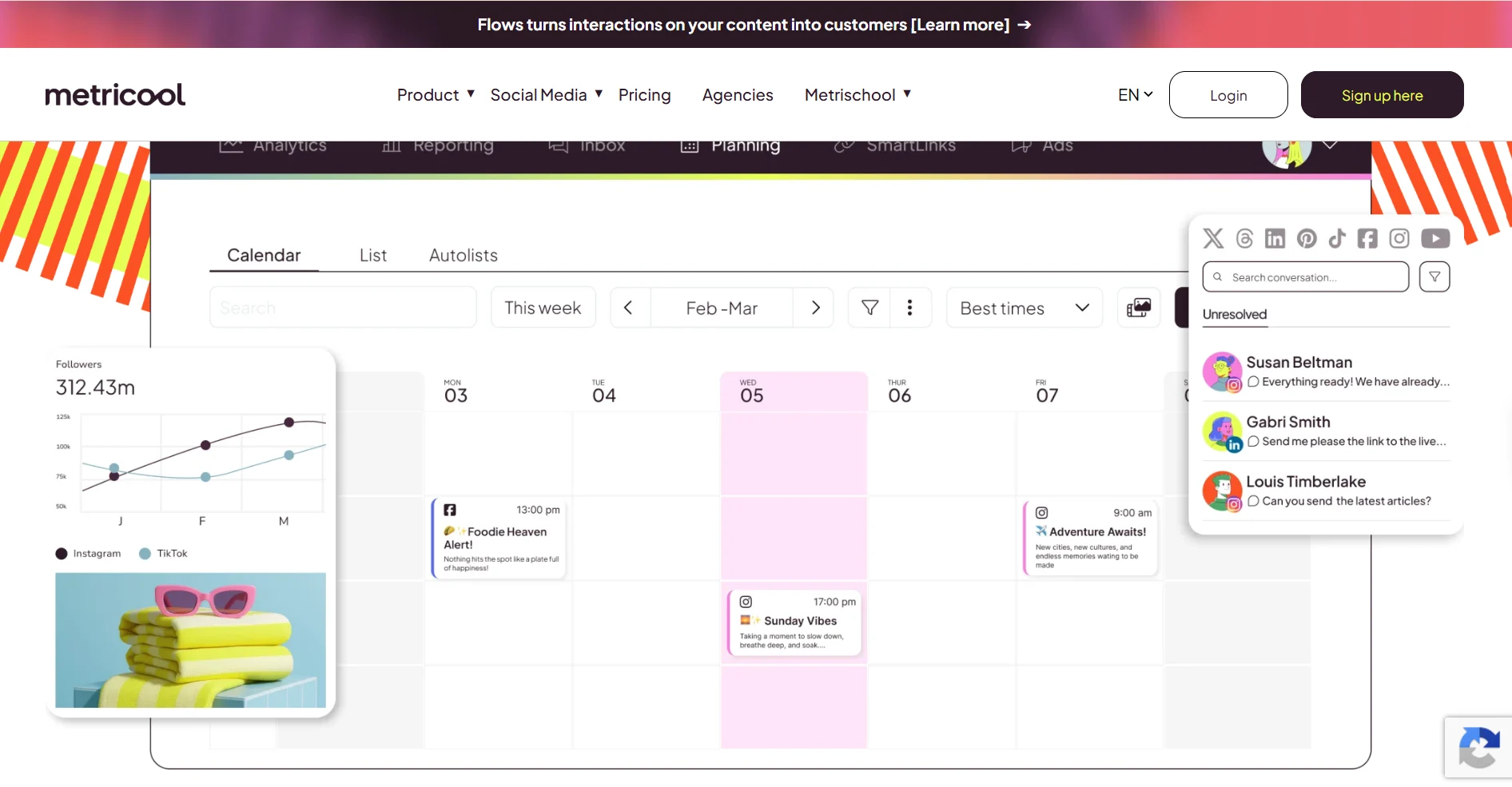
Metricool is a social media management tool that combines scheduling, analytics, and paid ads reporting across 11 platforms from one dashboard. It auto-publishes all Instagram formats, including Reels with trending audio, and its content calendar includes thematic holiday suggestions to help with post planning.
Why we chose Metricool: It puts competitor analysis and paid ads tracking alongside organic Instagram analytics without charging separately for either. For teams running both paid and organic strategies, that means one consolidated report instead of pulling data from multiple tools.
Metricool’s core features
- SmartLinks bio link tool with click analytics built into the dashboard
- Follower demographic breakdown by age, gender, and location with unlimited analytics history on paid plans
- Competitor tracking for up to 100 Instagram profiles, covering follower growth, posting frequency, and engagement trends
- Post approval workflows and team role assignments for agencies managing multiple client accounts
Pros
- Clean and easy-to-use interface
- Quick to set up accounts
- Batch scheduling across multiple platforms
Cons
- The free plan doesn’t support connecting a LinkedIn page
- Occasional desync of data
Pricing
Brand-based pricing. One brand includes one social profile from each supported platform. Free plan available
- Free: 1 brand, 20 posts/month, 30 days of analytics history, 5 competitors, basic features
- Starter: From $25/month for up to 5 brands, unlimited scheduling, LinkedIn access, PDF/PPT reports, competitor tracking for up to 100 profiles, unlimited analytics history
- Advanced: From $67/month for up to 15 brands, team roles and permissions, post approval workflows, custom report templates
- Custom: For agencies managing 50+ brands with white-label options, dedicated support
12. Iconosquare
Best for: Agencies and enterprise teams looking for a scheduler with advanced analytics and client reporting
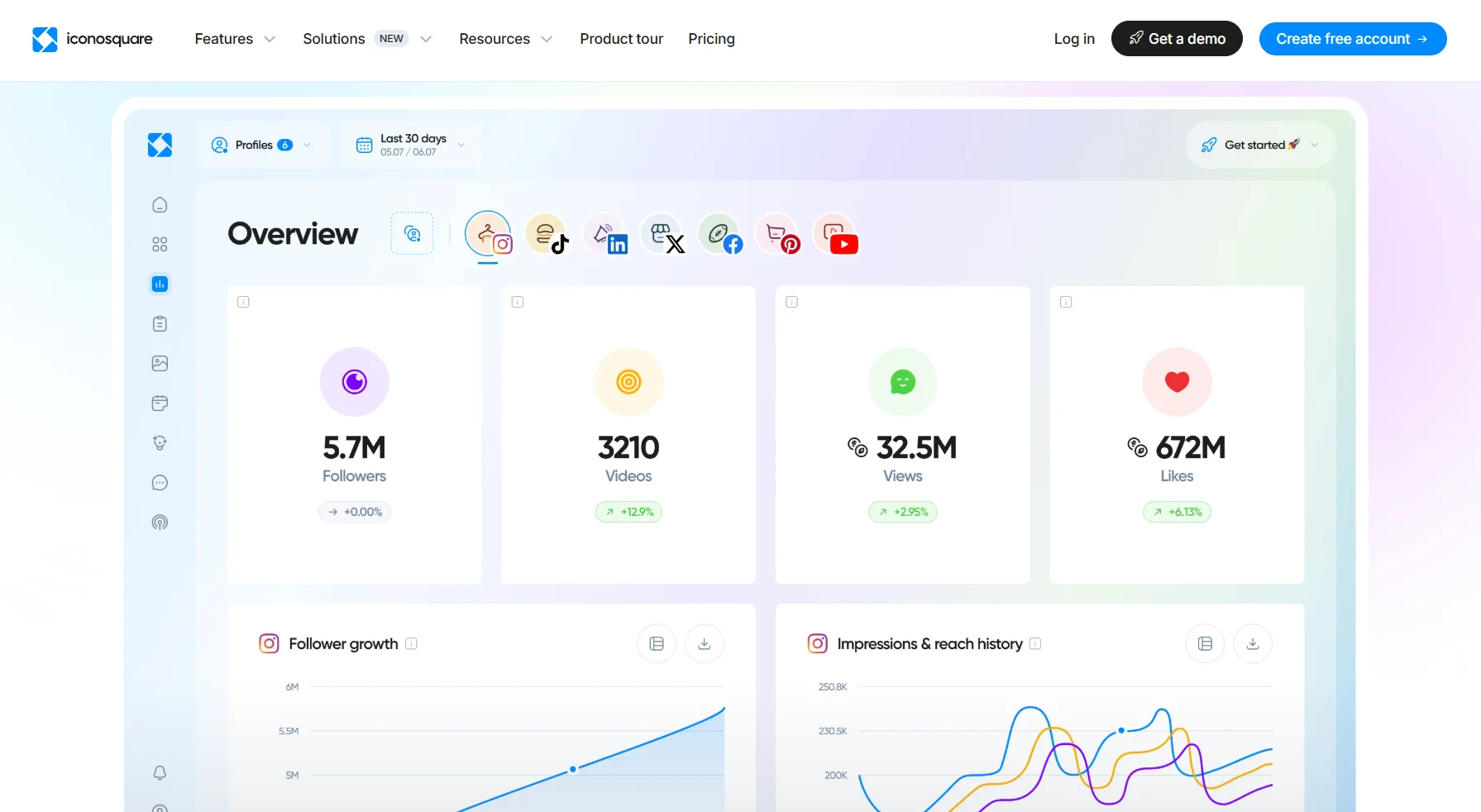
Iconosquare is an analytics and scheduling platform that works best for tracking Instagram performance and managing content across multiple profiles. It also supports Facebook, LinkedIn, TikTok, Pinterest, X, Threads, and YouTube from one custom dashboard.
Why we chose Iconosquare: At its entry price point, Iconosquare delivers competitor benchmarking and white-label PDF reporting that tools like Sprout Social charge significantly more for. For agencies that need client-ready reports without manual reformatting, the platform is a good choice.
Iconosquare’s core features
- Competitor benchmarking tracks follower growth and posting frequency
- Customizable analytics dashboards let you choose which metrics to surface
- Social listening monitors brand mentions and conversations
- Visual feed preview and Instagram grid planner with drag-and-drop scheduling
Pros
- Easy social post and first comment scheduling
- Great listening tool
- Intuitive dashboard
Cons
- Poor customer service and several reporting bugs
- Excessive system notifications clutter the inbox
Pricing
Profile-based pricing across four tiers. 14-day free trial and free plan included.
- Free: 2 social profiles, 1 user, basic analytics, 30-day data history, 10 posts/month
- Starter: From $11/month, includes 1 user, 3 social profiles, 30 posts/month, AI analyst
- Launch: From $39/month, 5 or 10 profiles, 1 user, standard analytics, 1 year data history, 100 posts/month
- Scale: From $83/month, supports 3 users, 5 social profiles, unlimited posts, campaign analytics, social listening, community management, collaboration tools
- Custom: From $139/month, 5 to unlimited social profiles, 1 to unlimited users, unlimited posts, white-label reporting, priority support
Instagram Growth Tools
13. Inflact
Best for: Creators and brands using influencer marketing
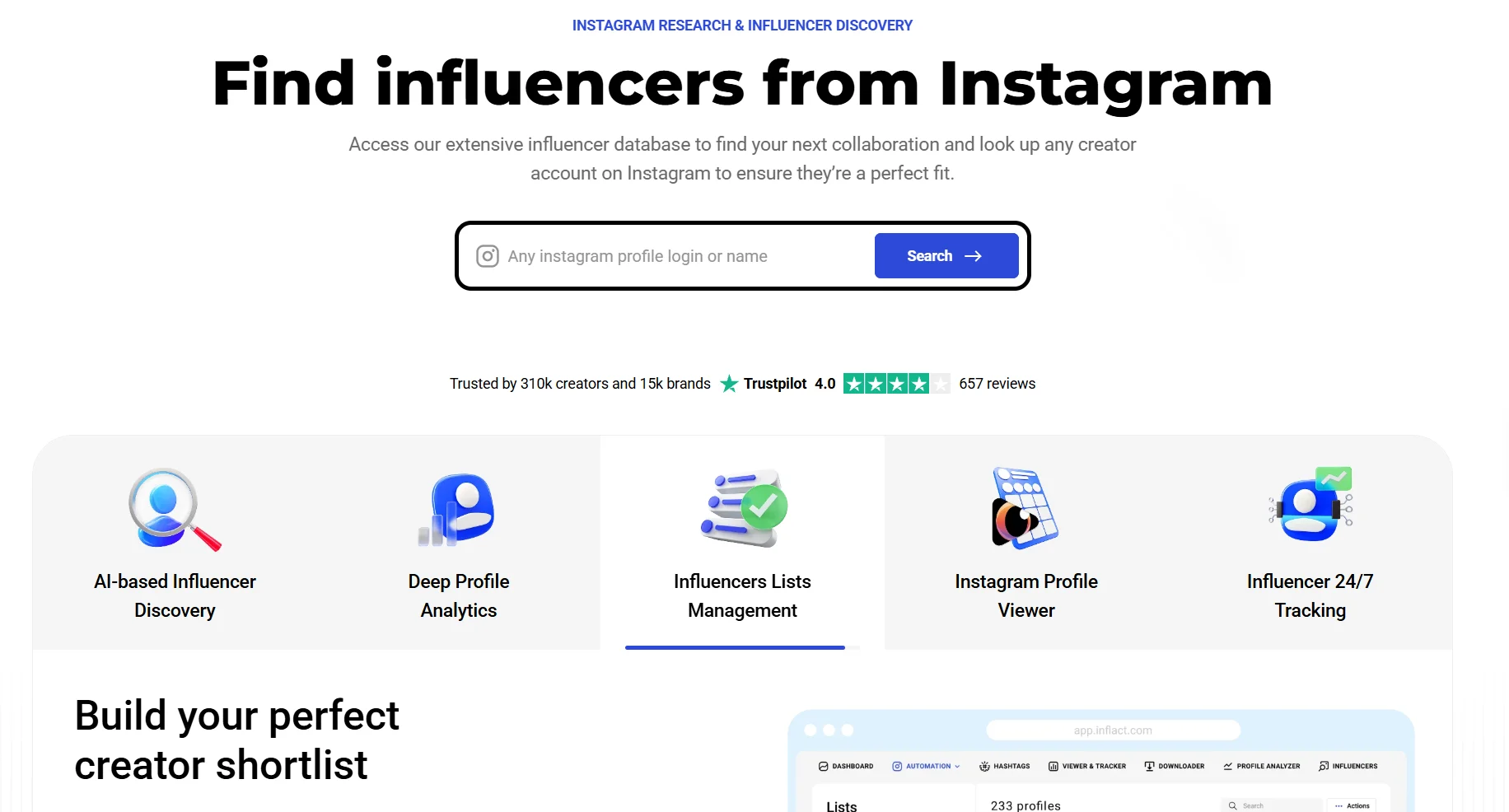
Inflact is an Instagram research and influencer discovery platform. It lets you search creators by niche, location, gender, and engagement rate, then analyze their audience demographics, posting frequency, and past brand partnerships before committing to a collaboration. A built-in tracker monitors competitor and influencer profiles automatically, saving posts, Stories, and performance data without you needing to check manually.
Why we chose Inflact: Most influencer tools either find creators or analyze them. Inflact does both in the same workflow. You can search, shortlist, analyze audience authenticity, view past sponsorships, and export contacts without switching platforms. For brands running influencer campaigns on Instagram, that removes significant back-and-forth.
Inflact’s core features
- AI-analyzed profile cards show estimated collaboration pricing and audience authenticity scores for any public Instagram account
- AI-powered hashtag generator suggests relevant tags based on your niche
- Content downloader saves posts, Reels, Stories, and highlights from any public account
- Exportable influencer shortlists with contact details in CSV or Excel format
Pros
- Strong customer support service
- Helps keep all content types organized in one place
- Various free and easy-to-use tools such as downloaders
Cons
- Limited customization and account restrictions
- Profile filters might feel limited; could be more advanced
Pricing
Feature-based pricing. You can buy pre-built packs or build a custom plan selecting only the modules you need. A 7-day trial is available for $3 on Research and Pro plans.
- Free: Limited access to influencer search, profile viewing, and basic downloads
- Research: $34/month, with unlimited influencer search and contacts, profile analyzer, viewer, and tracker for 3 profiles
- Pro: $59/month, everything in Research plus tracker for 10 profiles, 5GB storage, hashtag generator, private chat support
- Custom: Build your own plan by selecting individual modules at separate prices
14. Virallized
Best for: Creators and small brands who want hands-off Instagram follower growth with AI-powered audience targeting.
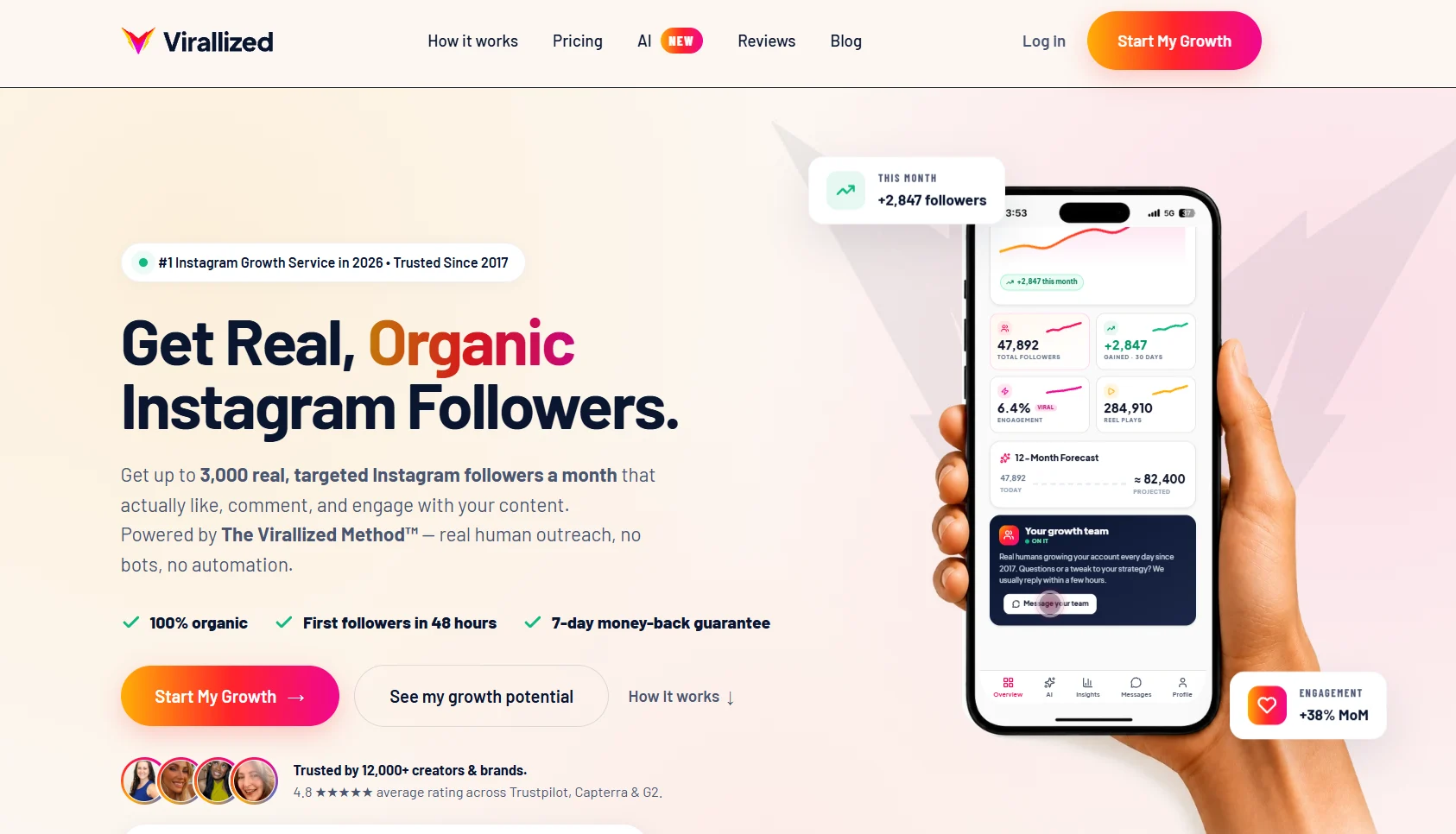
Virallized’s Instagram growth service uses real human outreach to attract niche-relevant followers. You share your target audience, location, and reference accounts, and their team handles all outreach manually. Every plan also includes an AI content tool that generates captions, carousels, and post hooks.
Why we chose Virallized: The best thing about Virallized is that most users experienced gradual growth from consistent posting. They earned real followers instead of bot accounts that most Instagram growth tools do. Once the team knows your audience, they analyze profiles and interact with targeted ones on your behalf to ensure consistent follower growth.
Virallized’s core features
- Location, hashtag, and competitor account targeting for defining for audience
- Welcome DM on Max and Managed plans sends a message you write to new followers immediately after they follow you
- AI content tool to generate Instagram captions, carousel copy, and post hooks from a topic prompt
Pros
- Responsive support team
- Real follower growth (around 1000 followers gained in 3 months)
Cons
- Limited third-party reviews
- A user reported payment issues and low-quality followers
Pricing
Volume-based pricing. 7-day money-back guarantee on all plans.
- Standard: $99/month, 150-500 followers/month
- Pro: $149/month, 250-1,000 followers/month, AI tech, and personal account manager
- Max: $199/month, 500-2,000 followers/month, account manager, welcome DM feature
- Managed: $299/month, 750-3,000 followers/month, fully managed growth with daily optimization and priority support
How to Choose the Tool that Fits You?
The best Instagram marketing tool is the one that solves your most pressing problems. Before committing to a subscription, run it against these factors:
- Instagram format support: Confirm it auto-publishes Reels, Stories, and carousels, not just feed posts. Many tools still require manual steps for certain formats
- Free plan or trial: Most tools on this list offer a free trial. Use it before paying, especially for analytics and growth tools where results take time to show
- Pricing model: Per channel, per seat, and per brand pricing scale very differently. A tool that’s affordable for one account can get expensive fast when you add more seats or users
- Integration with your existing stack: Check if the tool connects with your design tool, CRM, or content source
- Single tool vs. stack: Identify your needs, then choose an all-in-one platform or focused tool. While an all-in-one saves switching costs, a focused tool does one thing better
Which is the Best Instagram Marketing Tool for Your Business?
The best tool depends entirely on where your Instagram workflow is breaking down.
If you’re posting but not seeing the expected results, add an analytics tool like Iconosquare, Metricool, or Distribution.ai.
If design is slowing you down, Canva or Visme can help remove the bottleneck without a steep learning curve. And if follower growth has stalled despite consistent posting, Inflact or Virallized can help you with their growth services without the bot-driven shortcuts.
Most marketers end up with two to three tools covering different jobs. But if you want a platform to cover all the necessary features you need, consider a platform like Distribution.ai.
Distribution.ai turns your existing content into social media posts automatically within minutes. You can generate dozens of post variations within minutes. Plus, you can manage approvals, schedule them for publishing, and track their performance with built-in analytics.
Frequently Asked Questions
What are the best free Instagram marketing tools?
Buffer’s free plan supports three channels and 10 scheduled posts per channel. Canva’s free plan gives access to millions of templates. Metricool also has a free plan that covers one brand with 20 posts per month and 30 days of analytics.
What is the best Instagram scheduling tool?
It depends on your social media marketing workflow. Later works best for visual-first brands planning around feed aesthetics. Buffer is the simplest and an affordable scheduler for solo operators. If you need content repurposing and scheduling from one platform, Distribution.ai is worth giving a try.
Do Instagram marketing tools work for Reels?
Most modern tools support Reels editing, scheduling, and repurposing. Later, Buffer, SocialBee, Pallyy, can help you schedule Reels for publishing and Distribution.ai supports repurposing long form videos to create short clips that can be posted as Instagram Reels. Some tools still require a manual push notification for certain Reels formats, so confirm before committing.
How many Instagram tools do most marketers use?
Most active Instagram marketers use two to three tools covering different functions: a repurposing or scheduling tool, an analytics tool, and a design or growth tool. Tools like Distribution.ai reduce that number by handling repurposing, scheduling, and analytics from one dashboard.
What should I look for in an Instagram analytics tool?
Look for Reels completion rates, Story tap-forward and tap-back data, follower growth trends, audience demographics, and competitor benchmarking. Social media tools like Iconosquare, Metricool, and Sprout Social all go significantly deeper than native Instagram Insights. Distribution.ai also includes a performance analytics dashboard if you want repurposing and reporting in one place.
Promote, repurpose & distribute your content with AI
Write 10x faster, engage your audience, & never struggle with the blank page again.
Start 15-Day Free Trial
Frequently Asked Questions
Author

Promote, repurpose & distribute your content with AI
Start 15-Day Free Trial