Webinar Repurposing: A 30-Day Distribution Plan for One Recording
Webinar repurposing made simple: turn one recording into 30 days of blog posts, clips, social posts and emails. Copy the plan and the workflow.
 By
Quick answer
Webinar repurposing means turning one recording into a month of content: a recap blog post, short clips, quote posts, an email and a gated or ungated replay. The simplest plan is to break the webinar into 6 to 10 standalone ideas, map them to channels, and schedule them across 30 days so the recording keeps working long after the live event ends.
Most B2B teams put weeks into a webinar. Speaker prep, slides, promotion, a live Q&A. Then the recording goes into a replay page and the team moves on to the next event.
That is a lot of work for one hour of attention. The people who registered and didn’t show up never see it. The people who never heard about it never will. Webinar repurposing fixes that by treating the recording as raw material for a full month of distribution.
This guide gives you a 30-day webinar distribution plan you can copy, the assets to pull out of one recording, and a workflow that keeps the effort small.
Key Takeaways
- One webinar holds enough ideas for 30 days of content if you split it into standalone points.
- Start with a transcript. Every other asset gets easier once the words are on the page.
- Spread the plan across four weeks: recap, deep dives, proof, then a second push to the replay.
- Each channel gets its own version. A LinkedIn post, a clip and an email should not read the same.
- Measure replay views, signups and pipeline touched, then reuse the plan for the next event.
Why webinar repurposing pays off for B2B teams
A webinar is one of the richest assets a B2B team produces. It usually has an expert point of view, real customer questions, a demo and a clear call to action. That combination is hard to get from a single blog post.
The live event only reaches the people who attend. Repurposing extends that reach in three ways:
- It gives no-shows and late discoverers a reason to watch the replay.
- It turns one expert hour into search content, social posts and email that work for months.
- It gives sales a set of short, shareable assets that answer the questions prospects already ask.
Ross Simmonds has been making this case for years. His guide to content repurposing covers webinars specifically: pull out blog takeaways, cut short clips and package lead-gen downloads. The idea sits at the heart of his book, Create Once, Distribute Forever.
If you are still planning the event itself, start with our webinar marketing plan. This post picks up after the recording ends.
What to pull out of one webinar recording
Before you plan the month, build an inventory. Watch the recording once with the transcript open and tag every moment that could stand on its own.
| Asset | Where it comes from | Best channel |
|---|---|---|
| Recap blog post | The full transcript, edited into sections | Your blog, search, AI answers |
| Short video clips | Strong 30 to 90 second answers | LinkedIn, YouTube Shorts |
| Quote posts | One-line opinions from speakers | LinkedIn, X, Threads, Bluesky |
| Framework or checklist post | Any slide with steps or a model | LinkedIn carousel, blog |
| Q&A posts | Audience questions and answers | LinkedIn, FAQ sections, sales follow-up |
| Top three takeaways plus the replay link | Registrants, newsletter | |
| Thread | The main argument, step by step | X, Threads |
A typical hour-long session gives you 6 to 10 standalone ideas. That is the raw material for the whole month.
The 30-day webinar distribution plan
The plan below runs in four weeks. Each week has a job. Adjust the volume to your team, but keep the order.
| Week | Goal | What goes out |
|---|---|---|
| Week 1 Days 1 to 7 |
Recap and replay | Day 1: replay email to registrants. Day 2: recap blog post. Days 3 to 7: one LinkedIn post per day on the biggest takeaways, one X thread, one short clip. |
| Week 2 Days 8 to 14 |
Deep dives | Two clips that each answer one question. A framework carousel. Quote posts on X, Threads and Bluesky. A newsletter section built from the best segment. |
| Week 3 Days 15 to 21 |
Proof and Q&A | Q&A posts from the live session. Speaker posts from their own profiles. A short follow-up email for sales to send to engaged accounts. |
| Week 4 Days 22 to 30 |
Second push | Resurface the top-performing post with a new hook. Publish a standalone blog post on the strongest idea. Final clip pointing to the replay and the next event. |
Week 4 matters more than it looks. Plenty of people in your audience will have missed weeks one through three. A second push with fresh hooks reaches them without much extra work.
How to repurpose a webinar step by step
Here is the workflow we recommend. It works whether you do it by hand or with a tool.
Get a clean transcript
Export the recording and transcript from your webinar platform. Fix speaker names and product terms before anything else.
List the standalone ideas
Write 6 to 10 one-sentence ideas the webinar supports. Each one should make sense to someone who never saw the session.
Mark timestamps for clips
Note the start and end of every strong answer. Short, self-contained answers make the best clips.
Write the recap post first
The recap becomes your hub. Every social post and email can link back to it, and it gives search and AI assistants a text version to find.
Draft channel-native posts
Write each post for its channel. Longer, story-led posts for LinkedIn. Tight lines for X. Conversational posts for Threads and Bluesky.
Schedule the full 30 days at once
Load the plan into your calendar in one session. Spacing posts across a month is easier when you can see the whole thing.
Hand assets to sales and speakers
Share the clips and posts with your speakers and sales team so they can post from their own profiles.
Review results on day 30
Check which ideas drove replay views and signups. Use the winners to shape the next webinar’s topic.
Pro tip: Q&A questions are the most underused part of any webinar. They are the exact questions your buyers ask, in their words. Turn each one into a post, then add the best ones to the FAQ on your recap.
Speeding up webinar content repurposing with Distribution.ai
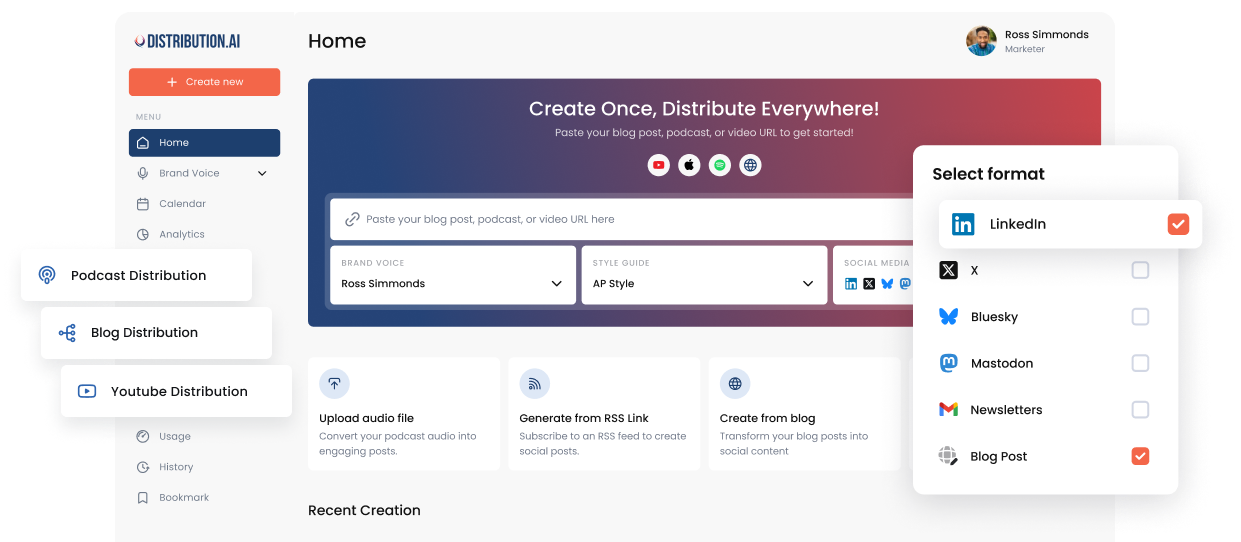
The slow part of webinar repurposing is the drafting. Turning a transcript into a dozen channel-ready posts takes hours by hand. Distribution.ai shortens that step.
- Upload the recording or paste the recap link, and generate posts for each channel in your brand voice.
- Use the Content Bundle Generator to get multiple platform-ready assets from one upload.
- Put everything on recurring posting slots, so the 30-day plan fills itself in.
- Send posts through approval if your workspace needs a review step before anything goes live.
If you work in ChatGPT or Claude, the Distribution.ai MCP connector lets you do the same from a chat. Paste the recap link, ask for LinkedIn and X posts, then say “Schedule those over the next week.” Every post lands on your calendar first.
To test the idea first, try our free social media tools. They include LinkedIn, Facebook and Instagram post generators you can run on a few webinar takeaways today.
The same approach works for audio. If your team also runs a podcast, our guide to repurposing podcast episodes follows the same structure.
Go deeper
How to measure your webinar distribution plan
Track results against the goal of the event. For most B2B webinars that means:
- Replay views from each channel, tracked with UTM links.
- New signups or demo requests that touched a repurposed asset.
- Pipeline influenced among accounts that engaged with the clips or emails.
- Search and AI-search visibility for the recap post over the following months.
For a full framework, read how to measure content distribution. If the webinar was older, our guide to redistributing old content shows how to bring it back a second time.
Frequently asked questions
What is webinar repurposing?
Webinar repurposing is turning one webinar recording into other formats, such as a blog post, short video clips, social posts, emails and a replay page. The goal is to reach people who missed the live event and keep the content working for weeks or months.
How many pieces of content can one webinar produce?
It depends on the length and depth of the session. An hour-long webinar usually holds 6 to 10 standalone ideas. Each idea can become a post on several channels, plus clips, which is enough for a 30-day plan.
Should I gate the webinar replay?
It depends on your goal. Gating captures leads. An ungated replay reaches more people and is easier for search and AI assistants to find. Many teams gate the full replay and publish an ungated recap post with clips.
How soon after the live event should I start?
Send the replay email within a day and publish the recap within the first week, while interest is highest. The rest of the plan can run across the following three weeks.
Can AI help with webinar content repurposing?
Yes. AI tools can turn a transcript or recording into channel-specific drafts in minutes. Keep a human review step to check facts, product claims and tone before anything is scheduled.
Turn your next webinar into a month of content
Upload the recording, get channel-ready posts, and schedule all 30 days in one sitting.
No credit card required.
Author

Promote, repurpose & distribute your content with AI
Start 15-Day Free Trial