


7 Best Sendible Alternatives to Try in 2026
Looking for a better Sendible alternative? Compare the top tools for scheduling, analytics, collaboration and AI-powered content repurposing.

Sendible is popular with agencies because it brings scheduling, approvals and client work into one platform.
But for many teams, the bigger challenge is not getting content out. It is keeping everything moving smoothly as more brands, stakeholders and reporting demands get layered into the workflow.
That is usually when teams start weighing whether a different platform would make day-to-day execution easier, more reliable and more scalable.
In this guide, we’ll cover:
- The strongest Sendible alternatives worth considering in 2026
- What each tool is best at and who it suits best
- The key features that matter most for agencies and teams
- The main pros, cons and pricing details for each option
- Which platform makes the most sense based on your workflow and priorities
A Quick Summary on Sendible Alternatives
The table below gives you a quick snapshot of pricing, best for and standout features, making it easier to see which tools deserve a deeper look.
| Tool | Entry Pricing (As of April 2026) | ||
|---|---|---|---|
| Sendible | Starts at $29/month for the Creator plan; 14-day free trial | Agencies handling multiple brands, clients and approvals | Built around collaboration, approvals, content libraries and white-label workflows for agency teams |
| Distribution.ai | Starts at $19/month for a single Blog agent; bundles and multi-agent plans available; 15-day free trial | Marketers, creators and agencies that want repurposing plus distribution | Turns blogs, podcasts and videos into platform-ready posts, then helps you schedule and distribute them from the same workflow |
| SocialPilot | Starts at $30/month on its entry paid plan; 14-day free trial | Small businesses and agencies managing multiple accounts | Affordable multi-account management with bulk scheduling, approvals, analytics and white-label reporting on higher plans |
| Agorapulse | Starts at $79/user/month on the Standard plan; 30-day free trial | Agencies and growing teams that need inbox and reporting depth | Strong unified inbox, collaboration tools and deeper ROI reporting for teams managing active client or brand accounts |
| Hootsuite | Starts at $99/month on Standard; Advanced and Enterprise tiers available | Teams that want stronger analytics, listening and broader workflow tools | Combines publishing, analytics, inbox, AI content help and built-in social listening in one platform |
| Sprout Social | Starts at $199/user/month on annual billing; 30-day free trial | Larger teams that need advanced analytics and engagement workflows | Best fit for deeper reporting, smart inbox workflows, influencer tools and enterprise-scale social management |
| Buffer | Free plan available; Essentials starts at $5/channel/month | Solo users and small teams that want lightweight scheduling | Simple, low-friction scheduling with a free plan and per-channel pricing that works well for smaller setups |
| Planable | Free plan available; paid plans start at $39/workspace/month | Teams that care most about collaboration and approvals | Built around visual planning, feedback and approval workflows, with support for social posts plus other content types |
Table comparing Sendible and its top alternatives by entry pricing context, ideal use case and standout feature (as of April 2026)
Why Do You Need an Alternative to Sendible?
Sendible is built for agencies and multi-brand teams. Its official site positions it around scheduling, reporting, collaboration and social media management at scale and its pricing page offers a 14-day free trial across paid plans.
The reason teams start comparing alternatives is usually not that Sendible lacks the basics. It is that some users report recurring LinkedIn connection issues, posts that do not always publish as scheduled, pricing that feels harder to justify for smaller businesses and gaps in advanced functionality for the price. That is usually when buyers start looking for a better fit for their workflow, budget or reporting needs.

How We Evaluated the Best Sendible Alternatives
We reviewed Sendible and each alternative using official product and pricing pages, user reviews, Google listings, community discussions and third-party comparison sites.
This is a curated list, not a definitive ranking.
7 Sendible Alternatives to Consider in 2026
For each tool on this list, we included a quick overview of what it does well, who it is best suited for, its key features, pros, cons and pricing, so you can judge which Sendible alternative is worth a closer look.
1. Distribution.ai: Best for Content Repurposing and Multi-Channel Distribution
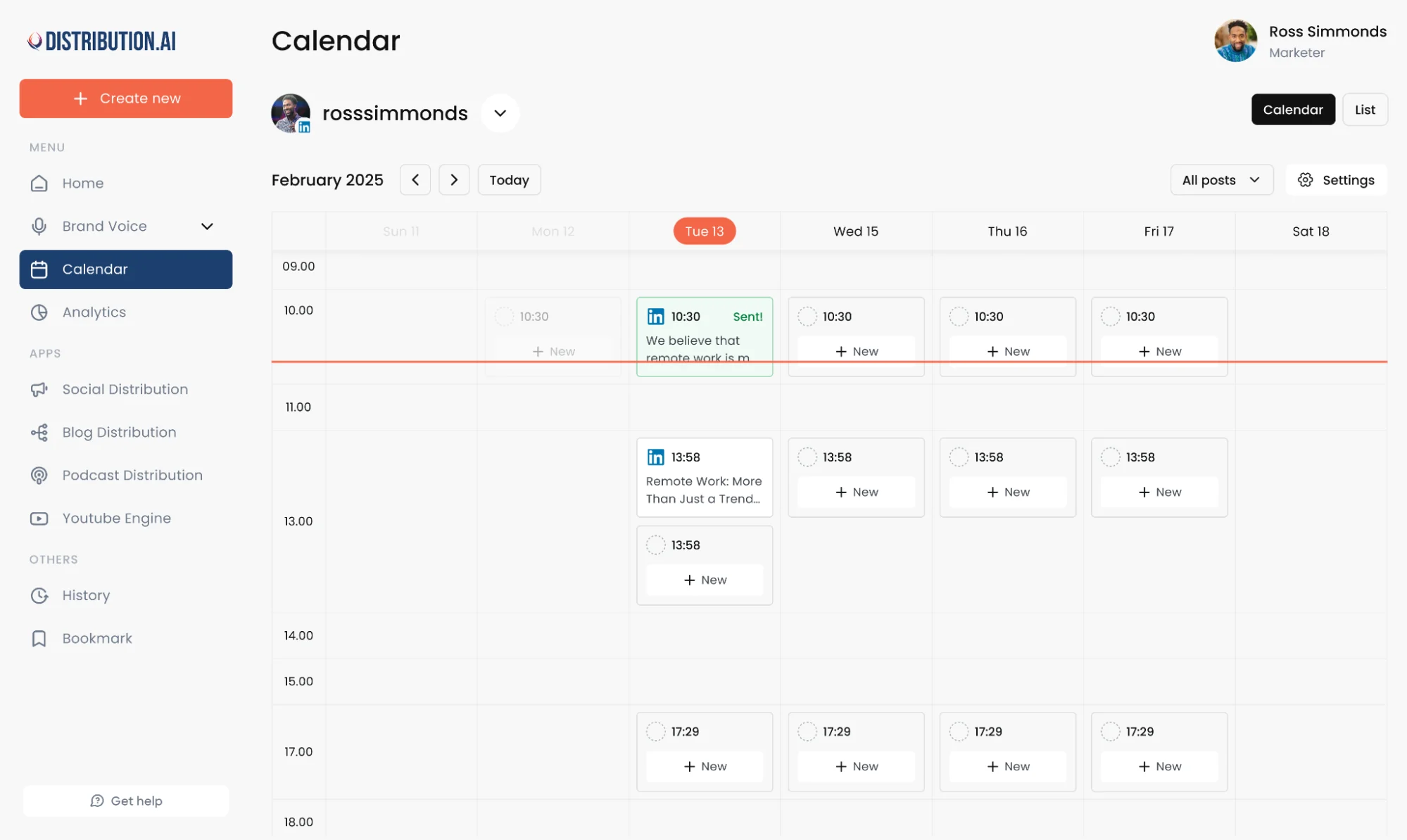
Distribution.ai is a stronger fit for teams that want more than approval-heavy social media management. While Sendible is mainly built around scheduling, client workflows and collaboration, Distribution.ai helps teams create more content from the assets they already have, then schedule and distribute it from the same workflow.
That makes it a more practical alternative for teams trying to reduce manual work, keep publishing moving across channels and get more output from every blog, video, podcast or draft.
Distribution.ai Is Best For
Marketing teams, creators and agencies that want to repurpose existing content, manage multiple social media channels and scale content creation without adding more manual work.
Distribution.ai’s Key Features
- AI repurposing tools for multiple formats, including blog, video and podcast workflows
- Tone and style customization tools for a more consistent brand voice across social media channels
- Multi-channel scheduling and performance tracking in one dashboard
- Platform-native formatting for LinkedIn, X, Bluesky, Instagram, newsletters and more
Distribution.ai’s Pros
- Combines content creation, scheduling and distribution in one workflow
- Helps teams create more social media posts from a single content asset
- Reduces manual rewriting across multiple social media platforms
- Supports more scalable social media management efforts for lean teams
Distribution.ai’s Cons
- May be more than you need if your workflow only requires basic scheduling
- Best fit is for teams that already create long-form content and want to multiply their reach
Distribution.ai’s Pricing
- Plans are organized by content type: Blog, YouTube, Podcast and Bundle
- Individual plans start at $19/month for Blog and $29/month for YouTube or Podcast
- Bundles save up to 30%
- Plans are available on a monthly and annual billing
- A 15-day free trial is available
- The pricing is better suited to teams focused on content repurposing and distribution, not just scheduling and approvals
2. Socialpilot: For Agencies and Multi-Account Management
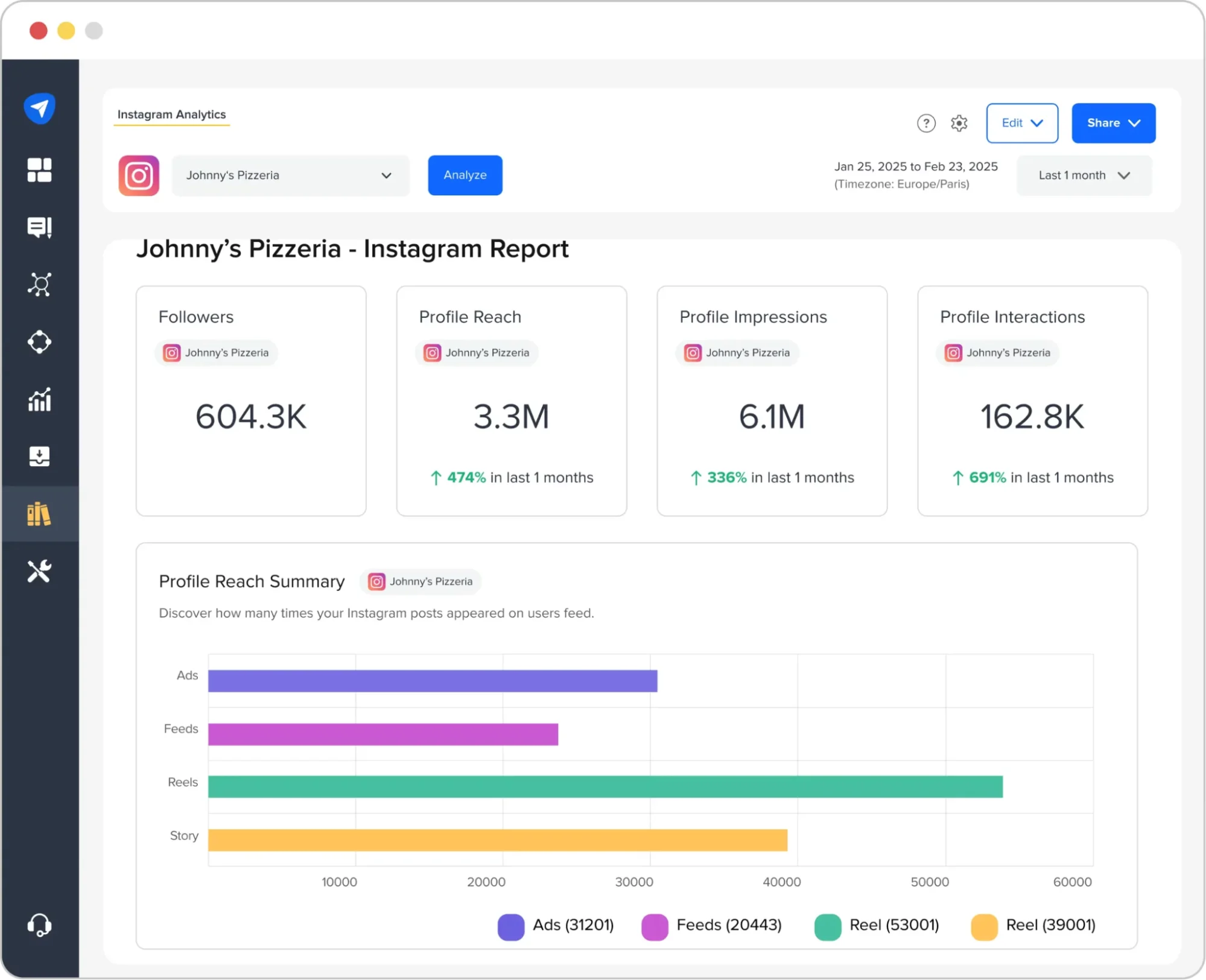
SocialPilot is a strong Sendible alternative for teams that want more affordable social media management across multiple social media platforms.
It is especially useful for marketing agencies and social media managers handling multiple accounts, because it combines scheduling posts, approvals, analytics and client management in one platform without moving into enterprise-level pricing.
Socialpilot Is Best For
Small businesses, marketing agencies and growing teams that are managing multiple social media accounts and multiple clients across multiple channels.
SocialPilot’s Key Features
- Bulk scheduling tools with CSV import for high-volume publishing across multiple social media accounts
- Client approval and team permission controls for smoother agency and client collaboration workflows
- Content calendar and media library tools for planning organizing and scheduling posts more efficiently
- Analytics and Google Business Profile support for tracking performance and managing local social media activity
SocialPilot’s Pros
- Affordable for agencies and growing teams
- Strong bulk scheduling for multiple accounts
- Helpful approval and client collaboration tools
- Broad support across multiple social media platforms
SocialPilot’s Cons
- Integration depth is lighter than some higher-end tools
- Some users mention occasional performance issues
- Account limits on plans can become restrictive as teams scale
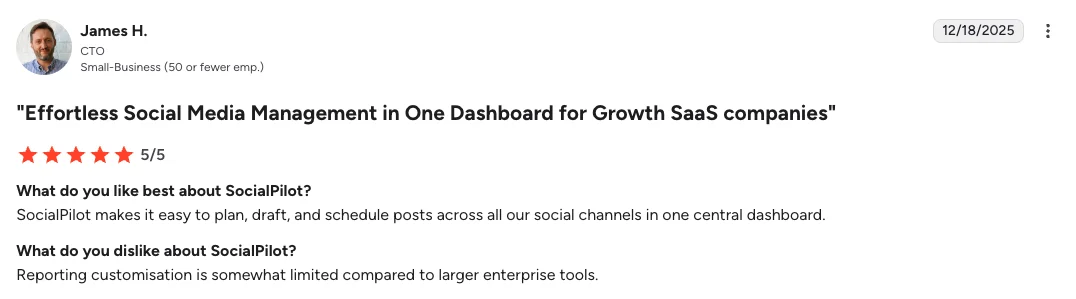
- Users mention that it has poor customer service
SocialPilot’s Pricing
- Agency starts at $30/month and is built for leaner setups managing a smaller number of accounts
- Higher tiers add more social accounts, users, approvals, analytics and white-label reporting
- A 14-day free trial is available and the pricing page says no credit card required
- SocialPilot is the more budget-friendly option for teams that care most about multi-account management and agency workflows without paying for a heavier setup
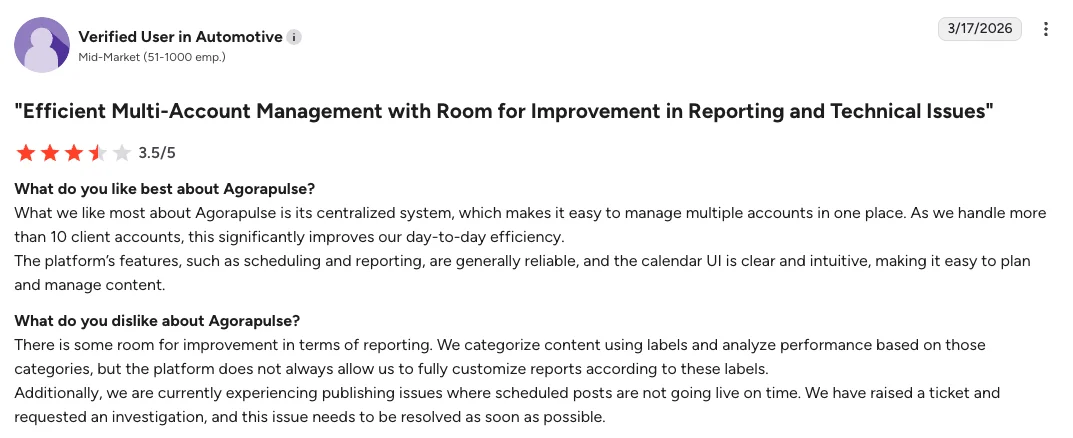
3. Agorapulse: Keeps Reporting, Inbox Management and Approvals in One Place
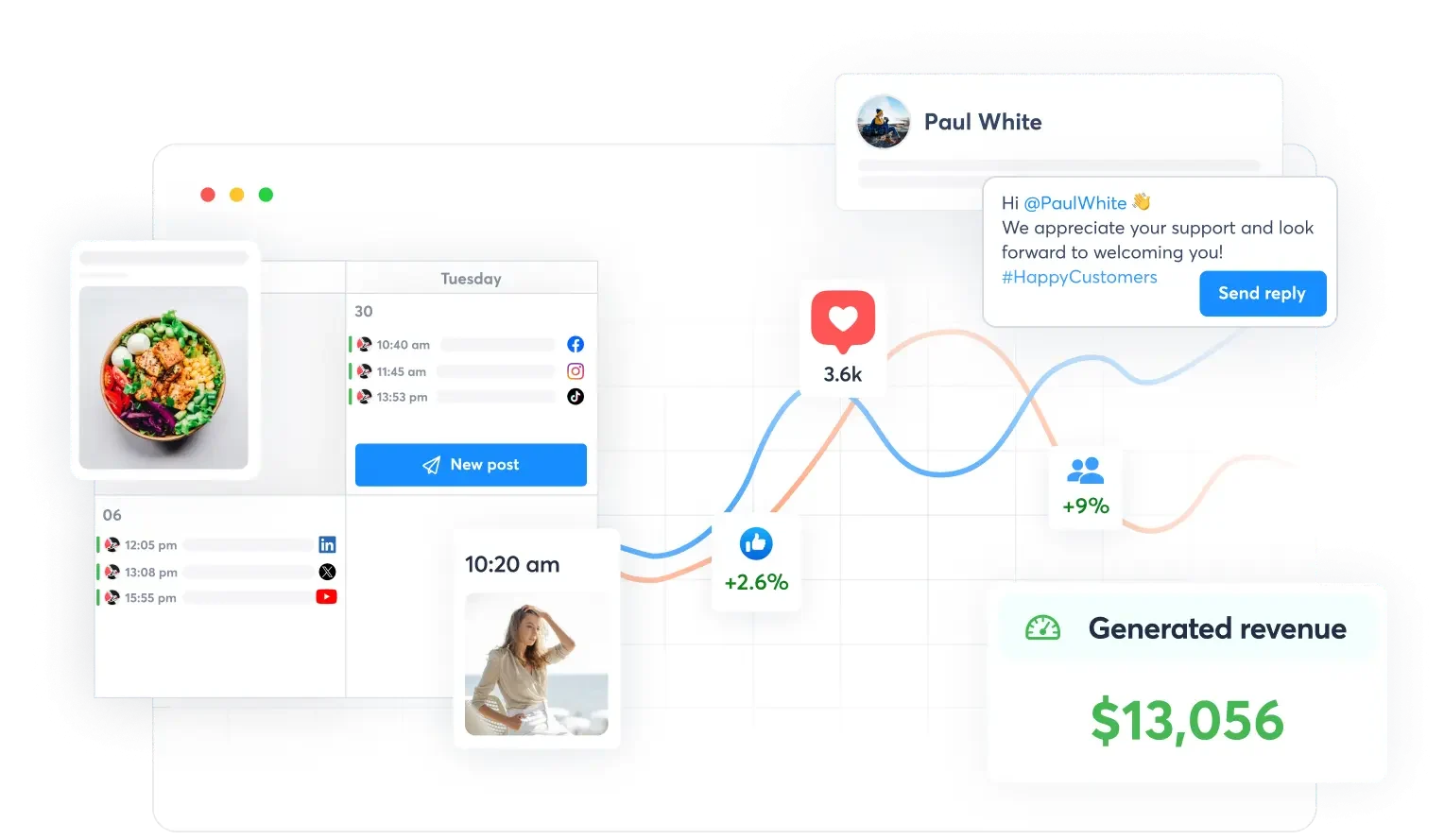
Agorapulse is a strong fit for teams that care as much about engagement and reporting as they do about scheduling.
It combines publishing, a unified social inbox, monitoring, reporting and team collaboration in one platform, which makes it a practical option for agencies and growing teams with busier social media workflows.
Agorapulse Is Best For
Agencies and growing teams that want a unified social inbox, clearer reporting, and a more structured approval workflow across multiple social media accounts.
Agorapulse’s Key Features
- Unified social inbox tools for handling messages, comments and organic interactions from one place
- Publishing and scheduling tools for planning social media posts across multiple channels
- ROI reporting and analytics tools for measuring performance more clearly
- Team assignment and approval tools for keeping internal teams and client workflows organized
Agorapulse’s Pros
- Centralizes inbox, publishing and reporting
- Improves visibility across team workflows
- Offers stronger reporting than lighter schedulers
- Works well for agency-style collaboration
Agorapulse’s Cons
- Gets expensive as more users or profiles are added
- Some advanced capabilities sit on higher-tier plans
- Certain editing tasks can feel tedious across multiple platforms
Agorapulse’s Pricing
- Standard starts at $79 per user/month
- Professional starts at $119 per user/month
- Advanced starts at $149 per user/month
- Custom pricing is available for larger teams and enterprise use cases
- A 30-day free trial is available with no credit card required
- Agorapulse is a more premium option, but it gives buyers stronger inbox, reporting and team workflow depth from the start
4. Hootsuite: Brings Analytics, Listening and Publishing Into One System
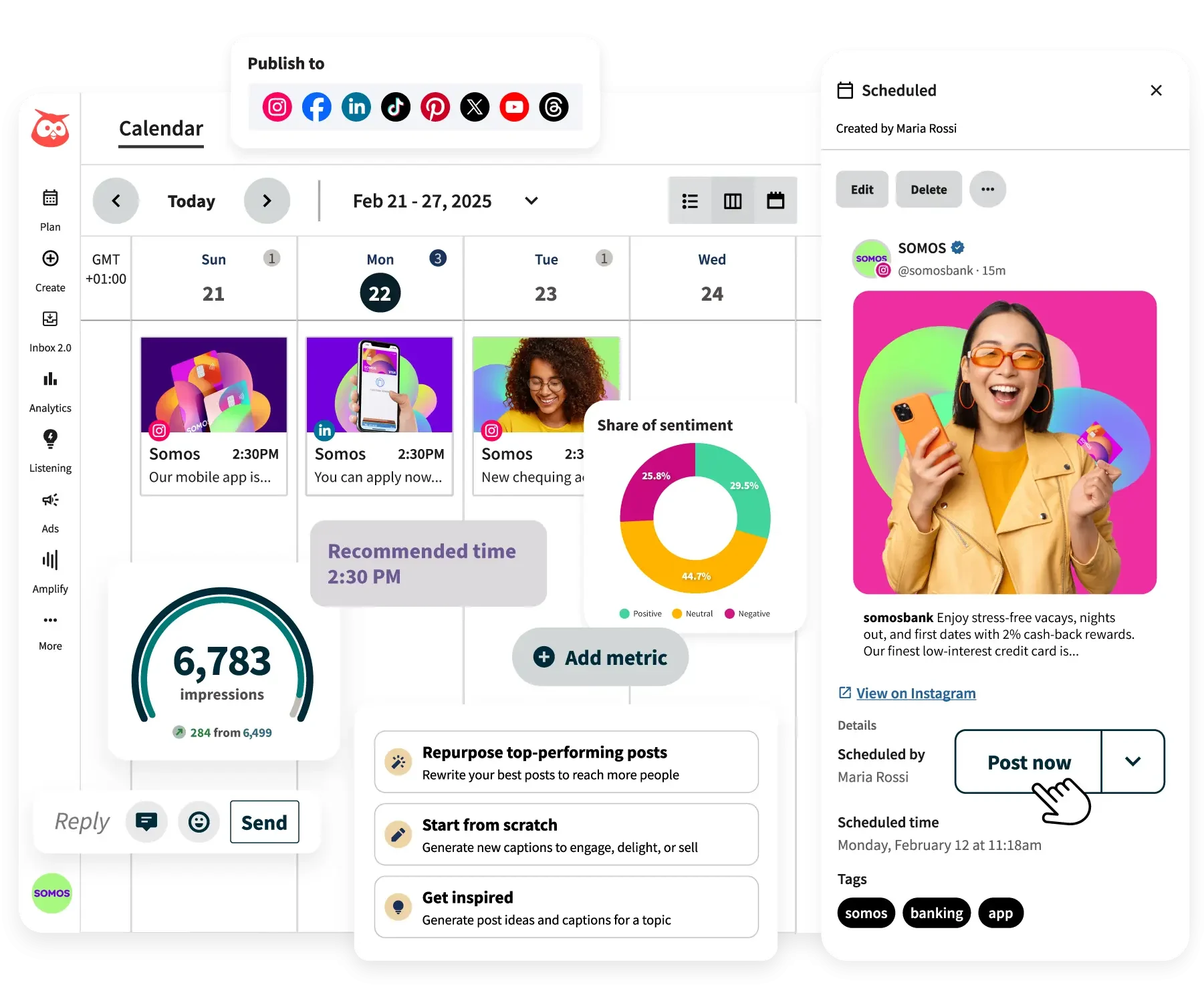
Hootsuite is a practical choice for teams that need more depth than a lightweight scheduler can offer. It brings publishing, analytics, engagement and social listening into one social media management platform, which makes it a stronger fit for larger brands and marketing teams running broader social media operations.
Hootsuite Is Best For
Larger marketing teams and brands that need advanced analytics, social listening and more structured collaboration across multiple social media platforms.
Hootsuite’s Key Features
- Custom reporting and performance dashboard tools for deeper social media performance tracking
- Brand monitoring and sentiment analysis tools for social listening and real time brand monitoring
- Shared inbox and assignment tools for managing conversations and audience engagement across channels
- Content calendar and approval workflow tools for more advanced publishing and team collaboration
Hootsuite’s Pros
- Brings publishing, analytics and listening together
- Gives teams deeper reporting and performance visibility
- Helps manage multiple social media accounts in one place
- Supports more structured collaboration workflows
Hootsuite’s Cons
- Has a steeper learning curve for smaller teams
- Costs more than many other social media tools
- Runs into some platform-specific publishing limits
- Locks extra functionality behind higher-tier plans or add-ons
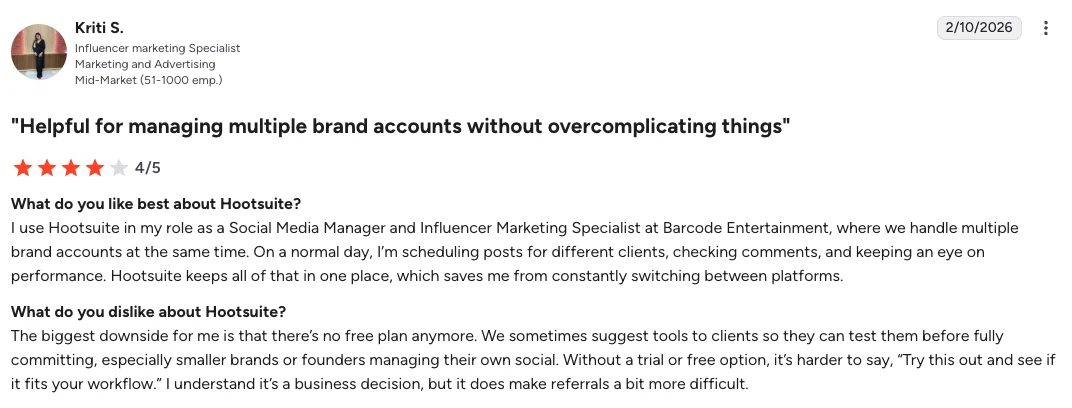
Hootsuite’s Pricing
- Starts at $99/month on the Standard plan
- Advanced adds more analytics, listening and collaboration features
- Enterprise pricing is custom
- Includes a 30-day free trial
- Better aligned with teams that can justify a more premium analytics and listening setup
5. Sprout Social: Gives Larger Teams Deeper Analytics and Collaboration Tools
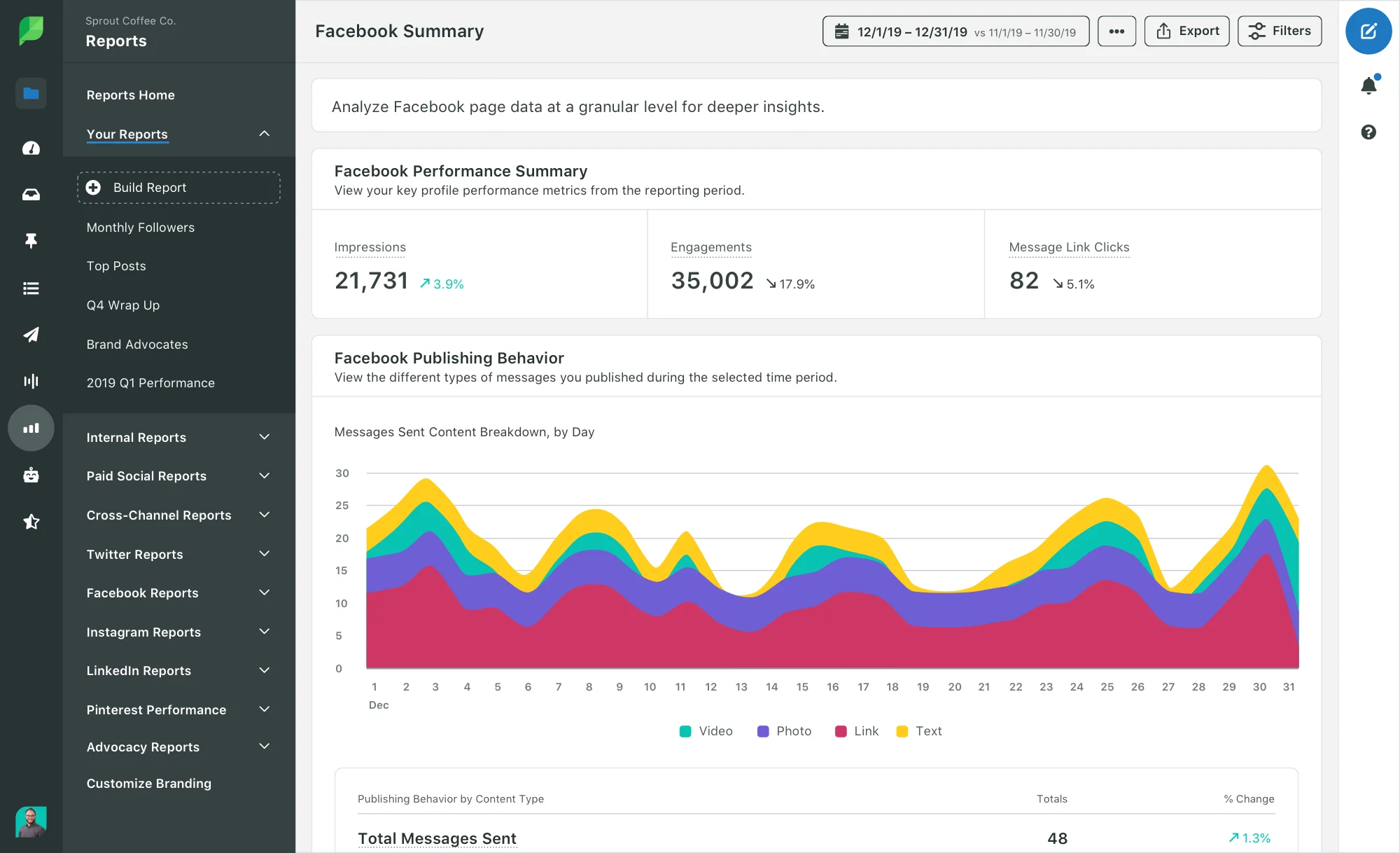
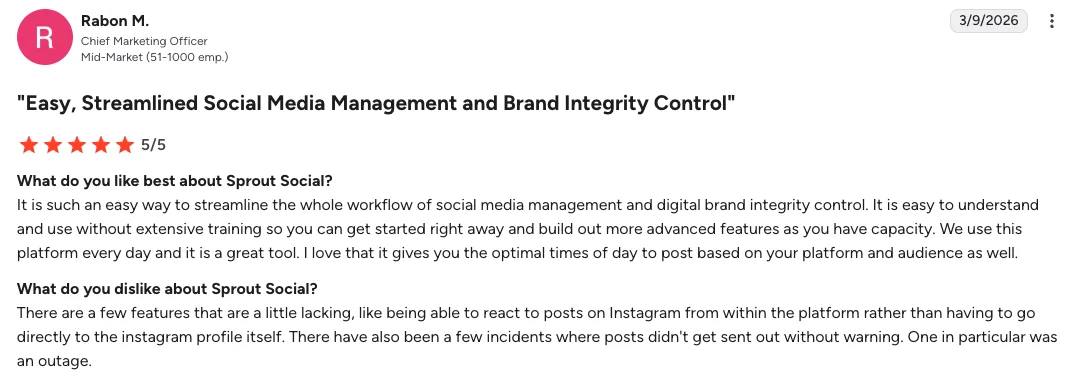
Sprout Social is a strong fit for teams that need more than scheduling and basic reporting. It combines publishing, engagement, analytics and social listening in one social media management platform, which makes it especially useful for brands running larger social media management efforts across multiple channels.

Sprout Social also positions itself around helping teams measure social ROI more clearly, which is one of the main reasons it stands out in this category
Sprout Social Is Best For
Marketing teams and larger brands that need deeper analytics, stronger team collaboration, and more advanced engagement workflows across multiple social media platforms.
Sprout Social’s Key Features
- Advanced analytics and reporting tools for measuring social media performance, benchmarking content and surfacing deeper insights
- Unified social inbox tools for managing messages, mentions and audience engagement from one stream
- Social listening tools for tracking trends, brand conversations and sentiment analysis across channels
- Influencer marketing tools for teams that want creator discovery and campaign support alongside broader social media management
Sprout Social’s Pros
- Delivers deeper analytics than lighter schedulers
- Brings engagement and reporting into one platform
- Supports more structured team collaboration
- Adds listening tools for broader social media strategy
Sprout Social’s Cons
- Pricing can feel high for smaller teams
- Some users mention a steeper learning curve
- Sentiment analysis and filters do not always feel accurate
- Advanced capabilities can be more than some teams need
Sprout Social’s Pricing
- Starts at $199 per seat/month
- Higher tiers increase access to analytics, collaboration and advanced workflow tools
- Includes a 30-day free trial
- Fits teams that are willing to pay more for deeper reporting and enterprise-style features
6. Buffer: Simple Scheduling for Solo Users and Smaller Teams
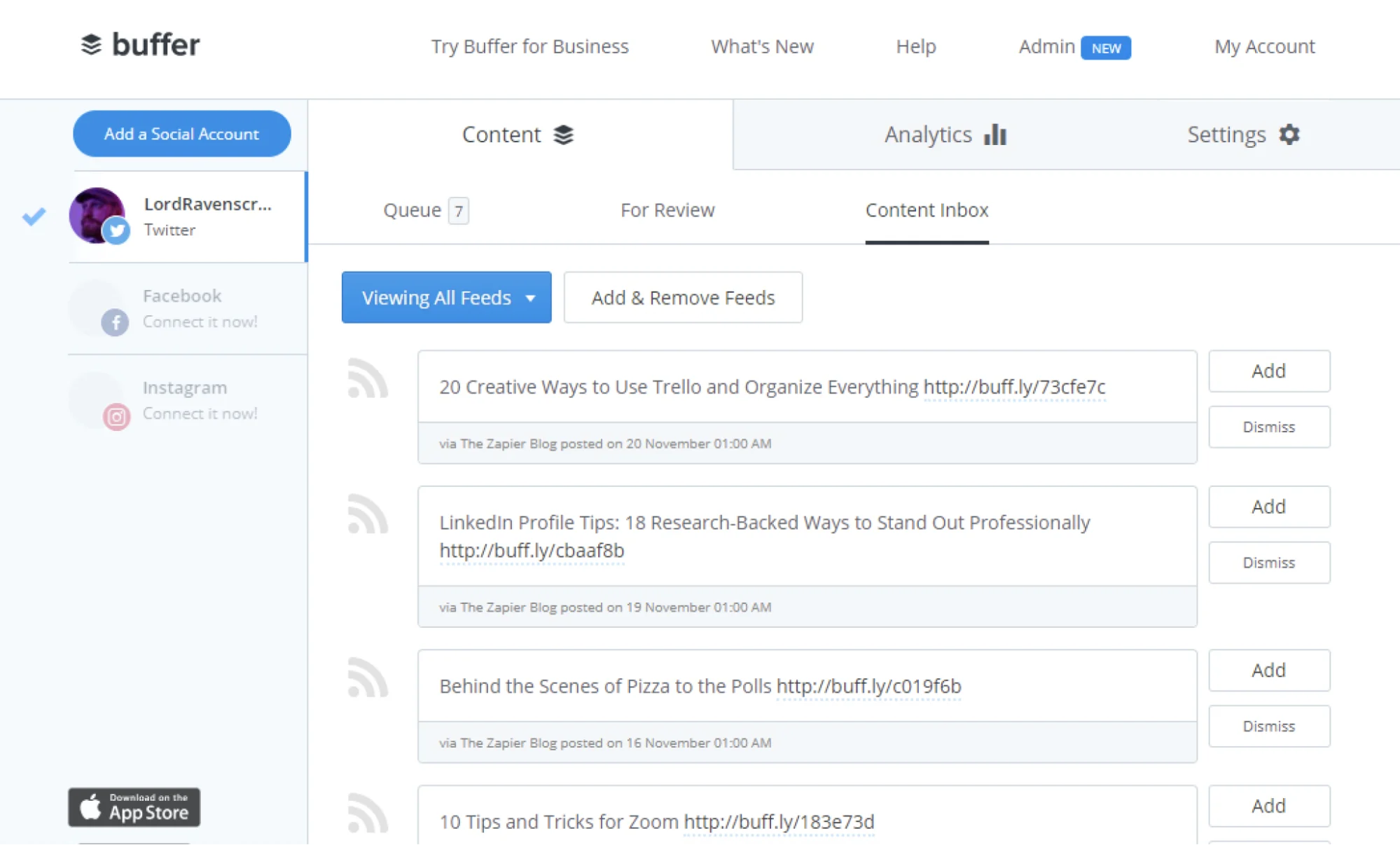
Buffer is a good fit for teams that want a cleaner, lighter social media management platform without too much complexity.
It focuses on planning, scheduling, publishing, collaboration and basic analytics, which makes it useful for solo marketers, creators and smaller teams that want to stay consistent across multiple social media platforms without a steep learning curve.
Buffer Is Best For
Solo users, creators and small teams that want straightforward scheduling, an intuitive content calendar and a simpler way to manage social media posts across multiple channels.
Buffer’s Key Features
- Post scheduling and publishing tools for planning social media posts across multiple social media platforms
- Basic analytics and reporting tools for tracking reach, engagement, clicks and follower growth
- Collaboration tools for drafts, approvals and shared workflows across smaller teams
- AI assistant and content support tools for post ideas, captions and lighter content creation workflows
Buffer’s Pros
- Easy to learn and use
- Keeps scheduling and publishing simple
- Offers a free plan for smaller setups
- Works well for straightforward social media operations
Buffer’s Cons
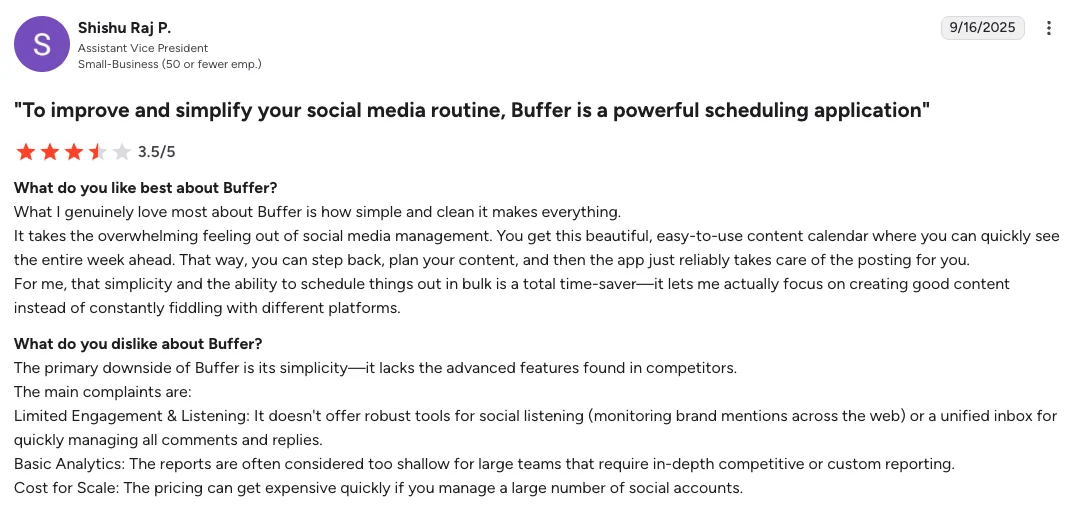
- Analytics can feel too light for deeper reporting needs
- Pricing can add up as more channels are added
- Lacks some advanced features larger teams may want
- May feel restrictive for more complex workflows
Buffer’s Pricing
- Offers a Free plan
- Paid plans start at $5 per channel/month for Essentials
- Team plans start at $10 per channel/month
- Includes a 14-day free trial for paid plans
- A better fit for teams that want simple scheduling without a high upfront cost
7. Planable: Makes Approvals, Feedback and Content Planning Easier to Manage
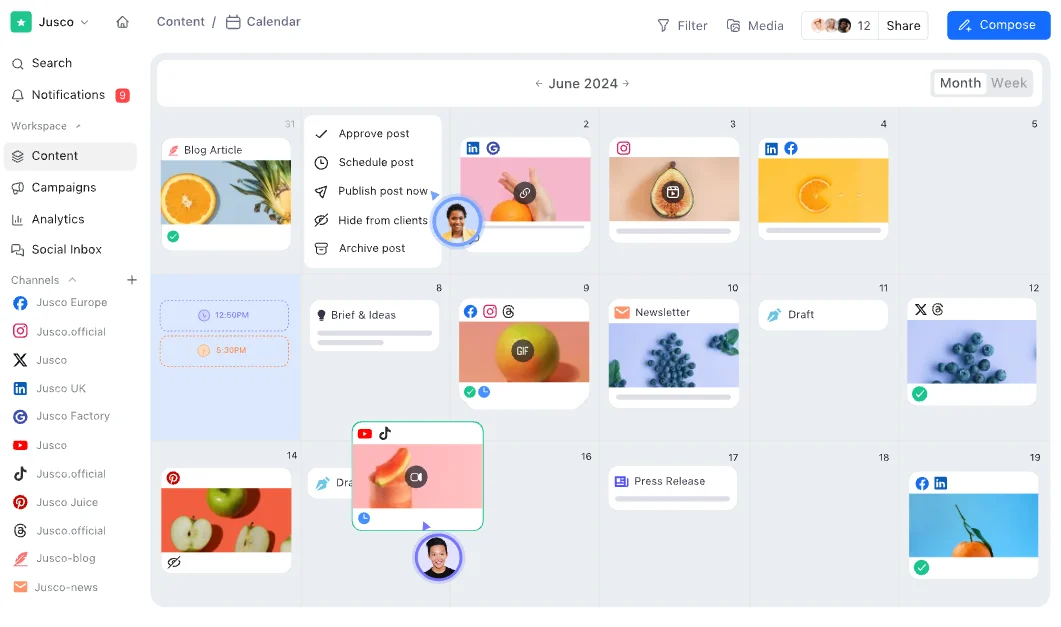
Planable is a strong fit for teams that care most about collaboration before publishing. It is built around content planning, feedback, approvals and visual organization, which makes it especially useful for agencies, marketing teams and multi-stakeholder workflows spread across multiple social media platforms.
Planable Is Best For
Teams that want a more visual content calendar, smoother approval processes and better client collaboration across multiple accounts and multiple channels.
Planable’s Key Features
- Visual content calendar tools for planning, previewin and organizing posts across multiple social media platforms
- Approval workflow tools for faster feedback, stakeholder signoff and smoother client collaboration
- Universal Content support for managing not just social media posts, but also blogs, newsletters and other campaign assets
- Multi-view workspace tools with feed, calendar, grid and list layouts for clearer workflow management
Planable’s Pros
- Makes approvals and feedback easier to manage
- Creates a cleaner planning experience for teams
- Works well for multi-stakeholder collaboration
- Supports visual content planning across channels
Planable’s Cons
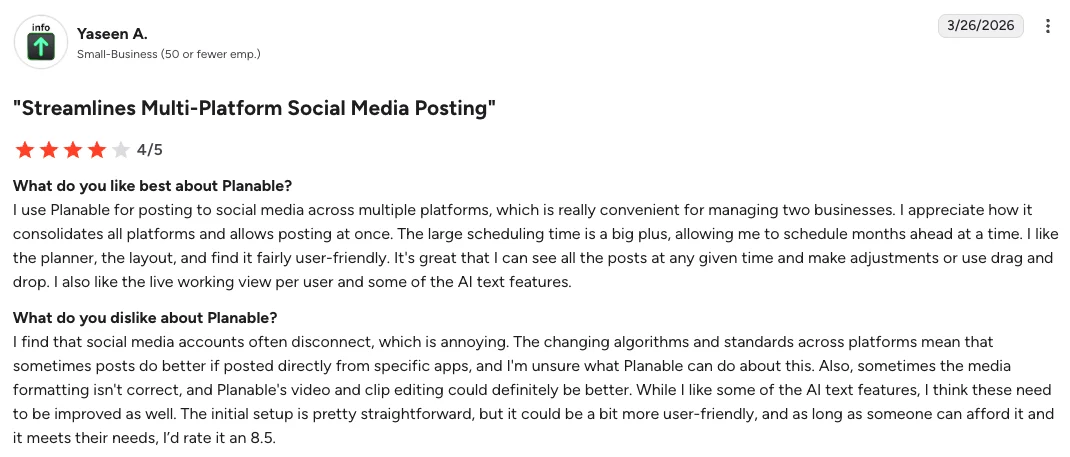
- Analytics can feel limited or gated for some users
- Some teams want broader platform integrations
- Pricing may feel high if collaboration is not your main need
Planable’s Pricing
- Planable offers a Free plan, which is different from a free trial
- Paid plans start at $39 per workspace/month on the pricing page currently reflected in the article draft
- The official pricing page emphasizes that every person accessing the platform counts as a user and that Enterprise includes more personalized service and faster response time
- Enterprise pricing is available for larger teams
- Planable is more about collaboration and approvals before publishing than broad social management depth, so the pricing makes more sense when that is the main workflow bottleneck
How to Choose the Right Sendible Alternative
The right choice depends on what is actually slowing your team down.
- If your biggest challenge is creating enough social media posts from the content you already produce, Distribution.ai is the strongest fit. It is the best option for teams that want to turn blogs, videos and podcasts into platform-ready content, then schedule and distribute it from the same workflow.
- If your priority is managing multiple clients and multiple social media accounts at a lower price point, SocialPilot is a practical option. It makes more sense for agencies and smaller teams that care most about bulk scheduling, approvals and day-to-day client management.
- If you require more in-depth analytics, social listening and advanced reporting, tools like Hootsuite and Sprout Social are better suited for larger marketing teams. They are stronger when your social media strategy depends on deeper insights, audience behavior and more structured reporting.
- If your team struggles most with approvals, feedback and staying on the same page before content goes live, Planable is worth a closer look. It is built more around visual planning and collaboration than around broader social media management.
The simplest way to decide is to look at your main bottleneck.
If you mainly need another scheduler, several tools on this list can do that. But if you want a platform that helps with content creation, repurposing, scheduling and distribution in one place, Distribution.ai is the most complete alternative. icon
Why Distribution.ai is the Better Alternative
Sendible can work well for agencies that mainly need scheduling, approvals and client-facing workflow management. But once the day-to-day friction starts showing up, whether that is publishing issues, limits in flexibility or pricing that feels harder to justify, Distribution.ai becomes the more compelling option.
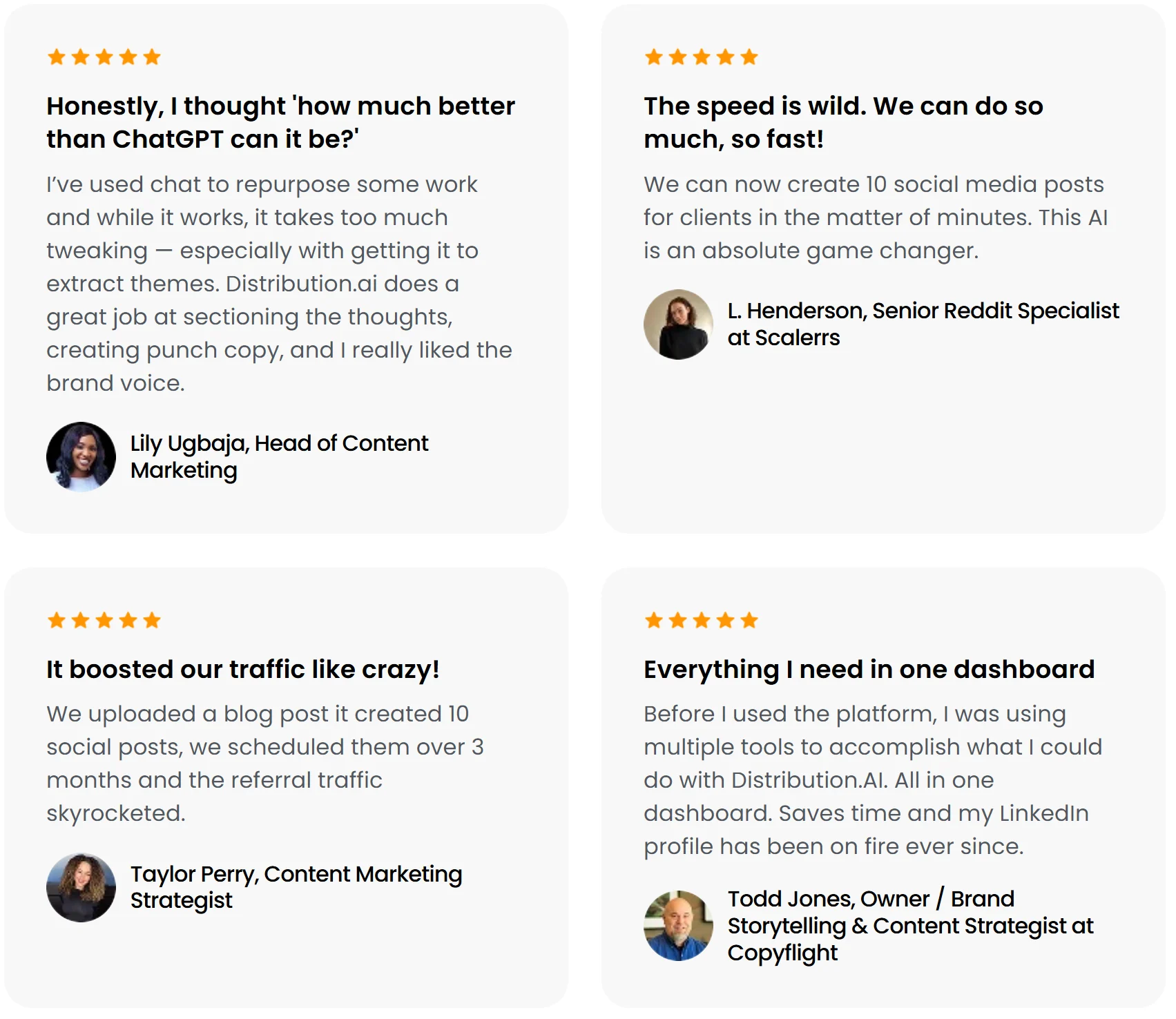
Reviewers on G2 specifically mention Sendible scheduling issues, limited posting options and price concerns, while Distribution.ai is built around helping teams create and move more content with less manual effort.
Instead of stopping at post management, Distribution.ai helps teams turn blogs, videos, podcasts and drafts into platform-ready assets, then schedule and distribute them from the same workflow.
That makes it a stronger fit for teams that want a smoother path from content creation to publishing, especially when the real bottleneck is not just managing posts, but producing enough high-quality content to keep multiple channels active.
The pricing model also makes that comparison easier to understand. Distribution.ai offers plans by content type, bundle savings of up to 30 percent and a 15-day free trial, which is a more attractive setup for teams buying around repurposing and distribution output rather than just approvals and scheduling.
Frequently Asked Questions
What should agencies look for in a Sendible alternative?
Agencies should focus on how well a platform handles multiple clients, approval workflow, team collaboration, reporting and publishing across multiple social media platforms.
The best choice is usually the one that reduces day-to-day friction, not the one with the longest feature list.
Which Sendible alternative is best for content repurposing?
Distribution.ai is the strongest option if your team wants to turn blogs, videos, podcasts and drafts into ready-to-publish social media posts.
It is a better fit for teams that need help with content creation and distribution, not just scheduling and approvals.
Are there Sendible alternatives with a free plan?
Yes. Some Sendible alternatives offer a free plan, while others focus on paid tiers with broader workflow management and advanced features.
If budget matters most, look closely at what the free plan actually includes, especially account limits, analytics and publishing capabilities.
Which alternative is best for teams that need deeper analytics?
If deeper analytics and reporting matter most, Sprout Social and Hootsuite are stronger options than lighter scheduling tools.
They make more sense for teams that want clearer visibility into social media performance, audience behavior, engagement trends and broader social media strategy.
What is the best Sendible alternative for approval-heavy workflows?
Planable is a strong option for teams that care most about approvals, feedback and client collaboration.
Its biggest advantage is the way it organizes review and signoff before publishing, which makes it useful for marketing teams, agencies and multi-stakeholder content workflows.
Which alternative works best for smaller teams on a tighter budget?
SocialPilot and Buffer are practical options for smaller teams that want a simpler setup at a lower starting price.
They are usually a better fit when the main need is scheduling posts, managing multiple social media accounts and keeping social media operations efficient.
Which Sendible alternative is best if we want more than just social media scheduling?
Distribution.ai stands out if your team wants more than basic scheduling.
It helps with repurposing, content creation, multi-channel distribution and workflow efficiency, which makes it a stronger choice for teams trying to get more value from every content asset they already create.

Promote, repurpose & distribute your content with AI
Write 10x faster, engage your audience, & never struggle with the blank page again.
Start 15-Day Free Trial
Frequently Asked Questions
Author

Promote, repurpose & distribute your content with AI
Start 15-Day Free Trial