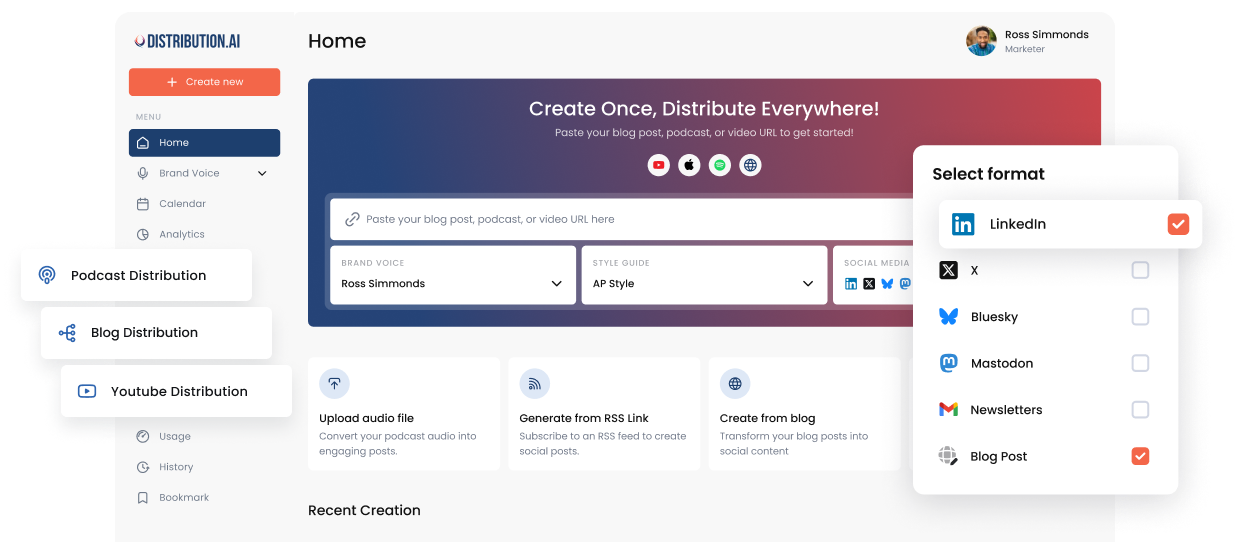
Approvals Are Here: Review Every Post as a Team Before It Goes Live
Bring your team’s review process into Distribution.ai. Set approval rules, send drafts for review, and track every post’s status before it goes live.
Publishing on your own gives you full control over a post from the first draft to the final version. A larger team brings more people into the review process before publication.
For example, a competitor mention in a writer’s draft might need a review from your legal team. Approval can easily get buried in a Slack thread amid discussions about different versions of the post. A week later, your team could be unsure about the version cleared for publication.
Approvals brings the review process into Distribution.ai by routing drafts to the right reviewers for sign-off. Every post stays out of the schedule without approval from its assigned reviewers.
Organizations can now use this feature to manage approvals directly inside Distribution.ai.
Here’s how it works 👇
1. Set the rules once
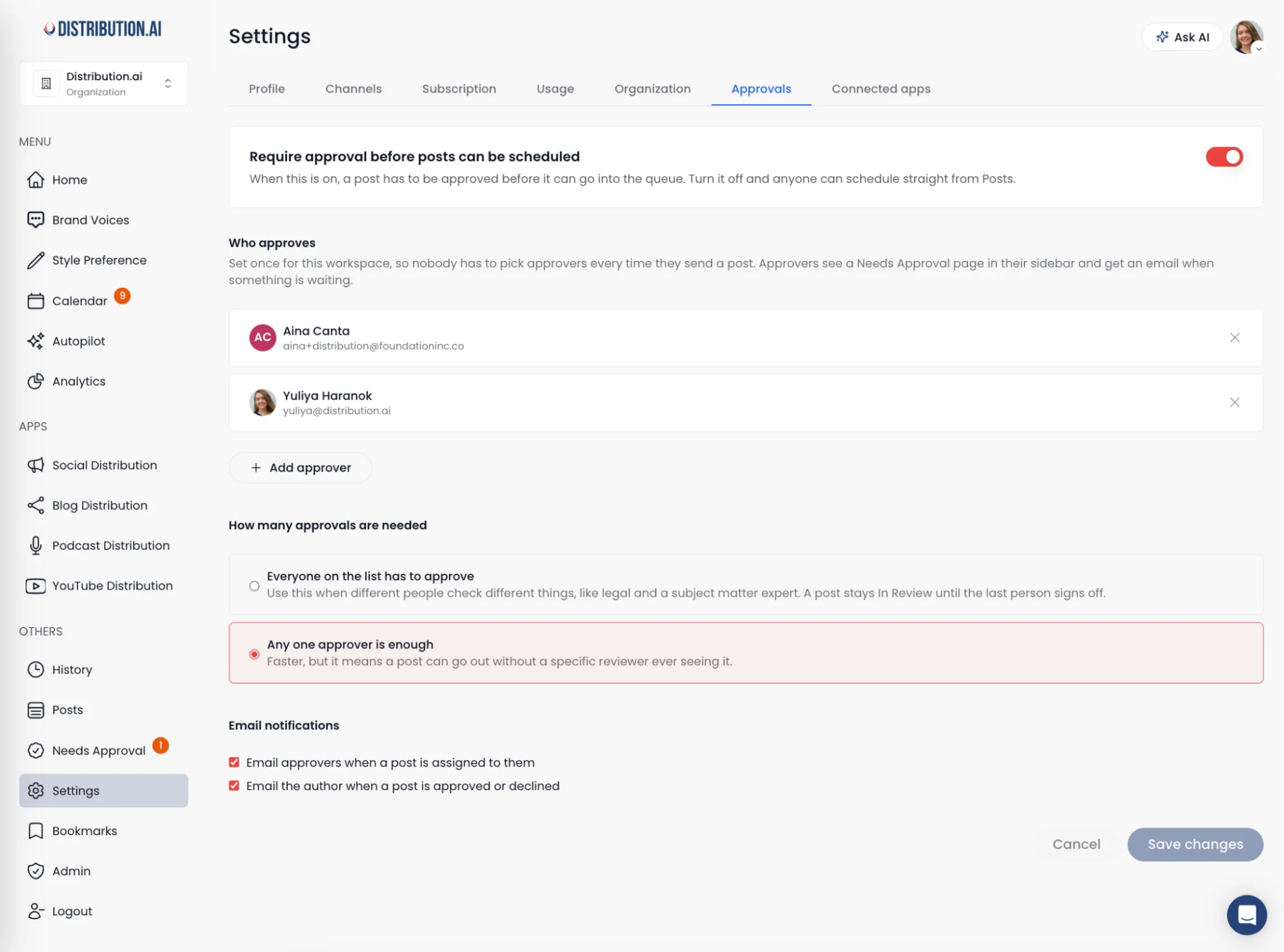
Organization owners and admins will find a new Approvals tab in Settings. Turn on “Require approval before posts can be scheduled,” then add the people who review content for your organization.
You add approvers once. After that, every post sent for approval goes to them automatically.
Then decide how many approvals a post needs. Choose “everyone on the list” when different people check different things, like legal and a subject matter expert. The post stays in review until the last person signs off.
Choose “any one approver” when speed matters more.
2. Send drafts for review, one or twenty at a time
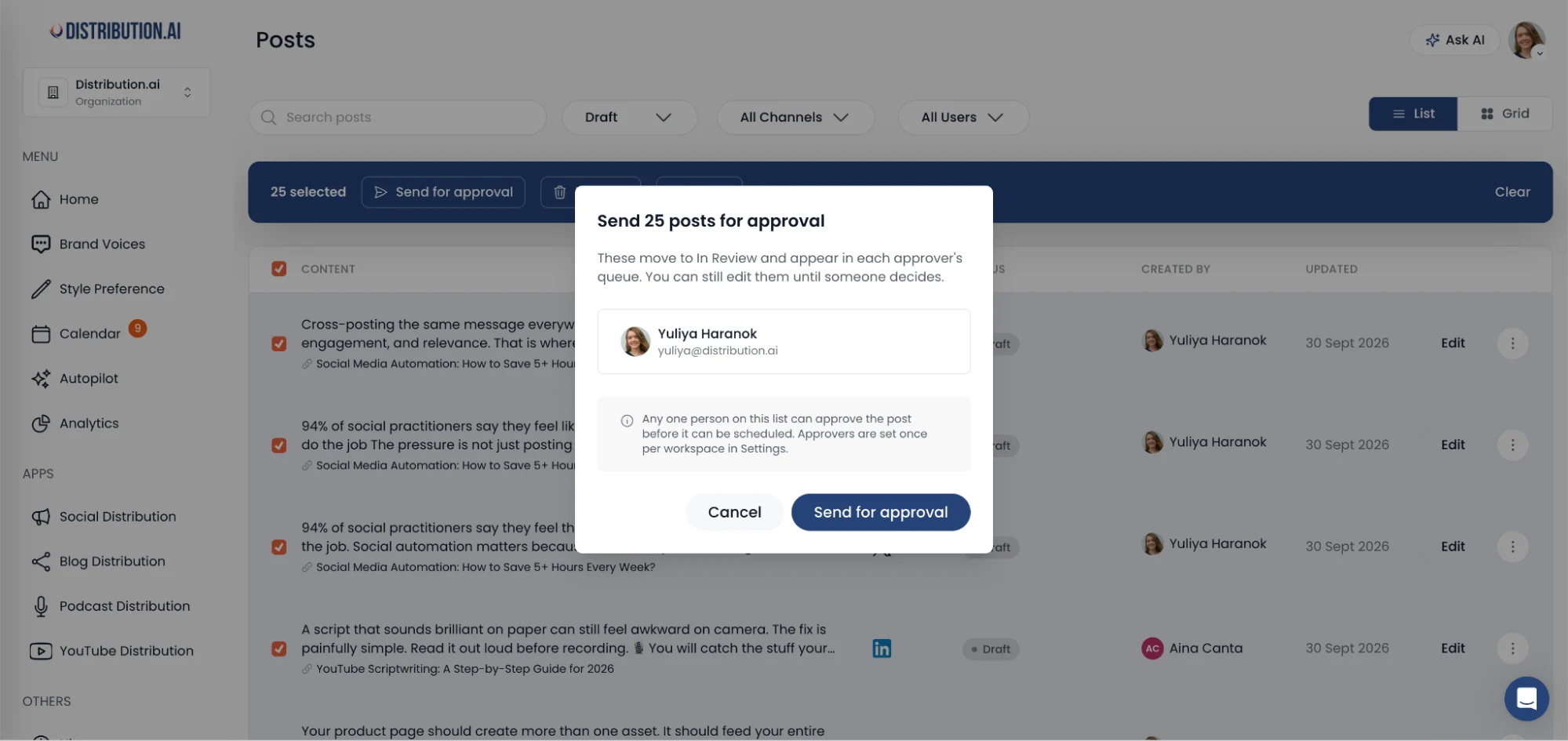
Select the drafts you want reviewed on the Posts page and click Send for approval. Works for a single post or a full batch from your content library.
Approvers get an email when something is assigned to them. Everything waiting on them also shows up on their Needs Approval page in the sidebar.
3. Know where every post stands
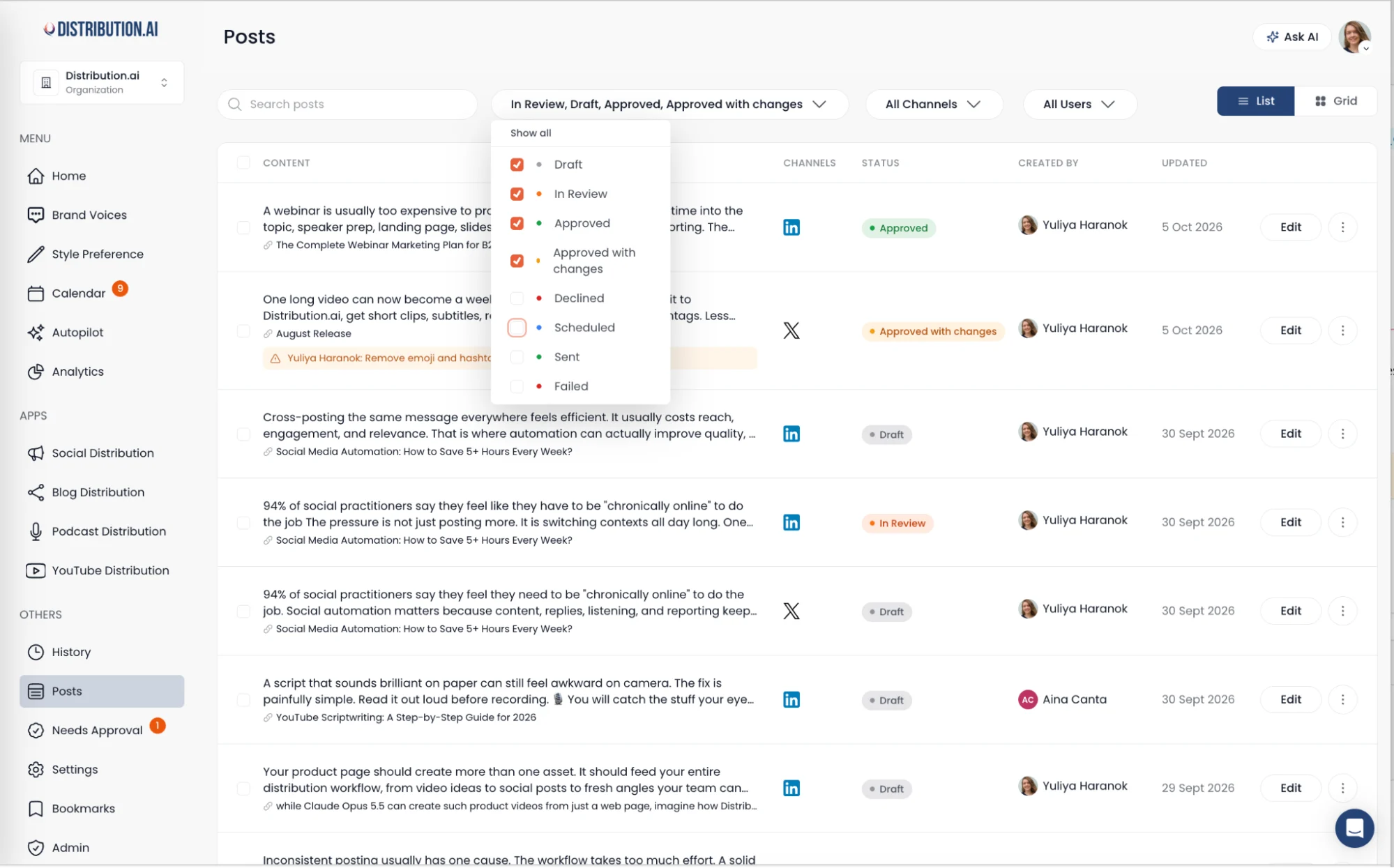
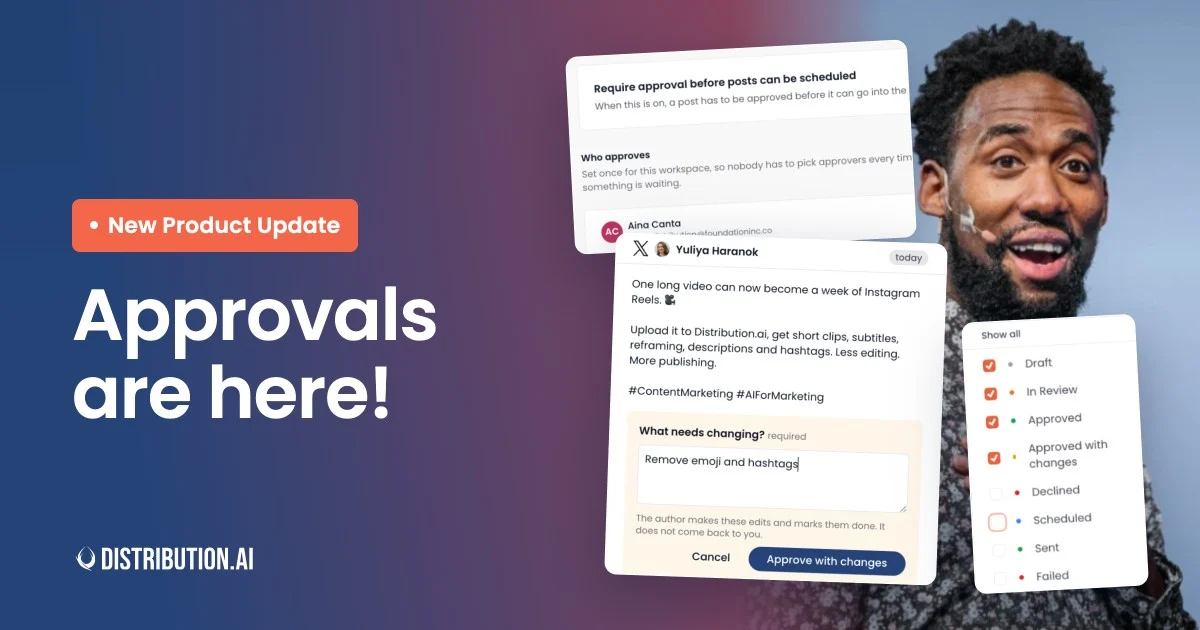
Every post now carries a clear status: Draft, In Review, Approved, Approved with changes, Declined, Scheduled, Sent, or Failed.
For detailed review, we keep the changelog of each post.
When a reviewer declines a post, their note appears right under the draft. The writer sees what to fix without digging through email.
Authors also get an email the moment their post is approved or declined.
4. Approve with changes
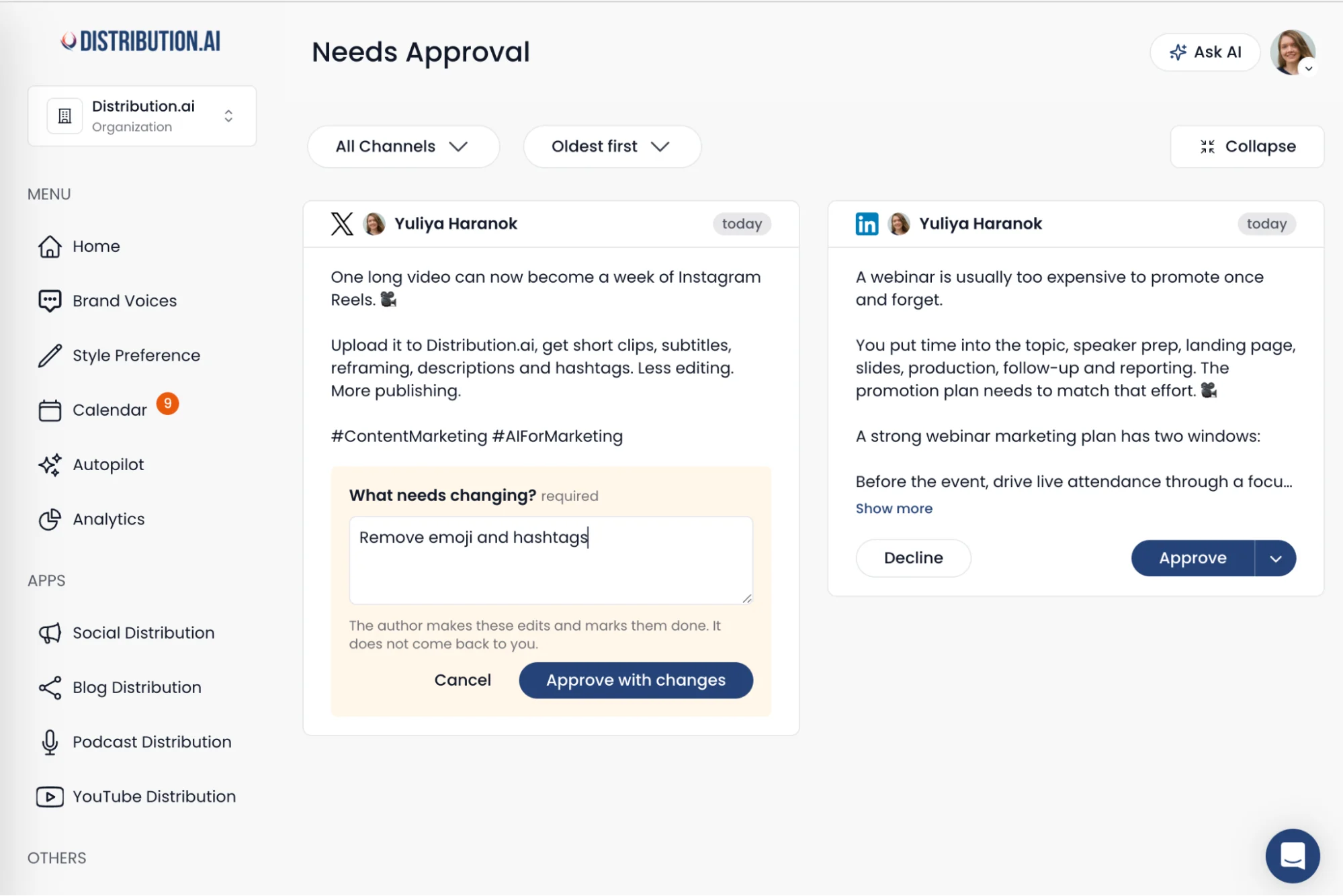
Sometimes a post needs one word swapped or a date corrected. Sending it back for a full second round would waste a day.
Approve with changes lets the reviewer approve and leave a note saying what to change. The author makes the edits and is free to schedule the post. There is no second round of review needed.
5. Nothing goes out before it’s approved
With Approvals turned on, a post can’t enter the queue until it’s signed off. Approved posts get an Add to queue or Schedule button. Everything else stays put.
Turn the setting off, and anyone can schedule straight from Posts, the same way it works today. Smaller teams keep the fast path.
6. Reminders that keep reviews moving
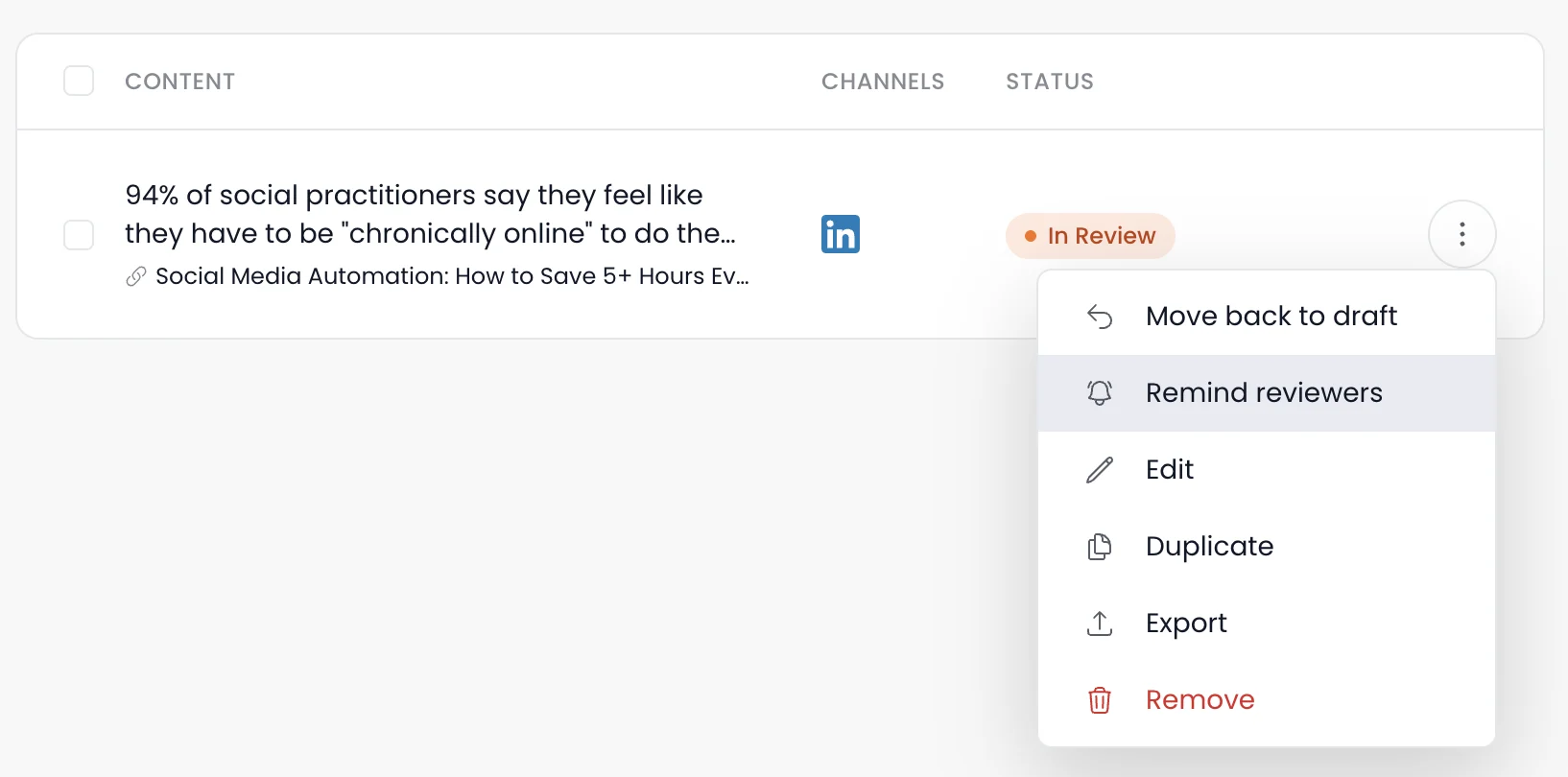
A post sitting in review is a post that isn’t earning attention. Open the menu on any post in review and click Remind reviewers.
Your reviewers get an email with a preview of the post and a button that takes them straight to it.
7. Export drafts for external review
Some teams already run reviews in their own tools. You can keep that process.
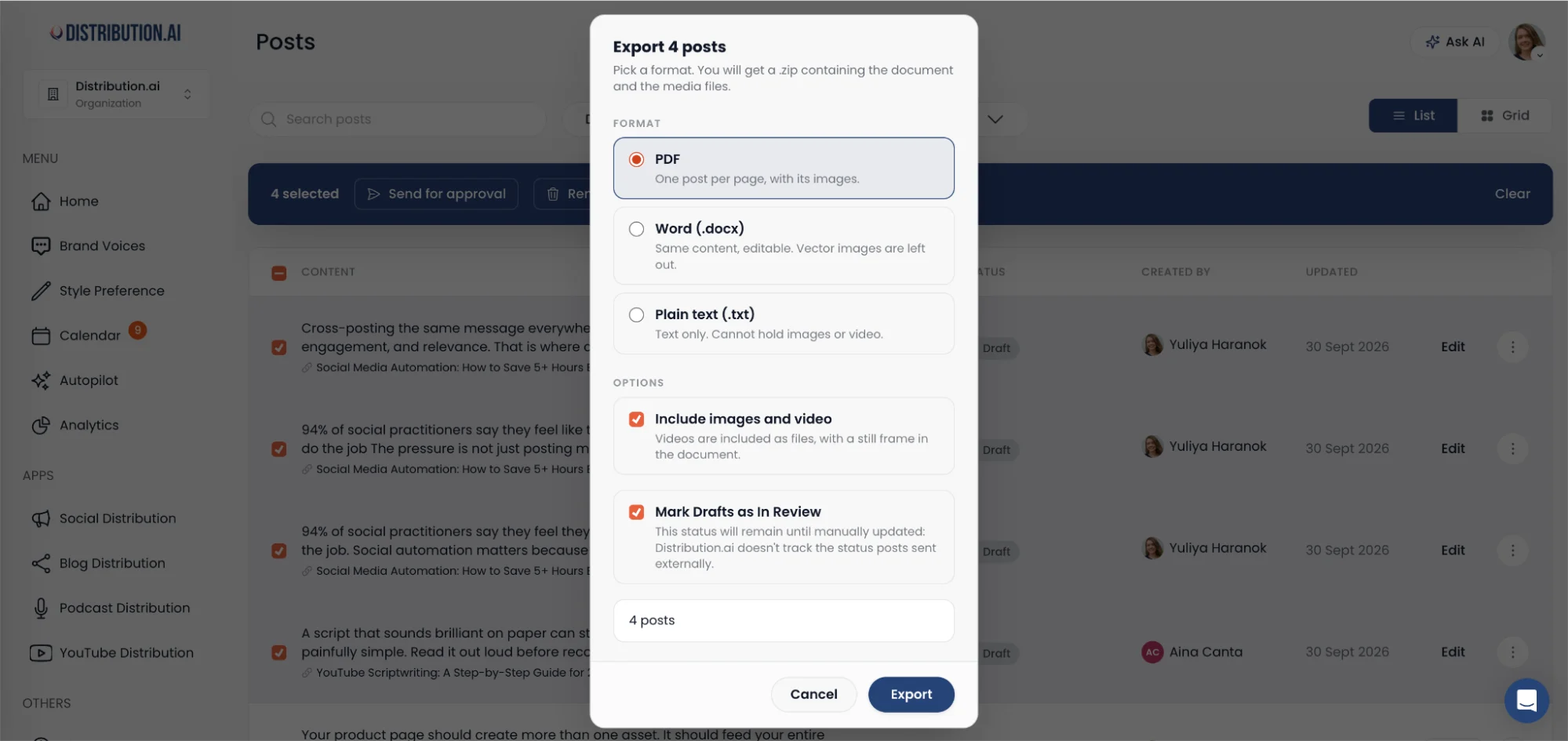
Select your drafts and export them as a PDF with one draft per page, or as an editable Word file. Plain text works too when you only need the copy. Include images and video, and they download in a .zip with their original file names.
You can mark exported drafts as In Review at the same time, so your status stays accurate while the review happens elsewhere.
Where this is going
The bigger your content library, the more people want a say in what gets published. That’s a good problem. It means your content matters to more of the business.
Create once, distribute forever only works when the whole team trusts what goes out.
Approvals gives your team clear responsibilities throughout the publishing process, with every post moving through the right reviewers before distribution.
If your review process has a step we haven’t covered yet, feel free to tell us. Your feedback shapes every release.
Already using Distribution.ai as an Organization? You can turn on Approvals under Settings > Approvals in your account.
If you’re new to Distribution.ai, feel free to sign up for a 15-day free trial to explore the platform. No credit card required and you can cancel anytime if we’re not a right fit for your team.
Promote, repurpose & distribute your content with AI
Write 10x faster, engage your audience, & never struggle with the blank page again.
Start 15-Day Free Trial
Frequently Asked Questions
Author

Promote, repurpose & distribute your content with AI
Start 15-Day Free Trial