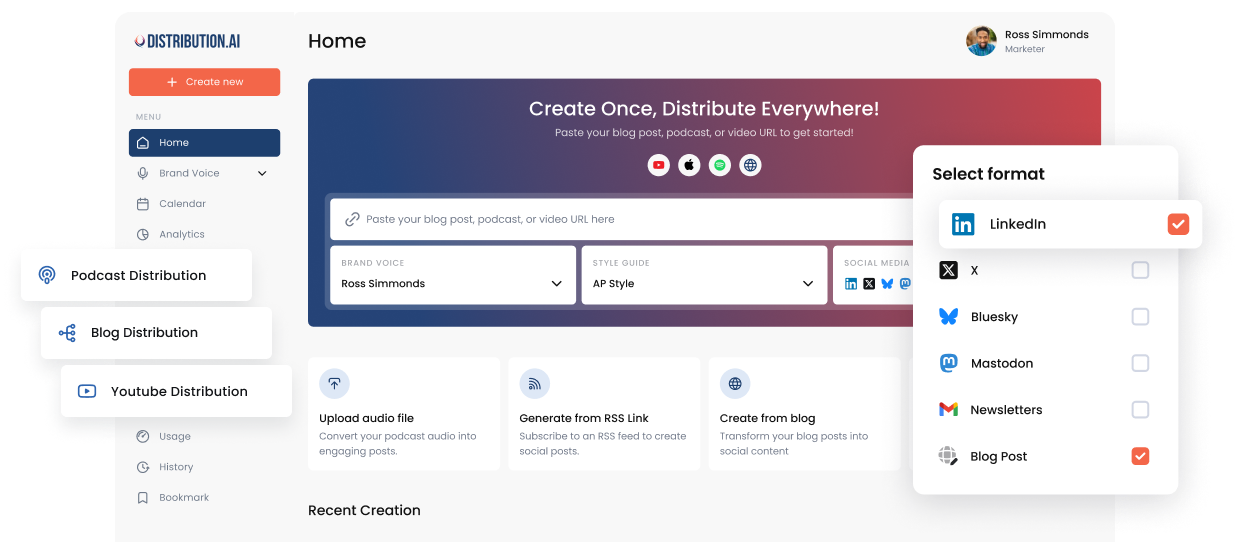
What Is An AI Content Calendar? A Practical Guide For 2026
Learn how an AI content calendar helps you plan, generate, and distribute content across every channel without the manual grind.
Most content calendars only hold the plan. They tell you what to post and when, and stop there. Every post still has to be written, cut down for LinkedIn versus X, and pushed live by hand.
AI content calendars are worth a look because they close that distance. The planning and the making sit in one place, so what is on the calendar is close to done rather than just written down.
Here is what an AI content calendar actually is, how it is different from the one you use now, and how to build one that plans and distributes content instead of just tracking it.
What an AI content calendar actually is?
An AI content calendar is a tool that plans, writes, and schedules your posts ahead of time, so a lot of the work you would normally do by hand gets done for you.
A regular calendar only holds the plan. It is a grid of dates and intentions, and every post on it still has to be written, formatted, and published by you.
Point an AI content calendar at a blog post, a podcast, a video, or a rough idea, and it drafts the posts, formats each one for the channel it is headed to, and queues them up.
You edit drafts instead of writing everything from scratch.
This is more than bolting ChatGPT onto a spreadsheet. The planning and the writing happen in the same tool, so the post you need is already sitting in the slot you planned it for.
The cost of operations without AI content calendar
Running content by hand costs you mainly in three-four quiet ways that add up over a quarter.
1. The hours lost turning one idea into many posts
The average marketer spends three to five hours on a single quality piece, and that’s before it gets reshaped for every channel it needs to go on.
Adapting one asset into a LinkedIn post, a few tweets, and a newsletter blurb is its own separate grind, and it repeats every week.
For majority teams the hours simply aren’t there, so the repurposing that would stretch each piece further never happens.
2. The channels that go quiet when work gets busy
Publishing consistently is the first thing to slip when the person doing it runs out of time.
More than half of marketers now say making enough good content consistently is their biggest challenge, a sharp jump from 17 percent the year before.
When a channel posts in bursts and then disappears for two weeks, the audience stops seeing you and the momentum you built has to be rebuilt from near zero.
3. The content that gets used once and forgotten
A single blog holds weeks of social content, but without a system to break it down, it runs once and sits in the archive.
That is a real miss, since companies that actively repurpose see about double the engagement of those posting only original content. You paid full price to create it and used a fraction of it.
4. Zero learning between cycles
Without a system that connects publishing to performance, every month starts from scratch. The team knows some posts did better than others but cannot say why.
The next content calendar looks a lot like the last one, because there is no feedback loop shaping what gets planned.
What AI-powered content calendar tools actually change
A regular calendar is a passive record. You feed it, it remembers. An AI-powered one is active, contributing to the work instead of just holding your notes about it.
1. You get a draft, not a blank box
On a normal calendar, “LinkedIn post, Thursday” is a reminder that you still have to write the thing.
With an AI tool, you point it at a blog or a video or even just a rough idea, and it hands you back a draft that’s already shaped for the channel.
So instead of starting from nothing, you’re editing something. That’s most of the time saving right there, and it’s the benefit marketers care about most.
2. One idea covers every channel
If you’re posting the same idea to five platforms by hand, you’re basically writing it five times so it doesn’t read like a lazy copy-paste.
An AI calendar does that part for you, turning one source into a LinkedIn post, a short video script, a newsletter blurb, each one written the way that platform actually reads.
You just pick the versions you like. For a small team, that’s the difference between showing up everywhere and giving up after two channels.
This is what Distribution.ai is built for. You give it a source, a blog, a podcast, a video, or a prompt, pick your channels, and set the voice.
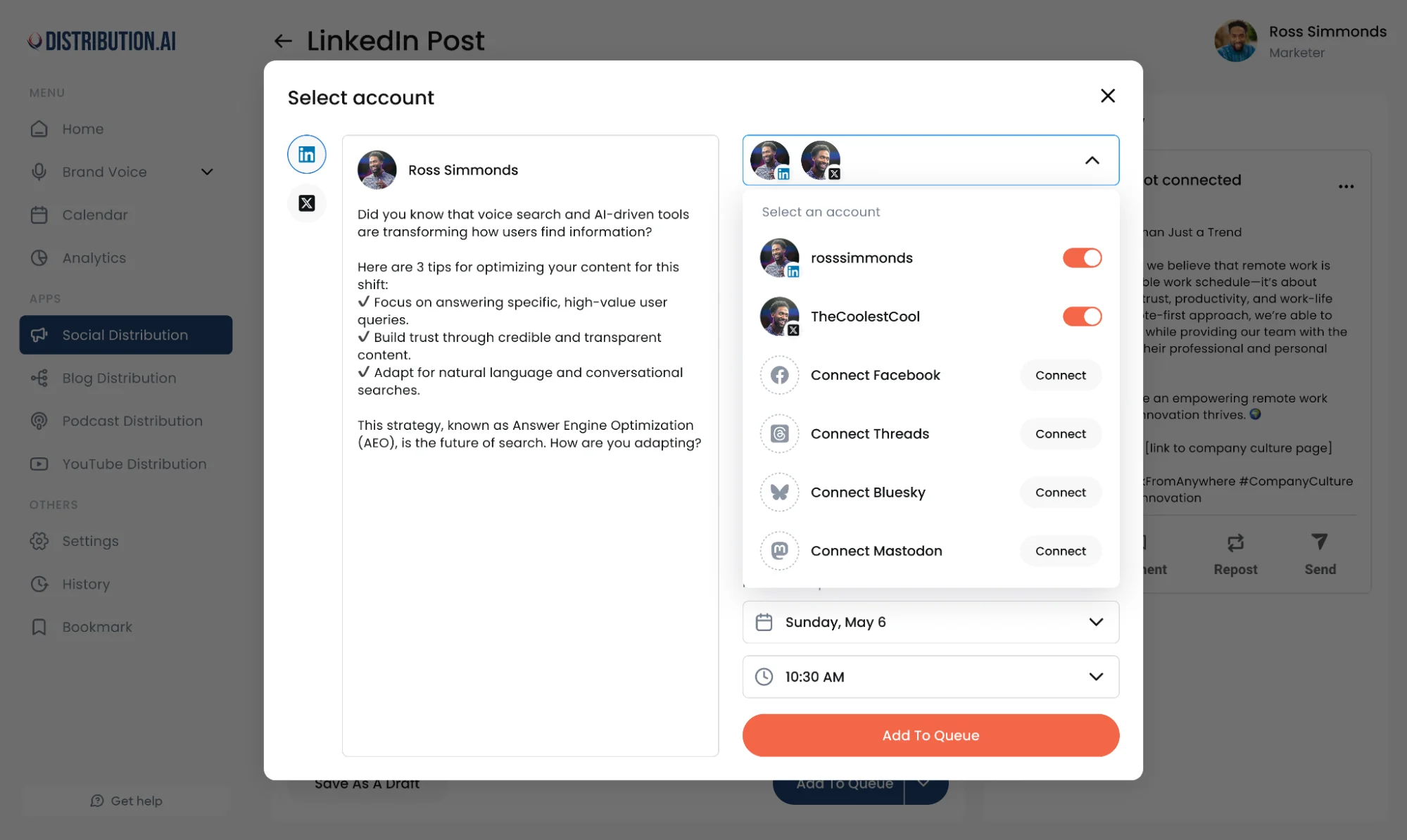
It generates five posts for each channel, each a different angle, all as editable drafts you can adjust and schedule from one screen.
One idea in, and you get a week of platform-native posts in return.
3. The empty days don’t pile up on you
A blank Thursday on a normal calendar is your problem to fix. An AI tool sees the gap and offers to fill it, pulling from stuff you’ve already published or the themes you write about.
When you’re slammed, that’s what keeps the calendar moving instead of going quiet.
58 percent of marketers said they felt overwhelmed in Marketing Week’s 2025 survey, mostly from trying to juggle everything at once.
4. It knows when to post
A spreadsheet doesn’t care what time your post goes out.
An AI tool looks at what’s worked before and tells you when people are actually online, so a good post doesn’t get buried by going up at 2pm on a dead day. You stop guessing at the schedule.
5. It gets better the longer you use it
A spreadsheet forgets every post the second it’s published. An AI tool remembers what did well and quietly steers you toward more of it, the formats, the channels, the angles that landed.
So the calendar isn’t something you set once and abandon. It sharpens up each month, and your next call is based on what actually worked instead of a hunch.
The anatomy of a working AI content calendar
Plenty of tools slap “AI” on a calendar view and call it done. What makes one actually work is a handful of parts doing specific jobs. Here’s what a real one is built from.
1. A generation engine that starts from your own material
The weak version is a text box wired to a generic model. The strong version starts from something you already own, a published blog, a podcast, a video, or a rough prompt when the idea is half-formed, and turns it into posts.
It should also hand you a few versions of each one, so you’re picking from options rather than regenerating until something sticks.
Content built from your own material carries your ideas and your evidence. Content spun from a blank prompt tends to come out hollow.
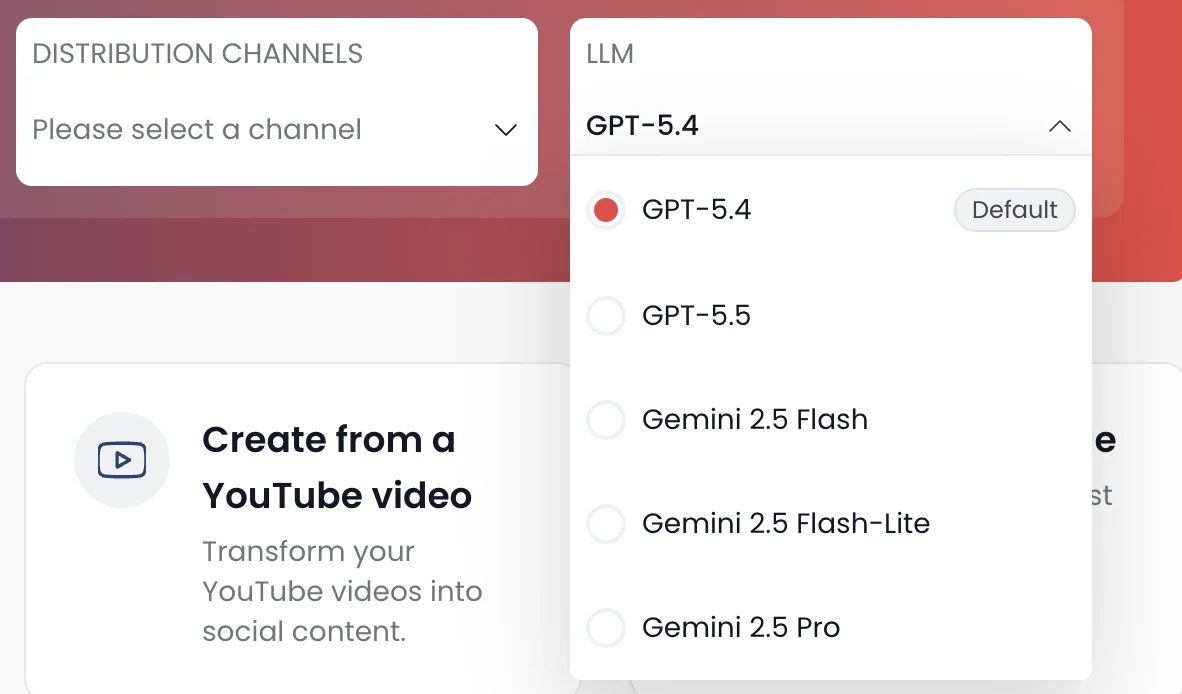
Distribution.ai is a good example of the strong version. It generates from your existing blogs, podcasts, and videos, gives you five posts per channel to choose from, and lets you pick which AI model runs the job rather than locking you into one.
 If the idea isn’t fully formed yet, its built-in AI Chat lets you brainstorm angles and hooks before you generate anything, so the blank page stops being the bottleneck.
2. Brand voice control you can actually set
Generation is only useful if the output sounds like you, and this is where most AI content falls apart.
A working calendar gives you real control instead of a single “professional tone” toggle. Usually that means one of three ways to set it:
- Save a voice and reuse it across posts
- Train one on your past content so it learns your patterns
- Describe the tone and the words you want in plain language
3. Platform-native formatting, built in
A LinkedIn post and an X thread are different objects. Same idea, different shape, length, and rhythm.
A real calendar formats each output for where it’s going, so one source comes out as a LinkedIn post, a short-form script, and a newsletter blurb that each read native.
Paste one block of text everywhere and the algorithms bury it.
4. A real calendar view with visible gaps
The calendar has to do more than show dates. It should make the holes obvious before they turn into two silent weeks, showing you what’s scheduled, what’s published, and where the empty slots are.
The better ones also suggest when each post should go live based on past engagement. That’s the line between a calendar that records your plan and one that shows you where the plan is slipping.
5. Scheduling and approval in one place
Posts need to go out without exporting to a separate tool.
A working calendar keeps publishing inside the same system, with a queue you set once and, for teams, an approval step so nothing goes live unreviewed.
Content in one place and publishing in another means a manual handoff every single time.
6. An analytics loop that feeds the next round
The last piece is memory. A calendar that forgets every post the moment it ships can’t help you improve.
A working one tracks how posts performed and shows which formats, channels, and angles landed, so the next round is informed by the last one rather than another guess.
How to build an AI content calendar, end to end
Here’s the actual build, from a blank setup to posts going live and telling you what worked. The steps are the same whether you’re doing this manually with a stack of tools or inside a single platform.
Step 1: Point it at a source
Every calendar starts with raw material. Rather than staring at an empty month and inventing thirty ideas, begin with something that already exists and has substance to it.
A long-form blog, a podcast episode, a recorded webinar, a YouTube video. Anything with real ideas in it can seed weeks of shorter posts.
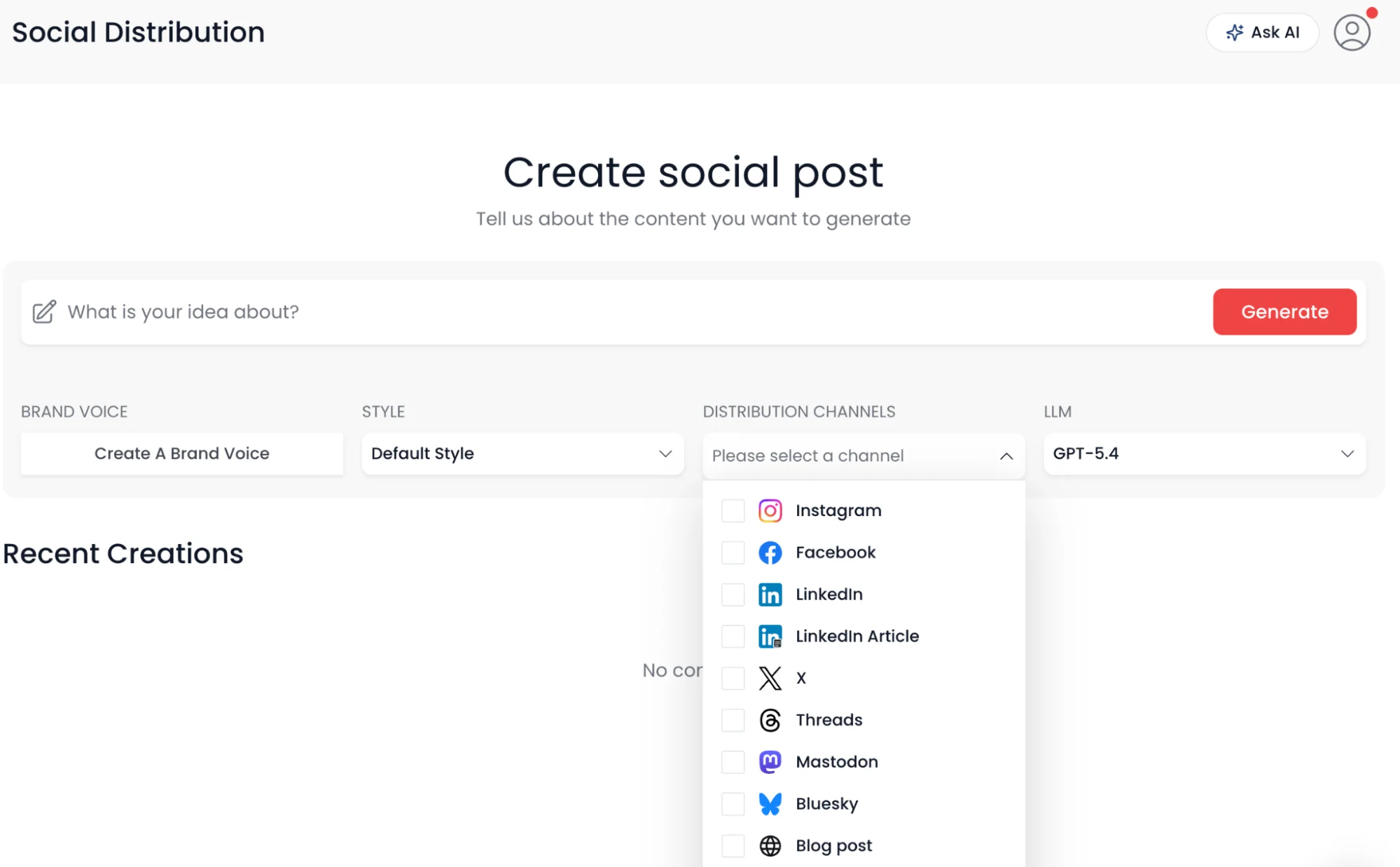
In Distribution.ai, this is a single input. Paste a blog URL, drop a YouTube or podcast link, upload a video, or type a prompt if you’re starting from an idea instead of a finished asset.
The platform reads the source and pulls out the threads worth turning into posts.
Step 2: Lock the voice before you generate anything
Set voice first, because generating a batch and then fixing the tone on every post is the slow way around. Decide once how this should sound, and every post inherits it.
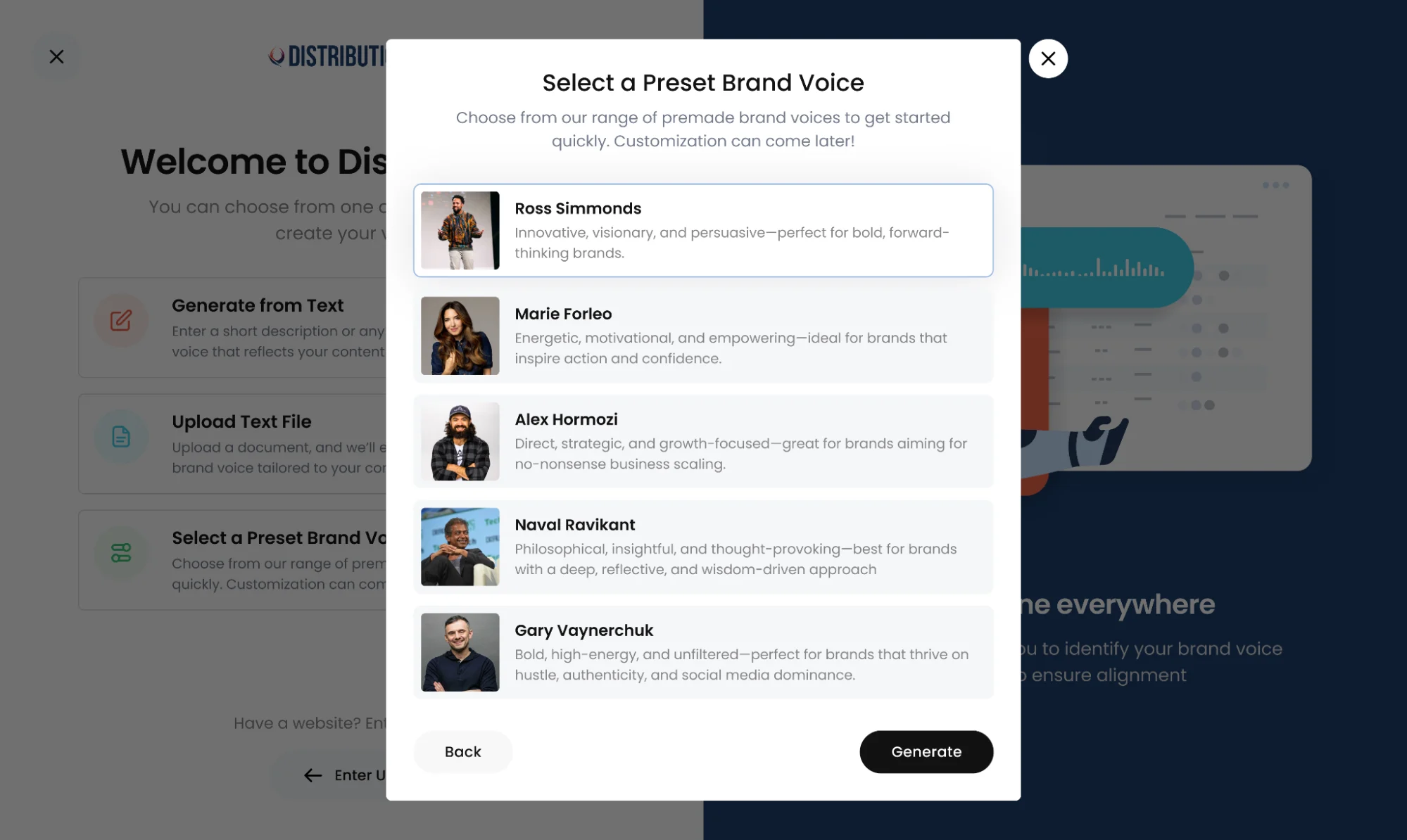
You’ve got three practical ways to do this: reuse a voice you’ve already saved, train one on posts you’ve written before so it picks up your habits, or just describe the tone in plain words, the energy you want and the phrases you’d never use.
That last option is the fastest if you don’t have a back catalogue to train on.
Step 3: Choose your channels and generate
Now pick where the content is headed. Select every channel you actually maintain in one pass rather than building each platform’s post separately.
From there the platform generates, and the output is the part that saves the day.
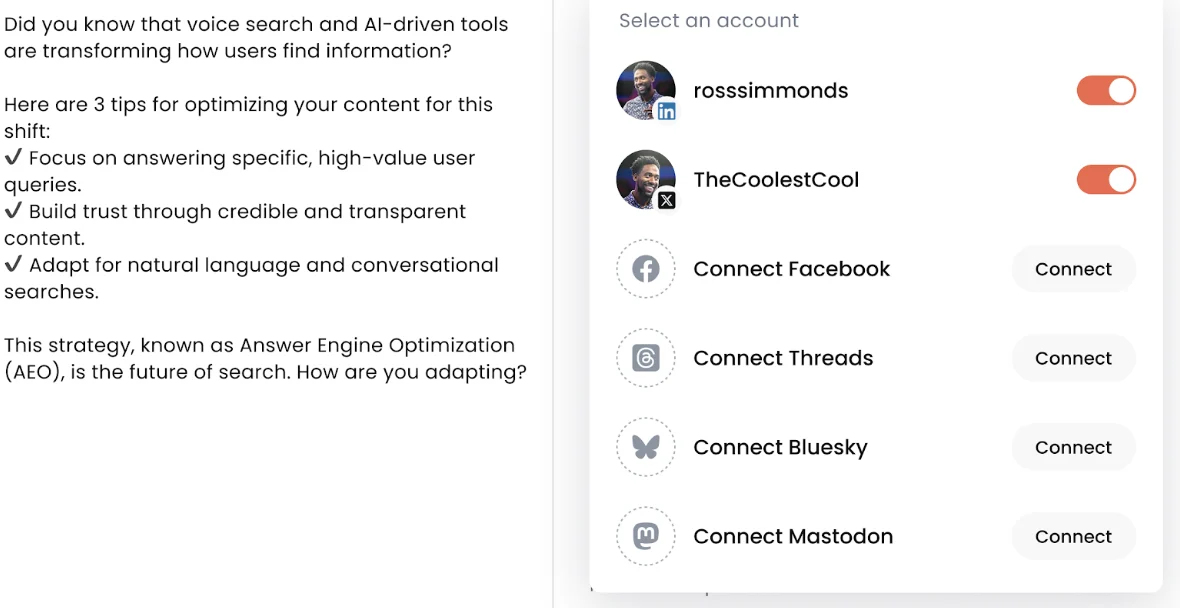
Distribution.ai produces five distinct posts per channel, each taking a different angle on the source, and formats each one for its platform, a LinkedIn post that reads like LinkedIn, an X thread built like a thread, a newsletter blurb, a short-form video script.
Step 4: Slot it into the calendar and schedule
With drafts in hand, the calendar stops being a plan and becomes a queue. Drop posts onto the days you want them, spread them so no channel goes quiet, and set the times.
A recurring schedule means you set the rhythm once instead of manually placing every post each week.
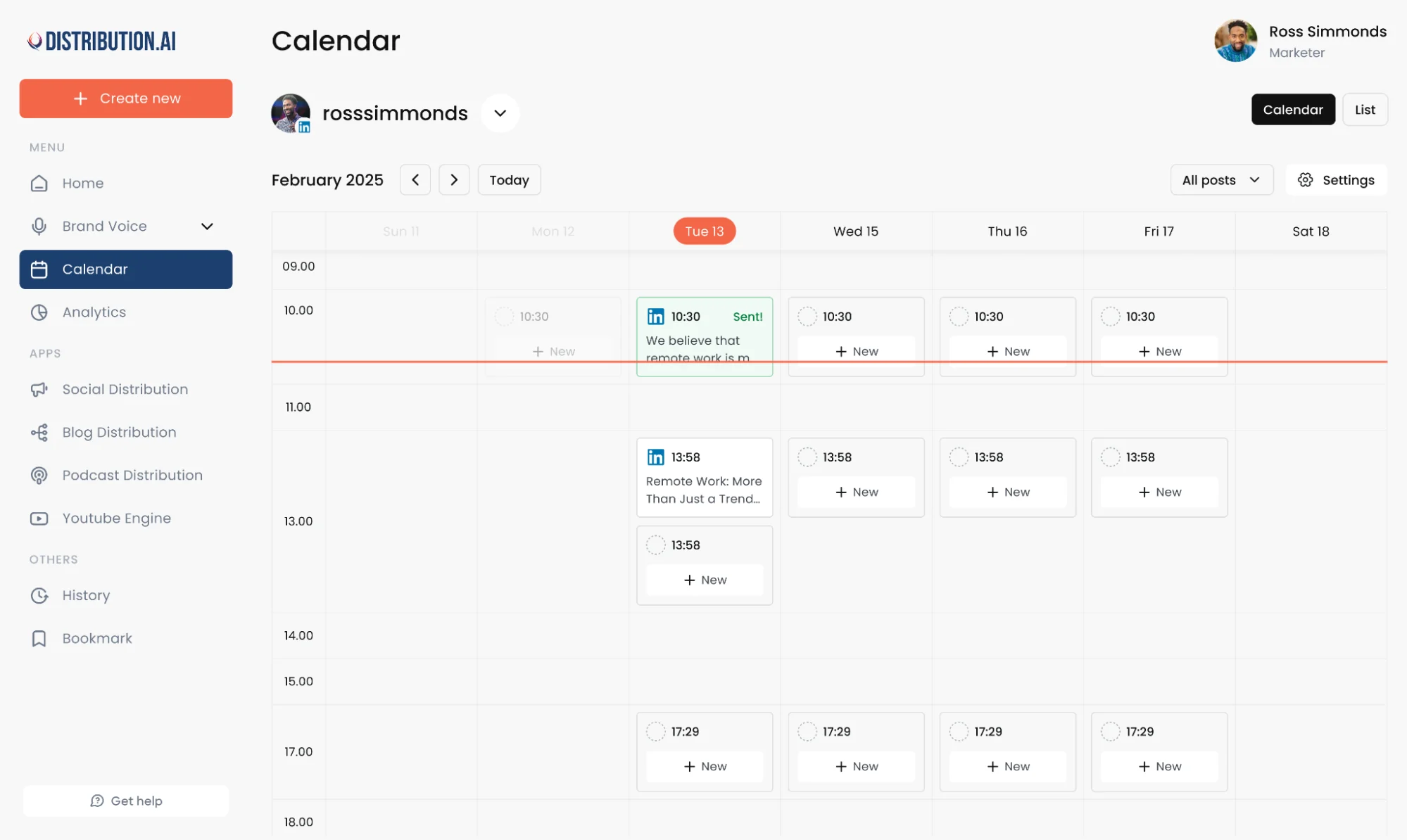
If a teammate needs to sign off before anything publishes, this is where an approval step earns its place, posts wait in review rather than going straight out.
Everything stays in one place, so you’re not exporting drafts to a separate scheduler and rebuilding the plan there.
Step 5: Watch what happens and adjust
The build isn’t finished when posts go live. The point of running a system is that it tells you what’s working.
Check which posts pulled real engagement, which channels are carrying weight, and which formats keep landing.
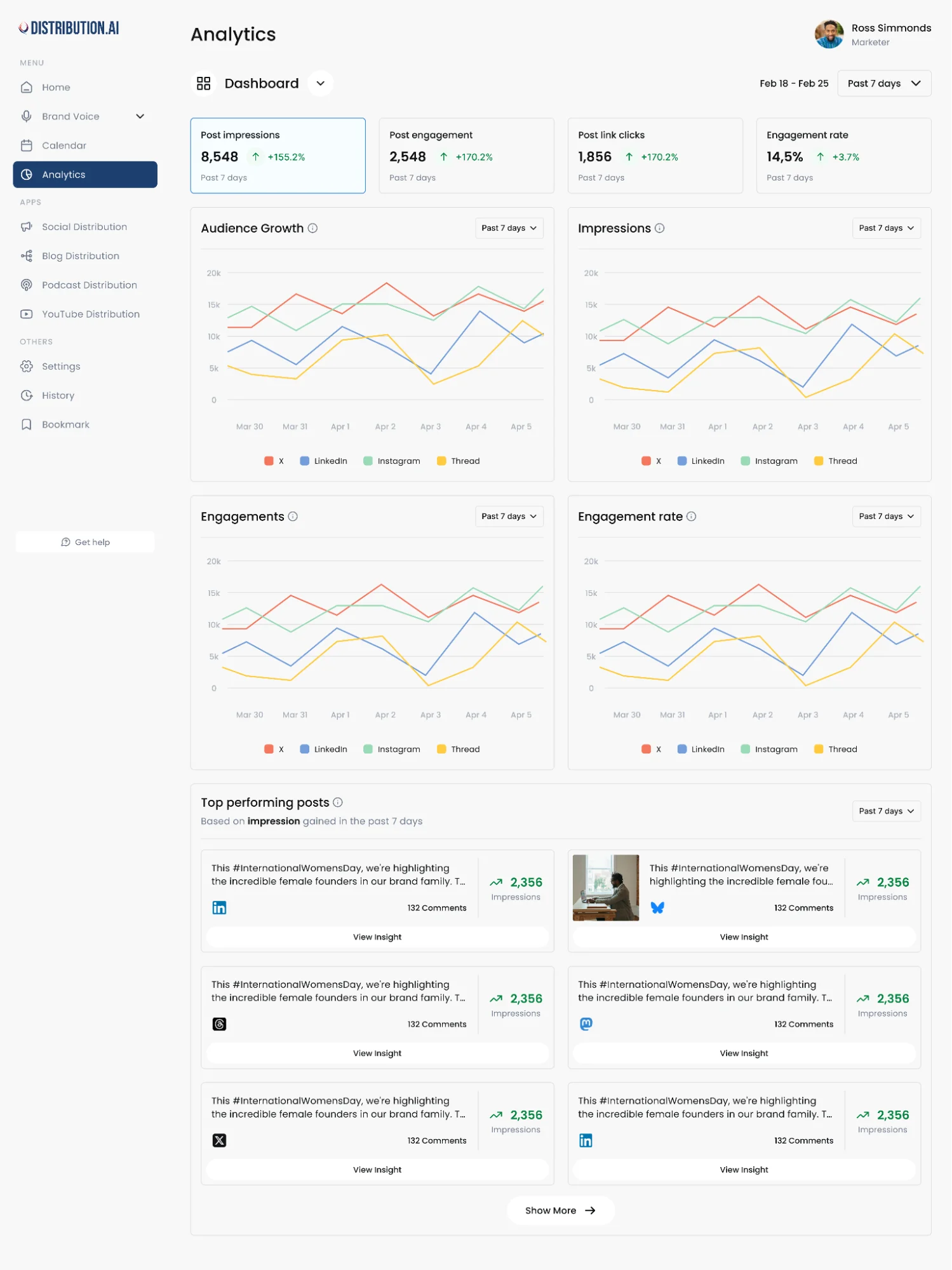
Distribution.ai tracks impressions, engagement, and link clicks across your connected channels in one view, so you’re not stitching numbers together from five native dashboards.
Read that before you seed the next batch, and each cycle gets a little sharper than the last.
The platform-specific problem marketers miss
Most guides and tools end the story too early.
Generate your posts, load them into a scheduler, done. What they skip is whether each post actually fits the platform it lands on.
It’s tempting to write one post and push it everywhere.
But platforms reward content that reads native to them and quietly bury content that doesn’t. Identical posts pasted across channels get less reach and lower engagement because the format mismatch makes people scroll past, and the algorithm reads those early scroll-aways as “this isn’t good,” then throttles it.
Reposting and repurposing are two different things. Reposting is the same caption and file fired at six platforms at once. Repurposing is rebuilding one idea to belong on each:
- LinkedIn: a text-led post with a hook and three to five hashtags, not fifteen
- X: a thread built to read as a thread, or a single post kept short
- Reels and Shorts: a vertical video, not a landscape clip in black bars
- Every platform: a CTA that makes sense there, since “link in bio” means nothing on LinkedIn
That rebuilding is where the hours actually go, and it’s the mile most guides wave past. Planning is mostly solved now.
The harder question is whether your system carries a post all the way to native, published, and measured on each platform, or stops at “here are your drafts, good luck.”
What to look for in an AI content calendar generator
The features blur together across tools. What actually decides the right fit is your own situation, so match a generator against these four questions before the feature list.
- What do you feed it?
If your best material is blogs, podcasts, or video, pick a tool that starts from those sources, not one that only spins posts from a blank prompt.
- How many channels do you really run?
A one or two channel operation is fine with a light tool. Once you’re juggling five, native per-platform formatting stops being optional.
- Does it publish, or just plan?
Some generators stop at drafts and hand off to a separate scheduler. If you want fewer tools, make sure it carries posts all the way to publication.
- What does the pricing actually cover?
Check whether it’s per channel, per user, or per volume, and whether there’s a real trial. The cheapest plan is no deal if it caps the one thing you need.
Run any generator against those four and the shortlist sorts itself out fast.
How Distribution.ai brings planning and distribution together
The generic tools in this space solve one slice. A generator writes posts, a scheduler queues them, a separate dashboard reports on them.
Distribution.ai’s whole point is that those slices live in one place, so content goes from idea to published to measured without jumping tools.
1. Repurposing from sources you already have
Feed it a blog, a podcast, or a video, and a month of posts comes out of that one asset instead of starting from a blank page.
2. Real options, in your voice
Every channel gets five posts, each a different angle, in the brand voice you saved, trained on past content, or described in plain language. You choose which AI model runs the batch, and the built-in AI Chat helps you work out angles before generating anything.
3. Every post shaped for its channel
One source comes out formatted for LinkedIn, X, Instagram, Threads, Bluesky, Mastodon, plus email, blog, and Shorts, each written the way that channel actually reads.
4. Distribution from one dashboard
Posts publish to every connected channel without copy-pasting between tabs, on a recurring schedule, with a team approval step before anything goes live.
5. Autopilot that keeps working
Connect a blog, podcast, or YouTube feed once, and new posts get drafted automatically every time you publish something new.
Planning a calendar is easy. Getting content made, adapted, shipped on every channel, and measured is the hard part, and that’s the part Distribution.ai carries.
Frequently asked questions
1. Can ChatGPT make a content calendar?
Yes, ChatGPT can generate post ideas, group them by theme, and draft captions if you prompt it well. The limit is that it stops at text in a chat window.
There’s no calendar view, no scheduling, no publishing, and no performance data, so you’re still copying output into a separate sheet and scheduler by hand. A dedicated AI content calendar tool closes that loop by handling generation, scheduling, and tracking in one place.
2. How do I create an AI content calendar?
The workflow is five steps: point a tool at a source or idea, set your brand voice, choose your channels, generate the posts, then schedule and review performance.
The same steps apply whether you stitch it together with ChatGPT plus a scheduler or run it inside a single platform. A platform is faster because the source-to-published path stays in one tool.
3. What is the best AI content calendar generator?
There’s no single best, since the right one depends on what you feed it, how many channels you run, and whether you need it to publish or just plan.
Prompt-based tools like ChatGPT suit people who want full control and don’t mind exporting. Platforms that repurpose from your existing blogs, podcasts, and videos and publish natively suit teams that want fewer tools and less manual work.
4. Are AI content calendar tools free?
Many offer free templates or limited free tiers, and most paid platforms run a trial. Free tiers usually cap the thing you need most, like the number of channels or monthly volume, so trialling a full plan-to-publish workflow tells you more than a capped free plan does.
5. How is an AI content calendar different from a template?
A template is a static grid you fill in yourself. An AI content calendar does the filling, drafting posts, formatting them per platform, and often scheduling them. The template organizes your work; the AI version does part of it.
6. Does AI-generated content hurt SEO or reach?
Only if you publish it raw. Identical posts pushed across every platform get throttled because they read non-native, and unedited AI copy can feel generic. Tools with real voice control and per-platform formatting avoid most of that, and a quick human edit before publishing handles the rest.
7. How far ahead can I plan with one?
As far as you want, though a month is the practical sweet spot for most teams, far enough to stay ahead, close enough that topics stay fresh.
The speed of AI generation is what makes planning a full month realistic instead of a dreaded quarterly project.
Promote, repurpose & distribute your content with AI
Write 10x faster, engage your audience, & never struggle with the blank page again.
Start 15-Day Free Trial
Frequently Asked Questions
Author

Promote, repurpose & distribute your content with AI
Start 15-Day Free Trial