


ChatGPT
AvailableAdd Distribution.ai as an app, then ask ChatGPT to draft, plan and schedule posts for your connected channels.
Settings → Plugins (Developer mode) → Create app
Set it up in ChatGPT
Connect Distribution.ai to ChatGPT or Claude. Turn a blog post, podcast or video into channel-ready posts, see what's on your calendar, and schedule the week from one conversation.








Distribution.ai connects through MCP, the open standard that lets AI assistants work with other apps. You add it once, then just ask.
Add Distribution.ai as an app, then ask ChatGPT to draft, plan and schedule posts for your connected channels.
Add Distribution.ai as a connector, then ask Claude to turn your content into posts and put them on your calendar.
Instagram and Pinterest posts need an image, so schedule those from the Distribution.ai app. YouTube works as a source for posts.
Everything runs in your Distribution.ai workspace, on your connected channels and your posting schedule.
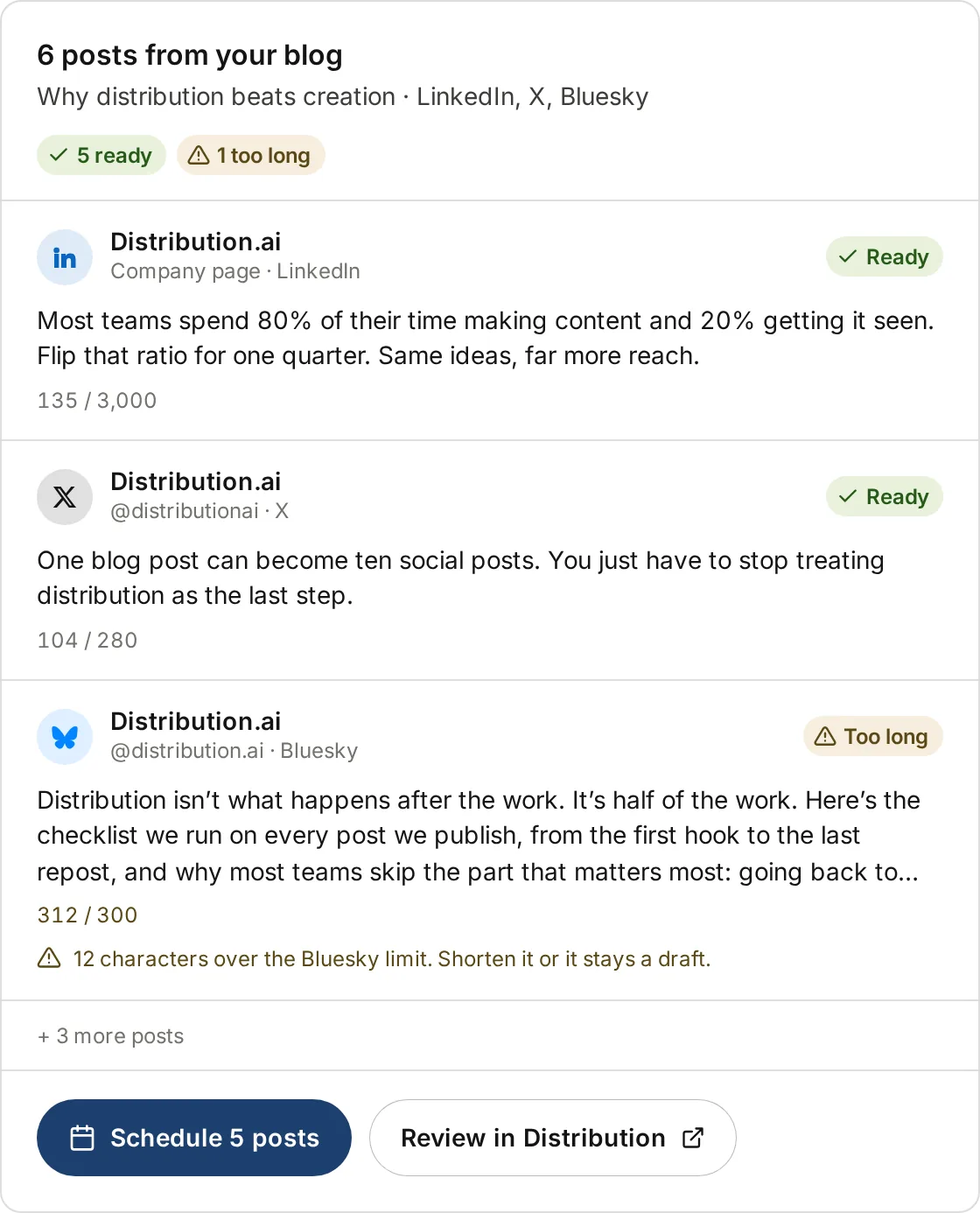
Share a blog post, podcast episode or YouTube video. You get posts for each channel, with character limits checked before anything is scheduled.
Turn this blog post into LinkedIn and X posts
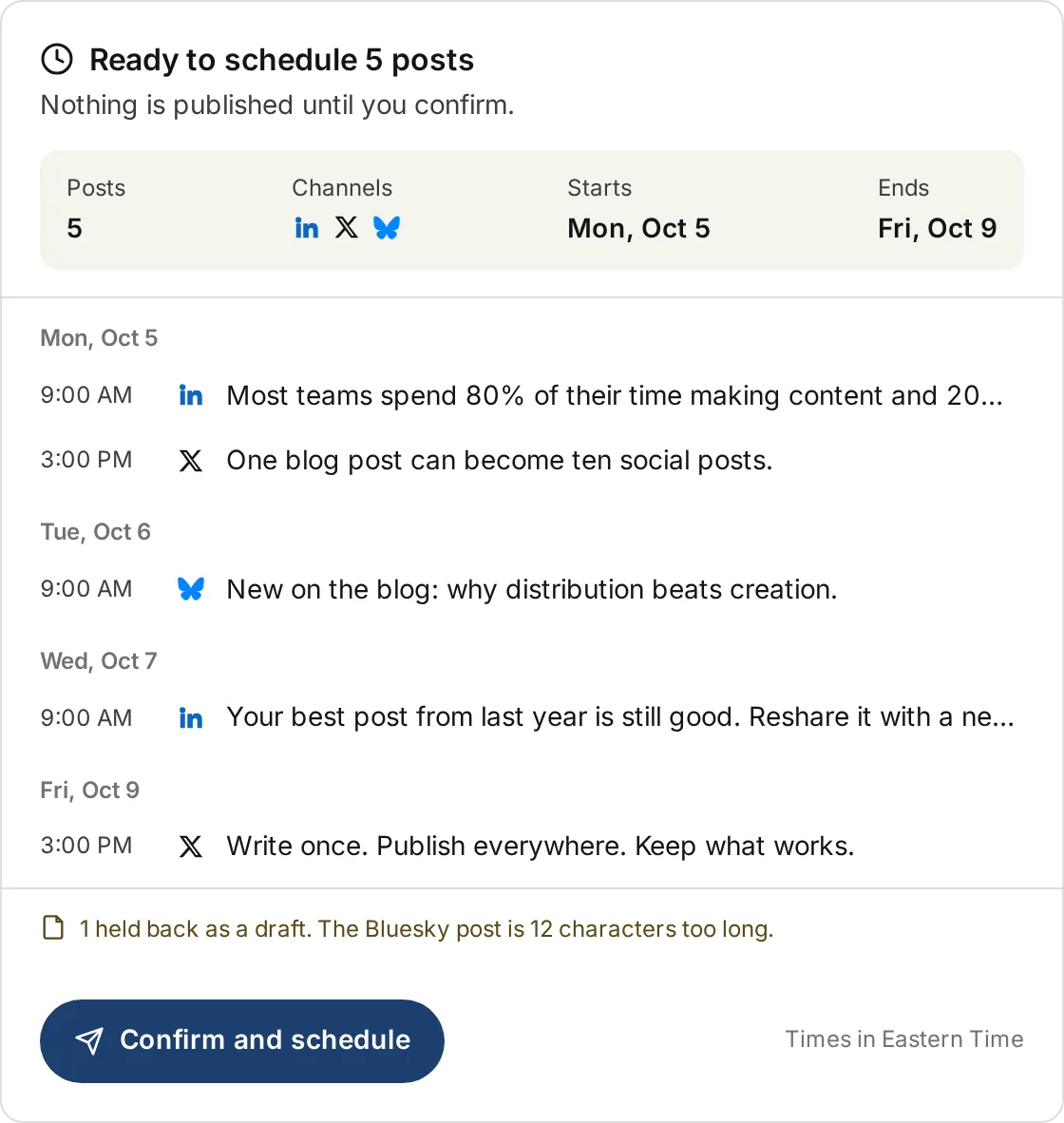
Ask for a schedule and Distribution.ai fills your open posting slots. Nothing publishes right away. Every post is scheduled and shows up on your calendar first.
Schedule those over the next week
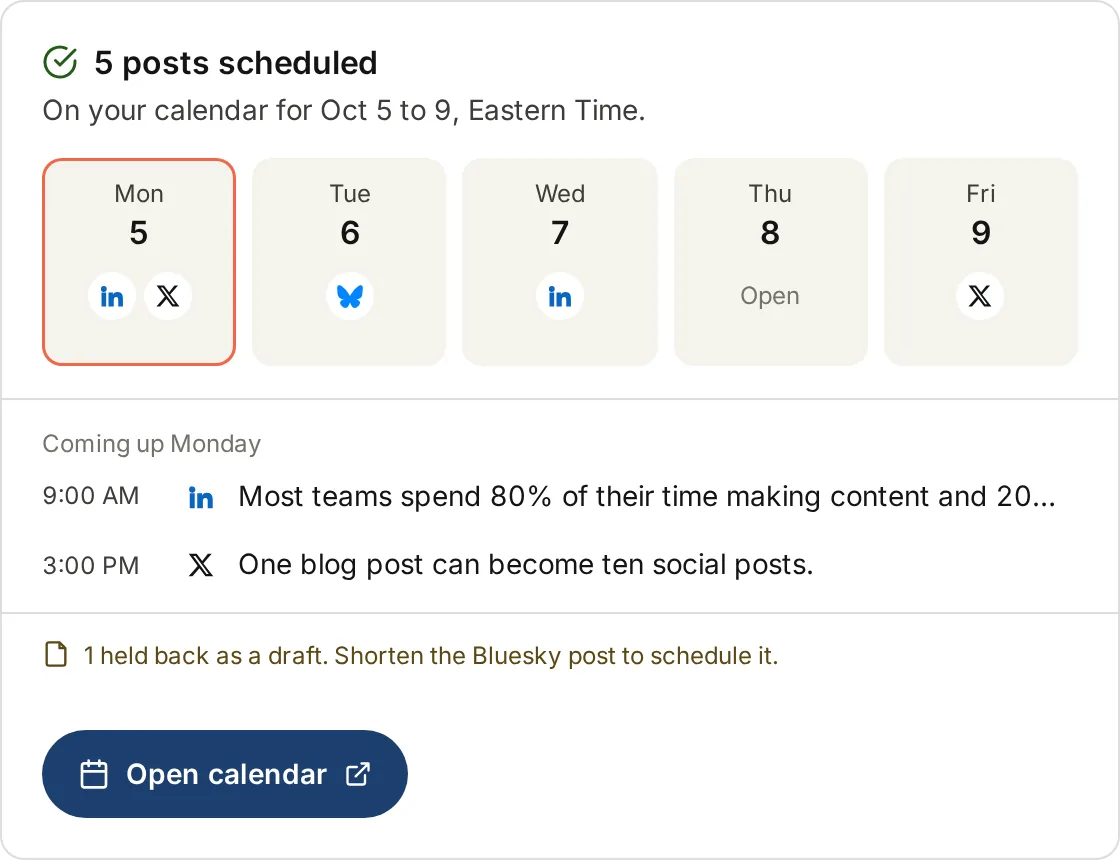
See what's scheduled, what published and what failed. Find your next open slots, or cancel a whole batch in one step.
What's going out this week?
"Make these punchier" or "shorter, no hashtags". Edit posts without starting over.
Stage posts you wrote yourself, up to 50 at a time, then schedule them.
See the next free times in your posting schedule before you plan.
Create and edit brand voices and style guides right from the chat.
Pick your assistant. You only do this once.
https://app.distribution.ai/mcpOpen your settings, name the connector (e.g. Distribution.ai) and paste the URL.
Sign in with your Distribution.ai account.
Pick the workspace to connect.
Once connected, ask What channels do I have connected?
to check it's working.
https://app.distribution.ai/mcpTurn on Developer mode, then create an app, name it (e.g. Distribution.ai) and paste the URL.
Sign in with your Distribution.ai account.
Pick the workspace to connect.
Once connected, ask What channels do I have connected?
to check it's working.
Reading your content and calendar works on any plan. Creating and scheduling posts needs an active subscription or trial.
Copy a prompt, paste it into ChatGPT or Claude, and go from there.
Turn this blog post into LinkedIn and X posts
Then paste a link to your post, episode or video.
Make the LinkedIn ones shorter
Works on any posts from the same chat.
Schedule those over the next week
Fills your open posting slots. You confirm first.
What's going out this week?
Shows what's scheduled, published and failed.
What channels do I have connected?
A good first prompt after you connect.
Show me what I've generated recently
Pick up where you left off.
The connector can only do what you allow, and every post waits on your calendar before it goes out.
Every post is scheduled and shows up on your calendar first.
read your content and calendar, write to create and edit, and posts:write to schedule.
If your workspace needs approval, posts are staged and wait for approval in the app.
Settings → Connected apps → Revoke. It stops working on the next request.
It can't read your Distribution.ai chat history, reach another workspace, or swap one channel for another.
ChatGPT and Claude. In Claude you add it as a custom connector. In ChatGPT you create an app in Developer mode.
LinkedIn, X, Threads, Facebook, Mastodon and Bluesky. Instagram and Pinterest posts need an image, so schedule those from the Distribution.ai app. YouTube works as a source for posts, not as a place to post.
No. It never publishes right away. Every post is scheduled and appears on your calendar first, and workspaces that need approval keep that step.
Reading your content and calendar works on any plan. Creating and scheduling posts needs an active subscription or trial.
A Distribution.ai account, at least one connected social channel, and a posting schedule set up under Settings.
In Distribution.ai, go to Settings → Connected apps → Revoke. The connection stops working on the next request.
MCP (Model Context Protocol) is an open standard that lets AI assistants like ChatGPT and Claude connect to other apps. You don't need to know how it works to use it. Just add the connector URL https://app.distribution.ai/mcp.
Write 10x faster, engage your audience, & never struggle with the blank page again.
*No credit card required