Best Social Media Scheduling Tools in 2026
Compare the best social media scheduling tools for 2026 by features, pricing, supported platforms, content calendars, analytics, and team workflows.

Social media scheduling tools help teams plan posts, keep the publishing calendar organised and send content live across several channels from one place. That cuts down the admin that comes with switching between accounts and checking whether every post went out on time.
This guide compares the best social media scheduling tools for 2026 by pricing, supported platforms, publishing workflow and team features. It should make it easier to see which tool fits your current setup before you commit to a plan.
Quick Summary
- Social media scheduling tools differ most in how they handle planning, approvals, analytics and account management, not in basic post scheduling.
- Distribution.ai is the strongest fit for content-heavy teams that want to repurpose blogs, podcasts and videos before scheduling the resulting posts.
- Planable and Statusbrew stand out for approval-heavy workflows, while Metricool and Sprout Social put more weight on analytics and reporting.
- Pricing models vary by channel, user, workspace or number of brands, so costs can change quickly as the team grows.
- Before choosing a tool, check the platforms you publish to, how content gets approved and whether you need scheduling alone or a broader social media management platform.
What Does a Social Media Scheduling Tool Do?
A social media scheduling tool lets you prepare social media posts in advance, choose when they should publish and manage several social media accounts from one place. A shared social media calendar also gives the team a clear view of upcoming campaigns and scheduled posts.
Beyond basic scheduling, these tools can support approval workflows, bulk scheduling, team collaboration and performance reporting. The feature set varies by platform, so the right choice depends on how many social channels you manage and how your team plans, reviews and publishes content.
Best Social Media Scheduling Tools at a Glance
The tools below cover different parts of the social media scheduling workflow. This table gives you a quick view of what each platform is best suited for before we get into features, pros, cons and pricing in detail.
| Tool | Best For | Standout Area | Starting Price |
|---|---|---|---|
| Distribution.ai | Content-heavy teams that want repurposing and scheduling in one workflow | Turns blogs, podcasts and videos into social posts before scheduling | From $19/month; 15-day free trial |
| Planable | Teams that need content approvals and client collaboration | Visual calendar and structured approval workflows | From $33/workspace/month, billed annually; first 50 posts free |
| SocialBee | Teams that reuse evergreen content regularly | Category-based scheduling and content recycling | From $29/month; 14-day free trial |
| Later | Visual-first brands and social media managers | Visual content calendar and multi-platform planning | From $18.75/month, billed annually; 14-day free trial |
| ScheduleWave | Smaller teams that want straightforward cross-platform scheduling | Separate workspaces for different brands and clients | From $10/month |
| Schedchie | Solo marketers and lean teams managing many accounts | Unlimited accounts and scheduled posts at a flat price | €7.99/month; 14-day free trial |
| Buffer | Creators and small teams that want simple scheduling | Easy publishing with flexible per-channel pricing | Free plan; paid from $5/channel/month, billed annually |
| Hootsuite | Teams managing several social channels from one platform | Publishing, inbox management and cross-channel workflows | From $99/user/month, billed annually |
| Metricool | Teams that want scheduling with stronger performance analytics | Planning, competitor analysis and reporting | Free plan; paid from $20/month in the US |
| Statusbrew | Agencies and teams managing multiple brands or clients | Approvals, inbox management and team workflows | From $69/month, billed annually; agency pricing is custom |
| Sprout Social | Larger social teams that need deeper reporting and management | Publishing, engagement, monitoring and advanced reporting | From $199/seat/month, billed annually; 30-day free trial |
Social media scheduling tools compared by use case and entry pricing as of September 2026.
How We Evaluated These Social Media Scheduling Tools
We reviewed each platform using its current product pages, pricing pages and support documentation, then cross-checked the details against customer reviews and relevant community discussions. We focused on the parts of the product that directly affect day-to-day social media scheduling.
- Scheduling workflow including post creation, visual calendars, bulk scheduling and recurring posts
- Platform coverage across major social networks and support for managing multiple accounts or brands
- Team features such as approval workflows, permissions, client access and collaboration
- Reporting including basic analytics, advanced reporting and performance data tied to published posts
- Pricing based on comparable plan tiers, free plans, free trials and how costs change as users or social accounts are added
Pricing and plan details were checked as of September 2026. This is a comparison list rather than a ranking, since the right social media scheduling tool depends on the workflow and team using it.
Best Tools to Schedule Social Media Posts in 2026
1. Distribution AI

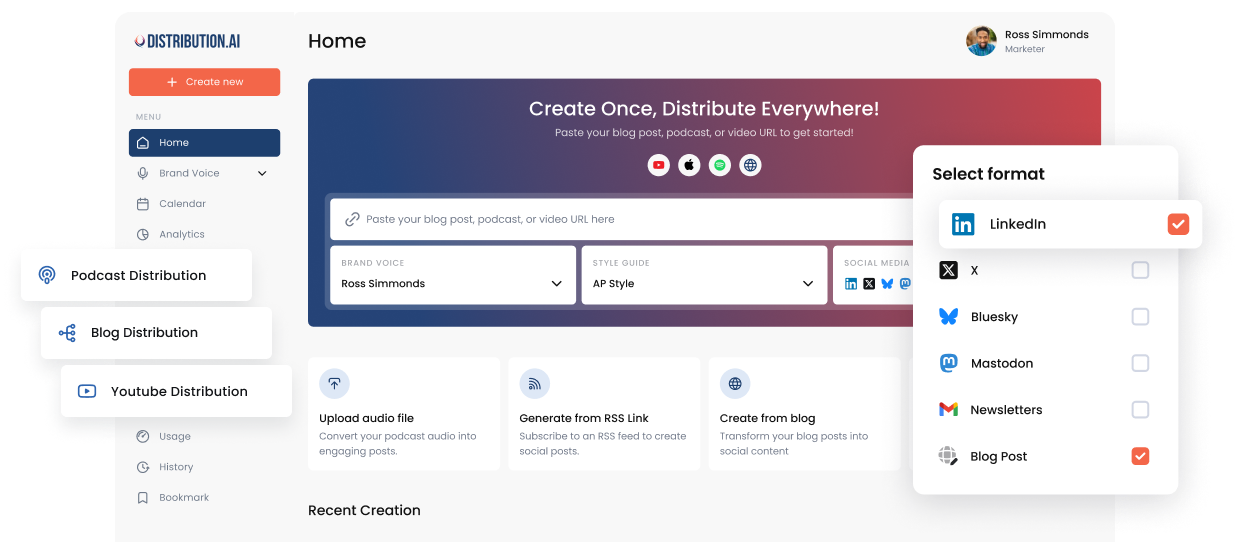
Distribution.ai combines content repurposing with social media scheduling. Instead of starting with a blank calendar, you can bring in an existing blog, podcast, webinar or video and create social posts from that source content. The finished drafts can then move through review, approval and scheduling inside the same workflow.
This setup fits teams that already invest in long-form content and want to get more social posts from it without adding another manual production step. Distribution.ai supports publishing across LinkedIn, Instagram, Facebook, X, Threads, Bluesky and Mastodon.
Best for:
Marketing teams and agencies that want content repurposing, social scheduling and analytics in one workflow.
Distribution.ai’s Key Features
- Turns blogs, podcasts, YouTube videos, uploaded video and draft content into social posts for different channels.
- Teams can save a brand voice and set writing preferences before generating content, which reduces the amount of cleanup needed across a batch of posts.
- The calendar shows scheduled content and open publishing slots, so social media managers can see where the gaps are before adding more posts.
- Drafts can move through review before publication, which gives marketing teams more control over what reaches each social media channel.
- The dashboard tracks impressions, engagement, link clicks, engagement rate, audience growth and top-performing posts.
- Long-form video can also be reused for Instagram Reels and YouTube Shorts, extending the value of an existing video asset.
Distribution.ai’s Pros
- Cuts down the manual rewriting between long-form content and social publishing
- Keeps repurposing, approvals and scheduling in one workflow
- Works well for teams with an active blog, podcast or video program
- Supports several social channels from the same content source
- Includes analytics alongside the publishing workflow
Distribution.ai’s Cons
- Less useful for teams that only need a basic social media post scheduler
- The value depends on having source content worth repurposing
Distribution.ai’s Pricing
Distribution.ai prices its plans around the type and volume of source content you want to repurpose.
- Blog plans start at $19/month
- YouTube plans start at $29/month
- Podcast plans start at $29/month
- The Creator bundle starts at $53.90/month and includes all three content types
- Organization Pro costs $91.58/month when billed annually and includes all agents plus five team members
- All plans include a 15-day free trial with no credit card required
See the latest Distribution.ai pricing before choosing a plan.
2. Planable
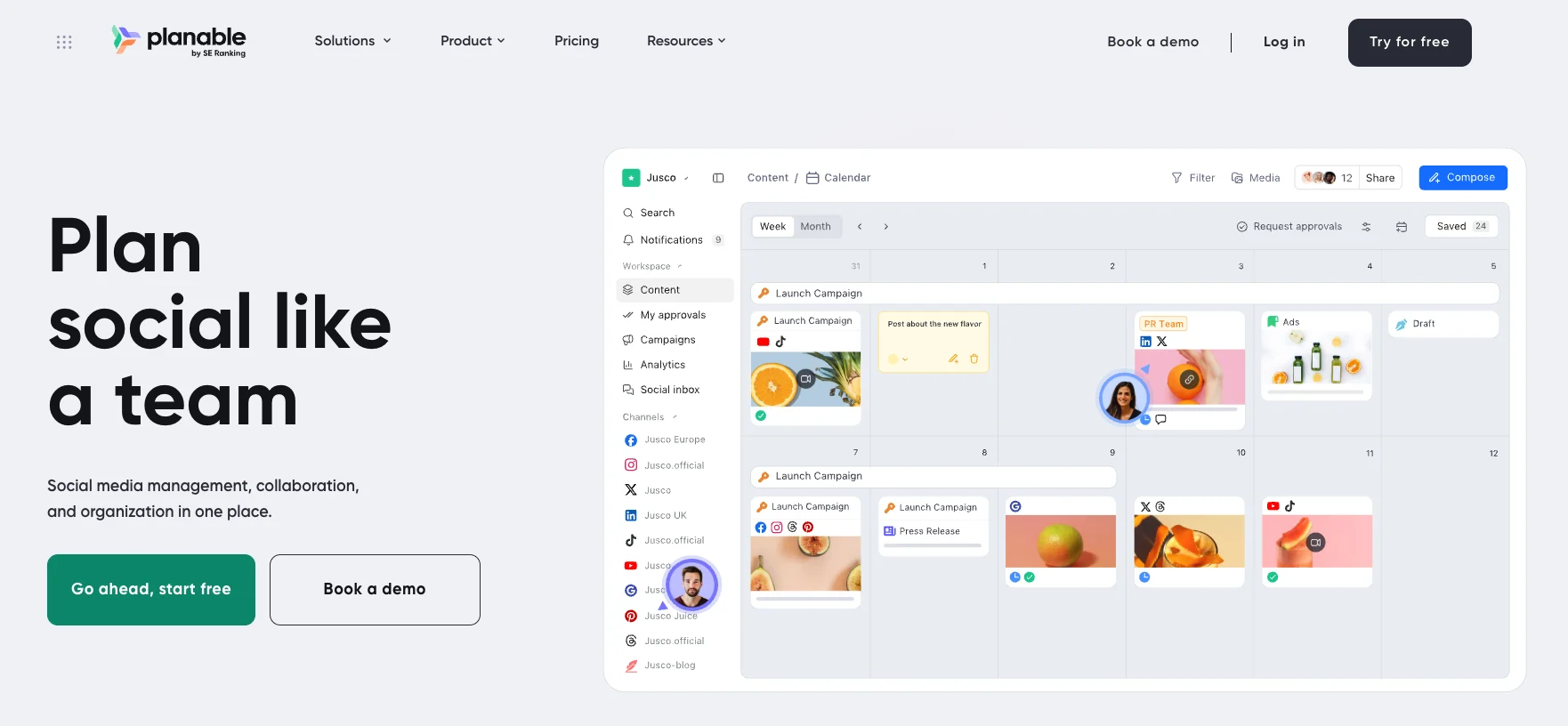
Planable puts planning, feedback and approval in the same social media calendar. Teams can draft posts, review them together and schedule approved content without moving feedback into email or separate documents. Its workspace setup also suits agencies that manage content for several clients.
Planable’s Best For
Marketing teams and agencies that need a visual content calendar with structured client or internal approvals.
Planable’s Key Features
- Calendar, feed and grid views for planning social content
- Approval workflows for individual posts and bulk approvals
- Comments and text annotations for feedback
- Scheduling for Facebook, Instagram, LinkedIn, X, TikTok, YouTube, Pinterest, Threads and Google Business Profile
- Separate workspaces for different brands or clients
Planable’s Pros
- Makes client approvals easy to manage
- Keeps feedback attached to the post being reviewed
- Gives teams a clear visual view of scheduled content
- Supports several major social media platforms
Planable’s Cons
- Pricing is charged by workspace, which can raise costs for agencies managing several clients
- Analytics and Social Inbox are paid add-ons
- Multi-level approvals require the Enterprise plan
Planable’s Pricing
As of 2026, Planable offers a free plan capped at 50 total posts. Paid plans include
- Basic at $39 per workspace per month or $390 per year
- Pro at $59 per workspace per month or $590 per year
- Enterprise starting at $2,500 per year with custom options
Analytics, Social Inbox and Social Listening are available as separate paid add-ons.
3. SocialBee
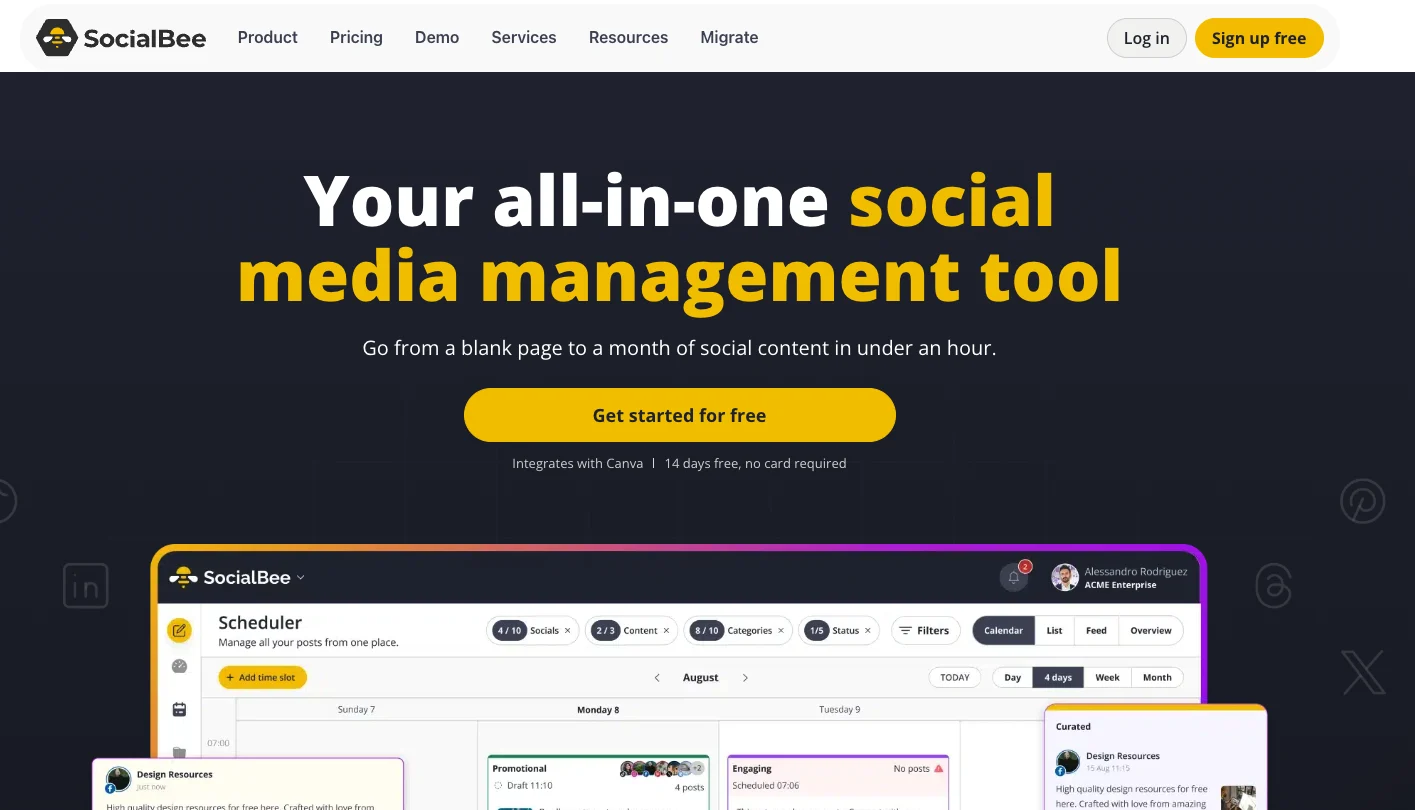
SocialBee works well for teams that publish on a regular schedule and want more control over how different types of content appear across the calendar.
Its category-based system lets you group posts by topic, set a schedule for each category and recycle evergreen content without rebuilding the queue every week.
SocialBee’s Best For
Small businesses, social media managers and agencies that want structured scheduling across multiple social accounts, with content recycling built into the workflow.
SocialBee’s Key Features
- Category-based scheduling for different content themes
- Evergreen recycling and post expiration controls
- Direct publishing to Facebook, Instagram, Threads, LinkedIn, X, Pinterest, TikTok, YouTube, Google Business Profile and Bluesky
- AI-assisted content creation and posting-time recommendations
- Bulk editing, approvals and analytics on higher plans
SocialBee’s Pros
- Gives teams more control over the balance of content in the calendar
- Recycles evergreen posts automatically
- Supports a broad range of social media platforms
- Includes a 14-day free trial with no credit card required
SocialBee’s Cons
- The category system takes more setup than a basic social media post scheduler
- Several stronger workflow features sit on the Accelerate or Pro plans
- Some reviewers describe the interface as cluttered or harder to navigate once the setup becomes more complex
SocialBee’s Pricing
SocialBee offers three standard plans.
- Bootstrap: $29/month, or $290/year, for up to 5 social profiles
- Accelerate: $49/month, or $490/year, for up to 10 social profiles
- Pro: $99/month, or $990/year, for up to 25 social profiles and additional team features
- Free trial: 14 days with access to the Pro plan and no credit card required
4. Later

Later gives social teams a visual way to plan and schedule content across Instagram, Facebook, TikTok, LinkedIn, Pinterest, Threads, YouTube and Snapchat. The calendar helps teams see upcoming posts before they publish, while higher plans add approvals, social inbox features and deeper analytics.
Later’s Best For
Brands and social media managers that publish visual content often and want a clear content calendar for planning posts across several channels.
Later’s Key Features
- Visual content calendar for planning scheduled posts
- Auto publishing across supported social media platforms
- Best Time to Post recommendations on paid plans
- AI tools for caption writing and content ideas
- Approval workflows and Social Inbox on the Growth plan
- Platform analytics with longer history on higher tiers
Later’s Pros
- Easy to see upcoming content across channels
- Strong fit for Instagram and other visual platforms
- Free plan available for limited scheduling
- Includes Link in Bio alongside social scheduling
Later’s Cons
- Starter limits scheduling to 30 posts per profile each month
- Collaboration and approval workflows require the Growth plan
- Extra users and Social Sets add to the monthly cost on eligible plans
Later’s Pricing
As of 2026, Later offers a free plan plus three standard paid tiers. Annual billing reduces the monthly rate.
- Starter starts at $18.75/month when billed annually
- Growth starts at $37.50/month when billed annually
- Scale starts at $82.50/month when billed annually
- Free trial lasts 14 days for eligible paid-plan users
5. ScheduleWave
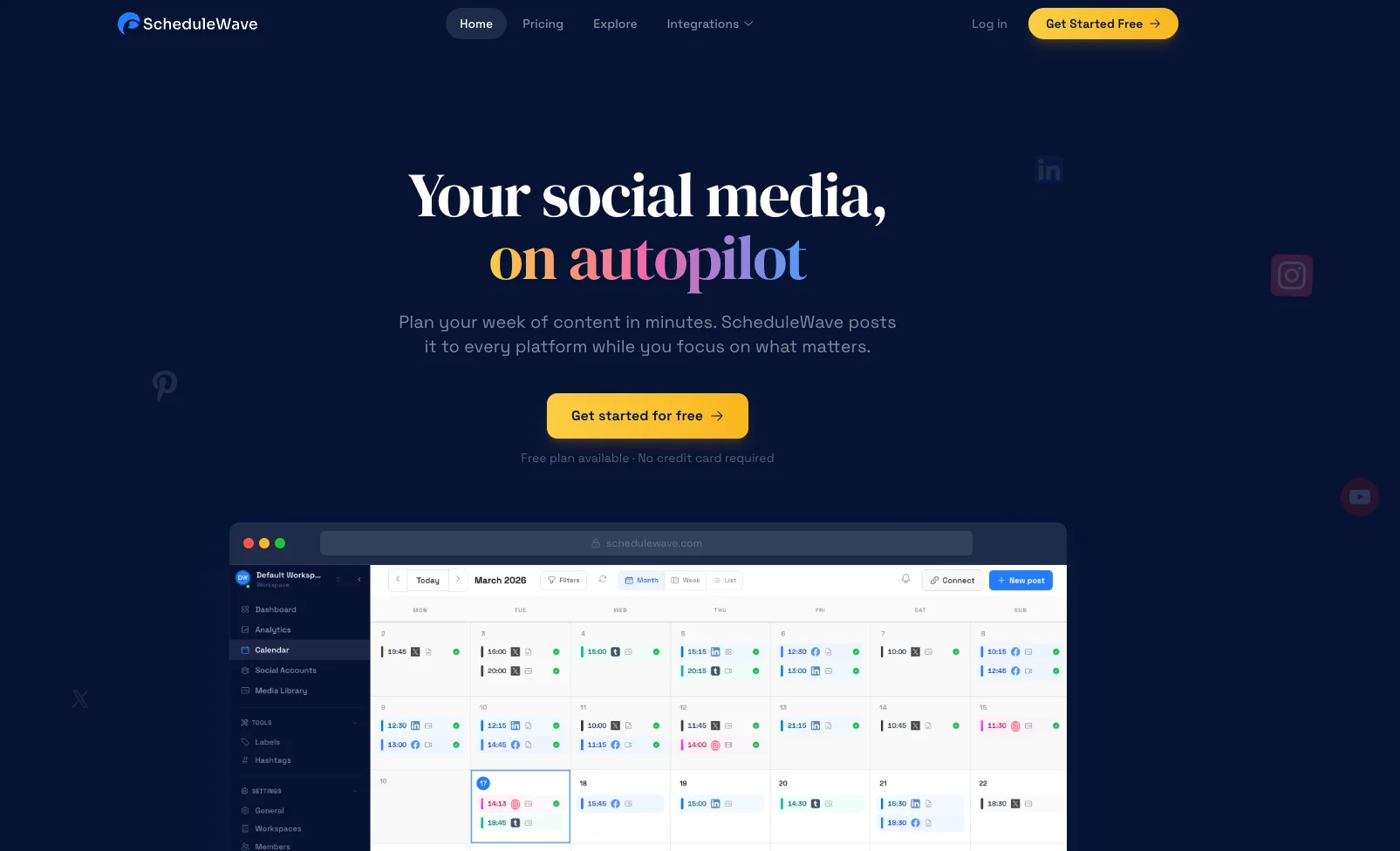
ScheduleWave gives teams a straightforward way to plan and publish social media posts across Facebook, Instagram, TikTok, LinkedIn, YouTube, X and Pinterest. Its visual calendar keeps scheduled posts in one place, while separate workspaces help agencies or teams keep different brands apart.
ScheduleWave’s Best For
Small teams and agencies that want a social media scheduler with flat pricing, multiple brand workspaces and team collaboration.
ScheduleWave’s Key Features
- Visual content calendar with drag-and-drop rescheduling
- Unlimited scheduled posts
- Cross-platform publishing with platform-specific edits
- Bulk scheduling through CSV uploads
- Separate workspaces for multiple brands or clients
- Team permissions and approval workflows
- AI caption writing and social media analytics
ScheduleWave’s Pros
- Flat pricing instead of charging for each social channel
- Keeps client or brand accounts in separate workspaces
- Supports bulk scheduling and unlimited posts
- Includes team features without moving to an enterprise plan
ScheduleWave’s Cons
- Does not currently support Bluesky, Mastodon or Threads
- Offers fewer social network integrations than platforms with broader channel coverage
- Less suitable for teams that need deep social listening or enterprise reporting
ScheduleWave’s Pricing
- Starting plan: $10 per workspace/month when billed annually
- Scheduled posts: Unlimited
- Supported platforms: Seven social platforms included
- Free trial: 7 days, no credit card required
- Money-back guarantee: 30 days
6. Schedchie
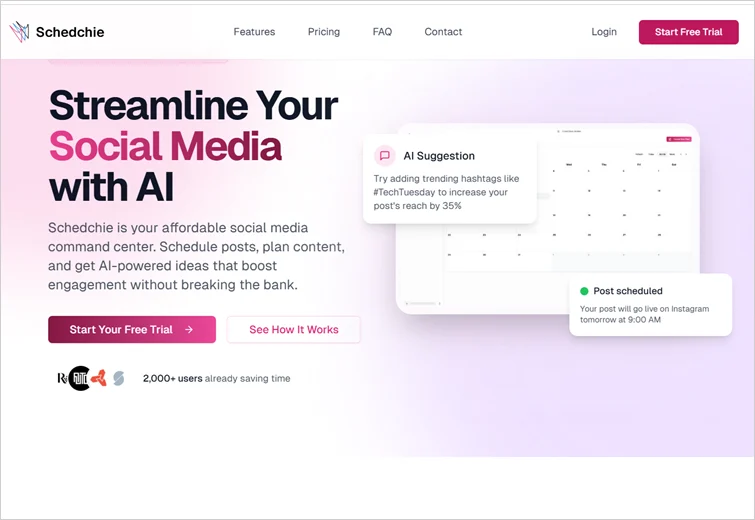
Schedchie is a lightweight social media scheduler built around a simple publishing workflow. You can draft posts, plan them in advance and manage several social accounts without the extra layers that come with a larger social media management platform.
The product keeps the focus on scheduling and account management, which makes the interface easier to navigate when the main job is keeping content moving across multiple channels.
Schedchie’s Best For
Social media managers and small agencies that want straightforward scheduling across many accounts without per-channel pricing.
Schedchie’s Key Features
- Unlimited connected accounts and scheduled posts
- Publishing across 12 social platforms
- Per-platform copy and media edits
- Recurring posts, drafts and content notes
- Client groups and approval workflows on the Team plan
Schedchie’s Pros
- Flat pricing for unlimited accounts
- No scheduled-post cap
- Broad platform coverage
- Useful client and approval features on the Team plan
Schedchie’s Cons
- X publishing costs extra
- No permanent free plan
- Smaller ecosystem than larger social media management platforms
Schedchie’s Pricing
- Free trial: 14 days with the full product
- Pro: €7.99/month with unlimited accounts and unlimited posts
- Team: €24.99/month with 3 team seats, approvals and client review links
- Enterprise: €200/month with 10 invited members
- X add-on: €4.99 for 30 posts
7. Buffer
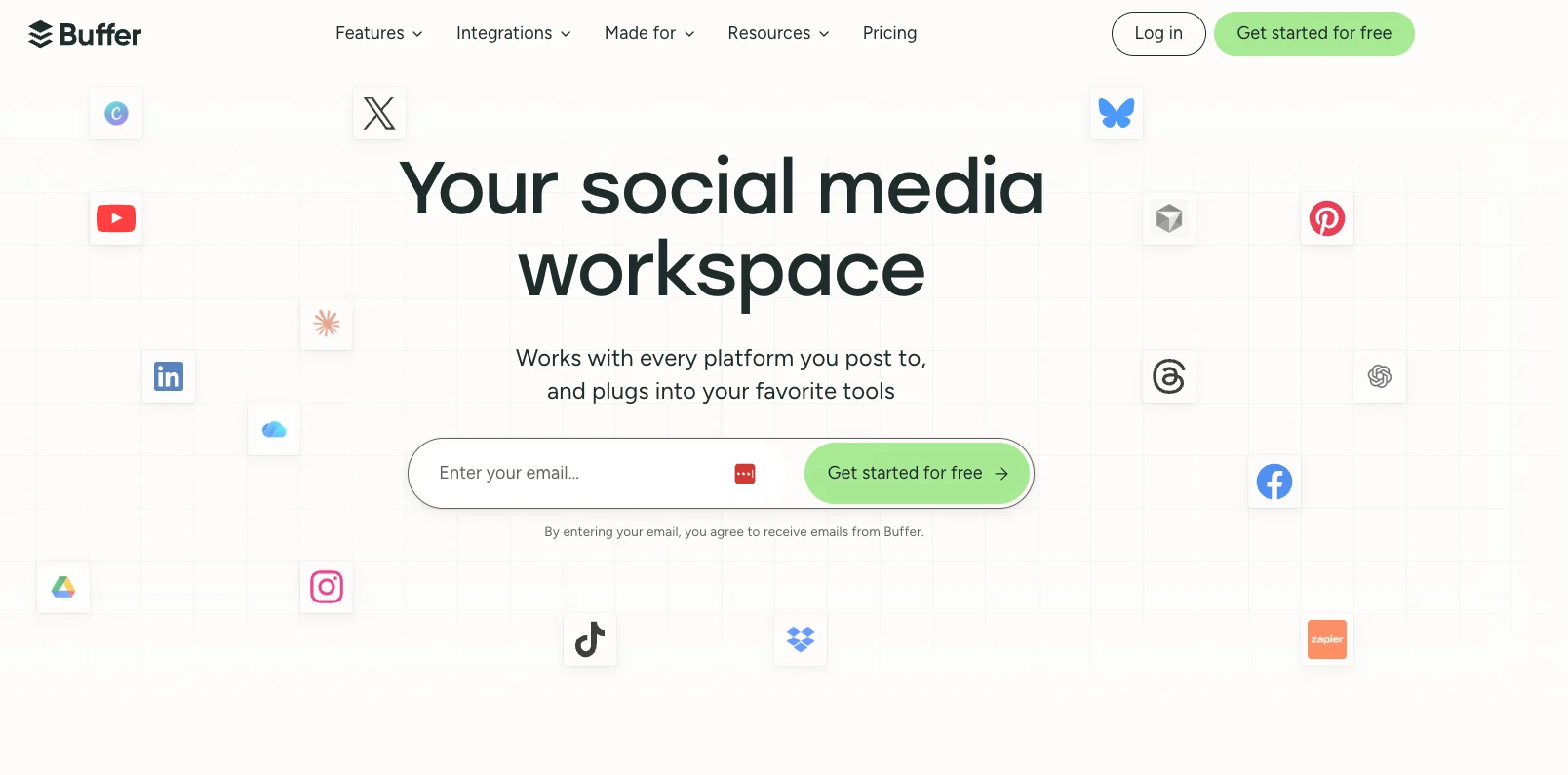
Buffer gives creators and small teams a clean way to plan, queue and publish posts across multiple social media channels. It supports 11 networks, including Instagram, Facebook, LinkedIn, TikTok, X, Threads, Pinterest, YouTube, Bluesky, Mastodon and Google Business Profile. Buffer also uses per-channel pricing, so teams pay for the social accounts they connect rather than a fixed bundle.
Buffer’s Best For
Creators, small businesses and lean marketing teams that want an easy social media post scheduler without a heavy setup process.
Buffer’s Key Features
- Visual content calendar and publishing queue
- Bulk scheduling for posts across multiple channels
- AI Assistant for drafting and repurposing content
- Community inbox for comments and replies
- Analytics plus team approvals on higher plans
Buffer’s Pros
- Free plan supports up to three social channels
- Paid plans include unlimited scheduled posts per channel
- Supports a broad mix of major and newer social networks
- Per-channel pricing works well when you manage a small number of accounts
- Team plan includes unlimited team members and content approvals
Buffer’s Cons
- Per-channel pricing can increase quickly when you manage many social media accounts
- Approval workflows require the Team plan
- Free plan limits each channel to 10 scheduled posts at a time
- Teams managing many brands may need a more structured client workspace setup
Buffer’s Pricing
- Free: $0 for up to 3 channels, with 10 scheduled posts per channel
- Essentials: $5 per channel/month when billed annually
- Team: $10 per channel/month when billed annually, with unlimited team members and approval workflows
- Free trial: 14 days on paid plans
8. Hootsuite
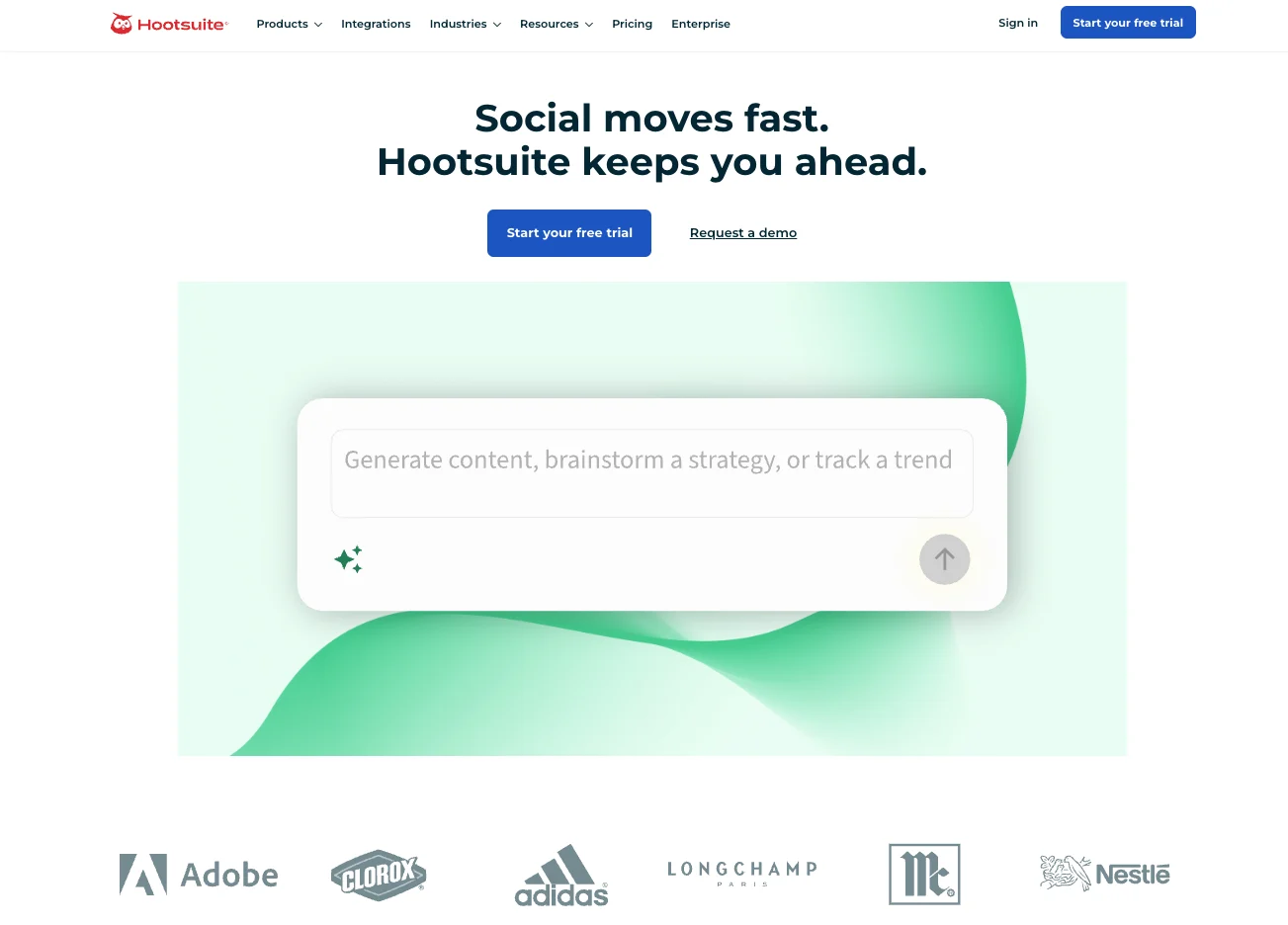
Hootsuite is built for teams that run several social channels at the same time. It brings the publishing calendar, incoming messages and reporting into the same workspace, which makes it easier to manage a busy social presence without jumping between native apps.
It suits teams that need more than a basic scheduler and want publishing, engagement and reporting to sit in the same social media management platform.
Hootsuite’s Best For
Marketing teams managing several social media channels that need publishing, inbox management and reporting in the same platform.
Hootsuite’s Key Features
- Unlimited post scheduling with a shared content calendar
- AI-assisted post creation and publishing recommendations
- Unified inbox for messages and comments
Hootsuite’s Pros
- Brings publishing, engagement and reporting into one dashboard
- Standard supports up to 10 social media accounts
- Higher plans support unlimited accounts
- Useful for teams that manage a large volume of social activity
Hootsuite’s Cons
- Costs more than basic social media scheduling tools
- Pricing is charged per user
- Approval workflows require a higher-tier plan
- The wider feature set can be unnecessary for teams focused only on scheduling
Hootsuite’s Pricing
- Standard: $99/user/month
- Professional: $199/user/month
- Advanced: $399/user/month
- Enterprise: Custom pricing
- Free trial: 14 days, no credit card required
9. Metricool
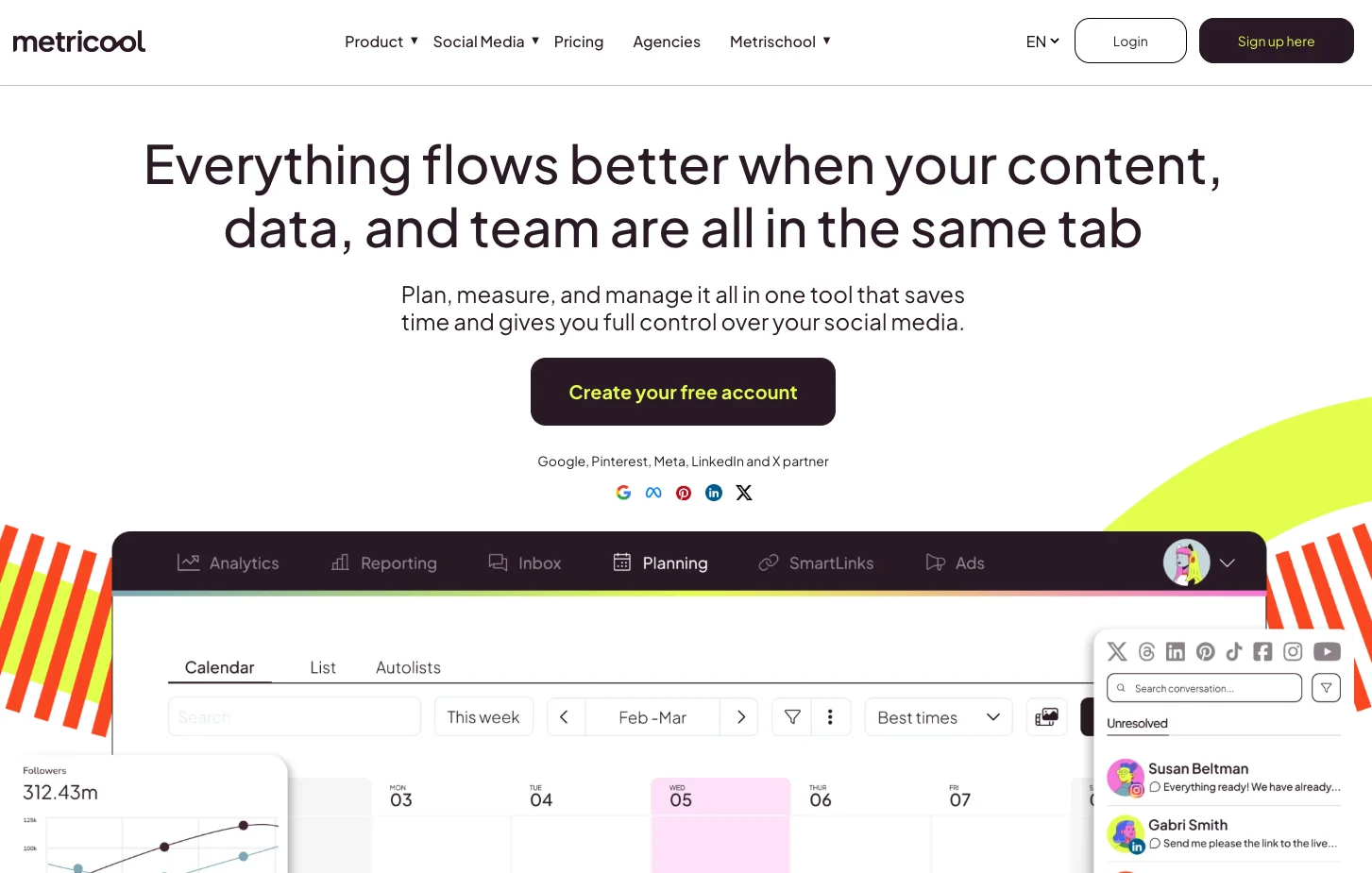
Metricool works well when publishing and reporting need to stay close together. Social media managers can plan content in the calendar, schedule posts and then check how that content performed without moving the reporting into a separate tool. It also includes competitor tracking, which gives teams more context around their own results.
Metricool’s Best For
Marketing teams and social media managers that want a scheduler with stronger analytics, competitor tracking and reporting.
Metricool’s Key Features
- Calendar-based scheduling with bulk publishing and recurring content
- Best-time recommendations based on follower activity
- Social media analytics and competitor analysis
- AI assistant for post ideas and copy
- Team approvals and custom reports on the Advanced plan
Metricool’s Pros
- Combines scheduling and performance analytics
- Supports multiple brands on paid plans
- Includes competitor analysis
- Offers a free plan for lighter publishing needs
Metricool’s Cons
- The free plan excludes LinkedIn and X
- X requires a separate add-on on paid plans
- Approval workflows require the Advanced plan
- The free plan limits publishing to 20 posts per month
Metricool’s Pricing
- Free: $0/month for 1 brand and up to 20 published posts per month
- Starter: From $20/month for up to 5 brands with annual billing
- Advanced: From $53/month for up to 15 brands with annual billing
- Custom: Custom pricing for larger teams and additional brands
- X support: Available through a separate add-on on paid plans
10. Statusbrew
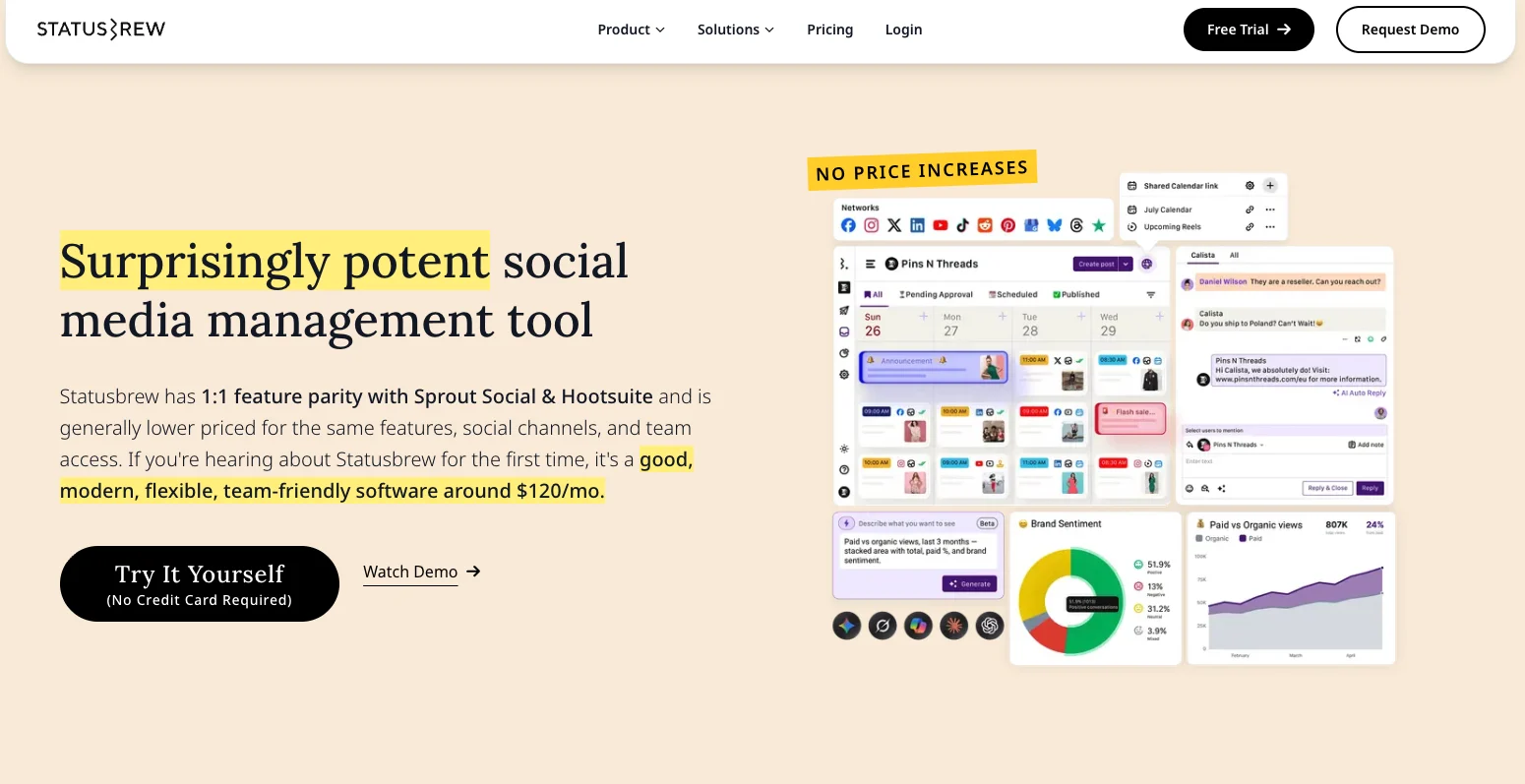
Statusbrew is built around the work that gets messy when several brands or client accounts sit inside the same social team. It keeps publishing, approvals, inbox activity and reporting separated by client while still giving the team one place to manage the work.
Statusbrew’s Best For
Agencies and marketing teams that manage multiple brands, clients or locations and need stronger control over approvals, inboxes and reporting.
Statusbrew’s Key Features
- Multi-network scheduling with platform-specific post customization
- Configurable approval workflows on higher plans
- Shared calendars and client review links
- Unified inbox for comments, DMs, reviews and mentions
- Custom reports with 270+ available metrics
- Social listening and competitor benchmarking on Premium
Statusbrew’s Pros
- Keeps client work separated without splitting the team across different tools
- Strong approval and permission controls
- Useful inbox automation for high-volume community management
- Shareable calendars and reports work well for client review
- Supports a wide range of social and reputation channels
Statusbrew’s Cons
- Approval workflows are limited to Premium and Enterprise
- Advanced listening and competitor benchmarking require Premium
- Costs rise as you add more users or social profiles
- More setup than a basic social media post scheduler
Statusbrew’s Pricing
- Lite: $69/month billed annually for 1 user and 5 social profiles
- Standard: $129/month billed annually for 3 users and 10 social profiles
- Premium: $229/month billed annually for 6 users and 15 social profiles
- Enterprise: Custom pricing with unlimited users and profiles
- Agency pricing: Starts at $49 per client/month
- Free trial: 14 days with no credit card required
11. Sprout Social
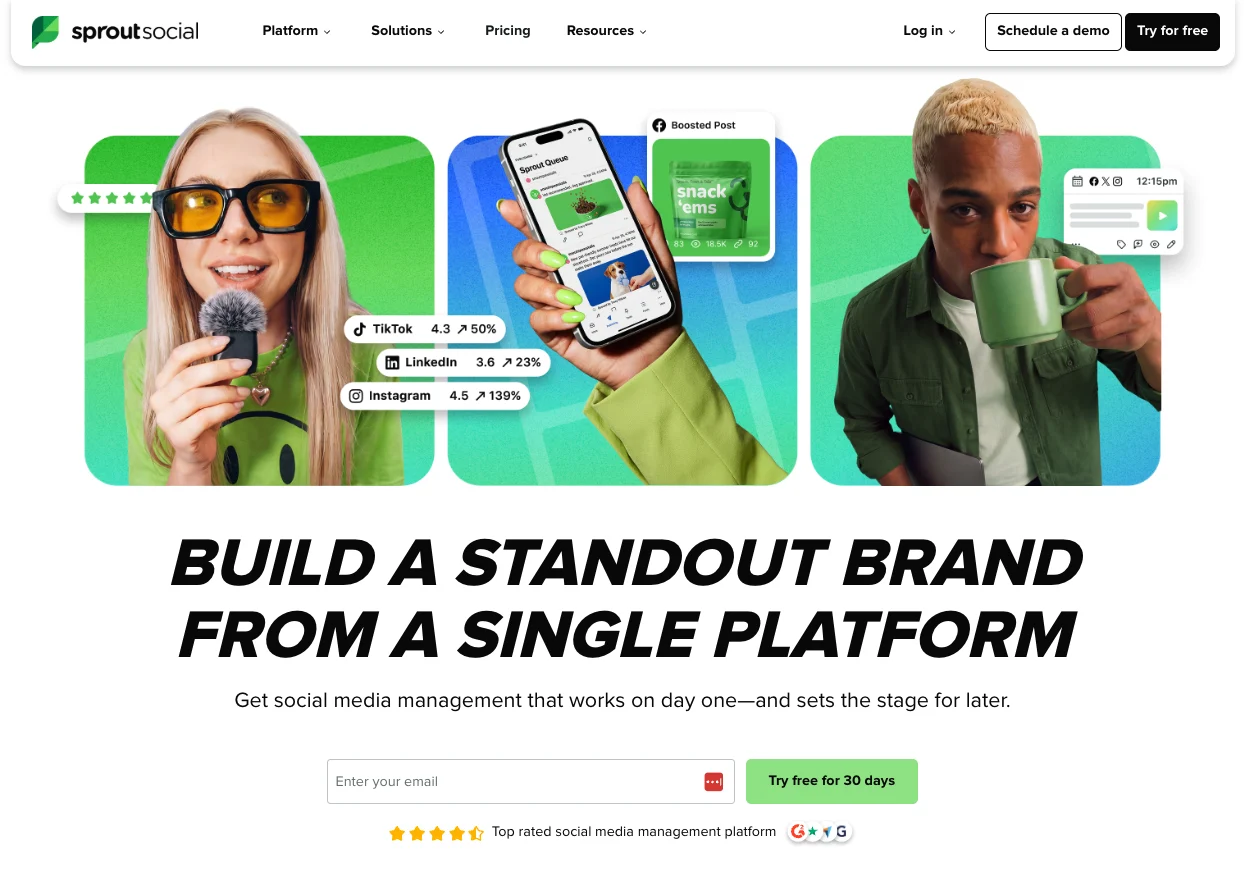
Sprout Social brings publishing, approvals, inbox work and reporting into one social media management platform. Teams can plan content in a shared calendar, manage incoming messages through Smart Inbox and build reports without pulling data from each network separately.
The platform has more depth around team workflows and reporting than a basic social media post scheduler. That makes it useful when several people work on social content or when performance reports need to go beyond the social team.
Sprout Social’s Best For
Larger marketing teams and organizations that need structured publishing, shared inbox management and detailed social media reporting.
Sprout Social’s Key Features
- Shared publishing calendar with scheduling and queueing
- Smart Inbox for messages, comments and mentions
- Approval workflows and bulk scheduling
- Cross-channel analytics with custom reporting
- Optimal Send Times based on historical engagement data
Sprout Social’s Pros
- Strong reporting for client or leadership updates
- Clear approval workflows for larger social teams
- Combines publishing and community management
- Supports a broad range of major social networks
Sprout Social’s Cons
- Per-seat pricing can become expensive as the team grows
- Approval workflows require higher-tier plans
- Social Listening and Premium Analytics cost extra
- Too feature-heavy for teams that only need basic scheduling
Sprout Social’s Pricing
- Essentials: $79/seat/month when billed annually
- Standard: $199/seat/month when billed annually
- Professional: $299/seat/month when billed annually
- Advanced: $399/seat/month when billed annually
- Enterprise: Custom pricing
- Free trial: 30 days, no credit card required
How to Choose the Right Social Media Scheduling Tool
A useful shortlist starts with your actual setup. The number of accounts you manage, how content gets approved and what happens before a post reaches the scheduler will narrow the options much faster than a long feature list.
1. Count the Accounts, Brands and Users You Need
A solo marketer running two or three profiles has very different needs from an agency managing eight accounts across several clients. Check whether pricing scales by channel, user, workspace or brand before you compare plans.
This is especially important with per-channel or per-seat pricing. A low starting price can change quickly once you add several social accounts or give more people access.
2. Map How a Post Gets Approved
Look at what happens after a draft is ready. If one person writes and publishes the content, a basic scheduler can cover the job.
Approval features become more useful when two or more people need to review posts or when a client has final sign-off. In that setup, check whether comments stay attached to the post, whether approval is required before publishing and whether reviewers need full platform access.
3. Look at What Happens Before Scheduling
For some teams, the content is already finished before it reaches the calendar. They mainly need reliable scheduling and a clear view of upcoming posts.
Content-heavy teams have another step to deal with. A company publishing four blogs, two podcast episodes and several videos each month still needs to turn those assets into social content. Distribution.ai fits this workflow because it handles content repurposing before drafts move into approval and scheduling.
4. Decide How Much Reporting You Need
Basic post metrics can be enough for a smaller in-house team. The requirements change when social results need to be reported across several channels, shared with clients or presented to leadership.
Check what the report actually needs to show. Reach and engagement may be enough for one team, while another needs campaign comparisons, website traffic, audience growth and exportable reports. Paying for advanced reporting makes little sense if the team will never use it.
5. Price the Setup You Will Actually Use
Do not compare tools using the cheapest plan on each pricing page. Price the setup your team would buy.
For example, calculate the cost for three users, eight social accounts, two brands and the approval or analytics features you need. Then check what happens if you add another user or two more accounts later.
That gives you a much better view of the real monthly cost than the advertised starting price.
Which Social Media Scheduling Tool Should You Choose?
The right scheduler should fit the way your team already works. A simple publishing tool can be enough when the content is ready to go. Teams that manage approvals, several brands or detailed reporting will need more structure around the calendar.
For content-heavy teams, Distribution.ai covers an earlier part of the workflow too. Blogs, podcasts and videos can be repurposed into social posts before those drafts move through review, scheduling and performance tracking. That keeps content creation and distribution closer together instead of treating scheduling as a separate last step.
If that matches how your team works,
Frequently Asked Questions
1. What Is the Best Scheduling Tool for Social Media?
The right choice depends on what happens before and after scheduling. Distribution.ai is a strong fit for teams that repurpose blogs, podcasts or videos into social posts.
Buffer suits simpler publishing needs, while platforms such as Planable or Sprout Social add deeper approval and reporting workflows.
2. What Is the 5-3-1 Rule for Social Media?
The 5-3-1 rule does not have one universal definition. A common version recommends a mix of five curated posts, three original posts and one promotional post.
Other variations use the numbers for daily engagement instead, so treat it as a framework rather than a fixed rule.
3. What Is the Best Social Media Scheduler in 2026?
For content-heavy marketing teams, Distribution.ai stands out because scheduling starts after the platform has repurposed existing source content into social drafts.
Teams focused mainly on publishing can choose a lighter scheduler, while larger organizations may need stronger approvals, inbox management or advanced reporting.
Promote, repurpose & distribute your content with AI
Write 10x faster, engage your audience, & never struggle with the blank page again.
Start 15-Day Free Trial
Frequently Asked Questions
Author

Promote, repurpose & distribute your content with AI
Start 15-Day Free Trial